Welcome to the new iris.ma

We rebuilt everything for you

Same team, same standards

Pay nowView my order
Visit the HP store

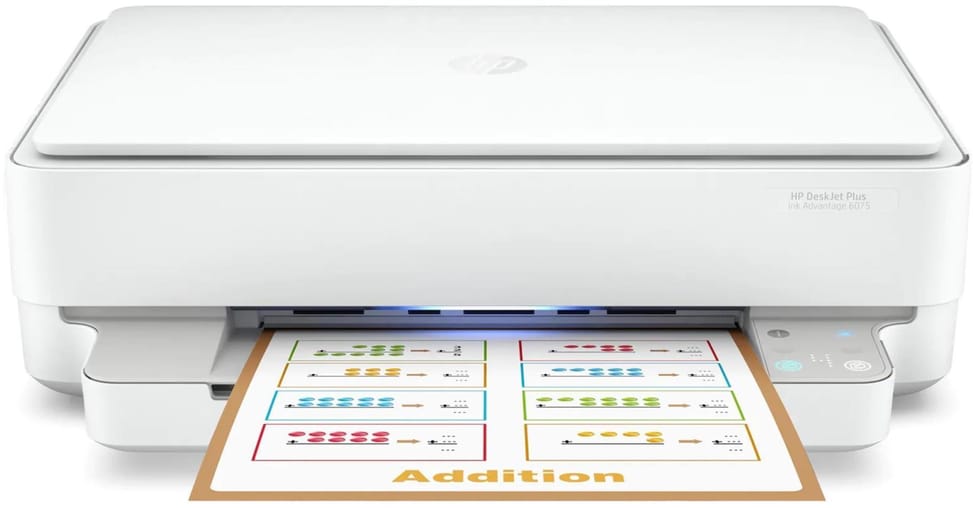
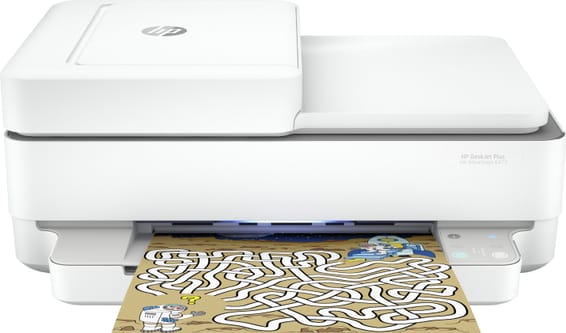
HP DeskJet Plus Ink Advantage 6075 Inkjet Multifunction Printer (5SE22C)

Automatic duplex and borderless photos up to 216 x 297 mm: enough to cover homework, paperwork and family prints. Dual-band Wi-Fi to print from a smartphone.

  • 20 pages/min in black, 17 in colour (10 and 7 to the ISO standard)
  • Automatic duplex
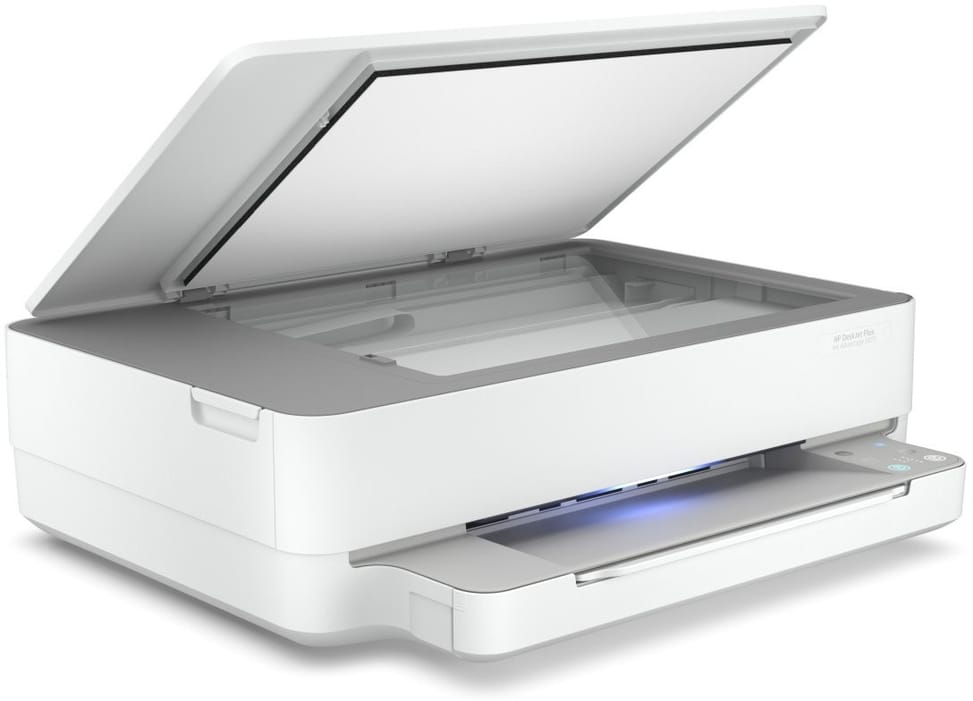
  • Flatbed scanner
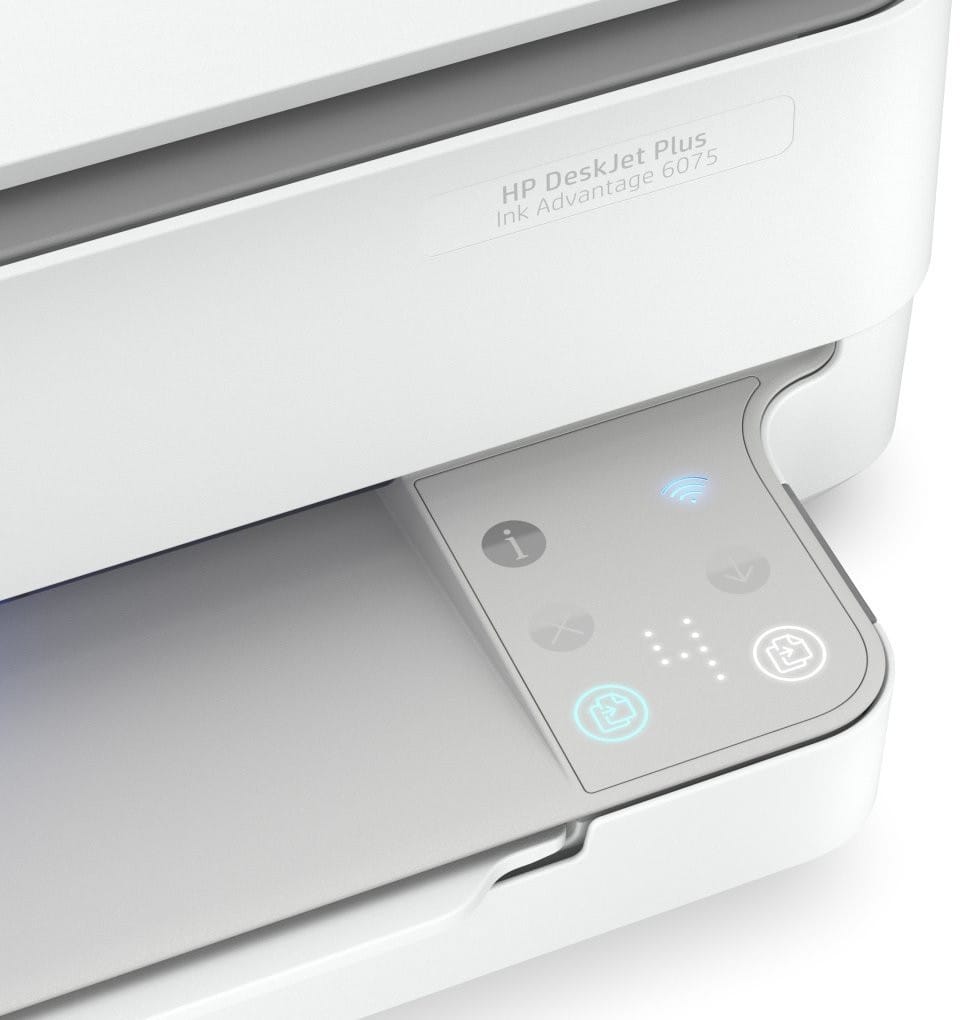
  • No screen: panel with touch buttons and indicator lights
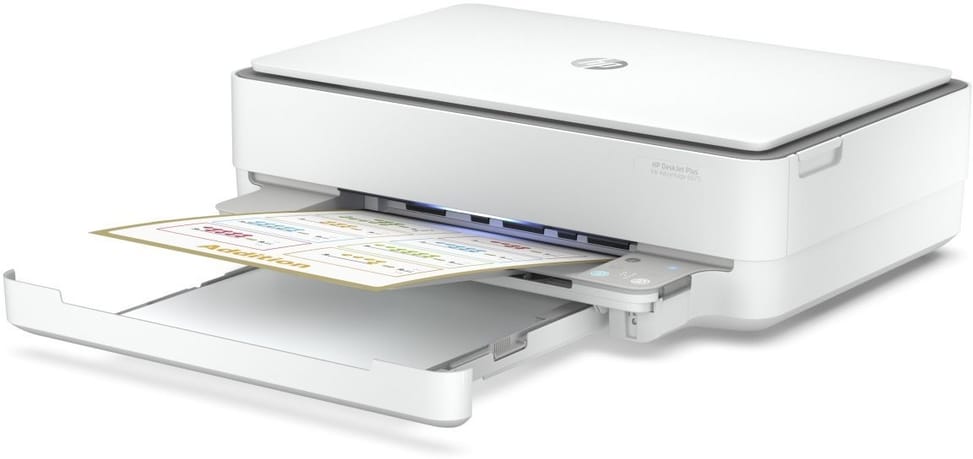
  • 100-sheet tray
  • Recommended volume: 100 to 400 pages/month
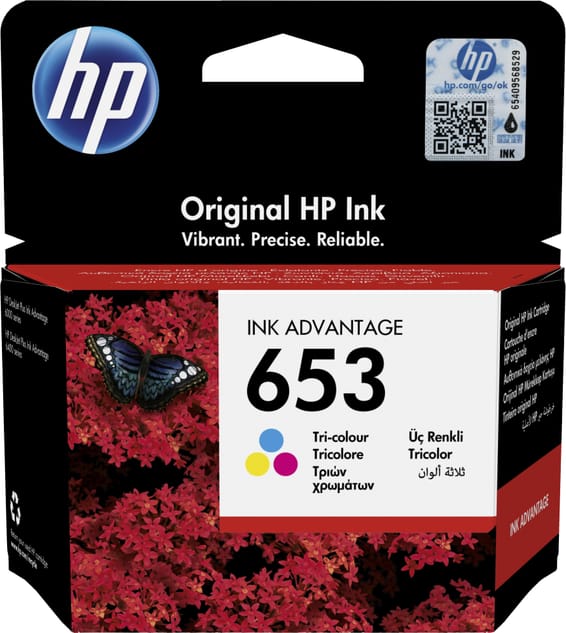
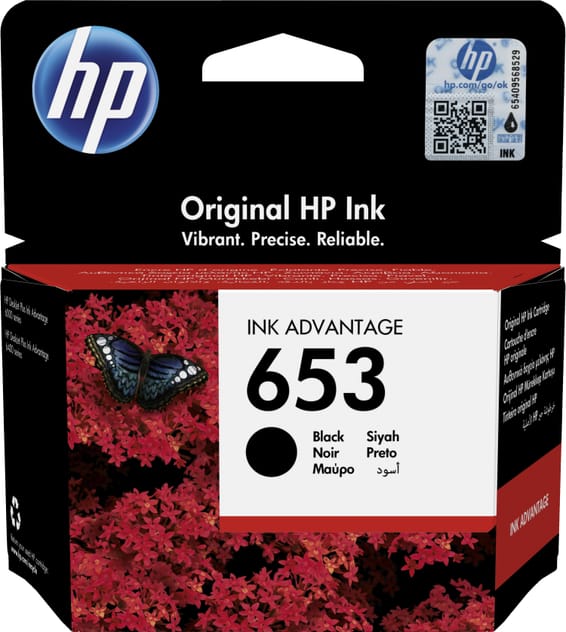
  • 2 cartridges: 1 black, 1 tri-colour
  • Borderless printing up to 216 x 297 mm
  • Dual-band Wi-Fi and USB
  • A4 format
Ref.: 5SE22C
1 439,00 DHincl. VAT

Out of stock

Under Law 09-08, you have the right to access, rectify and object to the processing of your personal data. This processing has been authorised by the CNDP under no. D-CE-389/2015. Learn more

Can’t wait?

Ask for an alternative on WhatsApp

Quick reply

Manufacturer's datasheetView the PDF · 1,8 Mo — downloadable

Product overview

Inkjet multifunction printer for the home: automatic duplex, photo printing and Wi-Fi.
Functions: print, copy and scan, with photo printing
Speed: 20 ppm in black, 17 in colour · Resolution 1200 × 1200 dpi
Ink: 2 cartridges (1 black + 1 tri-colour) — if one colour runs out, the whole colour cartridge must be replaced
Duplex printing: automatic — saves paper
Paper tray: 100 sheets · Recommended volume: 100 to 400 pages/month
No display · Connectivity: Wi-Fi and USB · A4 format
Automatic duplex and photo printing in one, ideal for the family.

See all the specifications ↓
Request a quoteShare:

Technical specifications

Technical specifications
Print cartridges2 cartridges: 1 black, 1 tri-colour
Black print speed10 pages/min to ISO standard (up to 20 pages/min in economy mode)
First page out time18 s (black), 21 s (colour), A4 from ready
Colour print speed7 pages/min to ISO standard (up to 17 pages/min in economy mode)
Black print qualityUp to 1,200 x 1,200 rendered dpi
Colour print qualityUp to 4,800 x 1,200 optimised dpi (selected HP photo papers, 1200 input dpi)
Duty cycleUp to 1,000 A4 pages per month
Connectivity1 Hi-Speed USB 2.0 port, Wi-Fi 802.11b/g/n
Mobile printingAirPrint, Mopria, HP Smart app, Chrome OS
DisplayNone (Cap Sense button panel, no LCD screen)
Duplex printingAutomatic (standard)
Borderless printingYes, up to 8.5 x 11 inches (216 x 297 mm)
Paper tray capacityInput: 100 sheets · Output: 25 sheets
Supported media sizesA4, A5, A6, B5, DL and C6 envelopes, custom size from 76.2 x 127 to 216 x 297 mm
Supported media typesPlain paper HP photo papers HP matte brochure paper or HP professional paper HP matte presentation paper HP glossy brochure paper or HP professional paper Other inkjet photo papers Other inkjet matte papers Other inkjet papers Plain paper, light/recycled
Dimensions (W x D x H)432.5 x 361.1 x 132.1 mm (minimum dimensions) / 432.5 x 511.5 x 132.1 mm (maximum dimensions)
Net weight5.22 kg (6.35 kg with packaging)
Installed memory128 MB DDR3
Compatible operating systemsWindows 11, 10, 7 · macOS 10.12 Sierra to macOS 10.15 Catalina and macOS 14 Sonoma · Chrome OS
Box contentsHP DeskJet Plus Ink Advantage 6075 All-in-One Printer; HP 653 Black Starter Cartridge; HP 653 Tri-colour Starter Cartridge; Regulatory flyer; Setup guide; Reference guide; Power cord
Cable includedNone (USB cable to be purchased separately)
FeaturesPrint, copy, scan
FaxNo
CopierUp to 300 x 300 dpi · Up to 8 copies/min in black and 4 in colour (ISO) · Zoom 25 to 200% · Up to 9 copies · Colour or monochrome copying
ScannerFlatbed
Technical specifications (continued)
Printing technologyInk cartridge (inkjet)
Printhead technologyHP Thermal Inkjet
Automatic document feeder capacityNo automatic document feeder
ADF scan speedNo automatic document feeder
Maximum flatbed scan sizeA4: 215.9 x 297 mm
Scan file formatsJPG, RAW, PDF
Included softwareHP printer software, available online
Recommended media weightA4: 60 to 90 g/m²; HP envelopes: 75 to 90 g/m²; HP cards: up to 200 g/m²; HP 10 x 15 cm photo paper: up to 300 g/m²
Printer languagesHP PCL 3 GUI
Wi-FiYes
EthernetNo
FormatUp to A4
Power consumptionReady: 4.0 W · Sleep: 1.70 W · Off: 0.10 W
Compatible cartridges3YM74AL HP 653 Tri-colour Original Ink Advantage Cartridge (approx. 200 pages) 3YM75AL HP 653 Black Original Ink Advantage Cartridge (approx. 360 pages) 3YM76AE HP 682 Tri-colour Original Ink Advantage Cartridge (approx. 150 pages) 3YM77AE HP 682 Black Original Ink Advantage Cartridge (approx. 480 pages) 3YM78AE HP 667 Tri-colour Original Ink Advantage Cartridge (approx. 100 pages) 3YM79AA HP 667 Black Original Ink Advantage Cartridge (approx. 120 pages) 3YM81AA HP 667XL High Yield Black Original Ink Advantage Cartridge (approx. 480 pages) 3YM80AA HP 667XL High Yield Tri-colour Original Ink Advantage Cartridge (approx. 330 pages)
Power supply220 to 240 V AC (± 10 %), 50/60 Hz, 0.7 A, built-in power module
Noise levelAcoustic power: 6.7 B(A)
Recommended monthly page volume100 to 400 pages per month
Number of cartridges2 cartridges
Print colourColour
Duplex scanningNo
Consumables included with the printer2 HP 653 starter cartridges (1 black, 1 tri-colour)
Optical scan resolutionUp to 1,200 dpi (optical)
Automatic document feederNo
Recommended monthly volume100 to 500 pages per month
Warranty1 year

Specific references

EAN194721022073

Customer reviews

No reviews yet

Be the first to review this product and help other customers.

Write a review
Your rating
5/5

Shown publicly with your review.

Never published — a confirmation email will be sent to you.

Tell us about the product — in a few lines:

  • what you liked in everyday use;
  • the quality and performance you found;
  • who you would recommend it to, and why.

A question about an order, a delivery or a payment? Write to us and we will reply to you directly.

Under Law 09-08, you have the right to access, rectify and object to the processing of your personal data. This processing has been authorised by the CNDP under no. D-CE-389/2015. Learn more

Frequently asked questions about this product

Is duplex printing automatic, or do you have to turn the sheets over by hand?
Automatic, and as standard: the printer turns the sheet over by itself, which saves paper. Duplex printing accepts sizes from 76.2 × 127 mm to 216 × 297 mm.
Is a USB cable supplied with the printer?
No, it has to be bought separately. The box contains the printer, the HP 653 black and tri-colour starter cartridges, the power cord, the setup guide, the reference guide and the regulatory flyer. Setting it up over Wi-Fi means you do not need a cable.
Can you use compatible cartridges from another brand?
Be careful: this printer ships with dynamic security enabled. It is intended to work with cartridges that have genuine HP electronic circuitry; those without it may not work, or may stop working after an update.
Which cartridges should you buy next, and which ones last the longest?
Four series work with this model: HP 653 (360 pages in black, 200 in colour), HP 682 (480 / 150), HP 667 (120 / 100) and the high-yield 667XL, which go up to 480 pages in black and 330 in colour.
If only one colour is empty, do you have to replace the whole cartridge?
Yes. The printer uses only two cartridges: one black and one tri-colour. As soon as one of the three colours runs out, the entire colour cartridge has to be changed, even if there is ink left in the other two.
Does it really print 20 pages per minute?
20 pages/min in black and 17 in colour are the speeds in economy mode. In normal quality measured to the ISO standard, expect 10 pages/min in black and 7 in colour, with 18 seconds to print the first page, 21 seconds in colour.
The input tray holds 100 sheets: does the output tray keep up?
No: the input tray takes 100 sheets but the output tray holds only 25, or 5 envelopes. On a long print run, you need to remove the printed pages along the way. The input tray is also the only one: no second tray is available as an option.
What monthly print volume can this printer handle?
It is designed for 100 to 400 pages per month, with a technical maximum of 1,000 A4 pages. It is a machine intended for the home or a very small office.
Can the scanner scan a stack of documents on its own?
No: the scanner is a flatbed, with no automatic document feeder, so pages are placed one at a time under the lid. It scans to PDF, JPG or RAW at up to 1,200 dpi optical, in A4 size, and copying goes up to 9 copies with a zoom of 25 to 200%.
How does it connect, and is there an Ethernet port?
Via dual-band Wi-Fi (2.4 and 5 GHz) or USB 2.0; there is no Ethernet port. Bluetooth 5.0 lets you print from a mobile device less than 1.5 m away, via the HP Smart app. AirPrint and Mopria are supported.
With no screen, how do you know what the printer is doing?
The control panel is limited to Cap Sense touch buttons — colour, mono, information, cancel, confirm — with Wi-Fi and paper jam indicator lights. Detailed monitoring, such as job status and ink levels, is done from your smartphone with the HP Smart app, which sends notifications.
Can it print photos, envelopes or thick paper?
Yes. It accepts A4, A5, B5 and A6 sizes and DL and C6 envelopes, with borderless printing up to 216 × 297 mm. Paper weights: 60 to 90 g/m² for A4, 75 to 90 for HP envelopes, up to 200 g/m² for cards and 300 g/m² for 10 × 15 photo paper.
Does it use a lot of power if you leave it plugged in all the time?
No: 0.31 kWh per week in typical use, 4 W when ready to print, 1.7 W in sleep mode and 0.10 W when off. Its power supply is a built-in unit running on 220-240 V: no external power brick to hide behind the furniture.
Is the HP DeskJet Plus Ink Advantage 6075 printer new and under warranty?
Yes: a new printer, supplied with its invoice, which serves as the warranty document for 1 year, the length of the HP limited hardware warranty. Full details are in the HP datasheet (PDF).

Trending

View the HP archive

Chat on WhatsApp

Scan with my phone

The simplest way: open your phone camera and point it at this code. The chat opens with your message ready.

Open WhatsApp Web

Works if your phone is already linked to this computer.

Prefer to call? (+212) 05 30 31 64 21