Welcome to the new iris.ma

We rebuilt everything for you

Same team, same standards

Pay nowView my order
Visit the Canon store

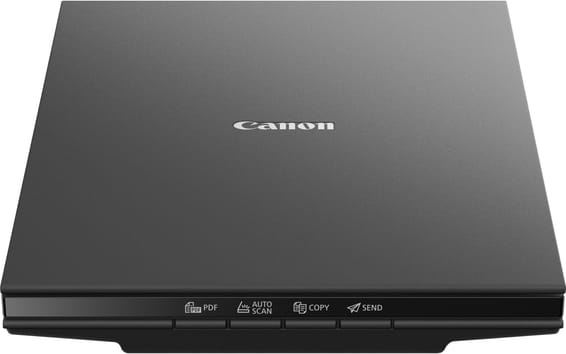
Canon CanoScan LiDE 400 Portable Flatbed Scanner (2996C010AD)

Optical resolution of 4800 dpi and 48-bit colour depth, powered by the USB-C cable alone, with no mains supply.
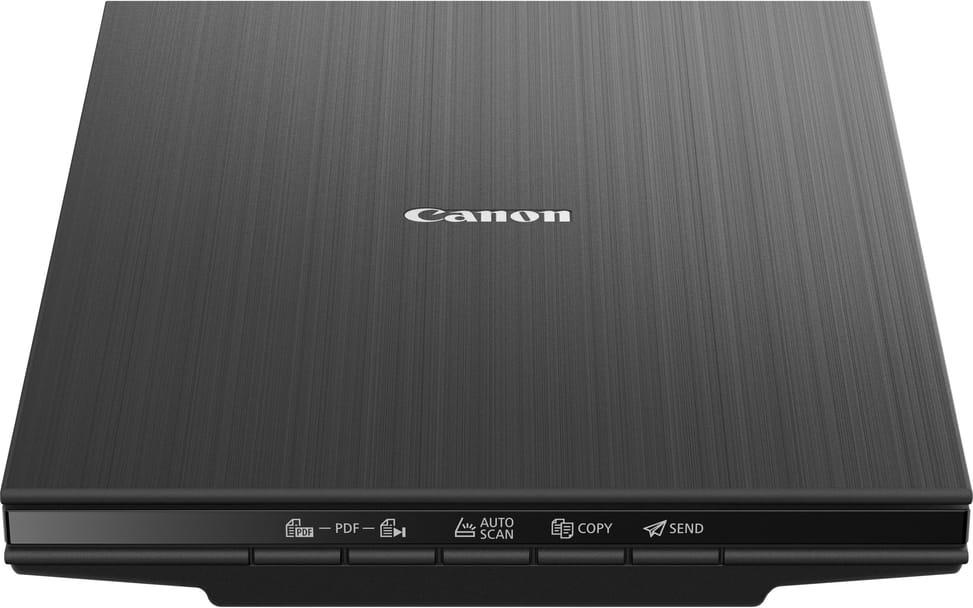
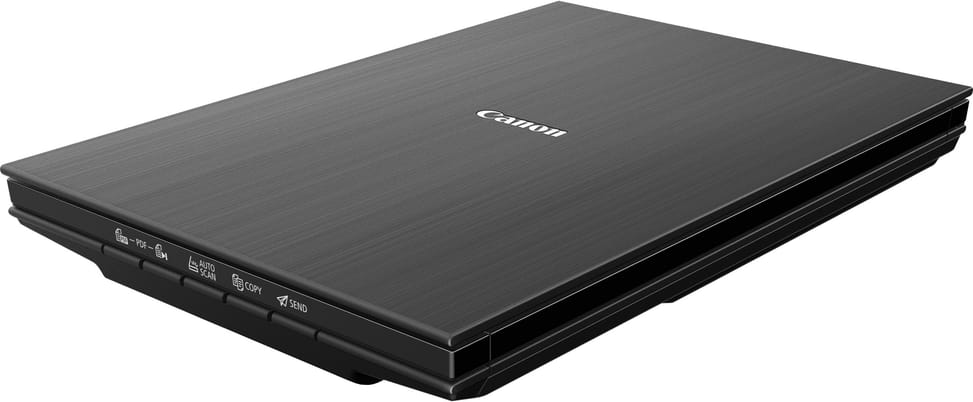
  • Optical resolution 4800 dpi
  • Colour depth 48-bit
  • Powered over USB-C, with no mains supply
  • Scans an A4 colour page in ~8 s
Ref.: 2996C010AD
1 249,00 DHincl. VAT

In stock

Earn 13 DH in loyalty credit with this purchaseHow does it work?Loyalty credit capped at 300 DH per order.

Receive it between Wed 23 Sept and Fri 25 Sept — delivery 40 DH incl. VAT all over Morocco

Delivery to your address

Receive it between Wed 23 Sept and Fri 25 Sept — delivery 40 DH incl. VAT all over Morocco

The estimate is refined using actual delivery rounds to your city.

  • Free delivery from 3 000 DH of purchases, all over Morocco.
  • Below that, the same rate in every city for parcels up to 30 kg (delivery to your home or workplace) — the exact amount is shown above, then in the basket.
  • Above 30 kg, the rate follows the parcel's weight. In Casablanca, the flat rate holds up to 120 kg.
  • You are notified by SMS, then called by the courier before your parcel is handed over (delivered by Sapress).
  • Observed delivery time: 1 to 5 working days depending on the city.
Free in-store collection: Casablanca (within 24 h) · Témara (within 48 h)

In-store collection — free

Casablanca store
We bring it to the store within 24 h
We call you as soon as it arrives in store.

Résidence Manoir des Roses, Lot. 18, Boulevard El Hachmi El Filali, Rond-point Bachkou, Casablanca

Opening hours

  • Mon–Fri: 10am – 7pm
  • Sat: 10am – 2pm
  • Closed on Sundays and public holidays

Payment on site: cash, bank card via terminal, certified cheque.

View the map on Google Maps

Temara pickup point
We bring it to the store within 48 h
We call you as soon as it arrives in store.

Boulevard Hassan II, Résidence Les Perles de Témara, Immeuble 5, appartement 2, Témara

Opening hours

  • Mon–Fri: 8.30am – 1pm / 2pm – 6pm
  • Sat: 8.30am – 12.30pm
  • Closed on Sundays and public holidays

Payment on site: cash, bank card via terminal, certified cheque.

View the map on Google Maps

1 year warranty — free repair in Morocco if it breaks down during the warranty period

1 year manufacturer's warranty

This product is covered for 1 year by a manufacturer's warranty (the brand's official warranty). Your iris.ma invoice serves as the warranty document: keep it safe.

A problem with your product? Don't worry: contact us by phone, WhatsApp or e-mail. Depending on the brand, we direct you either straight to the repairer appointed by the brand to fix your product, or to us — and we take care of the rest.

  • If a repair is possible, it is carried out free of charge.
  • If the product cannot be repaired, the brand offers an exchange for another product.
  • If no product is available, a refund is issued as soon as the brand confirms it.

Faulty straight out of the box? Some brands offer an immediate exchange, others a repair. Contact us to find out what applies to your product.

The warranty covers breakdowns occurring under normal use, as defined by the brand's terms. Product breakage (drop, impact, liquid…) is not covered, nor are certain consumable parts.

New, never opened — our commitment

All our products are new, delivered in their sealed original packaging.

We commit to never sending you a product that has been opened, unboxed or returned by another customer — even one “just opened for checking”.

Any doubt on delivery (damaged box, seal already opened)? Point it out to the courier or contact us immediately: we take the product back and send you another one.

Sales invoice

Every order comes with its sales invoice, included with the parcel (handed over in person for a store collection).

Ordering for a company? Using the details you give at checkout (company name and ICE), the invoice is issued in your company's name, with its ICE.

Need a quote? Request a free quote — reply within 24 working hours.

100% secure payment: Bank transfer · Bank card · Cash on delivery · Certified cheque

Accepted payment methods

Bank transfer

Simply transfer the amount shown to account 007 826 0002684000000426 89 — SGM2I, Attijariwafa bank. The rest (the reference to quote, sending us the proof, tracking) is explained right after confirmation and by email. An instant transfer is recommended: it saves you 24 hours on the delivery time.

Bank card

Your everyday Moroccan bank card is enough — Visa, Mastercard or CMI, no special card required. Foreign cards are accepted too. Secure payment by Attijari Payment.

Cash on delivery

Pay the courier in cash on delivery — no fee.

Certified cheque

Certified cheque payable to “sgm2i”. Have your bank certify the cheque, then send us a copy on WhatsApp (+212 6 64 10 46 24) or to service.client@iris.ma — we dispatch as soon as we receive it.

Cash at a bank branch

Pay the cash in at any of the 3,400 Attijariwafa Bank branches in Morocco, to the SGM2I account no. 0268 D 000 000 426. You do not need an account there: your ID and the cash are enough.

The methods offered depend on the order total and the carrier — checkout shows the final list.

Google reviews4.7(553 reviews)
Manufacturer's datasheetView the PDF · 160 Ko — downloadable

Product overview

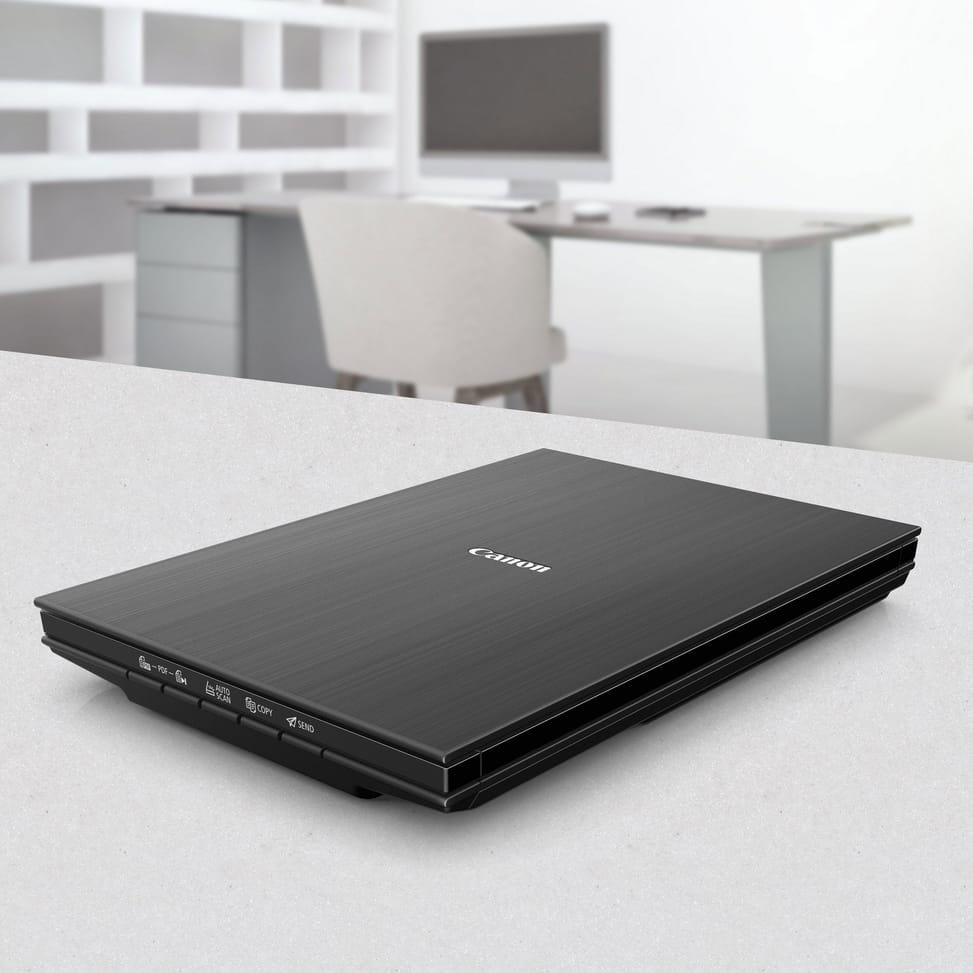
Compact flatbed scanner for the home: 4,800 dpi, powered by a single USB-C cable, space-saving.
Type: flatbed scanner — you place the document or photo on the glass; ideal for bound pages, books and prints.
Optical resolution: 4,800 dpi — high resolution, suited to documents and photos alike.
Colour depth: 48-bit — very fine shades.
Speed: one colour A4 page in about 8 seconds, one 10×15 photo in about 4 seconds (300 dpi).
Format: scans up to A4.
Connectivity: USB-C — powered by the USB-C cable alone, no mains socket needed.
A sleek, compact flatbed scanner, perfect for scanning documents and photos at home.

See all the specifications ↓
Request a quote

Be notified of a price drop

Share:

Technical specifications

Technical specifications
Scanner typeFlatbed scanner
Maximum optical resolution4,800 x 4,800 dpi (optical)
Output resolutions25 to 19,200 dpi
Bit depth48-bit input, 48/24-bit output (colour); 16-bit input, 8-bit output (greyscale)
Maximum flatbed scan size216 x 297 mm (A4 / Letter)
Connectivity1 USB-C port (Hi-Speed USB 2.0)
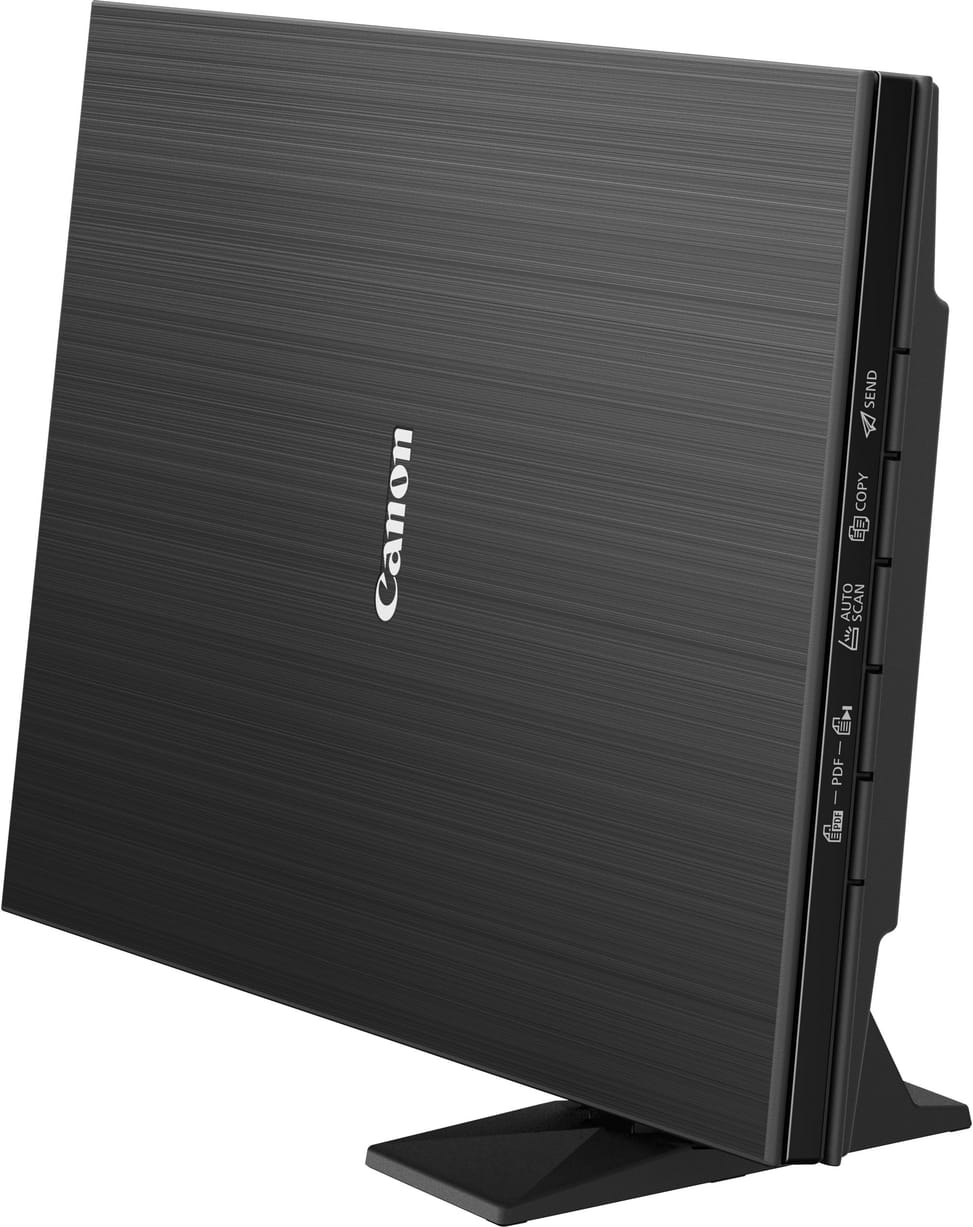
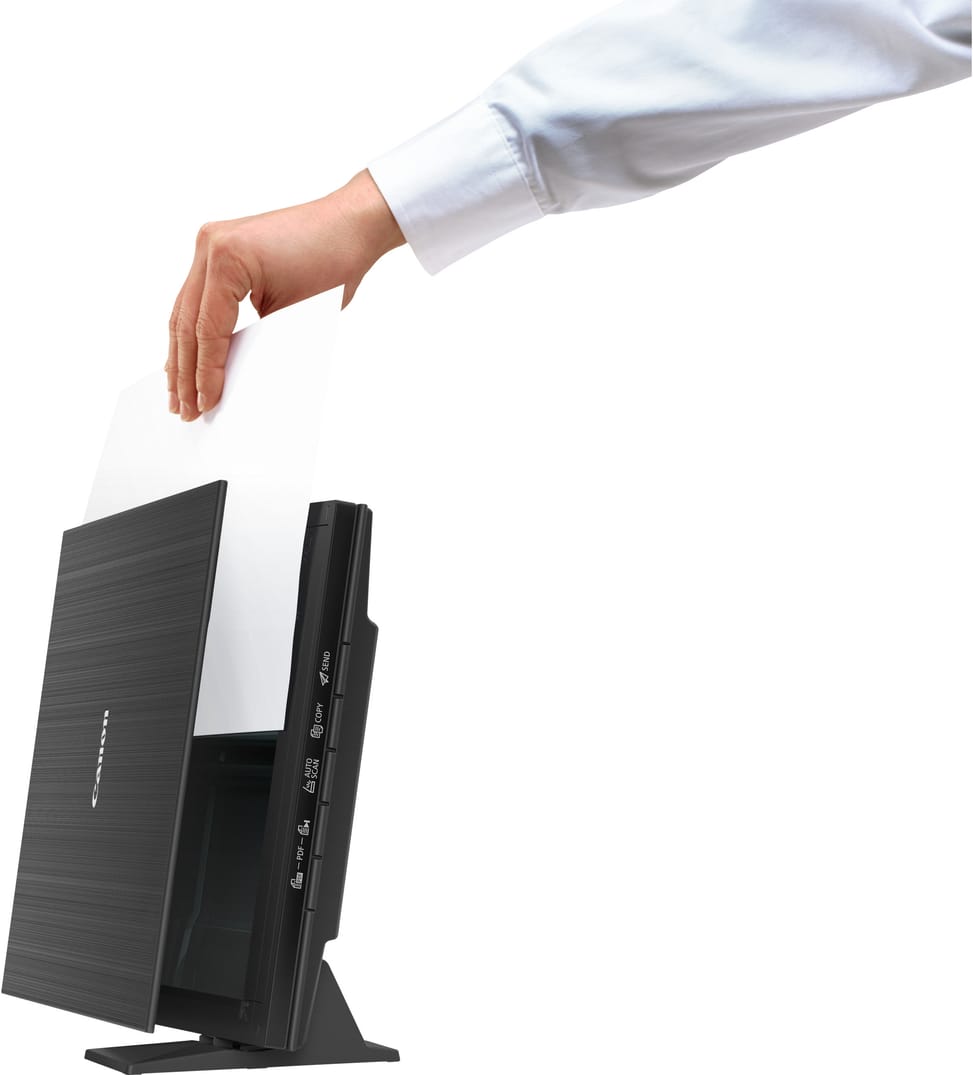
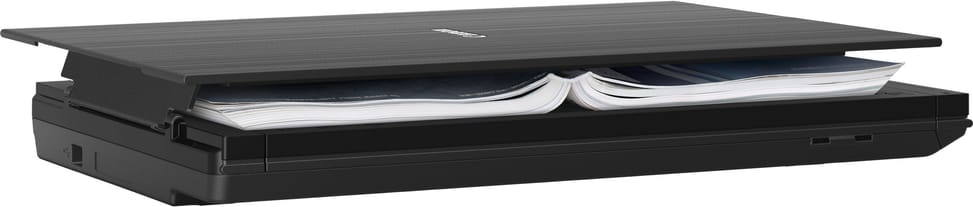
Additional featuresAutomatic photo and document correction (Windows only), double-hinged Z-Lid accepting documents up to 21 mm thick, vertical stand for upright scanning
Scan buttons5 EZ buttons (PDF x 2, auto scan, copy, send)
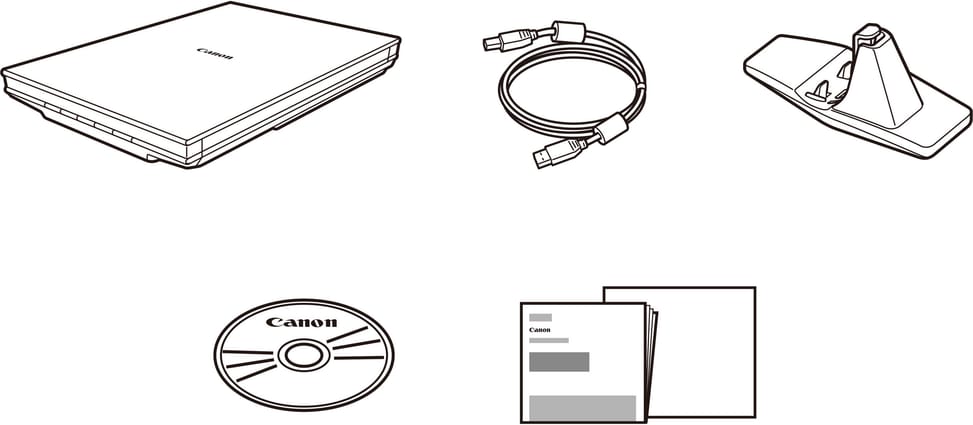
Box contentsCanoScan LiDE 400 A4 flatbed scanner, USB cable, vertical stand, manuals and other documents
Dimensions (W x D x H)250 x 365 x 39 mm
Net weight1.7 kg
Sensor typeCIS (contact image sensor)
Compatible operating systemsWindows 10, Windows 8.1 and Windows 7 SP1 · OS X 10.11.6, macOS 10.12 to macOS 10.15 and macOS 11
Scanner driversScanGear (TWAIN 1.9)
Technical specifications (continued)
Automatic document feederNo
DuplexNo
Max. paper sizeUp to A4
Optical resolution4,800 dpi
Colour depth48-bit
Power supplyPowered via the USB port, no AC adapter
Included softwareScanGear for Windows, Scan Utility for Windows
Power consumptionScanning: approx. 4.5 W maximum · Sleep: approx. 0.3 W
Light source3-colour (RGB) LED
Flatbed scan speedApprox. 8 s per page (A4, 300 dpi, colour); approx. 4 s for a 4 x 6-inch photo (300 dpi, colour); preview: approx. 7 s. In colour: 25.4 ms/line at 4,800 dpi, 14.8 at 2,400 dpi, 6.6 at 1,200 dpi, 3.8 at 600 dpi and 1.7 at 300 dpi
Paper sizesA4, Letter
EthernetNo
Wi-FiNo
Warranty1 year

Specific references

EAN4549292119855

Customer reviews

No reviews yet

Be the first to review this product and help other customers.

Write a review
Your rating
5/5

Shown publicly with your review.

Never published — a confirmation email will be sent to you.

Tell us about the product — in a few lines:

  • what you liked in everyday use;
  • the quality and performance you found;
  • who you would recommend it to, and why.

A question about an order, a delivery or a payment? Write to us and we will reply to you directly.

Under Law 09-08, you have the right to access, rectify and object to the processing of your personal data. This processing has been authorised by the CNDP under no. D-CE-389/2015. Learn more

Frequently asked questions about this product

Do you need a power socket to use the CanoScan LiDE 400?
No: it is powered through the USB port — a single USB-C cable connects the scanner to the computer, with no power adapter or socket required. Power consumption peaks at 4.5 W in operation and drops to 0.3 W in standby. It operates between 5 and 35 °C.
Can you scan a bound book or a thick document without crushing the binding?
Yes. The double-hinged Z-Lid accommodates bulky documents up to 21 mm thick, books included, without compromising image quality. It is a flatbed scanner: the document is laid on the glass, open at the page.
Does the CanoScan LiDE 400 have an automatic feeder for scanning a stack of sheets?
No: neither an automatic feeder nor duplex scanning. Each sheet is placed on the glass and turned over by hand for the reverse side. The EZ buttons do, however, let you combine several pages into a single PDF without going through the PC.
What is in the box, and is the cable supplied?
It contains the A4 scanner, the USB cable, a vertical stand and the documentation. The supplied cable carries both data and power: there is nothing else to buy to get started. The stand is used to stand the scanner upright.
What are the five EZ buttons on top of the scanner for?
They trigger an action with a single press, without opening any scanning software:
  • two PDF buttons, one of which assembles a multi-page PDF
  • AUTOSCAN: automatic scanning
  • COPY: copying
  • SEND: sending
The scanner goes up to 19,200 dpi: can you scan a whole page at that resolution?
The selectable resolution ranges from 25 to 19,200 dpi, but the higher it goes, the more the scannable area shrinks: this very high dpi is for enlarging a detail, not a full A4 page. The sensor itself offers 4,800 × 4,800 dpi optical resolution at A4 size, measured to the ISO 14473 standard.
How long does a scan take, and does it need a particular USB port?
About 8 seconds for an A4 colour page at 300 dpi, 4 seconds for a 10 × 15 photo and 7 seconds for a preview. These times are measured with the supplied cable connected to a USB 3.0 or higher port; the connector is Type-C, compatible with USB 3.0 and 2.0.
Does it work on a Mac, and with the same software as on Windows?
Supported systems range from Windows 7 SP1 to Windows 10 and from OS X 10.11.6 to macOS 11. However, the bundled software, ScanGear and Scan Utility, comes in Windows versions, as does the automatic photo and document correction.
Do you need a CD drive to install the CanoScan LiDE 400?
No, an Internet connection is enough: installing the Windows software requires either Internet access or a CD-ROM drive. On the computer side, you need a display of at least 1024 × 768. The supplied driver, ScanGear, complies with the TWAIN 1.9 specification.
How much desk space does it take up, and can it stand upright?
It measures 250 × 367 × 42 mm and weighs 1.7 kg: barely larger than an A4 sheet, and 4 cm thick. The supplied vertical stand lets you stand it upright and scan in that position, which cuts its footprint. The maximum format remains A4 / Letter (216 × 297 mm).
Is this scanner suitable for digitising an album of old photos?
Yes: 4,800 × 4,800 dpi optical resolution and 48-bit input capture very fine nuances, and the automatic photo correction, on Windows, prevents distortion. A 10 × 15 photo is scanned in about 4 seconds at 300 dpi.
Is the Canon CanoScan LiDE 400 scanner new and under warranty?
Yes: new, sealed in its original packaging, supplied with its invoice, which serves as the warranty document for 1 year. Full specifications are given in the Canon datasheet (PDF), reference 2996C010AD.

Trending

View the Canon archive

Chat on WhatsApp

Scan with my phone

The simplest way: open your phone camera and point it at this code. The chat opens with your message ready.

Open WhatsApp Web

Works if your phone is already linked to this computer.

Prefer to call? (+212) 05 30 31 64 21