Welcome to the new iris.ma

We rebuilt everything for you

Same team, same standards

Pay nowView my order
Visit the HP store

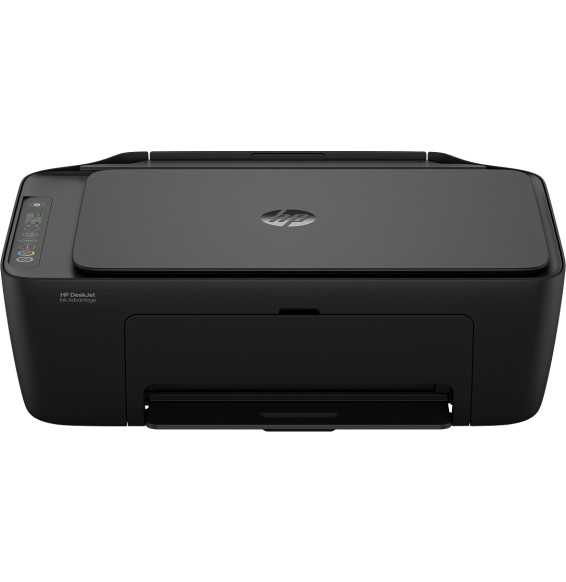
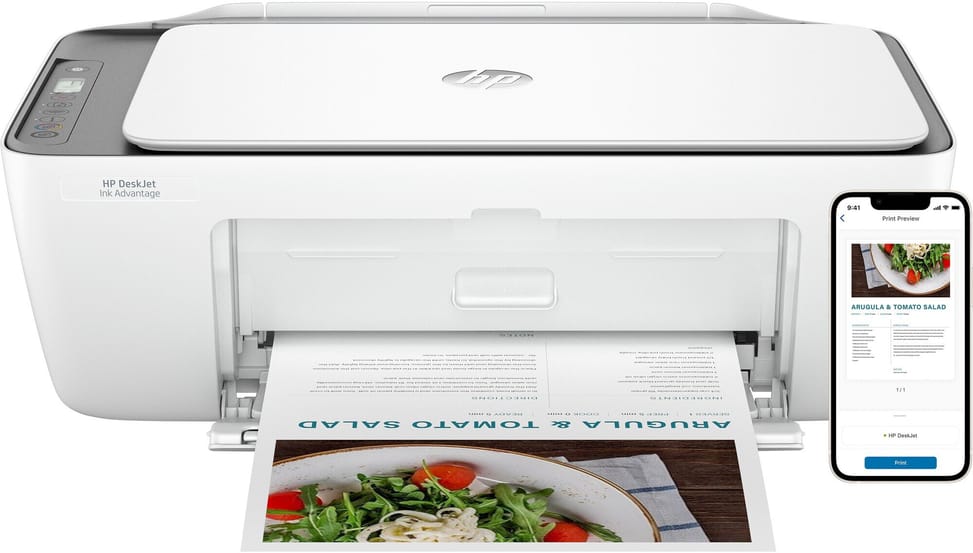
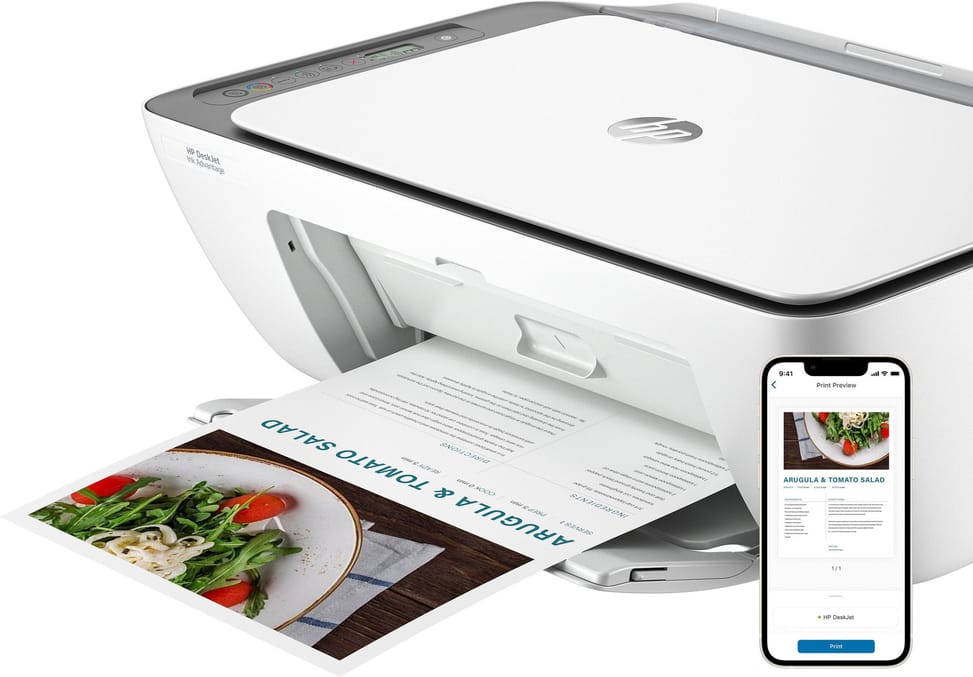
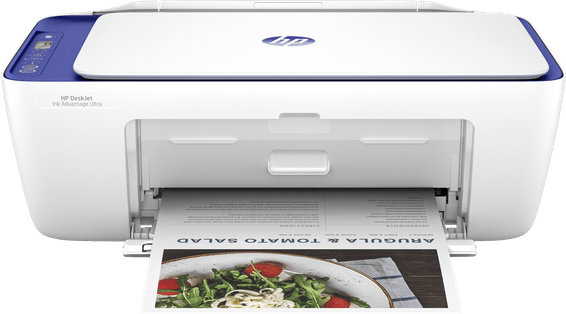
HP DeskJet Ink Advantage 2876 Multifunction Printer (6W7E6C)

Compact and wireless for occasional home use: 20 pages per minute in black, a 60-sheet tray and 3.42 kg to put anywhere.

  • 20 pages/min in black (7.5 to the ISO standard), 5.5 in colour
  • Icon LCD screen, not a touchscreen
  • Manual duplex
  • Flatbed scanner
  • 60-sheet tray
  • Recommended volume: 50 to 100 pages/month
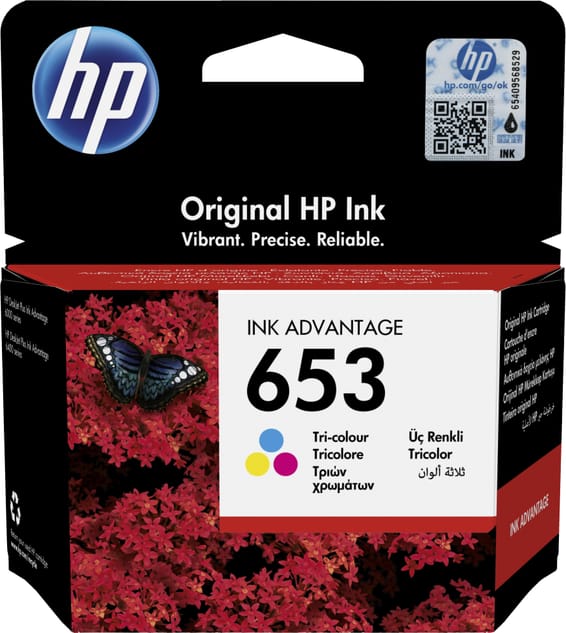
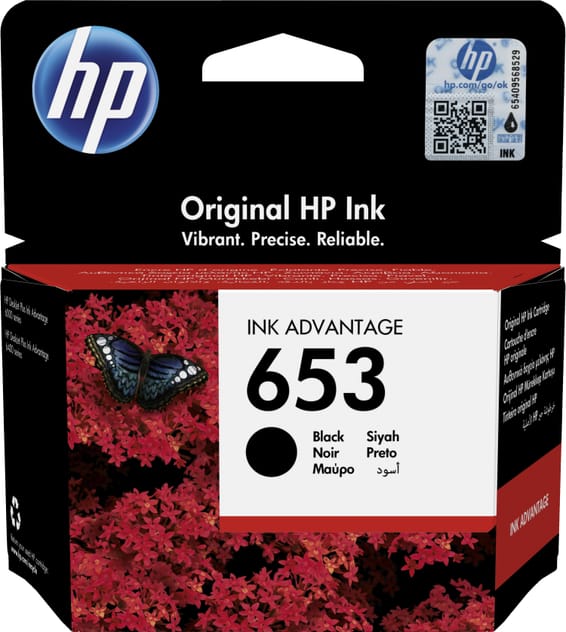
  • 2 cartridges: 1 black, 1 tri-colour
  • Wi-Fi and USB 2.0
  • Weight 3.42 kg
  • A4 format
Ref.: 6W7E6C
1 169,00 DHincl. VAT

Out of stock

Under Law 09-08, you have the right to access, rectify and object to the processing of your personal data. This processing has been authorised by the CNDP under no. D-CE-389/2015. Learn more

Can’t wait?

Ask for an alternative on WhatsApp

Quick reply

Manufacturer's datasheetView the PDF · 6,6 Mo — downloadable

Product overview

Compact inkjet multifunction printer for the home: 3-in-1, Wi-Fi and a space-saving design.
Functions: print, copy and scan
Speed: 20 ppm in black, 5.5 in colour · Resolution 1200 × 1200 dpi
Ink: 2 cartridges (1 black + 1 tri-colour) — if one colour runs out, the whole colour cartridge has to be replaced · printhead built into the cartridge
Duplex printing: manual
Paper tray: 60 sheets · Recommended volume: 50 to 100 pages/month
Display: non-touch · Connectivity: Wi-Fi and USB · A4 format
Wireless print, copy and scan essentials at a low price, for occasional use.

See all the specifications ↓
Request a quoteShare:

Technical specifications

Technical specifications
Print cartridges2 cartridges: 1 black, 1 tri-colour
Black print speed7.5 pages/min to ISO standard (up to 20 pages/min in economy mode)
First page out time13 s (black), 16 s (colour), A4 from ready
Colour print speed5.5 pages/min to ISO standard
Black print qualityUp to 1,200 x 1,200 rendered dpi
Colour print qualityUp to 4,800 x 1,200 optimised dpi (selected HP photo papers, 1200 input dpi)
Duty cycleUp to 1,000 pages per month
Connectivity1 Hi-Speed USB 2.0 port (device), Wi-Fi 802.11b/g/n 2.4 GHz band only
Mobile printingAirPrint, HP app, Chrome OS
DisplayIcon LCD
Duplex printingManual (driver-supported)
Borderless printingNo
Paper tray capacityInput: 60 sheets · Output: 25 sheets
Supported media sizesA4, B5, A6, DL envelopes, custom size from 76 x 127 to 215 x 355 mm
Supported media typesPlain paper, photo paper, brochure paper, envelopes and other specialty inkjet papers
Dimensions (W x D x H)425 x 304 x 154 mm (output extension retracted) / 425 x 546 x 250 mm (output extension fully extended)
Net weight3.42 kg (4.48 kg with packaging)
Installed memory64 MB DDR1, 24 MB flash memory
Compatible operating systemsWindows 11, 10 · macOS 10.14 Mojave to macOS 14 Sonoma · Chrome OS
Box contentsHP DeskJet IA 2876 All-in-One printer; HP 653 Black starter cartridge; HP 653 Tri-colour starter cartridge; Regulatory flyer; Getting started guide; Reference guide; Power cord
Cable includedNone (USB cable to be purchased separately)
FeaturesPrint, copy, scan
FaxNo
CopierUp to 300 x 300 dpi · Up to 9 copies · Automatic enlargement
ScannerFlatbed
Printing technologyInk cartridge (inkjet)
Technical specifications (continued)
Printhead technologyHP Thermal Inkjet
Automatic document feeder capacityNo automatic document feeder
ADF scan speedNo automatic document feeder
Maximum flatbed scan sizeA4: 216 x 297 mm
Scan file formatsJPEG, TIFF, PDF, BMP, PNG
Included softwareHP printer software, available online
Recommended media weightA4: 60 to 90 g/m²; HP envelopes: 75 to 90 g/m²; HP cards: up to 200 g/m²; HP 10 x 15 cm photo paper: up to 300 g/m² (Recommended media weight: 75 g/m²)
Printer languagesHP PCL 3 GUI, HP PCLm (HP apps/UPD), URF (AirPrint)
Wi-FiYes
EthernetNo
FormatUp to A4
Power consumptionReady: 2.8 W · Sleep: 1.53 W · Auto-off: 0.3 W · Off: 0.3 W
Compatible cartridgesHP 653 black 3YM75AE (approx. 360 pages), HP 653 tri-colour 3YM74AE (approx. 200 pages)
Printing from a memory deviceNo
Product colourCement
Power supply100 to 240 V AC (± 10%), 50/60 Hz (± 3 Hz), 350 mA
Recommended monthly page volume50 to 100 pages per month
Number of cartridges2 cartridges
Print colourColour
Duplex scanningNo
Consumables included with the printer2 HP 653 starter cartridges (1 black, 1 tri-colour)
Optical scan resolutionUp to 1,200 dpi (optical)
Automatic document feederNo
Recommended monthly volumeLess than 100 pages per month
Warranty1 year

Specific references

EAN197029945853

Customer reviews

No reviews yet

Be the first to review this product and help other customers.

Write a review
Your rating
5/5

Shown publicly with your review.

Never published — a confirmation email will be sent to you.

Tell us about the product — in a few lines:

  • what you liked in everyday use;
  • the quality and performance you found;
  • who you would recommend it to, and why.

A question about an order, a delivery or a payment? Write to us and we will reply to you directly.

Under Law 09-08, you have the right to access, rectify and object to the processing of your personal data. This processing has been authorised by the CNDP under no. D-CE-389/2015. Learn more

Frequently asked questions about this product

What functions does the HP DeskJet Ink Advantage 2876 offer, and does it fax?
It is a 3-in-1 multifunction printer: printing, copying and scanning (flatbed scanner). It does not fax, however.
Does the HP DeskJet 2876 print double-sided automatically?
No, double-sided printing is manual (with driver support): you have to turn the sheets over yourself. This model is designed for occasional use at home.
How many cartridges does it use, and what happens if only one colour runs out?
It uses 2 HP 653 cartridges: one black and one tri-colour. As the three colours are combined, if one runs out, you have to replace the whole colour cartridge.
Is the print head built into the cartridge on the DeskJet 2876?
Yes, the print head is built into the cartridge: it is renewed with every HP 653 cartridge change, which spares you the maintenance of a fixed head.
Does the HP DeskJet 2876 connect via Wi-Fi and Ethernet?
It offers Wi-Fi (802.11 b/g/n, 2.4 GHz band) and USB 2.0, but no Ethernet port. Automatic Wi-Fi reconnection makes everyday use easier.
Is the USB cable supplied with the HP DeskJet 2876?
No, the USB cable is not included and must be bought separately. Otherwise, you can use the printer wirelessly over Wi-Fi.
Which paper sizes and weights does the DeskJet 2876 accept?
It supports A4, B5, A6 and DL envelopes, with a 60-sheet tray. Paper weights: A4 from 60 to 90 g/m², cards up to 200 g/m², photo paper up to 300 g/m². Borderless printing is not available.
What print volume is the HP DeskJet 2876 designed for?
It is intended for occasional use: recommended monthly volume of 50 to 100 pages (maximum duty cycle up to 1,000 pages/month). For large volumes, an ink tank model will be better suited.
Can you print from a smartphone with the DeskJet 2876?
Yes, via Wi-Fi and the HP Smart app, Apple AirPrint and Chrome OS, you print and scan directly from your phone.
Does the HP DeskJet 2876 accept non-HP cartridges?
No. It features dynamic security designed for HP 653 cartridges (with new or reused HP chips); it blocks non-HP cartridges with modified chips. So plan on genuine HP cartridges.
Is the HP DeskJet 2876 printer new and under warranty?
Yes, it is a new, genuine HP printer, supplied with its HP 653 setup cartridges. Your invoice serves as the 1-year warranty document. See the datasheet (PDF).

Trending

View the HP archive

Chat on WhatsApp

Scan with my phone

The simplest way: open your phone camera and point it at this code. The chat opens with your message ready.

Open WhatsApp Web

Works if your phone is already linked to this computer.

Prefer to call? (+212) 05 30 31 64 21