Welcome to the new iris.ma

We rebuilt everything for you

Same team, same standards

Pay nowView my order

Which toner fits the Canon i-SENSYS MF754Cdw?

Colour laser · machine reference 5455C009AA

The MF754Cdw runs on four Canon 069 cartridges: the black, rated for about 2,100 pages, and the three colours — cyan, magenta, yellow — for about 1,900 pages each. A high-capacity version exists, the 069H, which lifts the black to about 7,600 pages. The same 069 serves the MF752Cdw and LBP673Cdw.

Compatible toners

See all
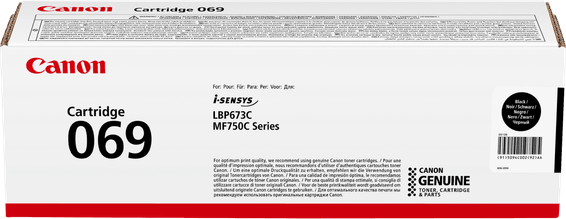
  • NoirToner
    Canon 069 Noir - Toner Canon d'origine (5094C002AA)

    Canon

    Canon 069 Noir - Toner Canon d'origine (5094C002AA)

    Compatible avec les imprimantes laser Canon i-SENSYS MF752Cdw, MF754Cdw et LBP673Cdw, pour environ 2 100 pages.

    In stock

    1 319 DHincl. VAT

    Delivery everywhereDelivered all over Morocco

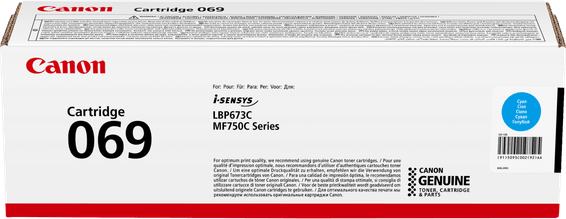
  • CyanToner
    Canon 069 Cyan - Toner Canon d'origine (5093C002AA)

    Canon

    Canon 069 Cyan - Toner Canon d'origine (5093C002AA)

    Compatible avec les imprimantes laser Canon i-SENSYS MF752Cdw, MF754Cdw et LBP673Cdw, pour environ 1 900 pages.

    In stock

    1 590 DHincl. VAT

    Delivery everywhereDelivered all over Morocco

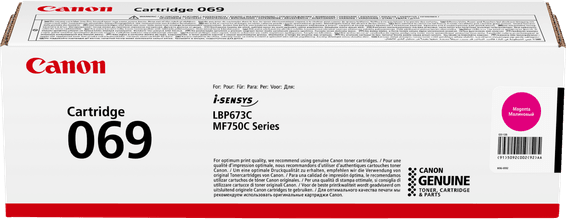
  • MagentaToner
    Canon 069 Magenta - Toner Canon d'origine (5092C002AA)

    Canon

    Canon 069 Magenta - Toner Canon d'origine (5092C002AA)

    Compatible avec les imprimantes laser Canon i-SENSYS MF752Cdw, MF754Cdw et LBP673Cdw, pour environ 1 900 pages.

    In stock

    1 569 DHincl. VAT

    Delivery everywhereDelivered all over Morocco

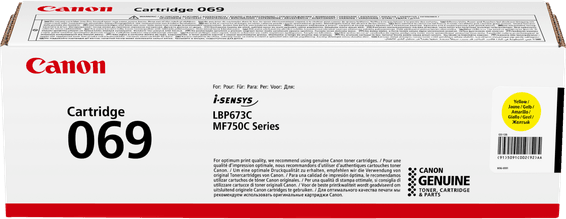
  • JauneToner
    Canon 069 Jaune - Toner Canon d'origine (5091C002AA)

    Canon

    Canon 069 Jaune - Toner Canon d'origine (5091C002AA)

    Compatible avec les imprimantes laser Canon i-SENSYS MF752Cdw, MF754Cdw et LBP673Cdw, pour environ 1 900 pages.

    In stock

    1 569 DHincl. VAT

    Delivery everywhereDelivered all over Morocco

4 references available · we confirm availability before dispatch and tell you straight away if we cannot fulfil it.

33 pages per minute, but 4,000 a month

Those two figures appear on the same specification sheet and seem to contradict each other. They do not measure the same thing: the 33 pages per minute describe a peak rate, what the machine turns out while running; the 750 to 4,000 pages a month describe what it can sustain. At full tilt, a whole month's recommended volume is used up in two hours.

So speed says nothing about cost. What decides is the second figure: at the 4,000-page ceiling, a set of 069 colours lasts barely more than a fortnight if you print in colour, and the black a little over a fortnight too. Moving to the 069H on black changes the scale — 7,600 pages, close to two months at full tilt.

Is the black replaced more often?

Almost always, and not because of its yield: 2,100 pages against 1,900 is a slim gap. Use is what decides. A quotation, a letter, a delivery note draw on black alone, while the three colours only go together and only on colour documents. On an office machine it is not unusual to change two or three blacks for a single set of colours.

That is why Canon offers the black as a 069H but keeps a single format for the colours: the need for autonomy concerns only one of the four cartridges.

What the MF754Cdw does as well

It scans, copies and faxes, with a 50-sheet automatic feeder and a 12.7 cm touchscreen. Its cassette holds 250 sheets, supplemented by a 50-sheet multi-purpose tray. It connects over Wi-Fi, Gigabit Ethernet or USB, and prints both sides automatically. None of that uses toner: scanning and faxing cost only electricity.

Frequently asked questions

Does the 069H also come in colour?
Canon offers high capacity mainly on the black, the cartridge that runs out fastest in office use. Check colour availability when ordering: on this range, the usual offer pairs a 069H black with standard-capacity 069 colours.
Can 067 cartridges be used in an MF754Cdw?
No. The 067 serves another series, including the MF655Cdw: the format and the chip differ, and the machine will not recognise it. The two part numbers look alike on paper, and it is the most common ordering mistake between these two i-SENSYS ranges.
Do all four cartridges have to be replaced at once?
No, each is independent and is changed on its own when empty. A spent colour does block colour printing until it is replaced, though — the machine carries on printing in black. Keeping a spare of the most-used colour avoids a stop on a busy day.

Other Canon i-SENSYS

A fleet of printers to keep supplied?

We draw up the list of consumables for your whole fleet and a single grouped quote. Invoice in your company's name with its ICE number, delivery anywhere in Morocco.

Looking for another machine? Search by model or by cartridge reference. To understand page yields and cost per page, read our toner and cartridge guide.

Chat on WhatsApp

Scan with my phone

The simplest way: open your phone camera and point it at this code. The chat opens with your message ready.

Open WhatsApp Web

Works if your phone is already linked to this computer.

Prefer to call? (+212) 05 30 31 64 21