Tracking your toner without a screen
Three ways, from the most precise to the most immediate:
- the HP Smart app, on phone or computer: it is the only place where the estimated level is shown in plain figures. As the machine has Wi-Fi and Bluetooth, the link needs no setting up;
- the configuration report, printable from the buttons on the front: it lists the state of the consumables on one page, and depends on no software;
- the printing itself, the most reliable day to day: when the text fades on one side of the page or light bands appear, the toner is nearing its end.
That last sign is worth more than it looks. Take the cartridge out, rock it gently from side to side, put it back: the powder spreads out and you often gain several dozen pages. That is the moment to order, not to replace.
What this machine changes about your consumption
The M141w prints, copies and scans at 20 pages per minute, over Wi-Fi and Bluetooth, with no automatic duplex and no document feeder. You copy sheet by sheet from the glass — a constraint that naturally limits copy runs, and makes the toner last.
A useful reminder on a multifunction: scanning uses nothing, only copying prints. When all you need is a file, scan to your phone instead of photocopying.
The toner supplied holds 500 pages
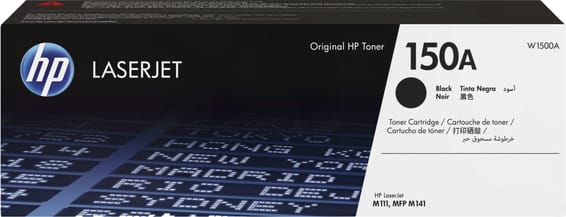
The one shipped with the machine is a starter toner, rated for 500 pages against 975 for a replacement 150A. Your first replacement will therefore come sooner than the stated yield suggests — and the next one will last almost twice as long.
The M141a takes the same toner; it is the version without Wi-Fi. Do beware of the 151A, though, which is reserved for the LaserJet Pro 4003.
A fleet of printers to keep supplied?
We draw up the list of consumables for your whole fleet and a single grouped quote. Invoice in your company's name with its ICE number, delivery anywhere in Morocco.