Scanning uses nothing, copying uses everything
A scan only reads the page: it produces a file, it puts nothing on paper. You can scan hundreds of documents without touching the toner.
A copy, on the other hand, is a scan followed by a print. It uses exactly as much as a document sent from the computer. It is the function that empties a toner without anyone noticing, because it does not get counted as printing — you "just made a photocopy".
The useful habit: when all you need is a file, scan to the PC or the phone instead of copying and then binning the sheet. On a machine rated at 975 pages per toner, the difference shows over a year.
What this machine changes about your consumption
The M141a connects over USB, with no networking and no automatic duplex, and prints at 20 pages per minute. It copies from the glass, sheet by sheet — no automatic feeder, so no painless copy runs. That constraint works in your favour: it naturally discourages large runs, and the toner lasts longer here than on a machine fitted with a feeder such as the 137fnw.
One part number, and one dangerous neighbour
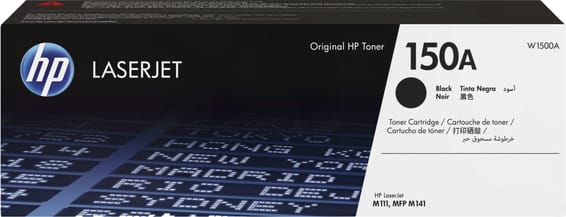
The drum is built into the toner: nothing else to watch. Do beware of the 151A (W1510A), though, which serves the LaserJet Pro 4003 and 4103 — one digit apart, a different machine. The M111a, on the other hand, does take the same 150A as this machine.
A fleet of printers to keep supplied?
We draw up the list of consumables for your whole fleet and a single grouped quote. Invoice in your company's name with its ICE number, delivery anywhere in Morocco.