Welcome to the new iris.ma

We rebuilt everything for you

Same team, same standards

Pay nowView my order
Visit the HP store

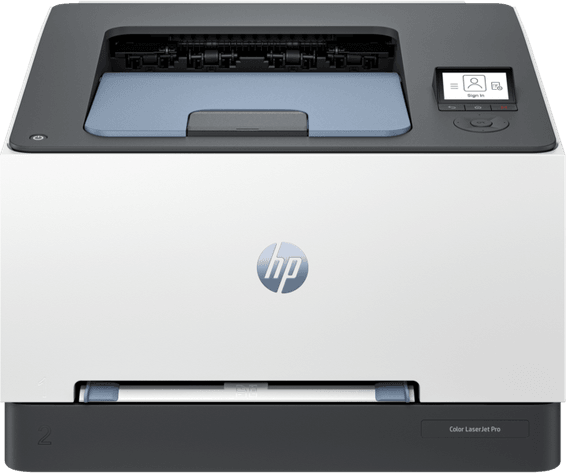
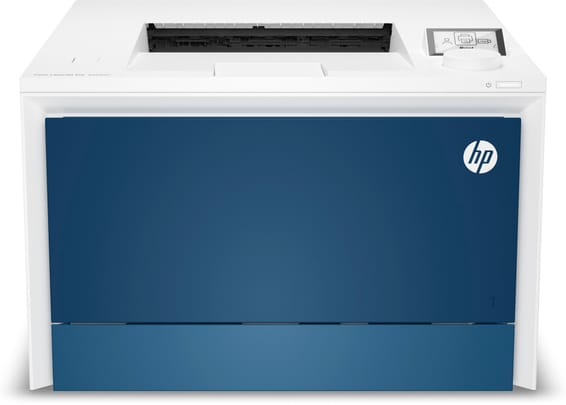
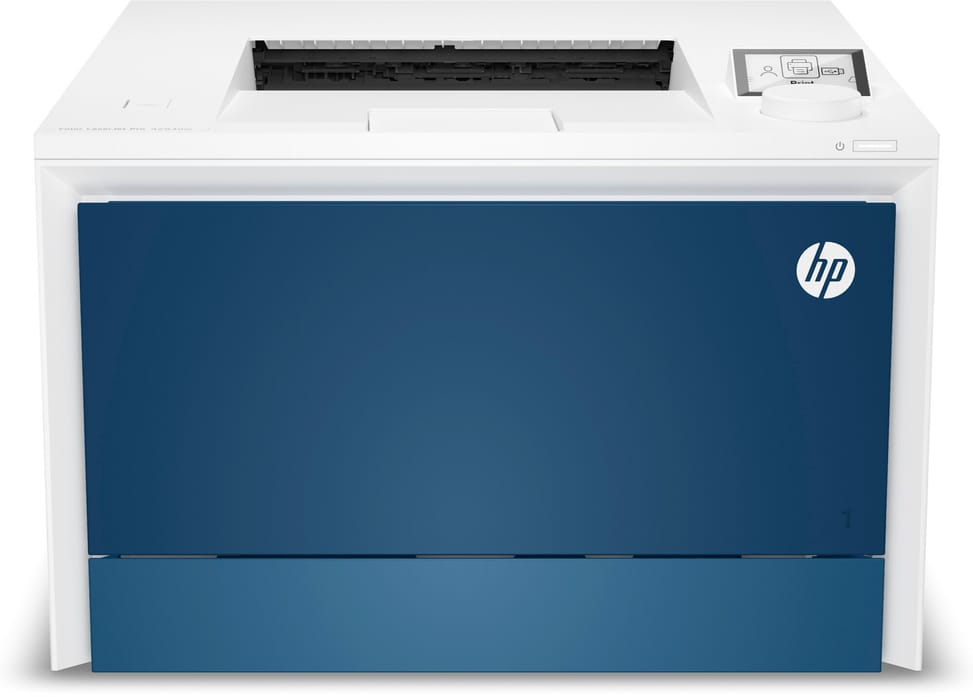
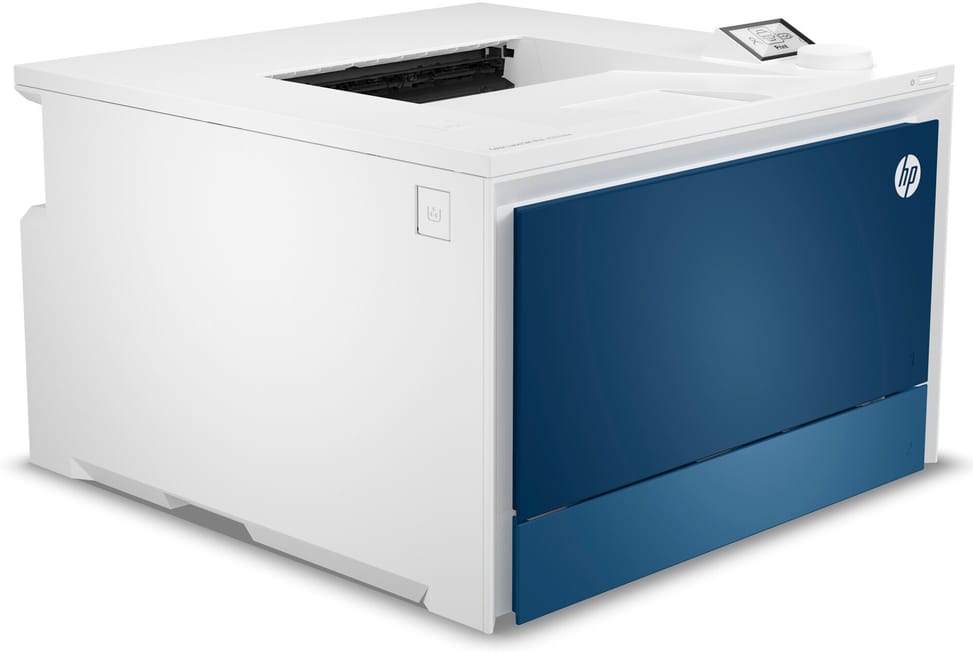
HP LaserJet Pro 4203dw Colour Laser Printer (5HH48A)

Dual-band Wi-Fi that switches back to the most stable channel on its own, Bluetooth and Gigabit Ethernet: it connects to everything. 33 pages per minute in black as in colour, for a team of about ten people.
  • 33 pages/min in black as in colour
  • Automatic duplex
  • 4-line LCD screen with a selection wheel, not a touchscreen
  • 300-sheet paper tray, expandable to 850
  • Recommended volume 750 to 4,000 pages/month
  • Dual-band Wi-Fi, Bluetooth LE, Gigabit Ethernet and USB
  • High-yield toners: 7,500 pages in black, 5,500 per colour
  • Designed for teams of up to 10 users
  • USB cable included
  • A4 format
Ref.: 5HH48A

Back to school

-5%
5 499,00 DHincl. VAT5 779,00 DH

You save 280,00 DH incl. VAT

Final hours, ends in 15 hours and 14 minutes

Configuration · HP Color LaserJet Pro 4203

In stock

Earn 55 DH in loyalty credit with this purchaseHow does it work?Loyalty credit capped at 300 DH per order.

Receive it between Wed 23 Sept and Fri 25 Septfree delivery all over Morocco

Delivery to your address

Receive it between Wed 23 Sept and Fri 25 Septfree delivery all over Morocco

The estimate is refined using actual delivery rounds to your city.

  • Free delivery from 3 000 DH of purchases, all over Morocco.
  • Below that, the same rate in every city for parcels up to 30 kg (delivery to your home or workplace) — the exact amount is shown above, then in the basket.
  • Above 30 kg, the rate follows the parcel's weight. In Casablanca, the flat rate holds up to 120 kg.
  • You are notified by SMS, then called by the courier before your parcel is handed over (delivered by Sapress).
  • Observed delivery time: 1 to 5 working days depending on the city.
Free in-store collection: Casablanca (within 24 h) · Témara (within 48 h)

In-store collection — free

Casablanca store
We bring it to the store within 24 h
We call you as soon as it arrives in store.

Résidence Manoir des Roses, Lot. 18, Boulevard El Hachmi El Filali, Rond-point Bachkou, Casablanca

Opening hours

  • Mon–Fri: 10am – 7pm
  • Sat: 10am – 2pm
  • Closed on Sundays and public holidays

Payment on site: cash, bank card via terminal, certified cheque.

View the map on Google Maps

Temara pickup point
We bring it to the store within 48 h
We call you as soon as it arrives in store.

Boulevard Hassan II, Résidence Les Perles de Témara, Immeuble 5, appartement 2, Témara

Opening hours

  • Mon–Fri: 8.30am – 1pm / 2pm – 6pm
  • Sat: 8.30am – 12.30pm
  • Closed on Sundays and public holidays

Payment on site: cash, bank card via terminal, certified cheque.

View the map on Google Maps

1 year warranty — free repair in Morocco if it breaks down during the warranty period

1 year manufacturer's warranty

This product is covered for 1 year by a manufacturer's warranty (the brand's official warranty). Your iris.ma invoice serves as the warranty document: keep it safe.

A problem with your product? Don't worry: contact us by phone, WhatsApp or e-mail. Depending on the brand, we direct you either straight to the repairer appointed by the brand to fix your product, or to us — and we take care of the rest.

  • If a repair is possible, it is carried out free of charge.
  • If the product cannot be repaired, the brand offers an exchange for another product.
  • If no product is available, a refund is issued as soon as the brand confirms it.

Faulty straight out of the box? Some brands offer an immediate exchange, others a repair. Contact us to find out what applies to your product.

The warranty covers breakdowns occurring under normal use, as defined by the brand's terms. Product breakage (drop, impact, liquid…) is not covered, nor are certain consumable parts.

New, never opened — our commitment

All our products are new, delivered in their sealed original packaging.

We commit to never sending you a product that has been opened, unboxed or returned by another customer — even one “just opened for checking”.

Any doubt on delivery (damaged box, seal already opened)? Point it out to the courier or contact us immediately: we take the product back and send you another one.

Sales invoice

Every order comes with its sales invoice, included with the parcel (handed over in person for a store collection).

Ordering for a company? Using the details you give at checkout (company name and ICE), the invoice is issued in your company's name, with its ICE.

Need a quote? Request a free quote — reply within 24 working hours.

100% secure payment: Bank transfer · Bank card · Cash on delivery (deposit of 820 DH by card or bank transfer) · Certified cheque

Accepted payment methods

Bank transfer

Simply transfer the amount shown to account 007 826 0002684000000426 89 — SGM2I, Attijariwafa bank. The rest (the reference to quote, sending us the proof, tracking) is explained right after confirmation and by email. An instant transfer is recommended: it saves you 24 hours on the delivery time.

Bank card

Your everyday Moroccan bank card is enough — Visa, Mastercard or CMI, no special card required. Foreign cards are accepted too. Secure payment by Attijari Payment.

Cash on delivery (deposit of 820 DH by card or bank transfer)

Pay 820 MAD up front by card, then 4 679 MAD in cash on delivery. The deposit is not refunded if you cancel your order.

Certified cheque

Certified cheque payable to “sgm2i”. Have your bank certify the cheque, then send us a copy on WhatsApp (+212 6 64 10 46 24) or to service.client@iris.ma — we dispatch as soon as we receive it.

Cash at a bank branch

Pay the cash in at any of the 3,400 Attijariwafa Bank branches in Morocco, to the SGM2I account no. 0268 D 000 000 426. You do not need an account there: your ID and the cash are enough.

The methods offered depend on the order total and the carrier — checkout shows the final list.

Google reviews4.7(553 reviews)
Manufacturer's datasheetView the PDF · 1,6 Mo — downloadable

Product overview

A4 colour laser printer for the office: fast, automatic duplex printing and Wi-Fi.
Type: single-function colour laser (print only)
Speed: 33 pages/min in black and colour alike — a fast pace · Resolution 600 × 600 dpi
Duplex printing: automatic — saves paper
Paper tray: 300 sheets · Recommended volume: 750 to 4,000 pages/month
Display: non-touch · Connectivity: Wi-Fi, Gigabit Ethernet, Bluetooth and USB · A4 format
A fast, well-connected colour laser for today's office.

See all the specifications ↓
Request a quote

Be notified of a price drop

Share:

Technical specifications

Technical specifications
Processor frequency1,200 MHz
Print cartridges4 (black, cyan, magenta, yellow)
Black print speedUp to 33 ppm (A4, single-sided, ISO), 29 ipm in duplex
First page out time9.5 s (black), 10.5 s (colour), A4 from ready; 10.2 s (black), 10.5 s (colour) from sleep
Colour print speedUp to 33 ppm (A4, single-sided, ISO), 29 ipm in duplex
Black print qualityUp to 600 x 600 dpi, optimised resolution up to 38,400 x 600 dpi (HP ImageREt 2400, PANTONE calibration)
Colour print qualityUp to 600 x 600 dpi (HP ImageREt 2400, PANTONE calibration)
Duty cycleUp to 50,000 pages per month (A4)
Connectivity1 Hi-Speed USB 2.0 port, 1 Hi-Speed USB 2.0 host port, 1 front USB port, 1 Gigabit Ethernet 10/100/1000 Base-TX port, Wi-Fi 802.11 b/g/n, Wi-Fi Direct, Bluetooth Low Energy
Mobile printingHP Smart app, Apple AirPrint, Mopria, Wi-Fi Direct
Display2-inch circular colour LCD display, 4 lines, with rotary dial and push button
Duplex printingAutomatic
Paper tray capacityInput: 50 sheets (multipurpose tray 1) + 250 sheets (tray 2), up to 850 sheets with the optional 550-sheet tray 3 · Output: 150 sheets, 20 envelopes
Supported media sizesA4, A5, A6, B5 (JIS), B6 (JIS), 16K (195 x 270 mm, 184 x 260 mm, 197 x 273 mm), 10 x 15 cm, Oficio (216 x 340 mm), postcards (JIS single and double), envelopes (DL, C5, B5) · Custom size: tray 1 from 76.2 x 127 mm to 216 x 356 mm, tray 2 from 98 x 148 mm to 216 x 356 mm, optional tray 3 from 100 x 148 mm to 216 x 356 mm, duplex from 148 x 148 mm to 216 x 356 mm
Supported media typesPlain paper, bond, brochure, coloured, glossy, letterhead, photo, preprinted, punched, recycled, rough, postcards, labels, envelopes
Dimensions (W x D x H)421 x 427 x 288 mm, 421 x 636 x 420 mm with trays and covers extended
Net weight16.33 kg (19.4 kg packaged)
Installed memory512 MB
Compatible operating systemsWindows 11, 10, 7 · Windows Server · macOS 10.15 Catalina, 11 Big Sur, 12 Monterey · iOS, Android · Linux, UNIX, Citrix, Novell, SAP
Box contentsHP Color LaserJet Pro 4203dw printer; 4 preinstalled HP LaserJet introductory toners (black: 1,200 pages; cyan, magenta, yellow: 1,000 pages); Documentation included (reference guide, setup card); Regulatory flyer; Warranty card (where applicable); HP printer software is available at https://www.hp.com/support; Power cord; USB cable.
Cable includedUSB cable
FeaturesPrint
Technical specifications (continued)
FaxNo
CopierNo
ScannerNo
Printing technologyToner (laser)
Included softwareNo software in the box, everything is downloaded from hp.com or 123.hp.com
Recommended media weightTray 1: 60 to 176 g/m² (up to 200 g/m² with postcards and HP Color Laser glossy photo paper) · Tray 2: 60 to 163 g/m² (up to 176 g/m² with postcards, up to 200 g/m² with HP Color Laser glossy photo paper)
Printer languagesHP PCL 6, HP PCL 5e, HP PostScript level 3 emulation, PDF, URF, PWG Raster, Native Office
Wi-FiYes
EthernetYes
FormatUp to A4
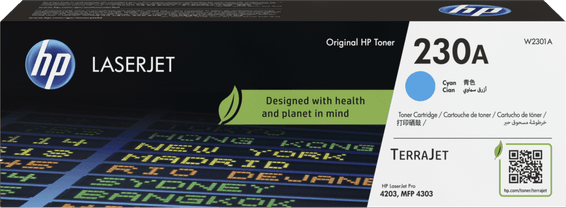
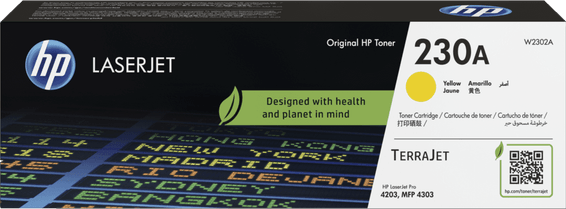
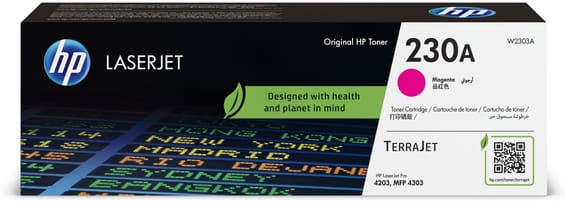
Compatible cartridgesW2300A/W2300X — black HP 230A (2,000 pages) and 230X (7,500 pages) · W2301A/W2301X — cyan (1,800 and 5,500 pages) · W2302A/W2302X — yellow (1,800 and 5,500 pages) · W2303A/W2303X — magenta (1,800 and 5,500 pages)
Printing from a memory deviceUSB flash drive via the front USB port
Power supply220 to 240 V AC (± 10%), 50/60 Hz (± 3 Hz) — internal power supply module
Noise levelSound pressure: 51 dB(A) · Sound power: 6.2 B(A)
Recommended monthly page volume750 to 4,000 pages per month
Number of cartridges4 cartridges
Print colourColour
Consumables included with the printer4 preinstalled HP LaserJet starter toners (black: 1,200 pages; cyan, magenta, yellow: 1,000 pages)
Automatic document feederNo
Recommended monthly volume500 to 2,000 pages per month, More than 2,000 pages per month
Warranty1 year

Customer reviews

No reviews yet

Be the first to review this product and help other customers.

Write a review
Your rating
5/5

Shown publicly with your review.

Never published — a confirmation email will be sent to you.

Tell us about the product — in a few lines:

  • what you liked in everyday use;
  • the quality and performance you found;
  • who you would recommend it to, and why.

A question about an order, a delivery or a payment? Write to us and we will reply to you directly.

Under Law 09-08, you have the right to access, rectify and object to the processing of your personal data. This processing has been authorised by the CNDP under no. D-CE-389/2015. Learn more

Frequently asked questions about this product

Can this HP LaserJet Pro 4203dw also scan, copy or fax?
No: it is a printer only. Its sole function is printing; it has neither fax nor an automatic document feeder. On the other hand, it prints in colour at up to 33 pages/minute and is operated from a 2-inch circular colour LCD with a rotary dial, non-touch.
Can I use cheaper, non-HP compatible toners?
No. This printer is designed to work only with cartridges that have a new or reused HP chip, and it uses dynamic security that blocks non-HP chips. Firmware updates maintain this blocking and can disable cartridges that previously worked: this is a running cost to factor in from the time of purchase.
Which toners need to be bought, and how many pages do they last?
Two capacities are available: the HP 230A (black W2300A, approx. 2,000 pages; cyan, magenta and yellow, approx. 1,800 pages) and the high-capacity HP 230X (black W2300X, approx. 7,500 pages; colours, approx. 5,500 pages). At high volumes, the 230X considerably reduces the number of replacements and interruptions.
How many pages can be printed with the toners supplied in the box?
The four toners are preinstalled — nothing to fit when unpacking — but they are introductory toners: approx. 1,200 pages in black and 1,000 pages for each of the three colours. That is less than a standard HP 230A: plan your first reorder sooner than the yield of retail supplies would suggest.
Are the cable and software supplied in the box?
The USB cable and the power cable are indeed in the box, with the reference guide and the setup poster. However, no software is supplied on physical media: the driver and the app are downloaded from the HP support site, with 2 GB of free disk space required.
Can the paper capacity be increased beyond 300 sheets?
Yes. The standard configuration combines a 50-sheet multipurpose tray and a 250-sheet tray, and accepts an optional third 550-sheet tray (part number 28N93A), for up to 850 sheets loaded. Two caveats: the output tray remains limited to 150 sheets, and tray 3 accepts the same sizes except envelopes.
Is duplex printing automatic, and does it cost much speed?
It is automatic and standard. Speed goes from 33 pages/minute single-sided to 29 images/minute double-sided, in both black and colour: the loss remains small. Duplex printing is also supported from all trays, on sizes from 148 × 148 mm to 216 × 356 mm.
Can it print on envelopes, heavy paper or postcards?
Yes: DL, C5 and B5 envelopes, postcards, labels, glossy, recycled or letterhead paper, in A4, A5, A6, B5, 16K, 10 × 15 cm and Oficio sizes. Accepted paper weights range from 60 to 163 g/m², up to 176 g/m² for postcards and 200 g/m² for glossy laser photo paper. Tray 1 takes 5 envelopes, tray 2 up to 10.
How many users and what monthly volume is it designed for?
It is designed for a workgroup of up to 10 users, with a recommended monthly volume of 750 to 4,000 pages and a maximum duty cycle of 50,000 pages per month. It is the recommended range, not the theoretical maximum, that should guide your choice for an office or a small organisation.
How long do you wait for the first page, especially after sleep?
9.5 seconds in black and 10.5 seconds in colour from ready, and 10.2 seconds in black when waking from sleep, measured on A4. HP Auto-On/Auto-Off and instant-on fusing technologies mean you do not have to leave it switched on all the time for it to stay responsive.
Is it noisy for a shared office?
It emits a sound pressure of 51 dB(A) and a sound power of 6.2 B(A) when operating. A quiet mode is among its print features, alongside collation, watermarks and HP Premium quality mode — useful in an open-plan office where noise is a nuisance.
How much space and what kind of surface are needed to install it?
Allow 421 × 636 × 420 mm at most, compared with 421 × 427 × 288 mm at minimum, on a surface able to support 16.33 kg (19.4 kg with packaging). It runs on 220-240 V, 50/60 Hz and needs a room between 10 and 32.5 °C, with 30 to 70% humidity.
Does it work with a Mac, a Chromebook, Linux or a smartphone?
Yes: Windows 11, 10 and 7, macOS 10.15 to 12, Linux, Chrome OS, Android and iOS are supported, as well as Windows Server, UNIX, Novell, SAP and Citrix on the network side. Mobile printing works via HP Smart, Apple AirPrint, Mopria or direct wireless printing, without going through a computer.
How does it connect to the office network?
Via Gigabit Ethernet 10/100/1000, dual-band Wi-Fi with Wi-Fi Direct or Hi-Speed USB 2.0; on top of that come Bluetooth Low Energy and a front USB port. For network security, it supports 802.1x authentication, SNMPv3 and HTTPS, and can be managed via HP Web Jetadmin.
Is the printer new, and what warranty applies?
Yes, a new and sealed printer, supplied with its invoice, which serves as the warranty document for 1 year, with return to workshop and repair. It is made in Vietnam, bears the CE marking and contains at least 10% post-consumer recycled plastic. Details are in the HP datasheet (PDF).

Trending

View the HP archive

Chat on WhatsApp

Scan with my phone

The simplest way: open your phone camera and point it at this code. The chat opens with your message ready.

Open WhatsApp Web

Works if your phone is already linked to this computer.

Prefer to call? (+212) 05 30 31 64 21