Welcome to the new iris.ma

We rebuilt everything for you

Same team, same standards

Pay nowView my order
Visit the Canon store

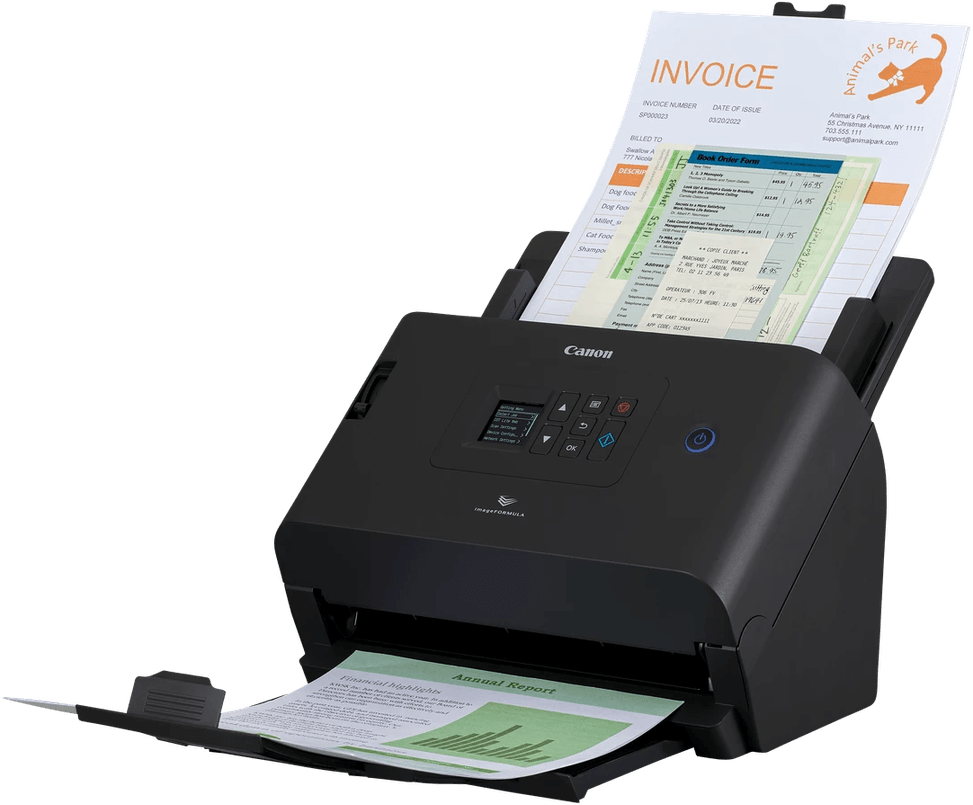
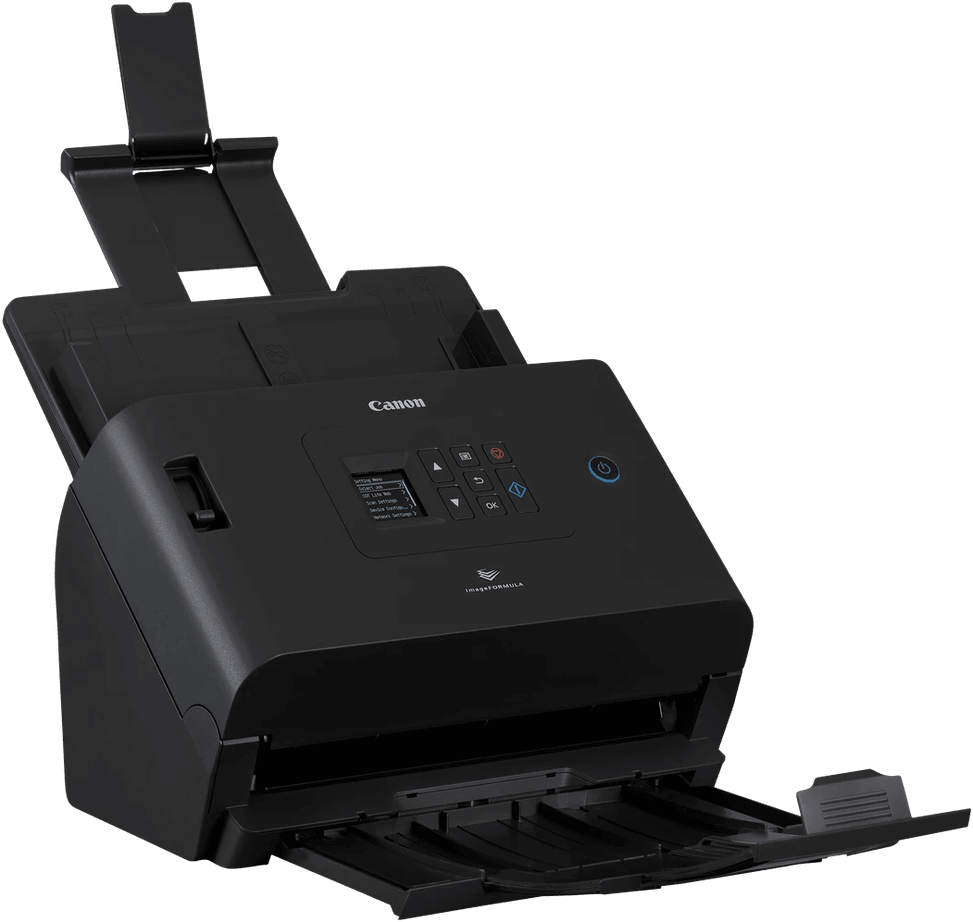
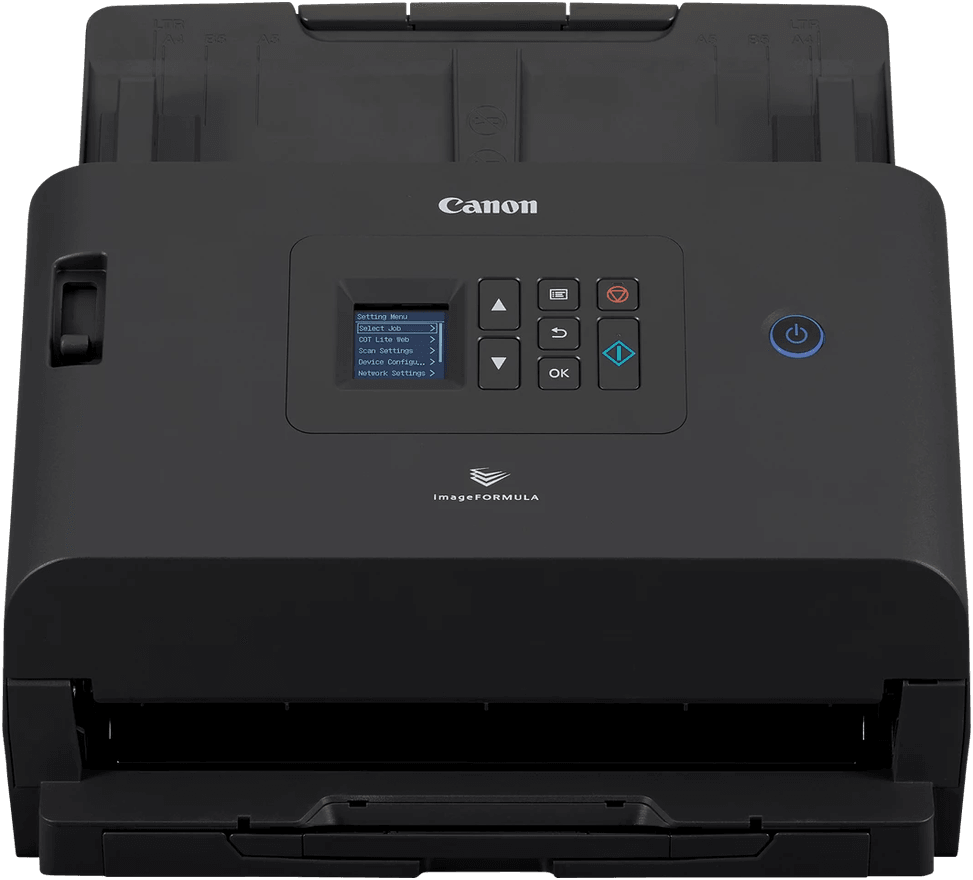
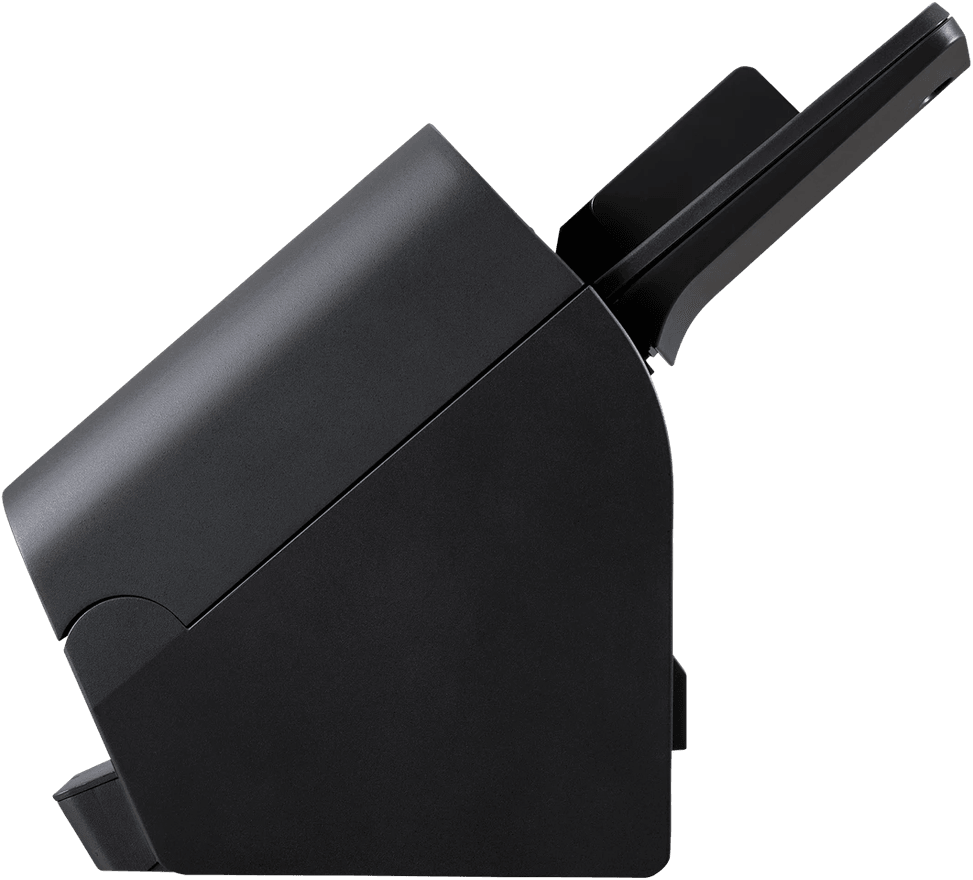
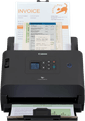
Canon ImageFORMULA DR-S250N Scanner (6383C003)

Scan from a plain browser with no driver to install: scan the QR code shown and the document goes off to an email, a shared folder, Teams or Slack. 50 pages and 100 sides a minute over Gigabit Ethernet.
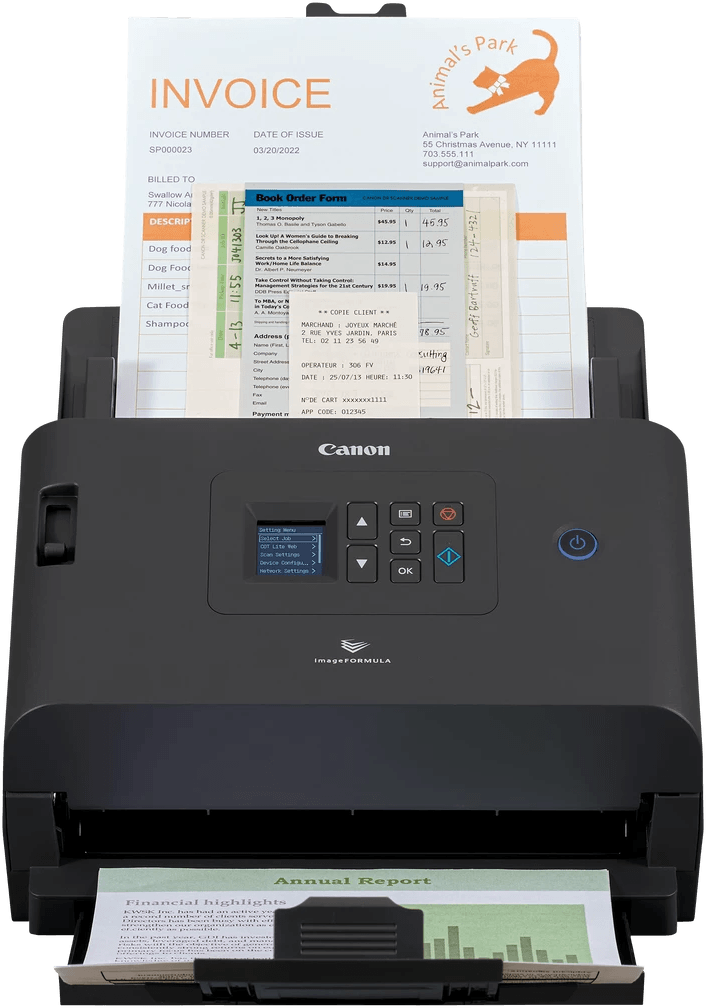
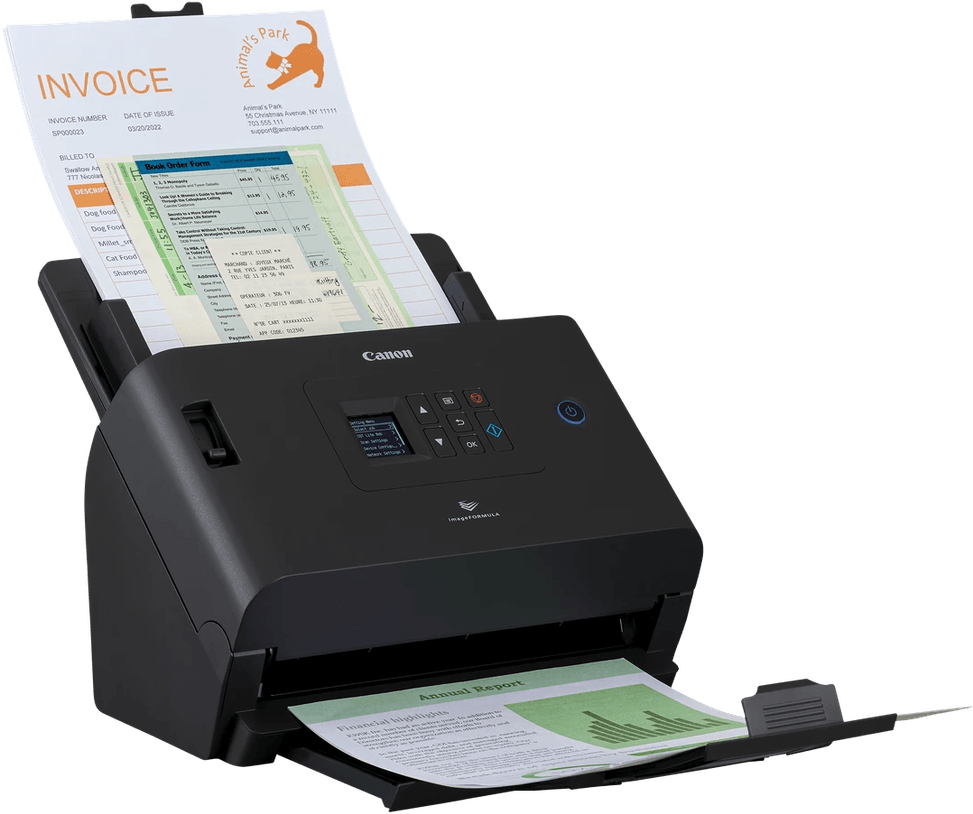
  • 50 pages/min, 100 images/min at 200 dpi
  • 40 pages/min, 80 images/min in colour at 300 dpi
  • Duplex in a single pass
  • 60-sheet automatic feeder
  • 6,000 to 9,000 scans a day
  • 600 dpi optical resolution
  • Ultrasonic double-feed detection
  • Gigabit Ethernet and USB 3.2 Gen 1
  • Scanning from a browser, no driver to install
  • Direct sending to email, shared folder, FTP, Teams or Slack
  • Long documents up to 5.59 m
  • Passports up to 4 mm via a carrier sheet
  • Embossed plastic cards up to 1.4 mm
  • Weight 3.4 kg
Ref.: 6383C003
7 299,00 DHincl. VAT

In stock

Earn 73 DH in loyalty credit with this purchaseHow does it work?Loyalty credit capped at 300 DH per order.

Receive it between Wed 23 Sept and Fri 25 Septfree delivery all over Morocco

Delivery to your address

Receive it between Wed 23 Sept and Fri 25 Septfree delivery all over Morocco

The estimate is refined using actual delivery rounds to your city.

  • Free delivery from 3 000 DH of purchases, all over Morocco.
  • Below that, the same rate in every city for parcels up to 30 kg (delivery to your home or workplace) — the exact amount is shown above, then in the basket.
  • Above 30 kg, the rate follows the parcel's weight. In Casablanca, the flat rate holds up to 120 kg.
  • You are notified by SMS, then called by the courier before your parcel is handed over (delivered by Sapress).
  • Observed delivery time: 1 to 5 working days depending on the city.
Free in-store collection: Casablanca (within 24 h) · Témara (within 48 h)

In-store collection — free

Casablanca store
We bring it to the store within 24 h
We call you as soon as it arrives in store.

Résidence Manoir des Roses, Lot. 18, Boulevard El Hachmi El Filali, Rond-point Bachkou, Casablanca

Opening hours

  • Mon–Fri: 10am – 7pm
  • Sat: 10am – 2pm
  • Closed on Sundays and public holidays

Payment on site: cash, bank card via terminal, certified cheque.

View the map on Google Maps

Temara pickup point
We bring it to the store within 48 h
We call you as soon as it arrives in store.

Boulevard Hassan II, Résidence Les Perles de Témara, Immeuble 5, appartement 2, Témara

Opening hours

  • Mon–Fri: 8.30am – 1pm / 2pm – 6pm
  • Sat: 8.30am – 12.30pm
  • Closed on Sundays and public holidays

Payment on site: cash, bank card via terminal, certified cheque.

View the map on Google Maps

1 year warranty — free repair in Morocco if it breaks down during the warranty period

1 year manufacturer's warranty

This product is covered for 1 year by a manufacturer's warranty (the brand's official warranty). Your iris.ma invoice serves as the warranty document: keep it safe.

A problem with your product? Don't worry: contact us by phone, WhatsApp or e-mail. Depending on the brand, we direct you either straight to the repairer appointed by the brand to fix your product, or to us — and we take care of the rest.

  • If a repair is possible, it is carried out free of charge.
  • If the product cannot be repaired, the brand offers an exchange for another product.
  • If no product is available, a refund is issued as soon as the brand confirms it.

Faulty straight out of the box? Some brands offer an immediate exchange, others a repair. Contact us to find out what applies to your product.

The warranty covers breakdowns occurring under normal use, as defined by the brand's terms. Product breakage (drop, impact, liquid…) is not covered, nor are certain consumable parts.

New, never opened — our commitment

All our products are new, delivered in their sealed original packaging.

We commit to never sending you a product that has been opened, unboxed or returned by another customer — even one “just opened for checking”.

Any doubt on delivery (damaged box, seal already opened)? Point it out to the courier or contact us immediately: we take the product back and send you another one.

Sales invoice

Every order comes with its sales invoice, included with the parcel (handed over in person for a store collection).

Ordering for a company? Using the details you give at checkout (company name and ICE), the invoice is issued in your company's name, with its ICE.

Need a quote? Request a free quote — reply within 24 working hours.

100% secure payment: Bank transfer · Bank card · Cash on delivery (deposit of 1 090 DH by card or bank transfer) · Certified cheque

Accepted payment methods

Bank transfer

Simply transfer the amount shown to account 007 826 0002684000000426 89 — SGM2I, Attijariwafa bank. The rest (the reference to quote, sending us the proof, tracking) is explained right after confirmation and by email. An instant transfer is recommended: it saves you 24 hours on the delivery time.

Bank card

Your everyday Moroccan bank card is enough — Visa, Mastercard or CMI, no special card required. Foreign cards are accepted too. Secure payment by Attijari Payment.

Cash on delivery (deposit of 1 090 DH by card or bank transfer)

Pay 1 090 MAD up front by card, then 6 209 MAD in cash on delivery. The deposit is not refunded if you cancel your order.

Certified cheque

Certified cheque payable to “sgm2i”. Have your bank certify the cheque, then send us a copy on WhatsApp (+212 6 64 10 46 24) or to service.client@iris.ma — we dispatch as soon as we receive it.

Cash at a bank branch

Pay the cash in at any of the 3,400 Attijariwafa Bank branches in Morocco, to the SGM2I account no. 0268 D 000 000 426. You do not need an account there: your ID and the cash are enough.

The methods offered depend on the order total and the carrier — checkout shows the final list.

Google reviews4.7(553 reviews)

Product overview

Networked sheet-fed scanner for the busy office: 50 pages/min, Gigabit network connection, automatic duplex.
Type: sheet-fed scanner — the sheets run through an automatic document feeder.
Speed: 50 pages/min (100 images/min in duplex) at 200 dpi; 40 pages/min at 300 dpi — fast.
Duplex: automatic in a single pass, both sides at once.
Feeder: 60 sheets.
Optical resolution: 600 dpi · format up to A4 · long documents up to 5.5 m.
Recommended volume: 6,000 to 9,000 scans/day — heavy-duty volumes.
Connectivity: Gigabit Ethernet and USB 3.2 — a scanner shared over the office network.
A fast, hard-working scanner, designed to be shared between several workstations.

See all the specifications ↓
Request a quote

Be notified of a price drop

Share:

Technical specifications

Technical specifications
DisplayControl screen displaying a connection QR code
Scanner typeSheet-fed (ADF only)
Maximum optical resolution600 dpi (optical)
Output resolutions100 / 150 / 200 / 240 / 300 / 400 / 600 / 1,200 dpi
Bit depth24-bit (colour)
Greyscale levels256 levels (8-bit)
Automatic document feeder capacity60 sheets
ADF scan speed50 ppm / 100 ipm at 200 dpi, 40 ppm / 80 ipm at 300 dpi (black and white, greyscale and colour)
Maximum flatbed scan sizeNo flatbed scanner
Maximum ADF scan size50.8 x 54 mm to 216 x 356 mm, thickness 0.04 to 0.30 mm
Maximum page length5,588 mm (long document mode)
Supported media typesPaper, business cards (88.9 to 108 x 127 to 152.4 mm, 128 to 255 g/m²), laminated cards including embossed (86 x 54 mm, less than 1.4 mm), passports up to 4 mm with carrier sheet
Double-feed detectionUltrasonic, with release in the event of double thickness
ConnectivityUSB 3.2 Gen 1 (USB 3.0), Ethernet 10Base-T / 100Base-TX / 1000Base-T
Additional featuresPrescan, 3D colour correction, bleed-through prevention and background removal, background smoothing, active threshold, batch separation by blank page, text enhancement, deskew, character emphasis, RGB colour dropout, automatic colour detection, blank page removal, automatic page size detection, automatic resolution setting, text orientation recognition, MultiStream, adjustable gamma settings, moiré reduction, Folio scanning, reduction ratio setting, black and white contrast
Dimensions (W x D x H)291 x 267 x 242 mm with tray closed
Net weightApprox. 3.4 kg
Sensor typeCIS, RGB LED light source
Technical specifications (continued)
Compatible operating systemsChrome OS and Mopria scanning via the built-in web app; ISIS and TWAIN drivers for Windows, TWAIN driver for macOS
Scanner driversISIS and TWAIN (Windows), TWAIN (macOS)
Automatic document feederYes
DuplexYes
Max. paper sizeUp to A4
Optical resolution600 dpi
Colour depth24-bit
Power supply220 to 240 V AC, 50/60 Hz
Included softwareCaptureOnTouch Lite Web, CaptureOnTouch Pro, CaptureOnTouch (macOS); DR Management Tool and CoT Admin Server available for download
Duty cycle6,000 to 9,000 scans per day
Power consumptionScanning: 22 W maximum · Sleep: 1.6 W · Off: 0.1 W maximum
Document separationSeparation roller
Scan speed40 to 59 ppm
Duplex scanningAutomatic duplex
Paper sizesUp to A4
EthernetYes
Wi-FiNo
Warranty1 year

Customer reviews

No reviews yet

Be the first to review this product and help other customers.

Write a review
Your rating
5/5

Shown publicly with your review.

Never published — a confirmation email will be sent to you.

Tell us about the product — in a few lines:

  • what you liked in everyday use;
  • the quality and performance you found;
  • who you would recommend it to, and why.

A question about an order, a delivery or a payment? Write to us and we will reply to you directly.

Under Law 09-08, you have the right to access, rectify and object to the processing of your personal data. This processing has been authorised by the CNDP under no. D-CE-389/2015. Learn more

Frequently asked questions about this product

Do you need to install a driver to use the Canon DR-S250N?
No. Scanning is started from a simple web browser: you scan the QR code shown on the device's screen and the document is sent straight away. This is what allows it to be shared between several workstations without any IT intervention on each one.
Where can the Canon DR-S250N send documents?
To email, a shared folder, an FTP server, Microsoft Teams or Slack. That last option is rare on a scanner: a scanned contract lands in the team's channel without going through an intermediate computer.
What is the real speed of the Canon DR-S250N scanner?
50 pages/min and 100 images/min at 200 dpi, but 40 pages/min and 80 images/min at 300 dpi. The resolution you choose therefore changes the speed by a fifth: it is the first setting to adjust according to the type of document.
Does the Canon DR-S250N detect sheets stuck together?
Yes, ultrasonically. The sensor spots two sheets fed together — a common occurrence with stapled documents or crumpled invoices — and stops scanning before a page goes missing from the final file.
Can the Canon DR-S250N scan a passport or an embossed card?
Yes: passports up to 4 mm thick using a carrier sheet, and embossed plastic cards up to 1.4 mm. It also accepts long documents up to 5.59 metres, such as a continuous printout.
What daily volume can the Canon DR-S250N handle?
From 6,000 to 9,000 scans per day, with a 60-sheet automatic document feeder. It is a departmental scanner, designed for continuous archiving, not for scanning the odd document.
How does the Canon DR-S250N scanner connect?
Via Gigabit Ethernet or USB 3.2 Gen 1. It has no Wi-Fi: it is a wired network device, which ensures stable throughput when several workstations use it at the same time.
Which documents does the Canon DR-S250N's feeder accept?
Sheets from 50.8 to 216 mm wide and 54 to 356 mm long, with a thickness of 0.04 to 0.30 mm. It scans at 600 dpi optical, in 24-bit colour or 256 shades of grey.
Is the Canon imageFORMULA DR-S250N scanner new and under warranty?
New, reference 6383C003, in original Canon packaging, weighing 3.4 kg. The warranty is 1 year, and your invoice serves as proof. Keep it: it is the document requested if you make a claim.

Trending

View the Canon archive

Chat on WhatsApp

Scan with my phone

The simplest way: open your phone camera and point it at this code. The chat opens with your message ready.

Open WhatsApp Web

Works if your phone is already linked to this computer.

Prefer to call? (+212) 05 30 31 64 21