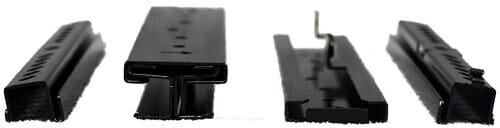
Welcome to the new iris.ma

We rebuilt everything for you

Same team, same standards

Pay nowView my order
Visit the HPE store

HPE Aruba AP-270-MNT-V1 wall and pole mount kit for outdoor access points (JW052A)

Aruba AP-270-MNT-V1 long-arm vertical bracket to install an Aruba outdoor access point on a pole or against a wall. The arm keeps the unit away from the mast to limit RF shadowing. Screws, hose clamps and a cable tie are included; wall anchors are not.
  • Pole or wall
  • Long arm
  • AP-270, AP-360, AP-370, AP-560, AP-570 series
  • 2 hose clamps included
  • 2 M6x20 screws included
  • Wall anchors not included
  • Access point not included
Ref.: JW052A
1 140,00 DHincl. VAT

In stock

Earn 12 DH in loyalty credit with this purchaseHow does it work?Loyalty credit capped at 300 DH per order.

3 ways to get it

In-store collection — free

Casablanca store
Available within 24 h
We bring it there and call you when it arrives

Manoir des Roses Residence, Lot 18, El Hachmi El Filali Boulevard, Bachkou Roundabout, Casablanca

Opening hours

  • Mon–Fri: 10am – 7pm
  • Sat: 10am – 2pm
  • Closed on Sundays and public holidays

Payment on site: cash, bank card via terminal, certified cheque.

View the map on Google Maps

Témara pickup point
Available within 48 h
We bring it there and call you when it arrives

Hassan II Boulevard, Les Perles de Témara Residence, Building 5, Apartment 2, Témara

Opening hours

  • Mon–Thu: 8.30am – 6pm
  • Fri: 8.30am – 1.30pm / 2.30pm – 6pm
  • Sat: 8.30am – 12.30pm
  • Closed on Sundays and public holidays

Payment on site: cash, bank card via terminal, certified cheque.

View the map on Google Maps

Delivery anywhere in Morocco

40 DH incl. VAT

In stockReceive it between Wed 30 Sept and Fri 2 Oct ·

Delivery to your address

Receive it between Wed 30 Sept and Fri 2 Oct — delivery 40 DH incl. VAT all over Morocco

The estimate is refined using actual delivery rounds to your city.

  • Free delivery from 3 000 DH of purchases, all over Morocco.
  • Below that, the same rate in every city for parcels up to 30 kg (delivery to your home or workplace) — the exact amount is shown above, then in the basket.
  • Above 30 kg, the rate follows the parcel's weight. In Casablanca, the flat rate holds up to 120 kg.
  • You are notified by SMS, then called by the courier before your parcel is handed over (delivered by Sapress).
  • Observed delivery time: 1 to 5 working days depending on the city.

Casablanca store

Free pickup

Available within 24 hWe bring it there and call you when it arrives

Témara pickup point

Free pickup

Available within 48 hWe bring it there and call you when it arrives

3 years warranty — free repair in Morocco if it breaks down during the warranty period

3 years manufacturer's warranty

This product is covered for 3 years by a manufacturer's warranty (the brand's official warranty). Your iris.ma invoice serves as the warranty document: keep it safe.

A problem with your product? Don't worry: contact us by phone, WhatsApp or e-mail. Depending on the brand, we direct you either straight to the repairer appointed by the brand to fix your product, or to us — and we take care of the rest.

  • If a repair is possible, it is carried out free of charge.
  • If the product cannot be repaired, the brand offers an exchange for another product.
  • If no product is available, a refund is issued as soon as the brand confirms it.

Faulty straight out of the box? Some brands offer an immediate exchange, others a repair. Contact us to find out what applies to your product.

The warranty covers breakdowns occurring under normal use, as defined by the brand's terms. Product breakage (drop, impact, liquid…) is not covered, nor are certain consumable parts.

New, never opened — our commitment

All our products are new, delivered in their sealed original packaging.

We commit to never sending you a product that has been opened, unboxed or returned by another customer — even one “just opened for checking”.

Any doubt on delivery (damaged box, seal already opened)? Point it out to the courier or contact us immediately: we take the product back and send you another one.

Sales invoice

Every order comes with its sales invoice, included with the parcel (handed over in person for a store collection).

Ordering for a company? Using the details you give at checkout (company name and ICE), the invoice is issued in your company's name, with its ICE.

Need a quote? Request a free quote — reply within 24 working hours.

100% secure payment: Bank transfer · Bank card · Cash on delivery · Certified cheque

Accepted payment methods

Bank transfer

Simply transfer the amount shown to account 007 826 0002684000000426 89 — SGM2I, Attijariwafa bank. The rest (the reference to quote, sending us the proof, tracking) is explained right after confirmation and by email. An instant transfer is recommended: it saves you 24 hours on the delivery time.

Bank card

Your everyday Moroccan bank card is enough — Visa, Mastercard or CMI, no special card required. Foreign cards are accepted too. Secure payment by Attijari Payment.

Cash on delivery

Pay the courier in cash on delivery — no fee.

Certified cheque

Certified cheque payable to “sgm2i”. Have your bank certify the cheque, then send us a copy on WhatsApp (+212 6 64 10 46 24) or to service.client@iris.ma — we dispatch as soon as we receive it.

Cash at a bank branch

Pay the cash in at any of the 3,400 Attijariwafa Bank branches in Morocco, to the SGM2I account no. 0268 D 000 000 426. You do not need an account there: your ID and the cash are enough.

The methods offered depend on the order total and the carrier — checkout shows the final list.

Google reviews4.6(559 reviews)

Product overview

Long-arm mounting bracket to install an Aruba outdoor access point: pole or wall installation, arm that keeps the unit away from the mast and fixings included.
Compatibility: Aruba outdoor access points of the AP-270, AP-360, AP-370, AP-560 and AP-570 series
On a pole: two hose clamps passed through the slots chosen for the diameter and shape of the mast
On a wall: four fixing points, wall anchors not included
In the box: the bracket, two M6x20 screws, two 6-inch hose clamps and a 60 cm cable tie
The long-arm kit of the range, to choose over the short-arm model when the unit goes on a mast.

See all the specifications ↓
Request a quote

Be notified of a price drop

Share:

Description

HPE Aruba AP-270-MNT-V1 · Reference JW052A

The unit away from the mast, the signal clear.

This long-arm bracket holds an Aruba outdoor access point on a pole or against a wall, keeping it at a distance from its support so that the mast does not shield the antenna.
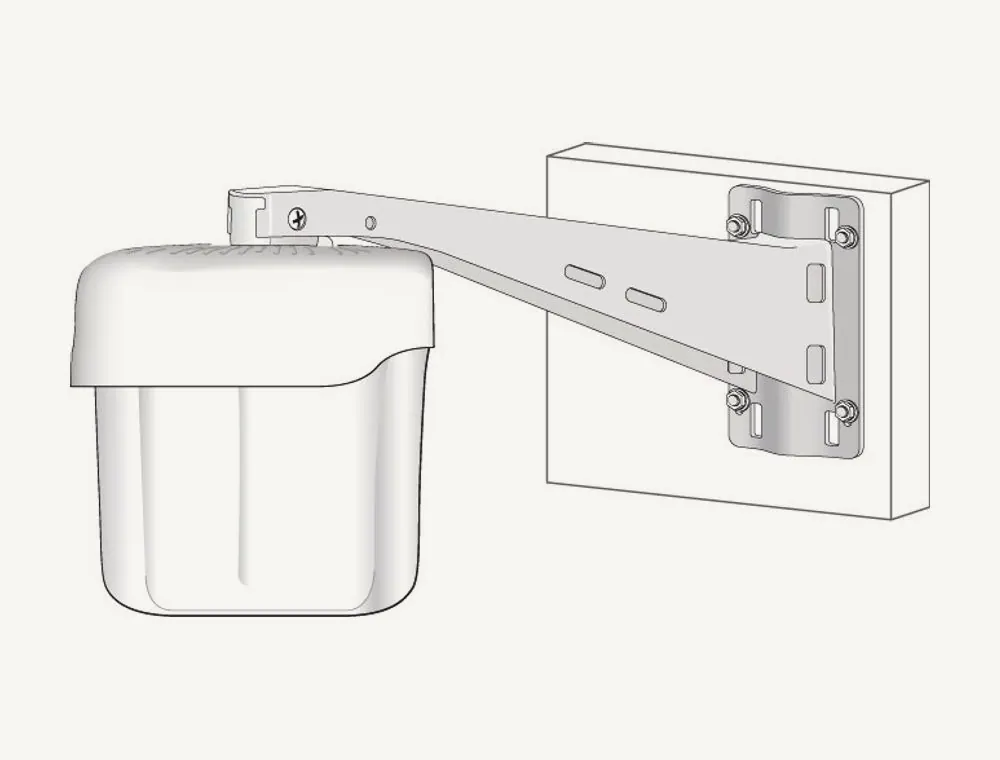
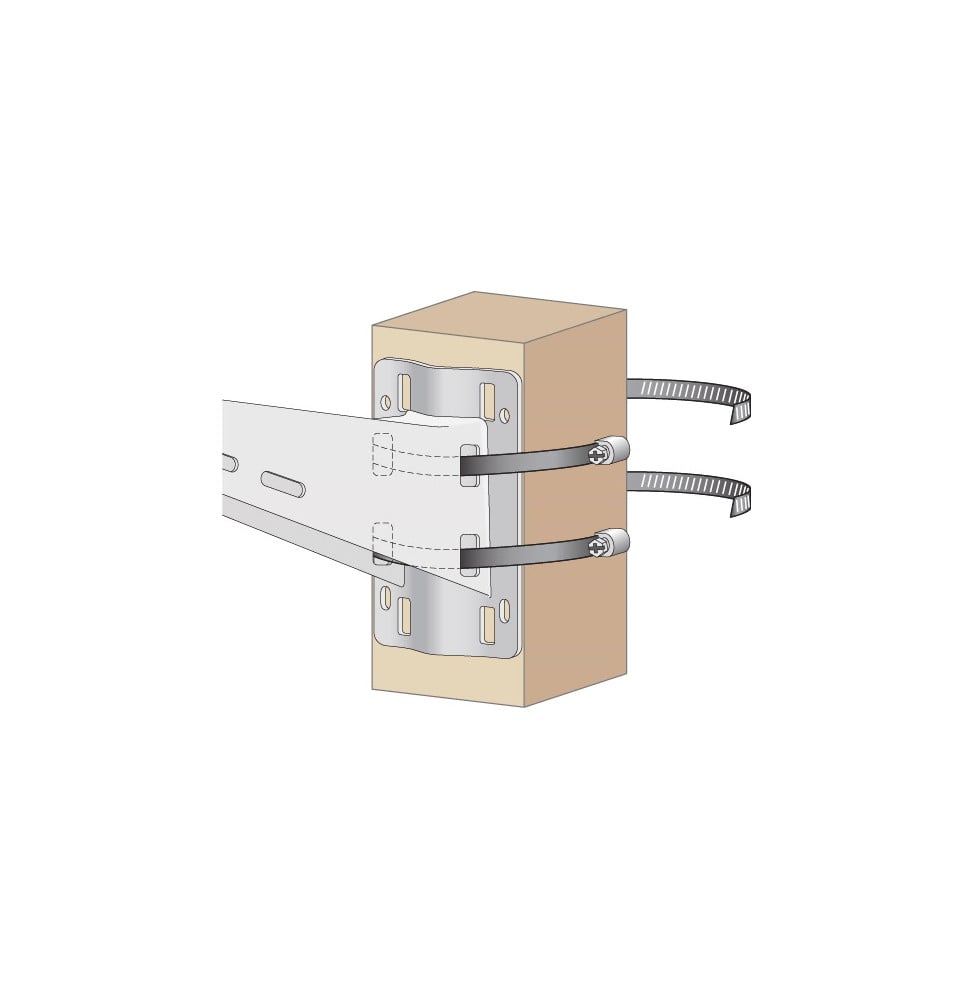
Drawing of the Aruba AP-270-MNT-V1 bracket fixed to a wall, an outdoor access point hanging at the end of the arm

Designed first for poles

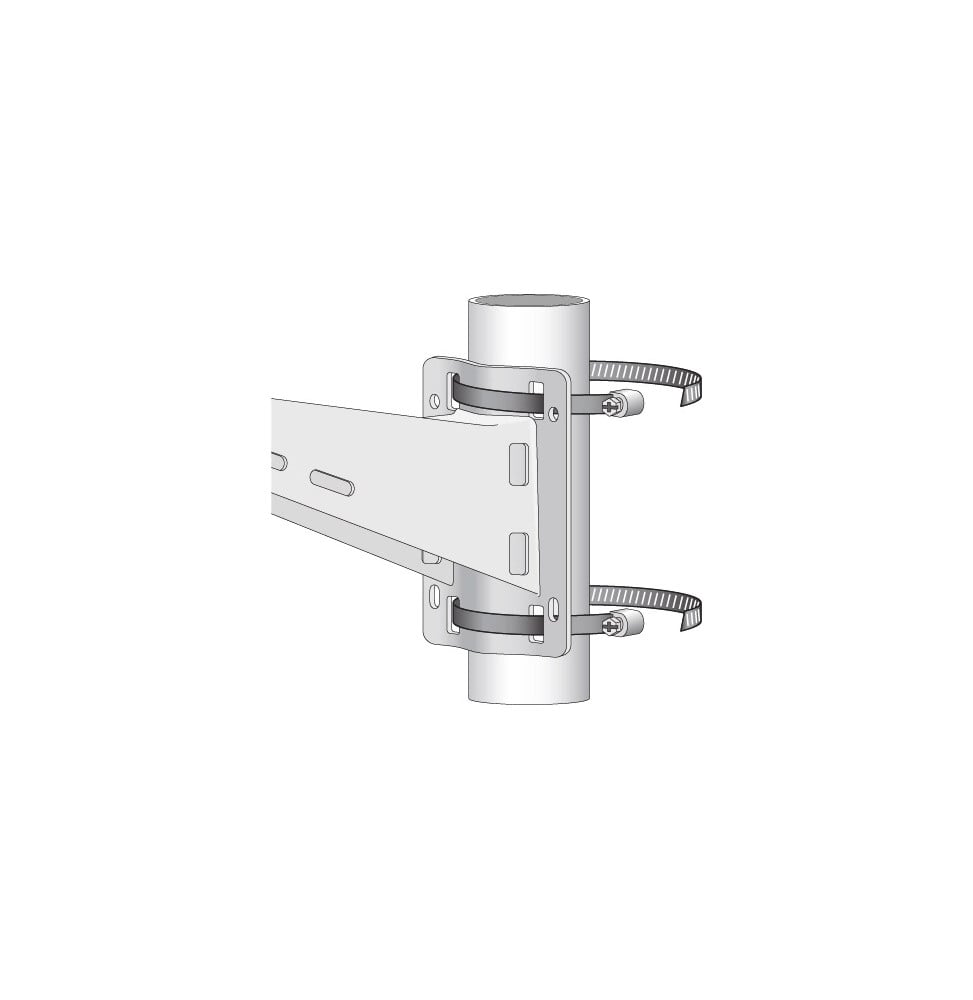
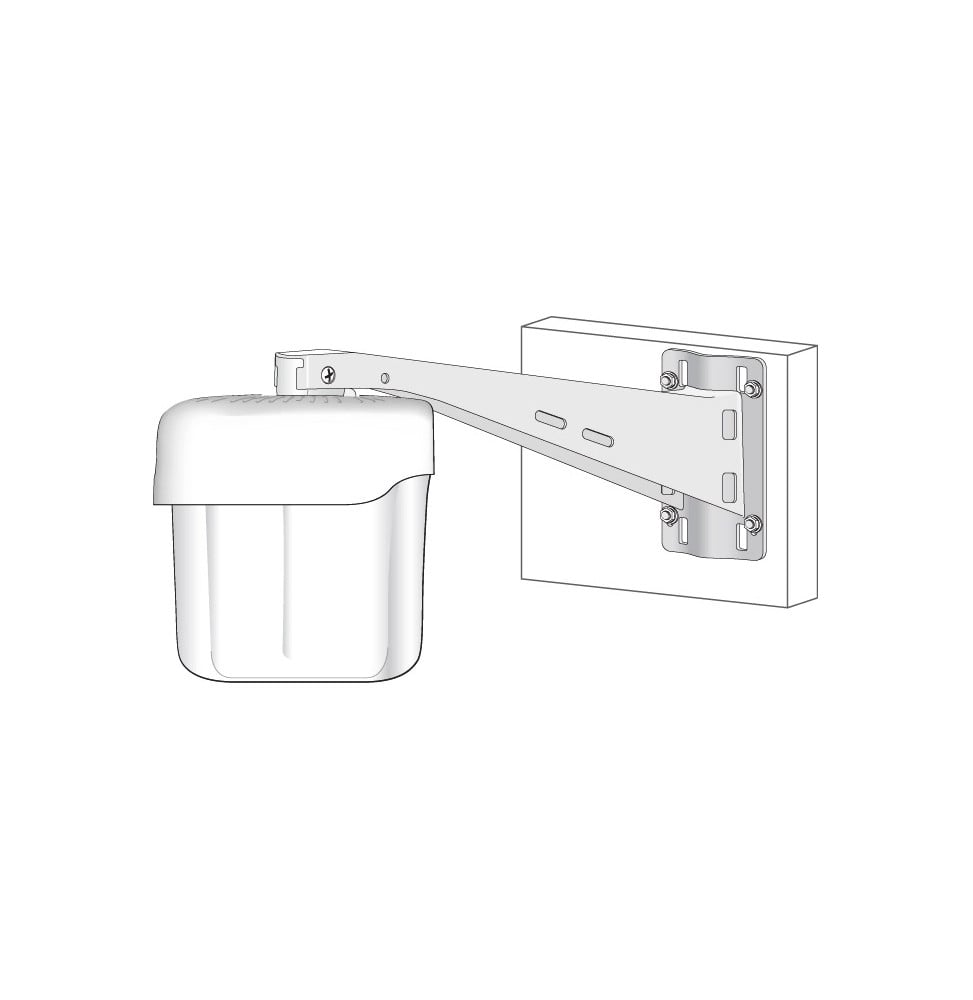
Two 6-inch hose clamps pass through the bracket slots and are tightened with a screwdriver; several pairs of slots adapt to the diameter and shape of the pole. The arm then keeps the unit away from the mast: an omnidirectional antenna radiates all around without being masked on one side.
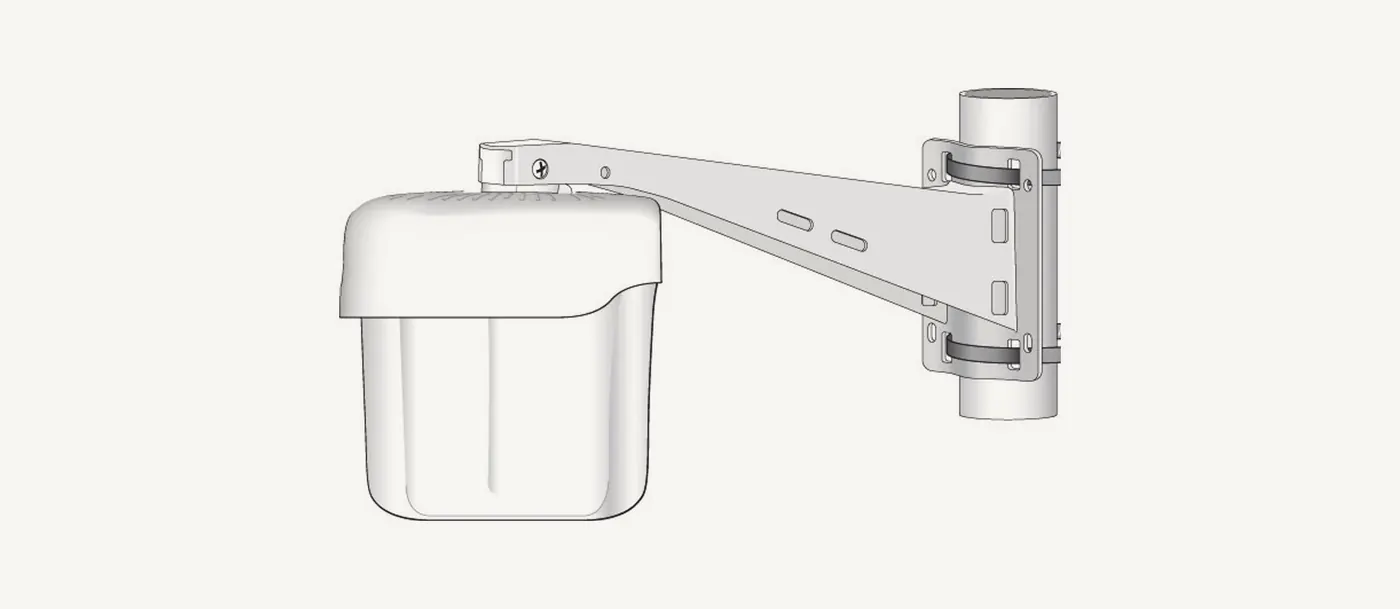
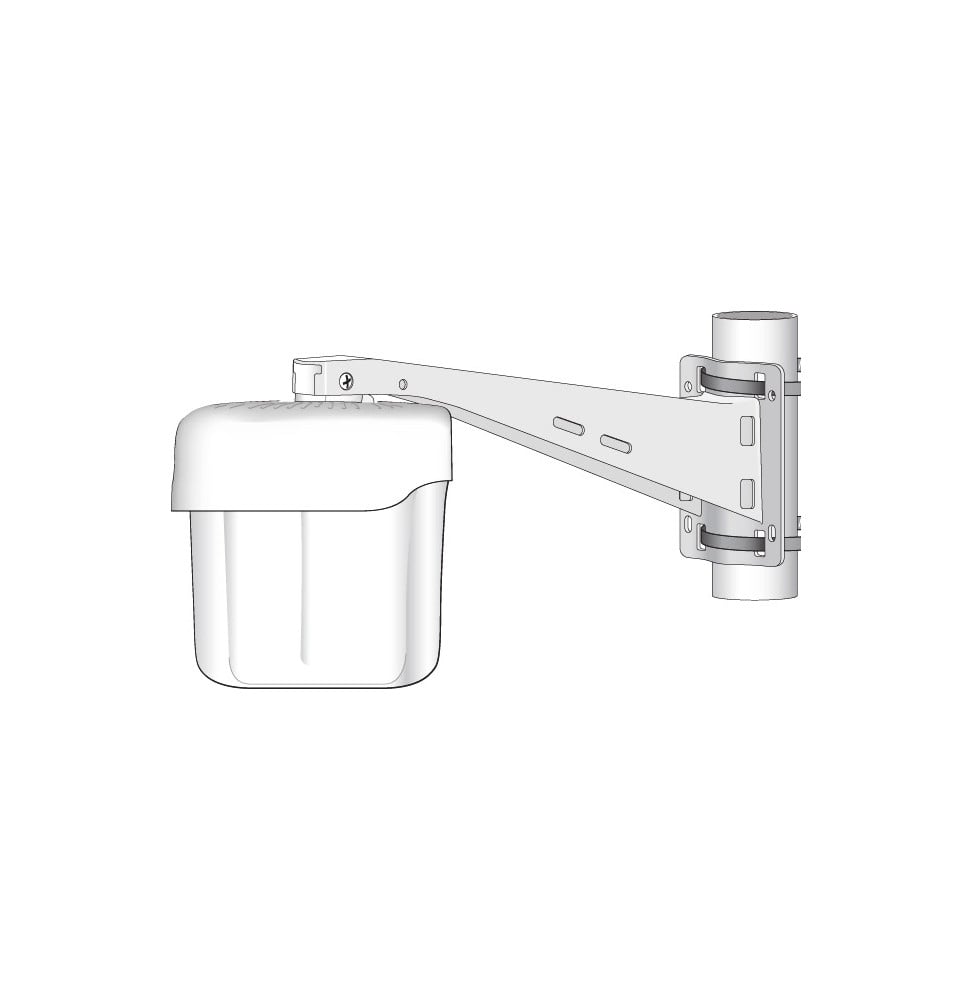
Drawing of the AP-270-MNT-V1 bracket clamped to a pole by two hose clamps, access point mounted at the end of the armOn a pole: two hose clamps, then the unit slid onto the end of the arm.

On a wall, the bracket is the template

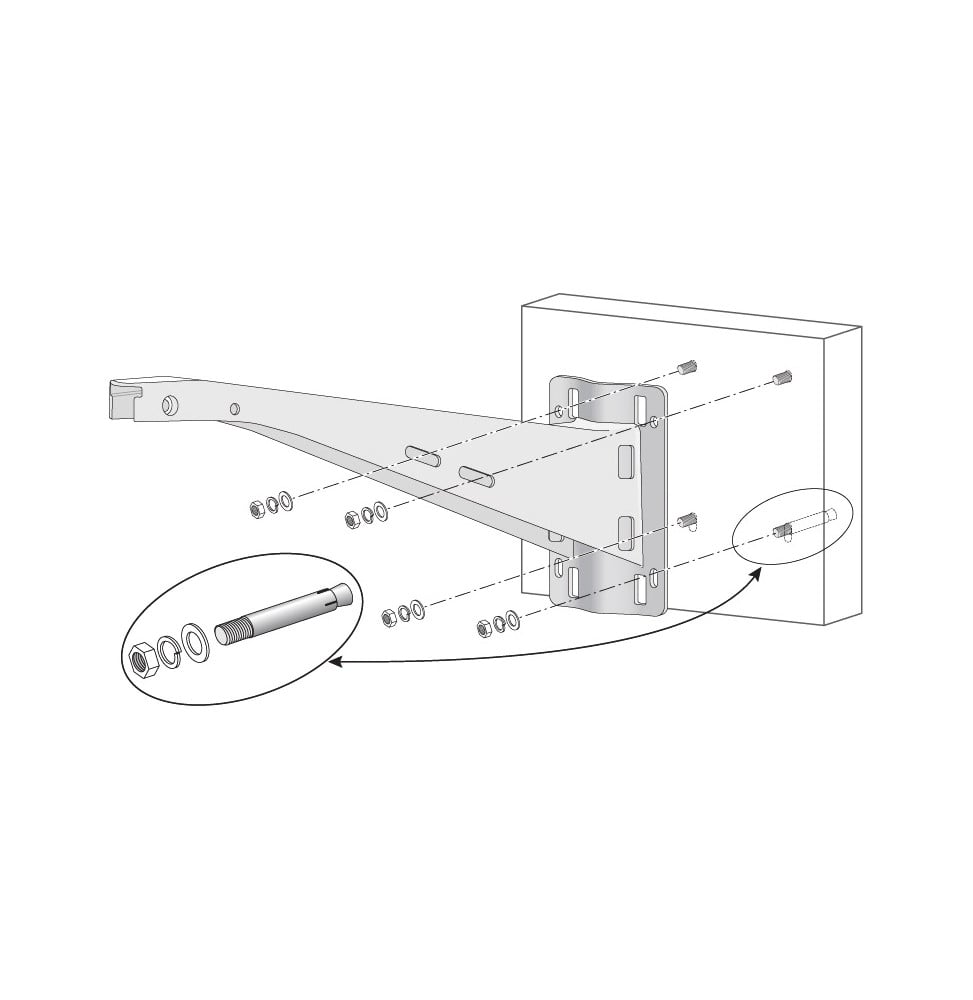
Hold it at the chosen spot, mark the four fixing points, drill and fit four anchor bolts. The access point slides into the arm opening by its original holder and is locked with the two M6x20 screws supplied; the 60 cm tie keeps the cables along the arm.

Compatibility
AP-270, 360, 370, 560, 570 series
Arm
Long (V1)
Supplied
2 screws, 2 clamps, 1 60 cm tie
Not supplied
Wall anchors, access point

For wall mounting only, Aruba also offers the short-arm AP-270-MNT-V2. On a large-diameter pole with an AP-370 or AP-570 unit, this long-arm V1 model is the one you need.

Other mounts and access point accessories are in the access point and switch accessories category; the brand's products on the HPE page.

Values taken from the HPE Aruba AP-270-MNT-V1 installation guide and the Aruba access point accessories guide.

Technical specifications

Technical specifications
Box contents1 vertical bracket, 2 M6x20 screws, 1 60 cm cable tie, 2 6-inch hose clamps, installation guide; wall anchors not included
Manufacturer part numberAP-270-MNT-V1 (JW052A)
MountingOn a pole (two hose clamps) or on a wall (four fixing points)
Product typeLong-arm vertical mounting bracket for an outdoor access point
UseKeep an omnidirectional access point away from its pole to limit RF shadowing from the mast
Compatible modelsAruba outdoor access points of the AP-270, AP-360, AP-370, AP-560 and AP-570 series
Warranty3 years

Specific references

MPNJW052A

Customer reviews

No reviews yet

Be the first to review this product and help other customers.

Write a review
Your rating
5/5

Shown publicly with your review.

Never published — a confirmation email will be sent to you.

Tell us about the product — in a few lines:

  • what you liked in everyday use;
  • the quality and performance you found;
  • who you would recommend it to, and why.

A question about an order, a delivery or a payment? Write to us and we will reply to you directly.

Under Law 09-08, you have the right to access, rectify and object to the processing of your personal data. This processing has been authorised by the CNDP under no. D-CE-389/2015. Learn more

Frequently asked questions about this product

Which access points is this bracket compatible with?
With Aruba outdoor access points of the AP-270, AP-360, AP-370, AP-560 and AP-570 series. The access point slides into the arm opening by its original holder, then is locked with the two screws supplied. The access point itself is not included.
What is the difference with the AP-270-MNT-V2 bracket?
The V1 has a long arm, the V2 a short arm. The long arm is designed first for poles: it holds an omnidirectional unit far enough from the mast that the mast does not mask its signal. The V2 is mainly for walls, and Aruba advises against it on a large-diameter pole for the AP-370 and AP-570 series.
What is in the box?
The vertical bracket, two M6x20 screws, two 6-inch hose clamps for the pole, a 60 cm cable tie and the installation guide. For wall mounting, the four anchors and their bolts are not supplied: they are chosen according to the type of wall.
How does the bracket attach to a pole?
With two hose clamps passed through the slots of the bracket and tightened with a screwdriver. The bracket has several pairs of slots, to choose according to the diameter and shape of the pole. The access point then slides in, and the cables are tied to the arm with the supplied cable tie.
Can it be installed against a wall?
Yes. The bracket is held against the wall and serves as its own template to mark four fixing points. You drill, fit four anchor bolts, not supplied, then tighten the bracket with washers and nuts before sliding in the access point and locking it with the two M6x20 screws.

View the HPE archive

Chat on WhatsApp

Scan with my phone

The simplest way: open your phone camera and point it at this code. The chat opens with your message ready.

Open WhatsApp Web

Works if your phone is already linked to this computer.

Prefer to call? (+212) 05 30 31 64 21