Scan instead of photocopying
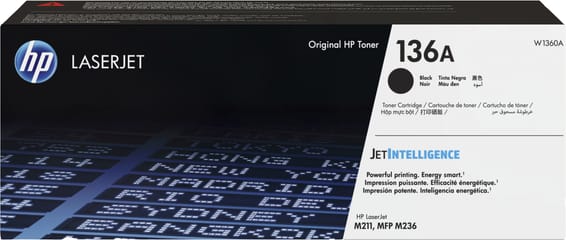
On a multifunction, copying and scanning start from the same action and the same scanner. Only one of the two uses toner. Every time a document is photocopied when a file would have done, the page is printed for nothing — and on a 1,150-page toner, a few dozen pages a week show up by the end of the month.
The automatic feeder changes everything, because it makes scanning as quick as copying: you put the stack in, press a button, get a PDF. Without a feeder you have to lift the lid for every sheet — and nobody does that, they photocopy.
The cases where the habit really changes something
- filing a case received on paper: a PDF can be found again, a photocopy gets lost;
- sending a document to a customer or an accountant: the file goes off by email the same day;
- keeping a record of a document you are handing back: the scan is enough, the copy was a habit.
Scanning to a network folder or to email is set up once, in the machine's web server — it has Wi-Fi as well as Ethernet.
136A or 136X
2,600 pages against 1,150, so 2.3 times more, at a clearly lower cost per page. On a machine fitted with a feeder, and therefore meant to handle stacks of documents, the 136X is the default format. The M236dw page compares that yield with the other lasers in the catalogue: instructive before choosing your next machine.
Lastly, beware of neighbouring names: the 150A of the LaserJet M141 and M111 does not fit here, and neither does the 151A of the LaserJet Pro 4000 range.
A fleet of printers to keep supplied?
We draw up the list of consumables for your whole fleet and a single grouped quote. Invoice in your company's name with its ICE number, delivery anywhere in Morocco.