Welcome to the new iris.ma

We rebuilt everything for you

Same team, same standards

Pay nowView my order
Visit the HP store

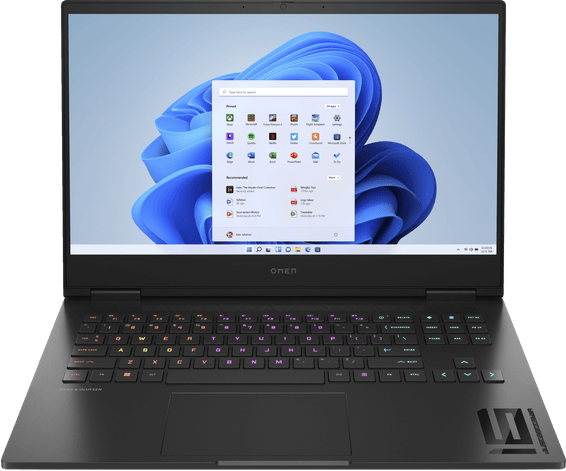
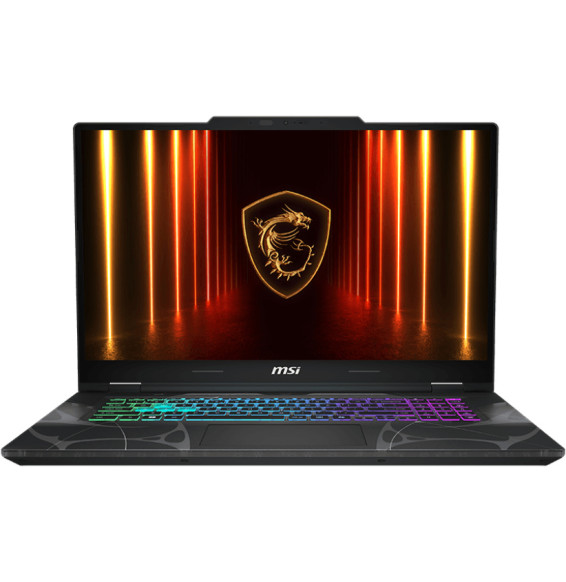
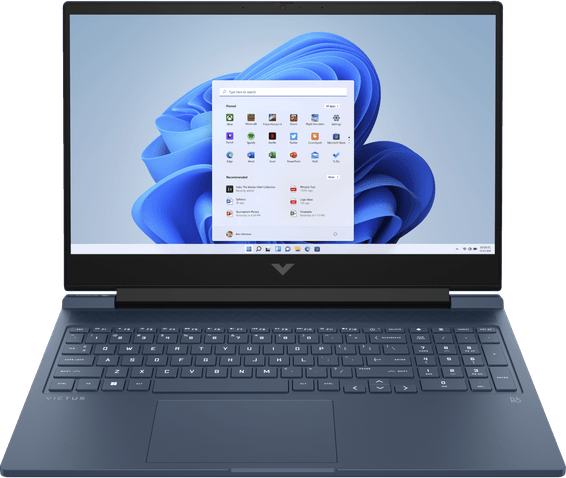
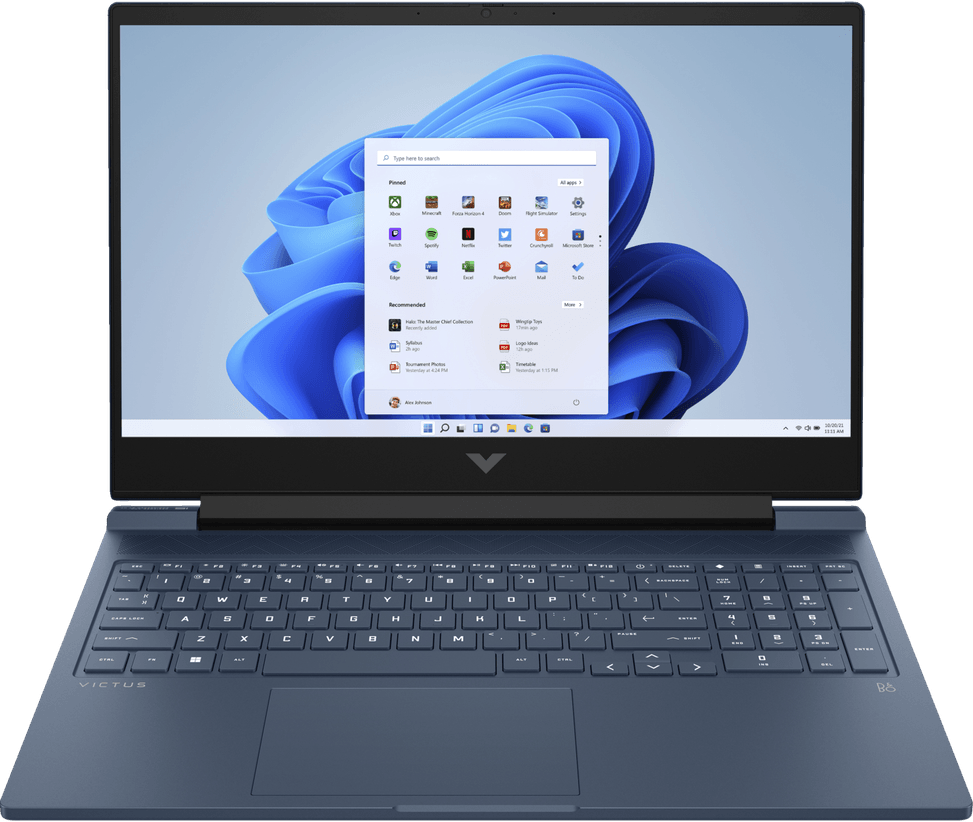
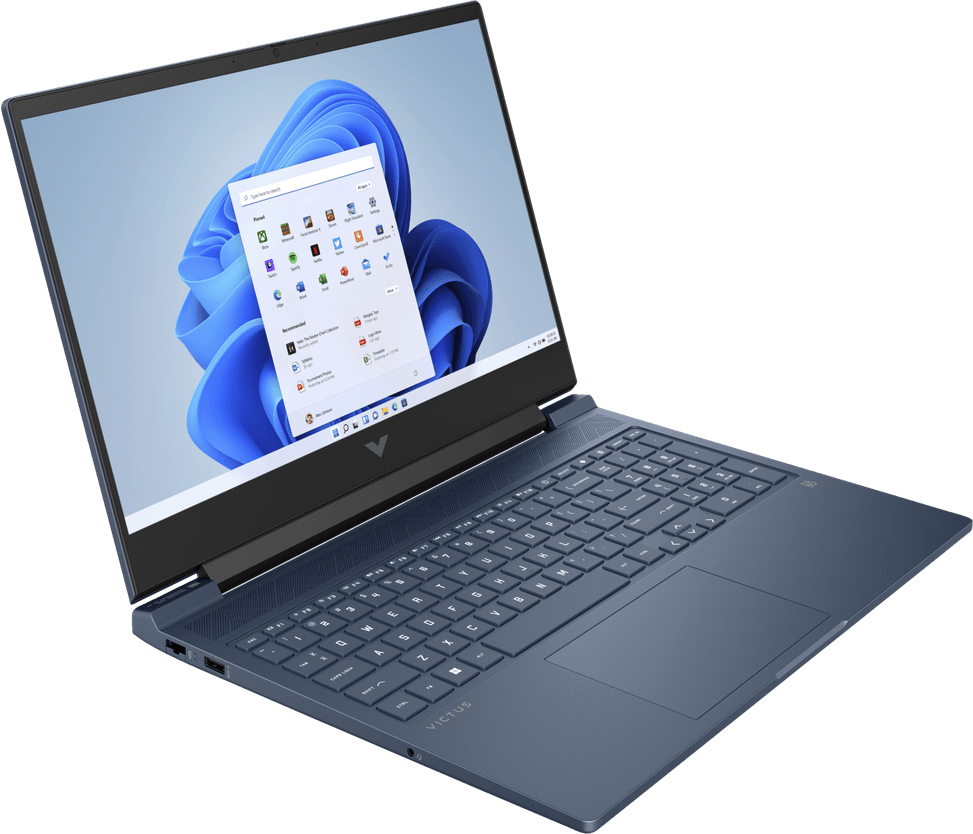
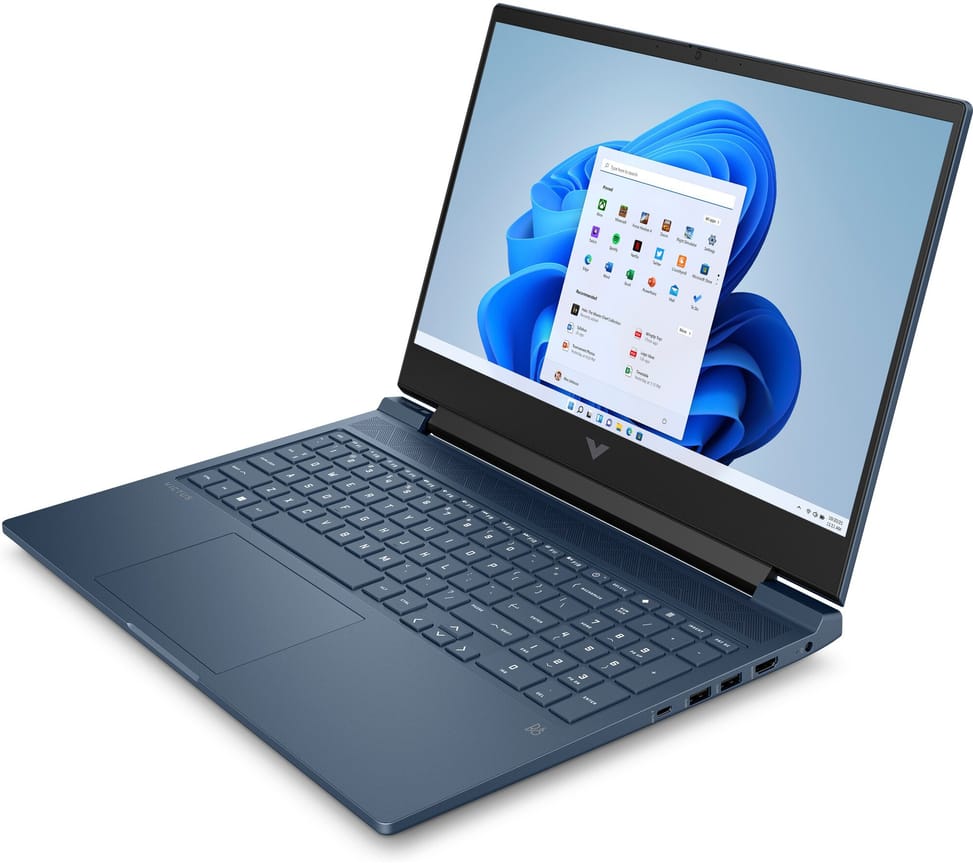
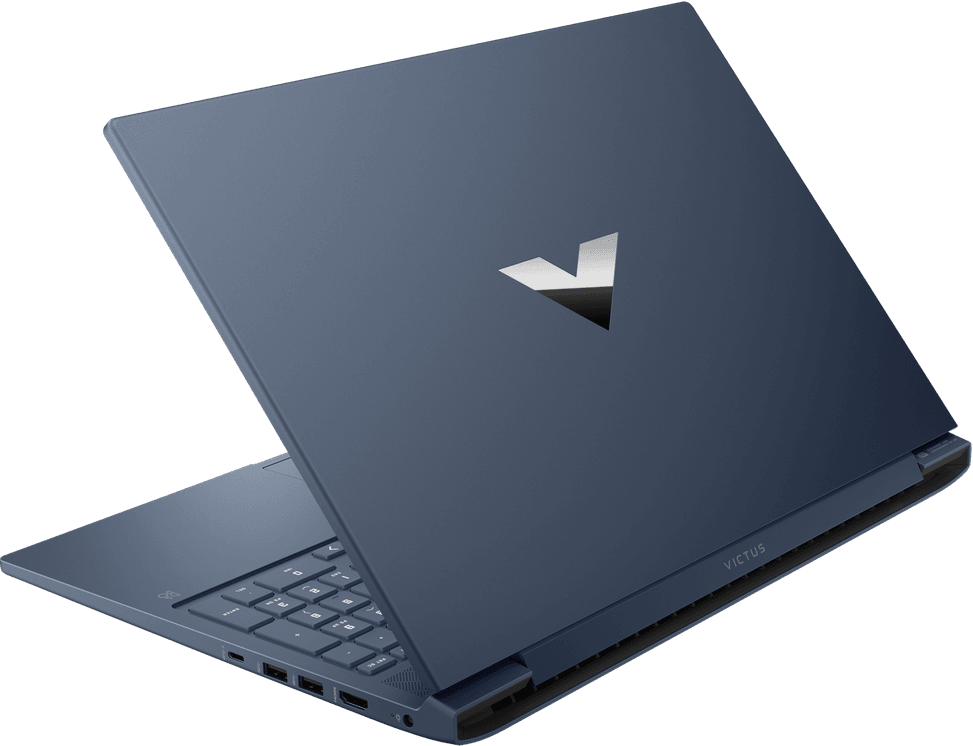
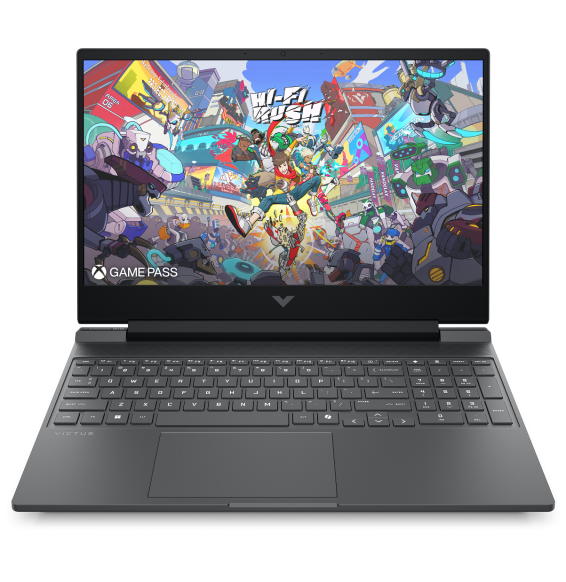
HP Victus 16-r0000nk Gaming Laptop (845H2EA)

Designed for gaming at full power: dedicated RTX 4050 card, a 14-core processor and a 16.1" 144 Hz screen for smooth sessions. Fast charging to 50 % in 30 minutes.

  • NVIDIA GeForce RTX 4050 (6 GB dedicated GDDR6)
  • Intel Core i7-13700H (14 cores / 20 threads)
  • RAM 16 GB DDR5-5200
  • 512 GB NVMe PCIe Gen4 SSD
  • 16.1" Full HD IPS 144 Hz screen
  • Backlit keyboard with a numeric keypad
  • Bang & Olufsen sound
  • 70 Wh battery, fast charging (50 % in 30 min)
  • Wi-Fi 6
  • Weight 2.33 kg
Ref.: 845H2EA
19 199,00 DHincl. VAT

Configuration · HP Victus 16

Out of stock

Under Law 09-08, you have the right to access, rectify and object to the processing of your personal data. This processing has been authorised by the CNDP under no. D-CE-389/2015. Learn more

Can’t wait?

Ask for an alternative on WhatsApp

Quick reply

Manufacturer's datasheetView the PDF · 2,4 Mo — downloadable

Product overview

16" gaming laptop built for play: dedicated RTX 4050 graphics card, 144 Hz display and 14-core processor.

Processor: Intel Core i7-13700H — 13th gen, 14 cores / 20 threads, up to 5 GHz, 24 MB cache. High-performance H series, for gaming and creative work.
RAM: 16 GB DDR5-5200
Storage: 512 GB SSD NVMe PCIe Gen4
Display: 16.1" Full HD IPS · 144 Hz · low brightness (250 nits) · 45% NTSC
Graphics: NVIDIA GeForce RTX 4050 dedicated, 6 GB GDDR6
Operating system: Windows 11 Home
Keyboard: backlit · numeric keypad

See all the specifications ↓
Request a quoteShare:

Technical specifications

Technical specifications
ProcessorIntel Core i7-13700H
Processor details14 cores, 20 threads, up to 5.0 GHz, 24 MB cache
Installed RAM16 GB DDR5-5200 (2 x 8 GB)
Hard drive capacity512 GB SSD M.2 NVMe PCIe Gen 4, TLC NAND
Optical driveNone
Graphics cardNVIDIA GeForce RTX 4050 6 GB GDDR6
Weight (kg)2.33 kg
Screen size16.1 inches
Screen typeFull HD (1920 x 1080), IPS, 144 Hz, 250 nits, anti-glare
Built-in webcamFull HD 1080p, temporal noise reduction, dual microphone
Audio2 speakers, Bang & Olufsen, HP Audio Boost
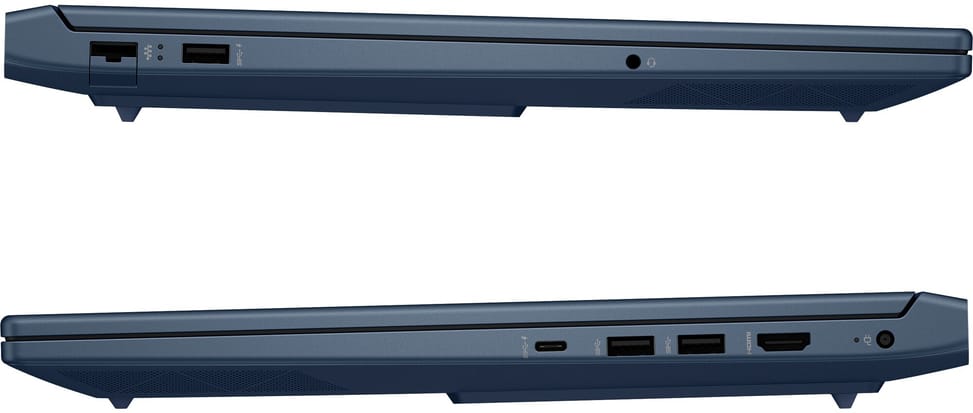
Ethernet network cardGigabit Ethernet (RJ-45)
BluetoothBluetooth 5.3
Wireless communicationWi-Fi 6 (802.11ax, MediaTek MT7921 2x2)
Connectors3 USB-A 5 Gbps, 1 USB-C 5 Gbps (DisplayPort 1.4), 1 HDMI 2.1, 1 RJ-45, 1 jack (3.5 mm), 1 power connector
Technical specifications (continued)
Biometric recognitionNone
Battery type / battery life70 Wh, 4 cells, up to 7 h 15 min
Operating systemWindows 11 Home
Dimensions (W x D x H) (mm)369 x 259.4 x 22.9-23.9 mm
Product colourBlue
Power supply230 W
KeyboardAZERTY, backlit, with numeric keypad
Memory slots2 SO-DIMM DDR5 slots, none free
Storage typeSSD
Colour gamut45% NTSC
TouchscreenNo
Refresh rate144 Hz
With built-in AINo
Warranty1 year

Customer reviews

No reviews yet

Be the first to review this product and help other customers.

Write a review
Your rating
5/5

Shown publicly with your review.

Never published — a confirmation email will be sent to you.

Tell us about the product — in a few lines:

  • what you liked in everyday use;
  • the quality and performance you found;
  • who you would recommend it to, and why.

A question about an order, a delivery or a payment? Write to us and we will reply to you directly.

Under Law 09-08, you have the right to access, rectify and object to the processing of your personal data. This processing has been authorised by the CNDP under no. D-CE-389/2015. Learn more

Frequently asked questions about this product

Can you upgrade the memory in this HP Victus 16-r0000nk?
Yes, by replacing the modules. The two accessible slots are filled with 2 × 8 GB of DDR5-5200, i.e. 16 GB in dual-channel mode. To move to 32 GB, you therefore need to remove both modules rather than add one.
What battery life can you expect from this HP Victus 16-r0000nk?
Up to 7 h 15 min of general use and up to 9 h 15 min of video playback, from a 70 Wh battery. Go by the first figure, which is closer to a working day; when gaming, with the graphics card under load, plan to stay plugged in.
How good is the Core i7-13700H in this HP Victus 16-r0000nk?
The H suffix denotes Intel's high-performance variant, far more generous in power than a U-series chip. This i7-13700H has 14 cores and 20 threads: a format built to power a dedicated graphics card without holding it back, and for video encoding.
Is this HP Victus 16-r0000nk's screen suitable for photo editing?
No, it is aimed at gaming. The 16.1-inch IPS panel peaks at 250 nits and covers 45% of the NTSC colour space: smooth thanks to its 144 Hz, but too limited as soon as colour accuracy matters. It is, however, anti-glare.
Can this HP Victus 16-r0000nk be charged through its USB-C port?
Yes, the USB-C port handles power input and carries video over DisplayPort 1.4. The supplied power brick is still a 230 W smart adapter, the power the manufacturer specifies to run the processor and graphics card together at full load.
Does this HP Victus 16-r0000nk have a wired network port?
Yes, a Gigabit RJ-45 port is built in: for online gaming, a cable protects you from the micro-dropouts that wireless suffers in a busy block of flats. Wi-Fi is still available as Wi-Fi 6 for controllers and headsets.
Is the sound on this HP Victus 16-r0000nk well tuned?
Yes: the tuning is by Bang & Olufsen, which is still unusual on a gaming laptop of this size. For long sessions and team voice chat, however, headphones plugged into the combo jack are still preferable.
How long does it take to recharge this HP Victus 16-r0000nk's battery?
About 50% in 30 minutes, with the laptop switched off and connected to the supplied adapter. Beyond the halfway mark, charging returns to its normal speed, which spares the cell over time.
Is this HP Victus 16-r0000nk new and ready to play?
Yes, it is new and sealed, with Windows 11 Home preinstalled: all that is left is to create your account. It features a dedicated 6 GB GDDR6 RTX 4050, a 512 GB SSD and a backlit AZERTY keyboard with a numeric keypad.

Trending

View the HP archive

Chat on WhatsApp

Scan with my phone

The simplest way: open your phone camera and point it at this code. The chat opens with your message ready.

Open WhatsApp Web

Works if your phone is already linked to this computer.

Prefer to call? (+212) 05 30 31 64 21