
Welcome to the new iris.ma

We rebuilt everything for you

Same team, same standards

Pay nowView my order

Which toner fits the HP LaserJet Pro M404dn?

Monochrome laser · machine reference W1A53A

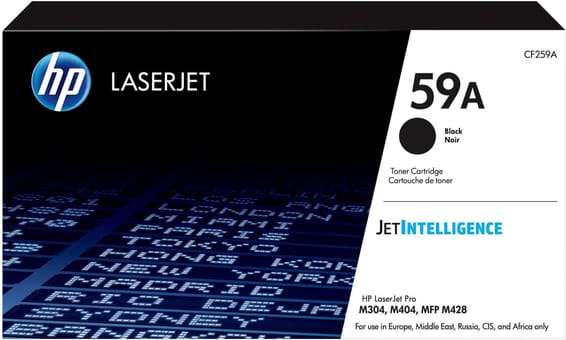
The LaserJet Pro M404dn takes the HP 59A black toner (CF259A), rated for about 3,000 pages, or the 59X (CF259X), about 10,000 pages. The drum is built into the cartridge: there is nothing else to replace. The same part number serves the M304, M406, M428 and M430 series.

Compatible toners

See all
  • NoirToner
    HP 59A Noir (CF259A) - Toner HP LaserJet d'origine
    Best seller

    HP

    HP 59A Noir (CF259A) - Toner HP LaserJet d'origine

    Compatible avec les imprimantes HP LaserJet Pro M404, M428 et M304, pour environ 3 000 pages.

    In stock

    2 149 DHincl. VAT

    Delivery everywhereDelivered all over Morocco

Also compatible, currently unavailable

This reference fits this machine. Ask to be told when they are back, or ask us for a lead time.

1 reference available · 1 awaiting restocking · we confirm availability before dispatch and tell you straight away if we cannot fulfil it.

An unusual capacity gap

On most HP families, the high-capacity version doubles the autonomy. Here the ratio is 3.3: 3,000 pages for the 59A, 10,000 for the 59X. That gap changes the reasoning. On a machine for which HP recommends a volume of 750 to 4,000 pages a month, the 59A lasts twenty-two days at the recommended ceiling, while the 59X covers two and a half months.

In other words, an office that prints a lot will replace three 59A where one 59X would have done — with three interruptions instead of one. At low volume the trade-off reverses: at 750 pages a month, a 59X would take more than a year to empty, and an opened laser cartridge has no business staying in place that long.

What this machine can take

It prints up to 38 pages per minute, with automatic duplex on by default — a factory setting that halves paper consumption while changing nothing about toner use: two printed sides count as two pages.

Its capacity totals 350 sheets across two sources, 250 in the cassette and 100 in the secondary tray. It connects over Gigabit Ethernet or USB, with no Wi-Fi, and its maximum cycle reaches 80,000 pages. A two-line LCD shows the toner level on the machine itself, which avoids depending on any one workstation.

Does the 59A fit the other models in the family?

Yes. It is one of the most widely shared part numbers in HP's catalogue: the M304a, M404n, M404dw, M406dn, M428 and M430f take the same 59A and the same 59X. A mixed fleet is therefore resupplied with a single part number, which is rare and worth knowing before ordering machine by machine.

Frequently asked questions

Does the 59X go into an M404dn with no adaptation?
Yes, same format and same slot as the 59A: the cartridge is simply fuller. The machine reads its chip and adjusts the level estimate on its own. No setting and no driver update are needed to move from one to the other.
Does the M404dn have a drum to change?
No. As on the LaserJet Pro 4003, the imaging drum is built into the toner cartridge: every replacement brings a new cylinder. Separate drums are found on high-volume corporate machines, not on this range.
What does the "dn" in M404dn mean?
The "d" stands for automatic duplex and the "n" for the Ethernet network port. The "dw" variant adds Wi-Fi and the plain "n" does without duplex. Those letters never change the consumable: the whole M404 series takes the 59A or the 59X.

Other HP LaserJet Pro

A fleet of printers to keep supplied?

We draw up the list of consumables for your whole fleet and a single grouped quote. Invoice in your company's name with its ICE number, delivery anywhere in Morocco.

Looking for another machine? Search by model or by cartridge reference. To understand page yields and cost per page, read our toner and cartridge guide.

Chat on WhatsApp

Scan with my phone

The simplest way: open your phone camera and point it at this code. The chat opens with your message ready.

Open WhatsApp Web

Works if your phone is already linked to this computer.

Prefer to call? (+212) 05 30 31 64 21