Welcome to the new iris.ma

We rebuilt everything for you

Same team, same standards

Pay nowView my order
Visit the Lenovo store

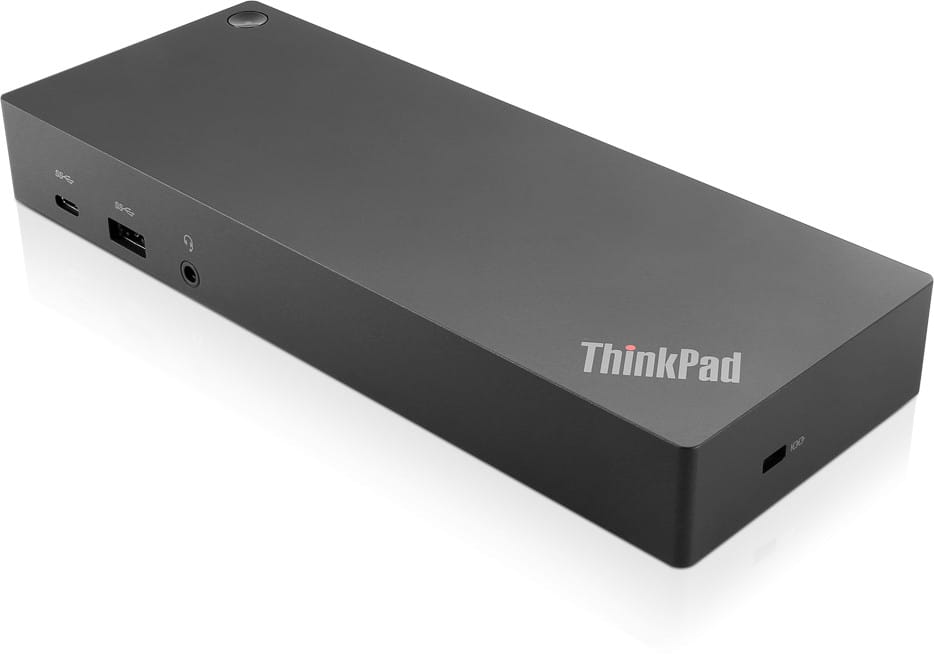
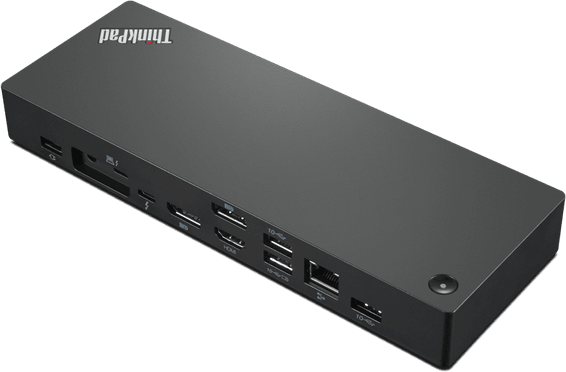
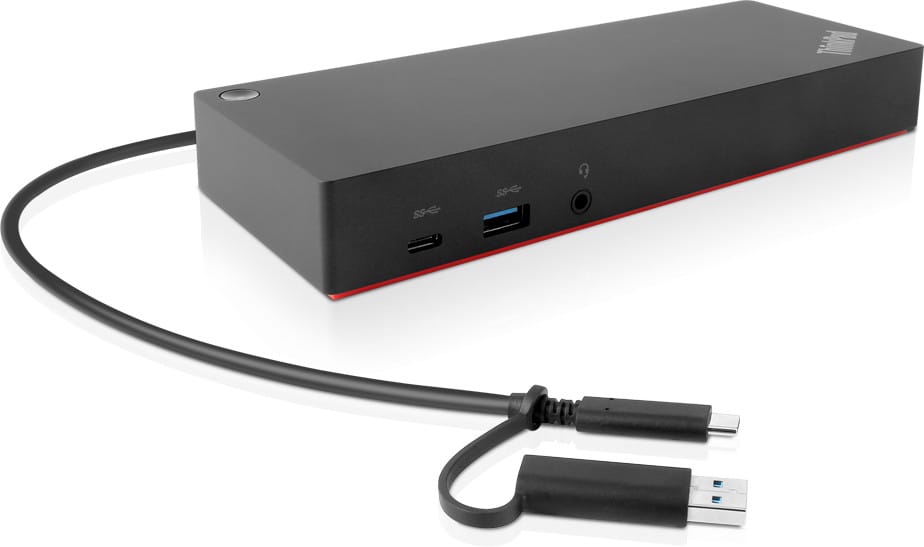
Lenovo ThinkPad Hybrid USB-C with USB-A Dock (40AF0135EU)

Two 4K screens at 60 Hz, Gigabit networking and six USB sockets from a single cable. The supplied USB-A adapter also connects laptops left without a USB-C port.

  • Two external 3840 x 2160 screens at 60 Hz
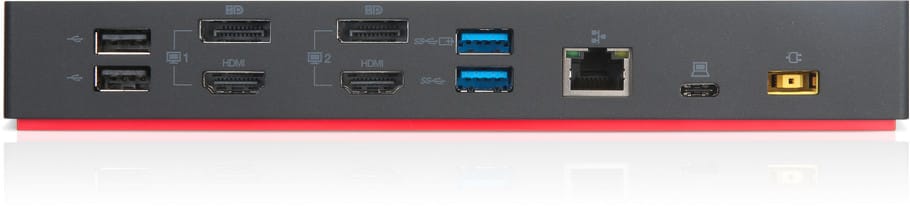
  • 2 DisplayPort 1.2 and 2 HDMI
  • 3 USB 3.1 Gen 2 ports at 10 Gbps, one of them always powered
  • 2 USB 2.0 ports
  • 1 USB-C data port (5 V/3 A)
  • Gigabit Ethernet (RJ45)
  • Laptop charging up to 90 W through the ThinkPad Slim-tip connector
  • ThinkPad Slim-tip 135 W power adapter included
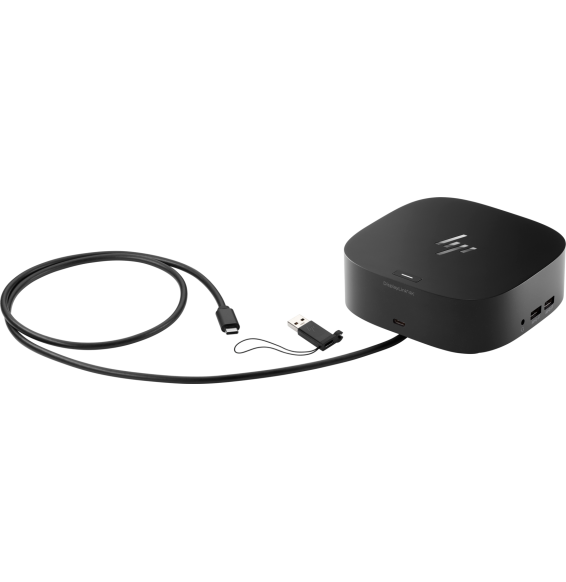
  • USB-C cable with USB-A adapter included
  • 3.5 mm headphone and microphone jack
  • PXE network boot, Wake-on-LAN and MAC address pass-through
  • Compatible with Windows, macOS, Ubuntu and ChromeOS
Ref.: 40AF0135EU
3 099,00 DHincl. VAT

Out of stock

Under Law 09-08, you have the right to access, rectify and object to the processing of your personal data. This processing has been authorised by the CNDP under no. D-CE-389/2015. Learn more

Can’t wait?

Ask for an alternative on WhatsApp

Quick reply

Manufacturer's datasheetView the PDF · 1,0 Mo — downloadable

Product overview

Max. number of external monitors 2
Refresh rate DisplayPort: 3840 x 2160 @ 60 Hz; HDMI: 3840 x 2160 @ 60 Hz; Bundle DisplayPort 1 & DisplayPort 2 to the monitor: 5120 x 2880 @ 60 Hz;; "Maximum resolution" refers to what can be supported by the dock. Actual resolution will vary by laptop.
Mains connector Schuko/European Standard Plug Type C
Hardware requirements Machine with full function USB-C port or USB 3.0 Port
Output power 90 W
Compatible operating systems Windows 10, Windows 7
Audio ports 1 x 3.5 mm Stereo/Mic Combo Port
Charging port ThinkPad Slim-tip Port
USB ports 1 x USB-C (Data, 5V/3A power); 3 x USB 3.1 Gen2 (10 Gbps, 1 always-on); 2 x USB 2.0
Video ports 2 x DisplayPort 1.2; 2 x HDMI
Input power 135 W
In the box ThinkPad Hybrid USB-C with USB-A Dock;ThinkPad Slim-tip 135 W AC power adapter;1m USB-C Cable with USB-A Adapter;Power cord;Product information, safety and warranty poster
Compatibility E580, E480, E470, L580, L480, L470, L380, L380 Yoga, Lenovo Tablet 10, Miix 520-12IKB, T580, T570, T480, T480s, T470, T470s, T460, ThinkPad 25, X1 Carbon Gen 6, X1 Carbon Gen 5, X1 Yoga Gen 3, X1 Yoga Gen 2, X1 Tablet Gen 3, X1 Tablet Gen 2, 13 Gen 3 Windows, X280, X270, X260

See all the specifications ↓
Request a quoteShare:

Technical specifications

Technical specifications
Memory card readerNone
Ethernet network card1 x RJ-45 Gigabit
Advanced network featuresPXE boot, Wake-on-LAN and MAC address pass-through
Compatible operating systemsWindows, macOS, Ubuntu and ChromeOS
Computer interfaceUSB Type-C — 1 m cable, USB-A adapter included
Maximum supported resolution2 × 3840 x 2160 displays at 60 Hz, or 1 × 5120 x 2880 display at 60 Hz using both DisplayPort outputs
HDMI output2 x HDMI
Video portsHDMI, DisplayPort
DisplayPort output2 x DisplayPort 1.2
ConnectivityUSB-A, USB-C, RJ45, 3.5 mm jack
Technical specifications (continued)
Audio jack1 x 3.5 mm jack (headphone and microphone)
USB-C ports1 x USB-C data port (5 V / 3 A), no video output
USB-A ports3 x USB-A 10 Gbps (USB 3.1 Gen 2), one of them always powered, and 2 x USB-A 2.0
Data rate10 Gbps (USB 3.2 Gen 2)
Computer connectionUSB-A, USB-C
Docking station or hubDocking station
Supported external displays2 displays
Laptop charging90 W via the ThinkPad Slim-tip connector
Power supply includedThinkPad Slim-tip 135 W power adapter included
Warranty1 year

Customer reviews

No reviews yet

Be the first to review this product and help other customers.

Write a review
Your rating
5/5

Shown publicly with your review.

Never published — a confirmation email will be sent to you.

Tell us about the product — in a few lines:

  • what you liked in everyday use;
  • the quality and performance you found;
  • who you would recommend it to, and why.

A question about an order, a delivery or a payment? Write to us and we will reply to you directly.

Under Law 09-08, you have the right to access, rectify and object to the processing of your personal data. This processing has been authorised by the CNDP under no. D-CE-389/2015. Learn more

Frequently asked questions about this product

Does this ThinkPad Hybrid docking station have an Ethernet port?
Yes, a Gigabit Ethernet (RJ45) port. The office's wired network stays plugged into the dock once and for all, and the computer picks it up through the single docking cable, along with the screens. This port also handles PXE boot and Wake-on-LAN.
How many screens can it drive, and at what resolution?
Two screens at most, each up to 3840 × 2160 at 60 Hz over DisplayPort 1.2 or HDMI; the four video connectors (2 DisplayPort, 2 HDMI) share these two outputs. By dedicating both DisplayPort ports to a single monitor, it reaches 5120 × 2880 at 60 Hz. The resolution actually achieved also depends on the computer.
Does it charge the laptop while it is connected?
Yes, up to 90 W delivered to the computer, the dock itself being powered by the supplied 135 W ThinkPad Slim-tip adapter. RapidCharge fast charging is supported on ThinkPad laptops: at the desk, the single docking cable is all you need.
Does it work with a laptop that has no USB-C port?
Yes: the USB-C to USB-A adapter is included and provides port replication on a previous-generation laptop or one from another brand. The docking cable is 1 m long and takes this adapter depending on the machine. Fast charging, however, is designed for ThinkPads.
Is there a USB port that stays powered at all times?
Yes: of the three USB 3.1 Gen 2 (10 Gbps) ports, one is always-on. There are also two USB 2.0 ports and a data USB-C port delivering 5 V/3 A, so the keyboard, mouse and external drive can stay permanently connected.
Can the dock's USB-C port be used to connect a screen?
No: it is a data port with 5 V/3 A power. Video comes out through the 2 DisplayPort 1.2 and 2 HDMI ports — plan on one DisplayPort or HDMI cable per monitor. This USB-C port remains handy for an external drive or for charging a phone.
What exactly is in the box?
The dock, the 1 m USB-C cable with its USB-A adapter, the 135 W ThinkPad Slim-tip AC adapter, the power cord and the documentation. You will also need one DisplayPort or HDMI cable per screen, and a network cable for the Ethernet port.
Does it support network boot and remote wake-up for a fleet of workstations?
Yes: PXE boot, Wake-on-LAN from sleep mode and MAC address pass-through from the laptop, so that a workstation keeps the same network identity whichever dock it is connected to. This makes it possible to manage shared workstations without changing the network rules.
Which operating systems does it work with, and do you need to install a driver?
It is stated to be compatible with Windows 11, 10 and 7, macOS 13 and 14, Ubuntu 22.04 and ChromeOS: the list covers a corporate Windows workstation as well as a Mac or a Chromebook. On some ThinkPad laptops, the driver is already preloaded at the factory.
Which ThinkPads is this dock validated for?
The list notably includes the X1 Carbon Gen 5 and 6, X1 Yoga Gen 2 and 3, X1 Tablet Gen 2 and 3, T460, T470/T470s, T480/T480s, T570, T580, E470, E480, E580, L380 and L380 Yoga, L470, L480, L580, X260, X270, X280, the ThinkPad 25 and the Lenovo Tablet 10. Check the model printed on the underside of your laptop.
How much desk space does it take up, and where do you plug in a headset?
210 × 80 × 30 mm and 480 g: it sits behind the screen without cluttering the desk and can be carried from one desk to another. A 3.5 mm combo jack accepts a headset, and the dock has its own power button.
What certifications does it hold for a business purchase?
It is certified CE, TÜV Mark, FCC/ICES, CB, cULus, VCCI, RCM, EAC, BSMI, KCC and NOM, and rated for operation from 0 to 35 °C. It is designed for mixed-fleet environments or shared offices, where machines change hands from one day to the next.
Is this 40AF0135EU docking station new and under warranty?
Yes: new, genuine Lenovo equipment, reference 40AF0135EU (European version), supplied with its invoice, which serves as the warranty document for 1 year. It comes in plain professional packaging (brown box). Details of the ports and resolutions are in the datasheet (PDF).

Trending

View the Lenovo archive

Chat on WhatsApp

Scan with my phone

The simplest way: open your phone camera and point it at this code. The chat opens with your message ready.

Open WhatsApp Web

Works if your phone is already linked to this computer.

Prefer to call? (+212) 05 30 31 64 21