Welcome to the new iris.ma

We rebuilt everything for you

Same team, same standards

Pay nowView my order
Visit the Wacom store

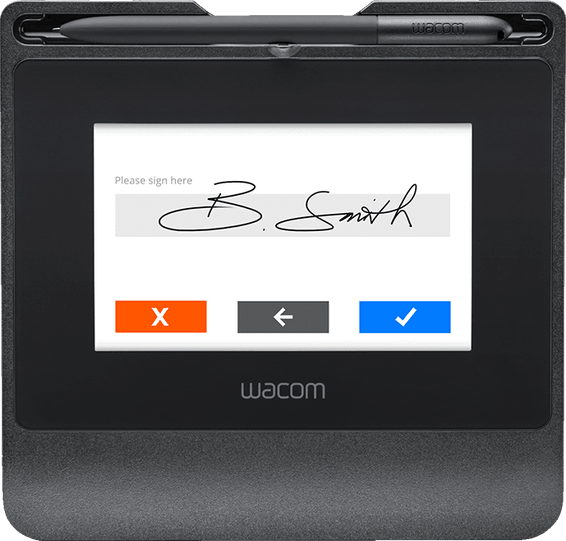
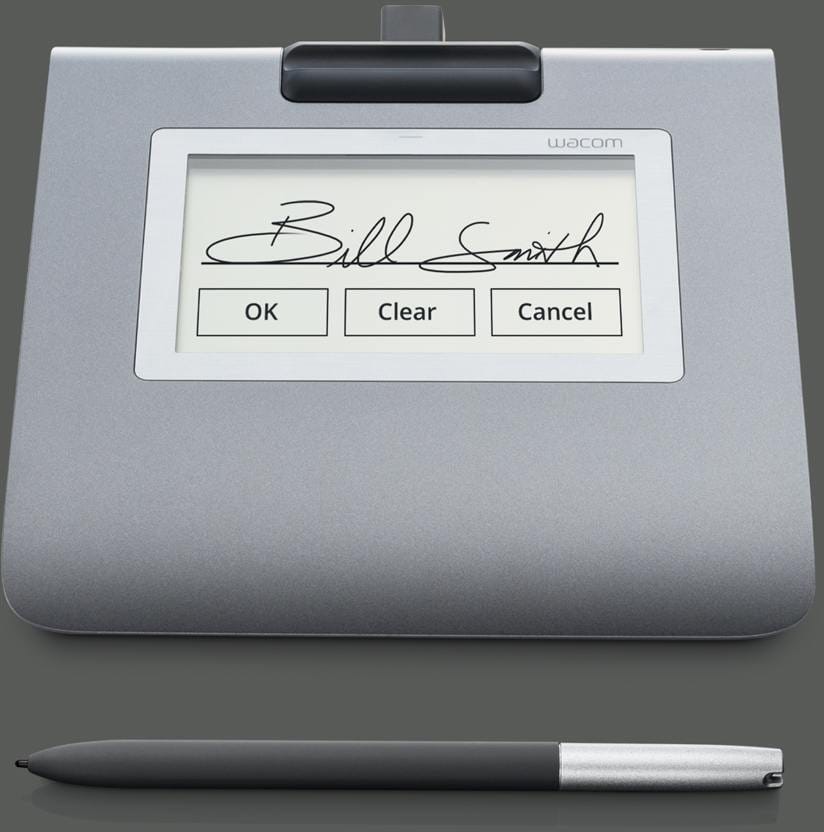
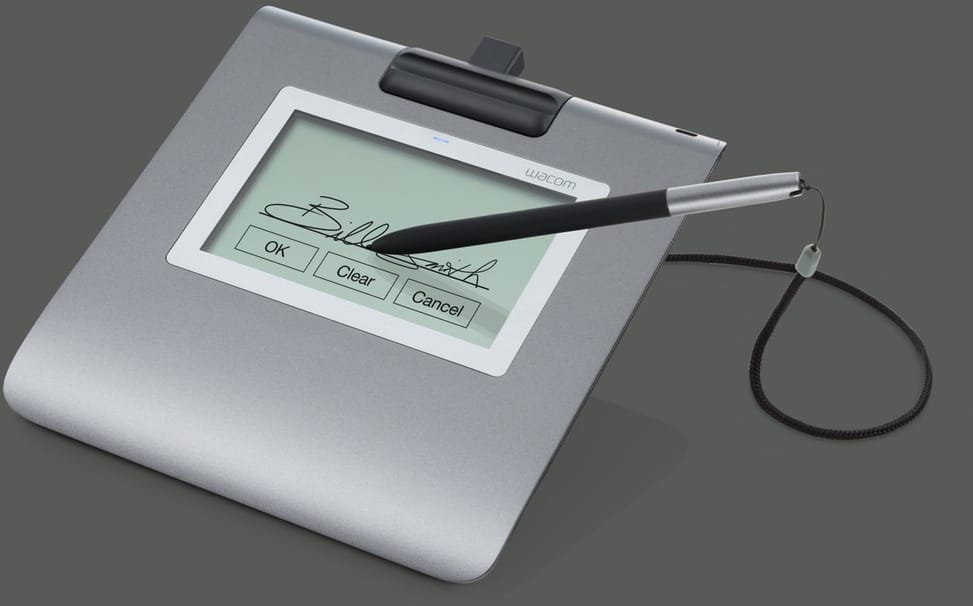
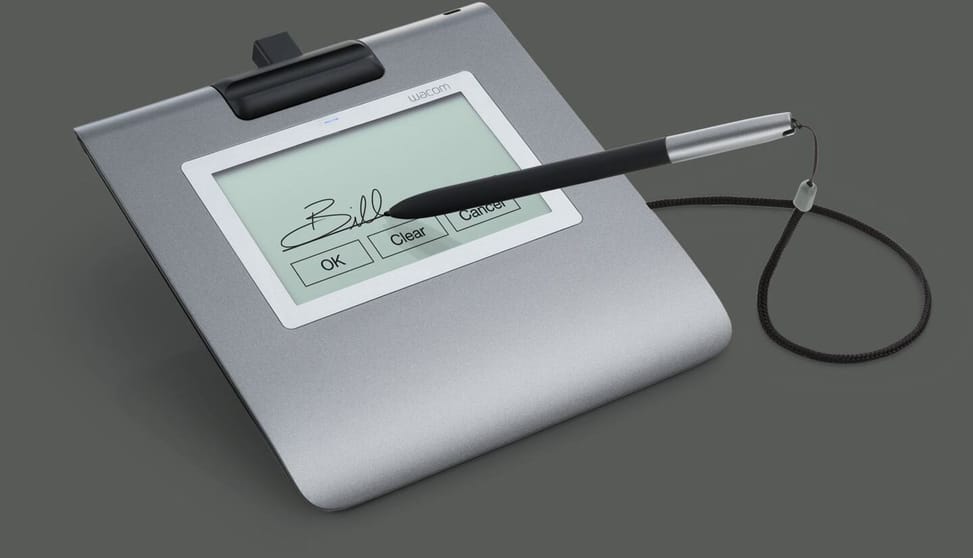
Wacom STU-430 Signature Pad & sign pro PDF (STU-430-CH2)

For signing customers on screen, in banks, hotels, shops or clinics. The battery-free pen captures 1024 pressure levels over a 96 × 60 mm area, with AES256 / RSA2048 encryption and glass tested for 500,000 signatures.

  • Designed to capture electronic signatures on documents, not for drawing
  • 4.5-inch monochrome LCD screen, 320 × 200 pixels, readable in any light
  • 96 × 60 mm signing area, with touch buttons
  • Battery-free, cordless pen using electromagnetic resonance technology
  • 1024 pressure levels for a faithful signature
  • AES256 / RSA2048 encryption
  • Unique hardware identifier (UID) to trace which pad was used
  • No internal memory: real-time capture, nothing is stored
  • Scratch-resistant tempered glass, tested over 500,000 signatures without wear
  • Resolution 2540 lpi, 200 points per second
  • USB connection and power, no mains adapter
  • USB cable lock to prevent accidental disconnection
  • Supplied with pen holder, 3 m USB cable and tether
  • Weight 280 g with the stand
Ref.: STU-430-CH2
4 069,00 DHincl. VAT

Out of stock

Under Law 09-08, you have the right to access, rectify and object to the processing of your personal data. This processing has been authorised by the CNDP under no. D-CE-389/2015. Learn more

Can’t wait?

Ask for an alternative on WhatsApp

Quick reply

Manufacturer's datasheetView the PDF · 1,6 Mo — downloadable

Product overview

Electronic signature pad with a 4.5-inch screen, for having your customers sign: signature capture, LCD screen and enhanced security.
Type: signature pad — designed to capture electronic signatures on documents (it is not a drawing tool)
Display: 4.5" LCD — signers see their signature appear on screen as they write
Pen: Wacom, battery-free (EMR technology) · precise biometric capture
Security: AES256 / RSA2048 encryption · designed for 500,000 signatures
Connectivity: USB · supplied with sign pro PDF software for Windows
The ideal choice for signing documents electronically: banks, shops, hotels, clinics and notary or law offices — fast, reliable and secure.

See all the specifications ↓
Request a quoteShare:

Technical specifications

Technical specifications
Compatible operating systemsWindows; compatible with Windows signature software, Wacom sign pro PDF and the sign pro PDF plug-in for Adobe Acrobat
Battery lifeNo battery
Product typeElectronic signature pad with colour screen and pen
Tablet size161 × 174 × 11 mm (W × H × D)
Active area96 × 60 mm (3.8 × 2.4 inches)
Keys/buttonsNone
Pressure levels1,024 levels
Tilt recognitionNo
Multi-touch inputNo
ConnectivityUSB; Kensington security lock
Weight280 g with stand
Resolution2,540 lpi (0.01 mm per dot, non-interpolated)
Technical specifications (continued)
StylusCordless, battery-free pen (electromagnetic resonance)
Read speed (stylus)200 pps (non-interpolated)
Cable included3 m USB cable
Screen size (diagonal)No colour display: monochrome F-STN display
Screen resolution320 × 200 pixels
Tablet typeElectronic signature pad
Drawing area sizeSmall format (up to 8 inches)
Wireless connectionNo — wired connection
Pen pressure levels1,024
Compatible withWindows
Warranty1 year

Customer reviews

No reviews yet

Be the first to review this product and help other customers.

Write a review
Your rating
5/5

Shown publicly with your review.

Never published — a confirmation email will be sent to you.

Tell us about the product — in a few lines:

  • what you liked in everyday use;
  • the quality and performance you found;
  • who you would recommend it to, and why.

A question about an order, a delivery or a payment? Write to us and we will reply to you directly.

Under Law 09-08, you have the right to access, rectify and object to the processing of your personal data. This processing has been authorised by the CNDP under no. D-CE-389/2015. Learn more

Frequently asked questions about this product

Is the Wacom STU-430 designed for drawing?
No. It is a signature pad, designed to capture electronic signatures on documents — in banks, hotels, shops or clinics. It is not intended for drawing, as its 4.5-inch monochrome screen confirms.
Are signatures stored in the pad?
No: it has no internal memory. Capture takes place in real time and nothing remains in the device. This is a decisive point for data protection: a lost pad takes no signatures with it.
How are captured signatures protected?
By AES256 / RSA2048 encryption, and each pad carries a unique hardware identifier (UID) that makes it possible to trace the device used for signing. Two features that matter in any dispute over a document's authenticity.
How many signatures can the STU-430 withstand?
Its scratch-resistant tempered glass has been tested for 500,000 signatures without wear. That is the figure that counts on a counter: the surface takes dozens of pen strokes every day.
What is the signing area of the Wacom STU-430?
96 × 60 mm, on a 4.5-inch monochrome LCD screen at 320 × 200 pixels, complemented by touch buttons. The screen is stated to be readable in all lighting conditions — useful behind a shop window.
Does the STU-430 pen need a battery?
No, it works with no battery or cable, using electromagnetic resonance, and captures 1,024 pressure levels. These levels matter: pressure is what gives an electronic signature its biometric character.
What is in the Wacom STU-430 box?
A pen holder, a 3-metre USB cable and a tether cord. The unit weighs 280 g with the stand, connects and draws power via USB, with no mains adapter, and the cable has a lock to prevent accidental unplugging.
Is the Wacom STU-430 pad new and under warranty?
New, reference STU-430-CH2, supplied with sign pro PDF software for Windows. The invoice serves as the warranty document for 1 year. Keep it: it is the document that will be requested if you make a claim.

Trending

View the Wacom archive

Chat on WhatsApp

Scan with my phone

The simplest way: open your phone camera and point it at this code. The chat opens with your message ready.

Open WhatsApp Web

Works if your phone is already linked to this computer.

Prefer to call? (+212) 05 30 31 64 21