Welcome to the new iris.ma

We rebuilt everything for you

Same team, same standards

Pay nowView my order

Which cartridge fits the HP Officejet Pro 6230?

Inkjet · machine reference E3E03A

The Officejet Pro 6230 takes four separate cartridges: the HP 934 black and the HP 935 colours, all also available in an XL version. In standard format, count on about 400 pages per cartridge; in XL, 1,000 pages for the black and 825 per colour.

Compatible ink cartridges

See all
  • NoirCartouche d'encre
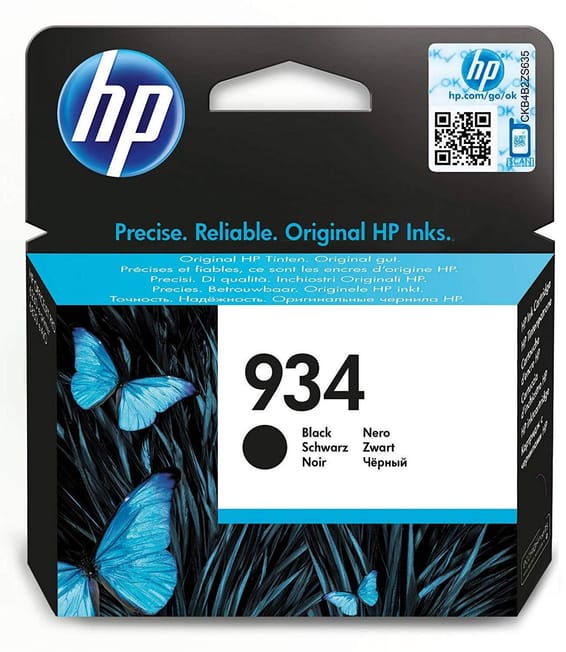
    HP 934 Noir - Cartouche d'encre HP d'origine (C2P19AE)

    HP

    HP 934 Noir - Cartouche d'encre HP d'origine (C2P19AE)

    400 pages avec une encre pigmentaire qui résiste à l'eau et ne se décolore pas : le bon choix pour les documents que l'on archive.

    In stock

    429 DHincl. VAT

    Delivery everywhereDelivered all over Morocco

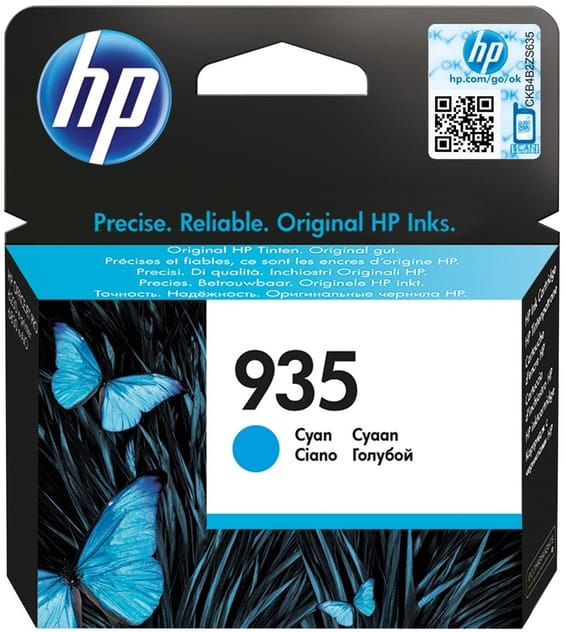
  • CyanCartouche d'encre
    HP 935 Cyan - Cartouche d'encre HP d'origine (C2P20AE)

    HP

    HP 935 Cyan - Cartouche d'encre HP d'origine (C2P20AE)

    4,5 ml pour environ 400 pages sur les Officejet Pro 6230, Officejet 6820 et Officejet Pro 6830.

    In stock

    309 DHincl. VAT

    Delivery everywhereDelivered all over Morocco

  • MagentaCartouche d'encre
    HP 935 Magenta - Cartouche d'encre HP d'origine (C2P21AE)

    HP

    HP 935 Magenta - Cartouche d'encre HP d'origine (C2P21AE)

    Pigmentaire, donc résistante à l'eau et à la décoloration, avec environ 400 pages annoncées sur les Officejet 6820, Officejet Pro 6230 et 6830.

    In stock

    309 DHincl. VAT

    Delivery everywhereDelivered all over Morocco

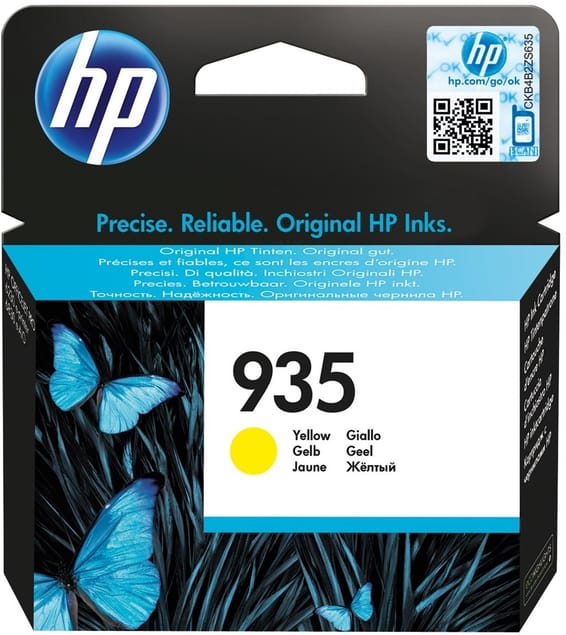
  • JauneCartouche d'encre
    HP 935 Jaune - Cartouche d'encre HP d'origine (C2P22AE)

    HP

    HP 935 Jaune - Cartouche d'encre HP d'origine (C2P22AE)

    Prévue pour les Officejet Pro 6230, Officejet 6820 et Officejet Pro 6830, avec une encre pigmentaire qui tient dans le temps sur environ 400 pages.

    In stock

    309 DHincl. VAT

    Delivery everywhereDelivered all over Morocco

Also compatible, currently unavailable

These references fit this machine. Ask to be told when they are back, or ask us for a lead time.

4 references available · 4 awaiting restocking · we confirm availability before dispatch and tell you straight away if we cannot fulfil it.

Fifteen envelopes: the mailshot machine

Its specification sheet quotes a tray taking 15 envelopes — a detail no other machine of this size makes anything of, and yet it decides its real use. A mailing of a hundred envelopes is handled here in seven loads, without feeding sheet by sheet.

And that is where the choice of ink takes on its full meaning. The 934 and 935 are pigment inks: the particles stay at the surface instead of being absorbed. On an envelope — rougher paper, often recycled, with extra thickness from the glue — a dye ink bleeds and dilutes; a pigment ink stays crisp, including on an address handled by the postman, and copes with damp.

If you send out post, that is the reason to prefer this machine — and not to replace its cartridges with just any dye-based equivalent.

Standard or XL: here, everything comes in both

Unlike many families where only the black has a second format, all four colours have their XL version. So the calculation is made colour by colour, according to what you actually print.

HP recommends a volume of 200 to 800 pages a month. At the ceiling, a standard 400-page cartridge empties in a fortnight; an XL black lasts more than a month. If your colours only serve a logo, keep them standard: an inkjet cartridge left opened too long ends up drying before it is empty.

What to know before ordering

The machine has no screen, only buttons and indicator lights: the level is read from a workstation or over the network, on Wi-Fi or Ethernet. It prints 29 pages per minute in draft mode, 18 to the ISO standard, holds 225 sheets and receives only 60 at the output — on a long run, the output bin fills long before the cartridge weakens.

Frequently asked questions

Do the 934 and 935 cartridges fit an Officejet 6820 or Pro 6830?
Yes, this series serves the Officejet Pro 6230 and 6830 as well as the Officejet 6820. Do not confuse them with the 932 and 933 series of the Officejet 7110: the numbers are close together and the cartridges are not interchangeable.
Is a particular setting needed to print envelopes?
Select the "envelope" media type in the driver: the machine then adapts its speed and the amount of ink laid down, which avoids smudging on the extra thickness of the glue and on folds. Also let them dry a few seconds before stacking — pigment ink holds well, but it dries by deposit, not by absorption.
Does this machine need to be used regularly?
Yes, like any inkjet. After several weeks of inactivity, it runs a nozzle cleaning cycle that draws on the cartridges with no page coming out. One page a week is enough to avoid it, and it pays especially well here where standard cartridges hold only 400 pages.

Other HP OfficeJet

A fleet of printers to keep supplied?

We draw up the list of consumables for your whole fleet and a single grouped quote. Invoice in your company's name with its ICE number, delivery anywhere in Morocco.

Looking for another machine? Search by model or by cartridge reference. To understand page yields and cost per page, read our toner and cartridge guide.

Chat on WhatsApp

Scan with my phone

The simplest way: open your phone camera and point it at this code. The chat opens with your message ready.

Open WhatsApp Web

Works if your phone is already linked to this computer.

Prefer to call? (+212) 05 30 31 64 21