Welcome to the new iris.ma

We rebuilt everything for you

Same team, same standards

Pay nowView my order
Visit the HP store

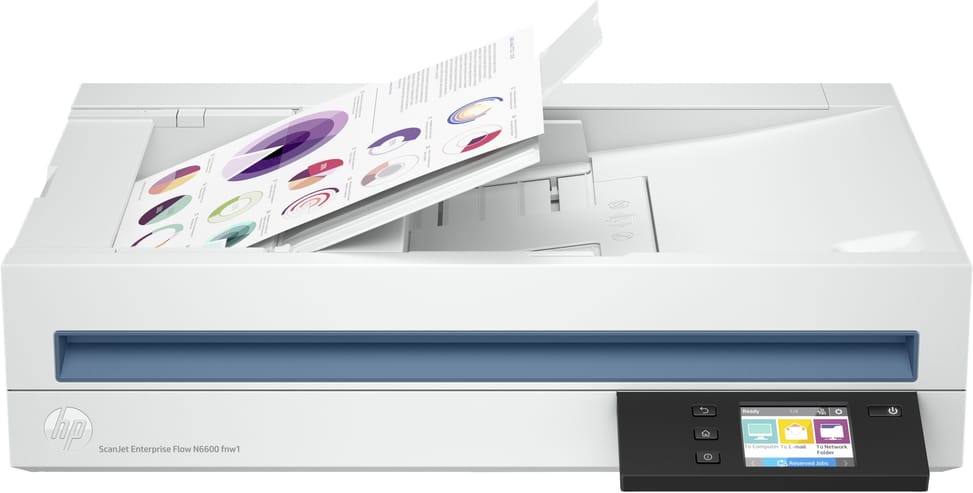
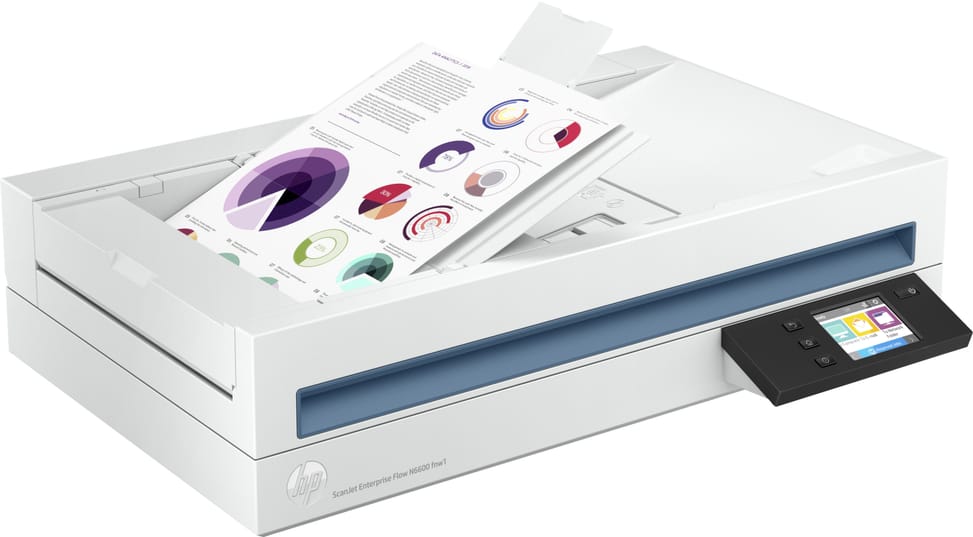
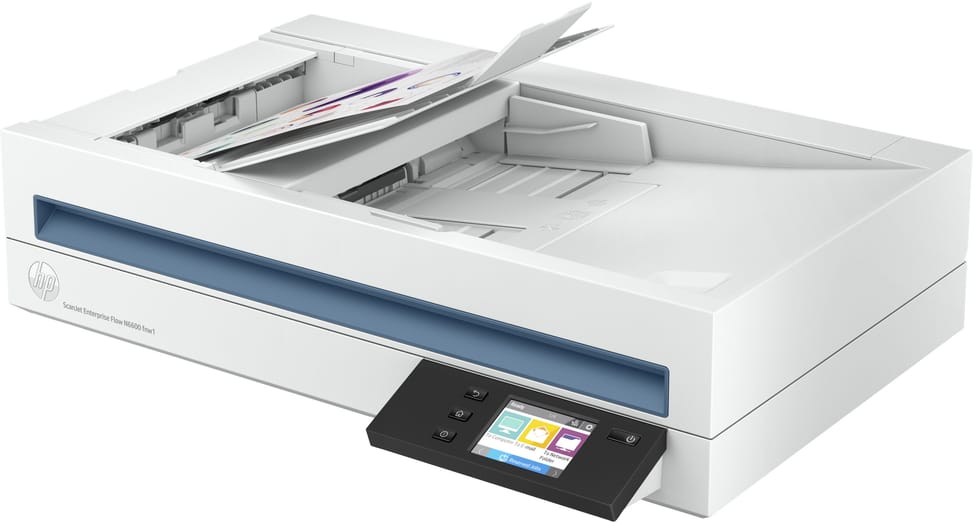
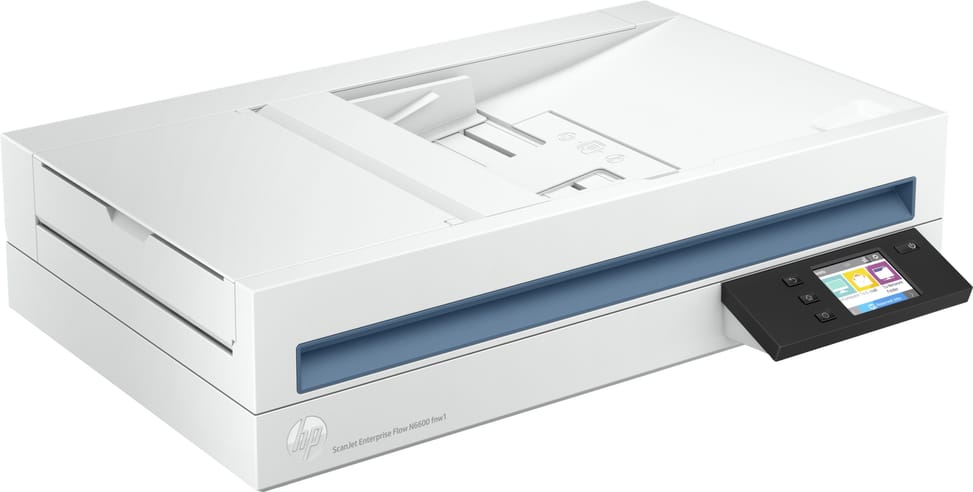
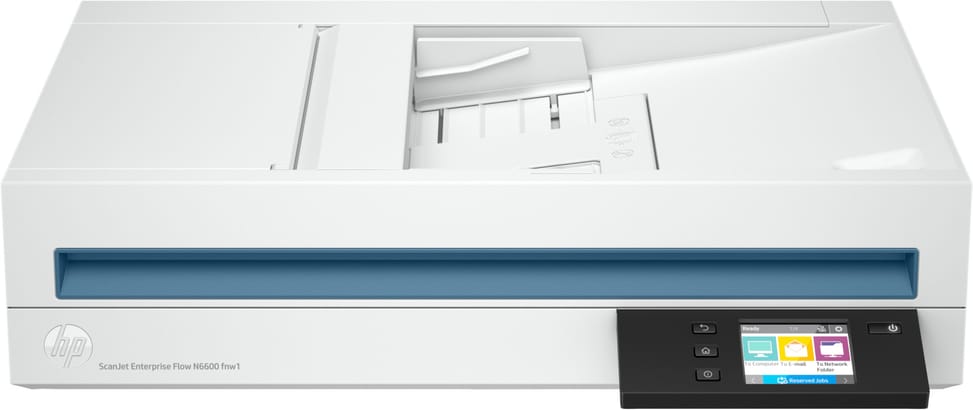
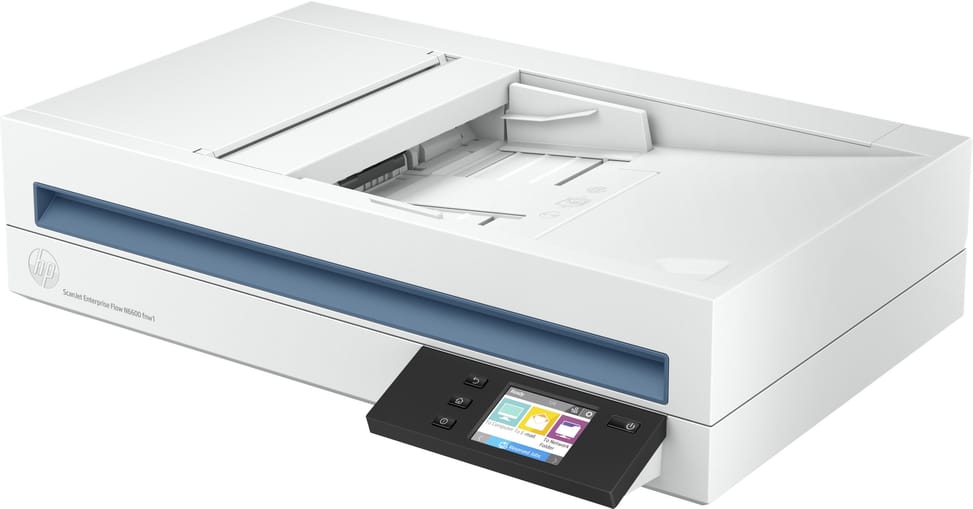
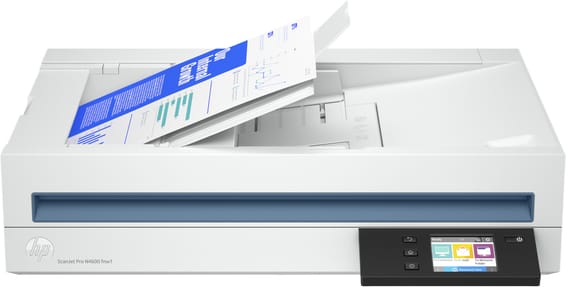
HP ScanJet Enterprise Flow N6600 fnw1 Scanner (20G08A)

Fifty pages a minute and 100 images double-sided in a single pass, for teams scanning up to 8,000 pages a day. A touchscreen, Wi-Fi and Ethernet make it usable without a computer.

  • 50 pages/min, 100 images/min double-sided (300 dpi)
  • Double-sided in a single pass
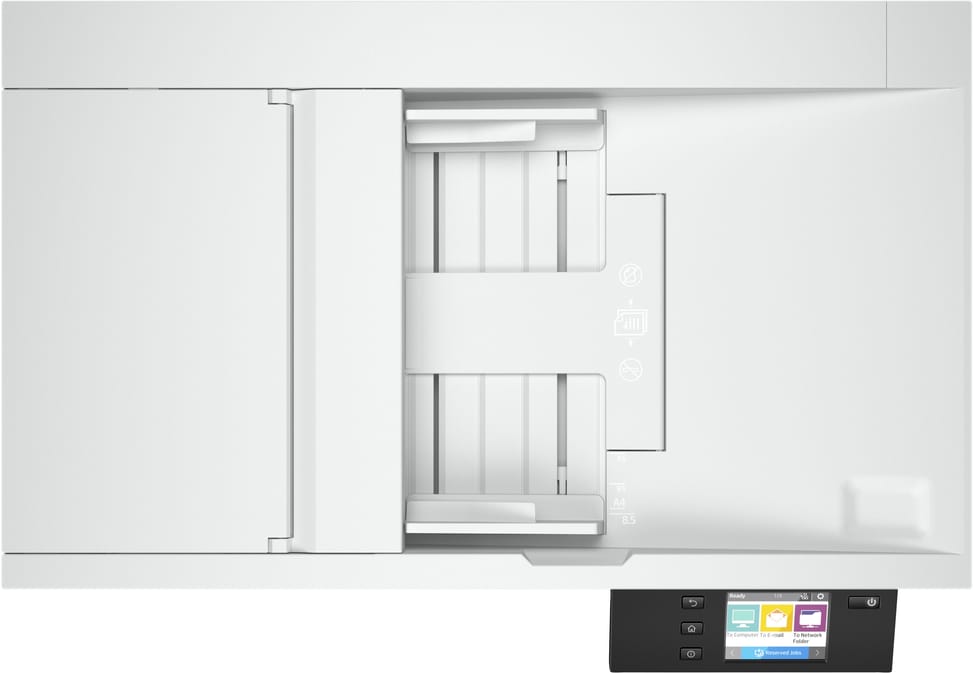
  • 100-sheet automatic feeder
  • 8,000 pages a day recommended
  • HP EveryPage ultrasonic double feed detection
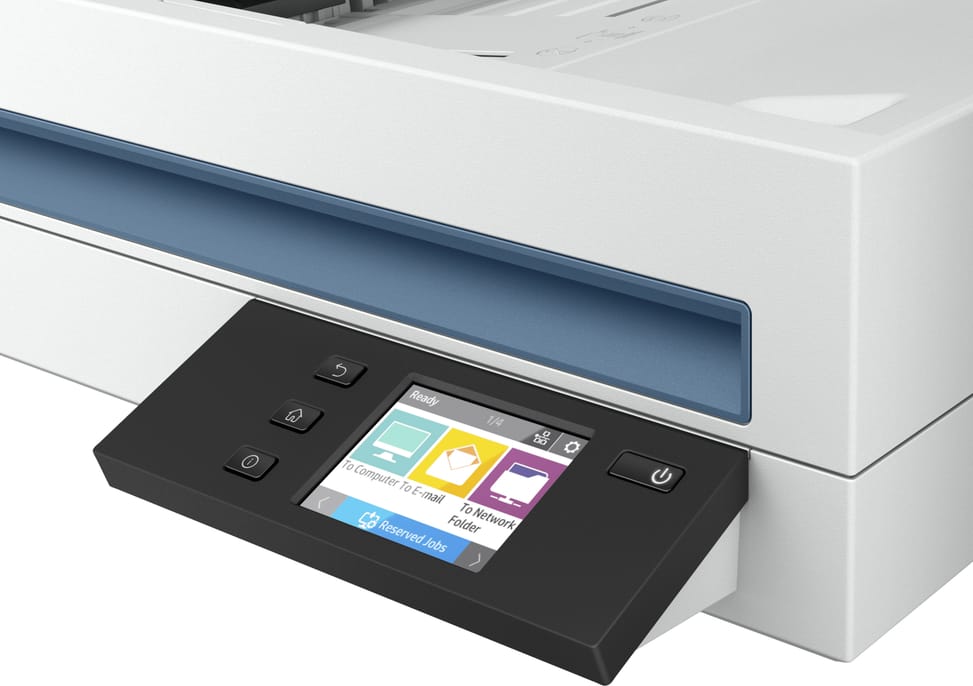
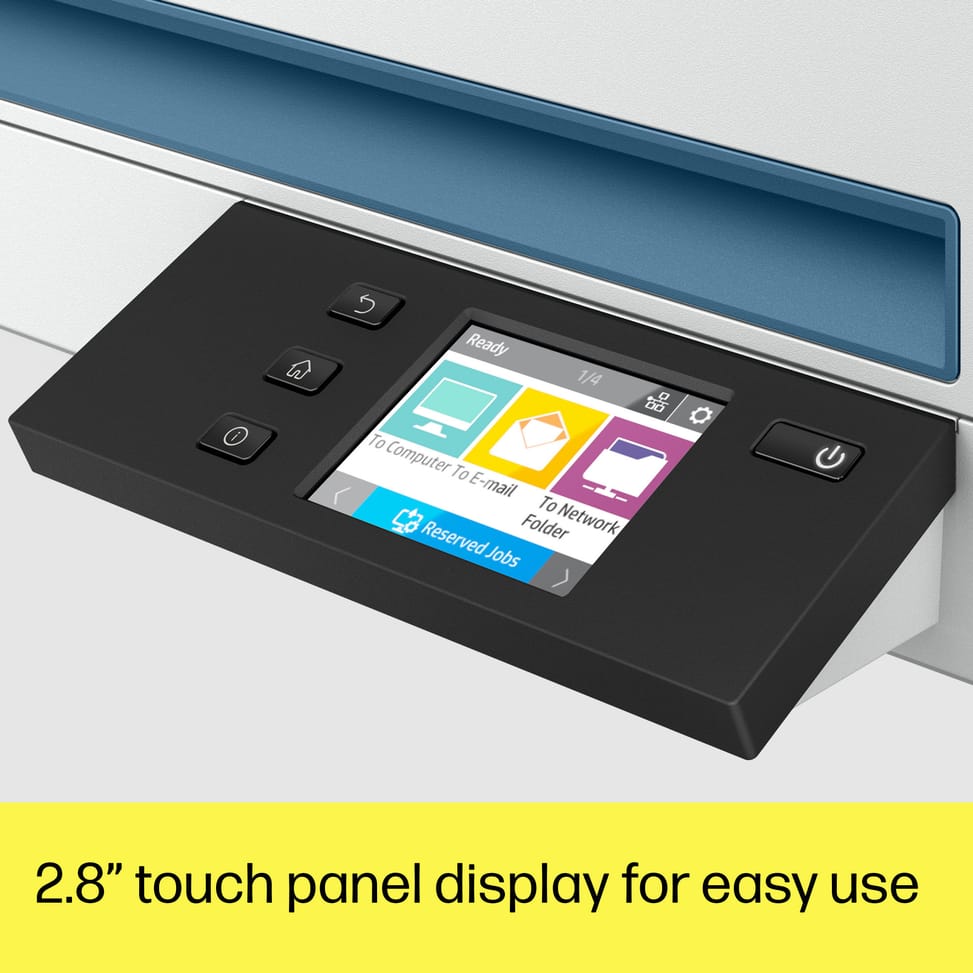
  • 2.8-inch touchscreen
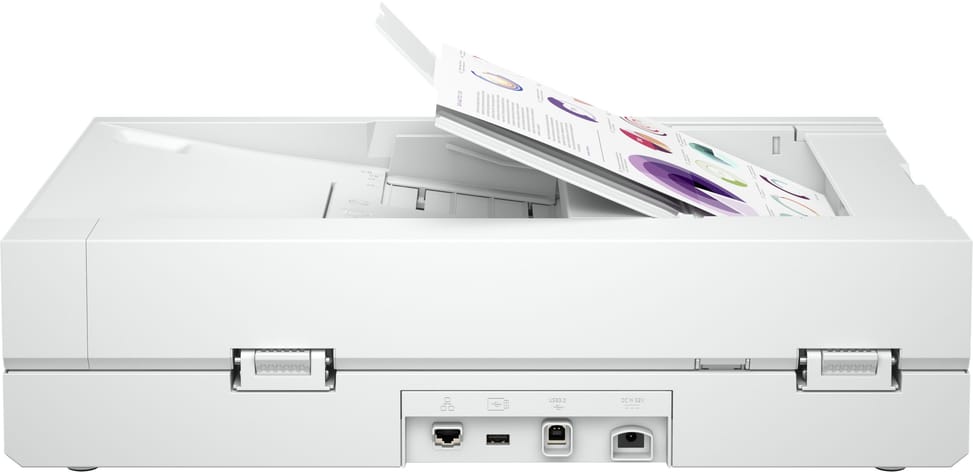
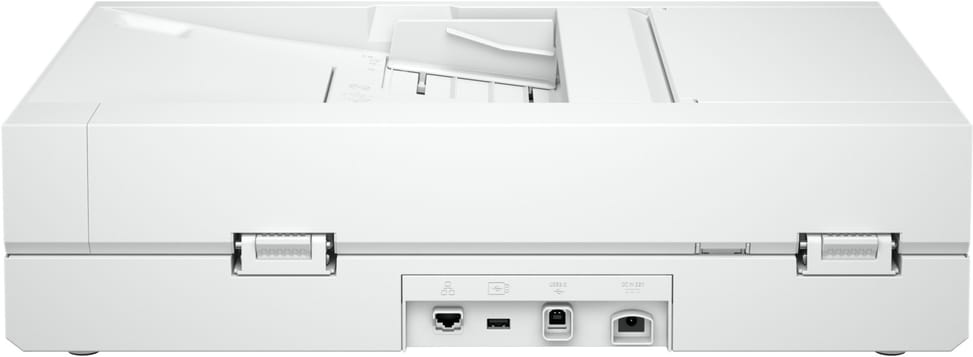
  • Wi-Fi, Wi-Fi Direct, Gigabit Ethernet and USB 3.0
  • Scanning to email, network folder, computer or USB drive
  • 1,200 dpi on the glass, 600 dpi in the feeder
  • Legal-size glass, 216 x 356 mm
  • Long documents up to 5.3 m through the feeder
  • HP Scan Premium software with OCR, classification and redaction
  • Output as searchable PDF, Word, Excel, CSV or XML
Ref.: 20G08A
16 299,00 DHincl. VAT

Out of stock

Under Law 09-08, you have the right to access, rectify and object to the processing of your personal data. This processing has been authorised by the CNDP under no. D-CE-389/2015. Learn more

Can’t wait?

Ask for an alternative on WhatsApp

Quick reply

Manufacturer's datasheetView the PDF · 2,8 Mo — downloadable

Product overview

Networked flatbed scanner with feeder for the shared office: touchscreen, 50 pages/min, standalone scanning.
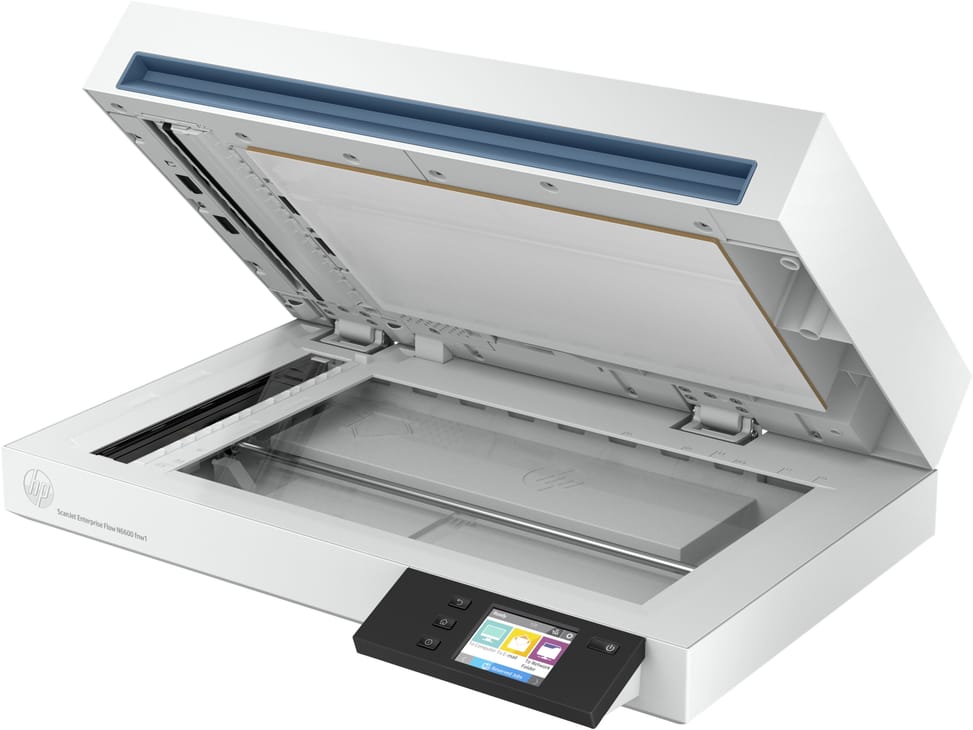
Type: flatbed scanner with automatic document feeder — the glass for bound documents, the feeder for stacks of sheets.
Speed: 50 pages/min (100 images/min in duplex, 300 dpi) — fast.
Duplex: automatic in a single pass, both sides at once.
Feeder: 100 sheets — high capacity.
Optical resolution: 600 dpi in the feeder, up to 1,200 dpi on the glass · format up to A4, long documents up to 5.3 m.
Recommended volume: up to 8,000 pages/day — heavy-duty volumes.
Security: ultrasonic double-feed detection (HP EveryPage) — no stuck-together sheet is ever skipped.
Standalone use: colour touchscreen · scans without a PC to email, a network folder, a computer or a USB drive.
Connectivity: Wi-Fi, Gigabit Ethernet and USB 3.0.
A complete, connected office scanner, easy to share between several workstations.

See all the specifications ↓
Request a quoteShare:

Technical specifications

Technical specifications
Display7.11 cm (2.8 inches) touchscreen
Scanner typeFlatbed with automatic document feeder
Maximum optical resolution1,200 x 1,200 dpi flatbed, 600 x 600 dpi ADF (optical)
Output resolutions75 / 150 / 200 / 240 / 300 / 400 / 500 / 600 / 1,200 dpi
Bit depth24-bit (external), 48-bit (internal)
Greyscale levels256 levels
Automatic document feeder capacity100 sheets (80 g/m²)
ADF scan speedUp to 50 ppm / 100 ipm (black and white, greyscale and colour, 300 dpi)
Maximum flatbed scan size216 x 356 mm
Maximum ADF scan size89 x 148 mm to 216 x 5,362 mm
Maximum page length5,362 mm
Supported media typesPaper (banner, inkjet, photo, plain), envelopes, labels, cards (greeting, index)
Media weight (ADF)45 to 120 g/m²
Double-feed detectionUltrasonic (HP EveryPage)
Scan file formatsFor text and image pages: PDF, JPEG, PNG, BMP, TIF, text (TXT), rich text (RTF), searchable PDF, PDF/A, Word (DOC), Word (DOCX), Excel (XLS), Excel (XLSX), CSV, XML
ConnectivityUSB 3.0, 10/100/1000 Ethernet, Wi-Fi 802.11 b/g/n, Wi-Fi Direct
Additional featuresOptical character recognition, auto-exposure, auto-threshold, automatic colour detection, background smoothing and removal, automatic size detection, content deskew, content enhancement, auto-orientation, multicolour dropout, edge erase, blank page removal, page merge, document separation by text, barcode or blank page, auto-feed, hole removal, multistream, multiple zone selection for OCR, barcode and QR, book scanning on the glass, vertical streak detection and removal
Box contentsScanner, AC adapter, power cord, USB cable, protective cushions, setup guide, support flyers
Dimensions (W x D x H)536.5 x 325.4 x 133.3 mm minimum, 536.5 x 442.6 x 387.42 mm maximum
Net weight6.1 kg
Technical specifications (continued)
Sensor typeCIS (contact image sensor)
Compatible operating systemsWindows 11, 10, 8.1, 8, 7 and Windows Server · macOS 10.14 to 12 · Linux
Scanner driversTWAIN 2.4, ISIS, WIA
Automatic document feederYes
DuplexYes
Max. paper sizeUp to A4
Optical resolution1,200 dpi
Colour depth48-bit
Power supply100 to 240 V AC
Included softwareHP Scan Premium scanning software, HP scanner device driver, HP Scanner Tools Utility
Duty cycleUp to 8,000 pages per day (daily duty cycle, ADF)
Power consumptionScanning: 23.9 W · Ready: 7 W · Sleep: 2 W · Auto-off: 0.06 W · Manual off: 0.06 W
Cable includedUSB cable and power cord
Scan speed40 to 59 ppm
Duplex scanningAutomatic single-pass duplex
Paper sizesA4, A5, A6, B5, B5 (JIS), Letter, Legal, Executive
EthernetYes
Wi-FiYes
Warranty1 year

Customer reviews

No reviews yet

Be the first to review this product and help other customers.

Write a review
Your rating
5/5

Shown publicly with your review.

Never published — a confirmation email will be sent to you.

Tell us about the product — in a few lines:

  • what you liked in everyday use;
  • the quality and performance you found;
  • who you would recommend it to, and why.

A question about an order, a delivery or a payment? Write to us and we will reply to you directly.

Under Law 09-08, you have the right to access, rectify and object to the processing of your personal data. This processing has been authorised by the CNDP under no. D-CE-389/2015. Learn more

Frequently asked questions about this product

Can the HP ScanJet Enterprise Flow N6600 fnw1 scan a bound book?
Yes. It is a flatbed scanner with a document feeder: the glass takes bound documents, registers and fragile items, while the automatic document feeder works through stacks of sheets. A sheet-fed scanner on its own cannot handle a bound volume.
What is the real speed of the HP ScanJet Enterprise Flow N6600 fnw1?
50 pages per minute in single-sided mode, i.e. 100 images per minute in duplex — both sides being read in a single pass. Two figures, two different measures: the second counts images, not sheets.
How many sheets does the HP ScanJet Enterprise Flow N6600 fnw1 feeder hold?
100 sheets. That is the stack you load in one go before starting a batch, and the recommended volume is 8,000 pages per day — it is this last figure that tells you whether the machine is sized for your department.
What happens if two sheets are fed together?
The scanner detects them: it has ultrasonic double-feed detection (HP EveryPage). Without it, a stapled page or one held by static would go unnoticed and be missing from the scanned file — the most costly mistake in an archiving project.
What is the resolution of the HP ScanJet Enterprise Flow N6600 fnw1?
1,200 dpi on the glass, 600 dpi through the feeder. The two values are not interchangeable: high resolution is only available on the glass, for a photo or an old document. The feeder, for its part, puts speed first.
Does the HP ScanJet Enterprise Flow N6600 fnw1 accept long documents?
Yes, up to 5.3 m through the feeder. This is what lets you scan a plan, a continuous printout or an unrolled till receipt, formats no glass could take. The maximum size on the glass is A4.
Can this scanner be used without a computer?
Yes, thanks to its 2.8-inch touchscreen: scans go to email, a network folder, a computer or a USB flash drive with no computer switched on. It connects via Wi-Fi, Wi-Fi Direct, Gigabit Ethernet or USB 3.0.
What does the supplied HP Scan Premium software do?
OCR, automatic document classification and redaction — permanently masking sensitive areas before sharing. Output ranges from searchable PDF to Word, Excel, CSV or XML.
How large is the glass on this HP scanner?
216 × 356 mm, Legal size — longer than an ordinary A4 glass. It therefore takes US-format legal and accounting documents without scanning them in two passes.
Is the HP ScanJet Enterprise Flow N6600 fnw1 scanner new and under warranty?
New, part number 20G08A, in its original packaging. The invoice serves as the warranty document for 1 year. Keep it: it is the document that will be requested in the event of a claim.

Trending

View the HP archive

Chat on WhatsApp

Scan with my phone

The simplest way: open your phone camera and point it at this code. The chat opens with your message ready.

Open WhatsApp Web

Works if your phone is already linked to this computer.

Prefer to call? (+212) 05 30 31 64 21