
Welcome to the new iris.ma

We rebuilt everything for you

Same team, same standards

Pay nowView my order

Which toner fits the HP LaserJet Pro MFP M426dw?

Monochrome laser · machine reference F6W13A

The HP 26A (CF226A, about 3,100 pages) or the 26X (CF226X, about 9,000 pages). On this multifunction, capable of 38 pages per minute and 80,000 pages a month, there is a third lever most users either ignore or use the wrong way round: economy mode.

Compatible toners

See all
  • NoirToner
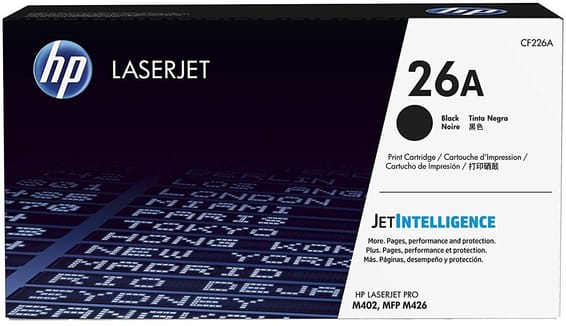
    HP 26A Noir (CF226A) - Toner HP LaserJet d'origine

    HP

    HP 26A Noir (CF226A) - Toner HP LaserJet d'origine

    Compatible avec les imprimantes HP LaserJet Pro M402 et les multifonctions M426, pour environ 3 100 pages.

    In stock

    2 069 DHincl. VAT

    Delivery everywhereDelivered all over Morocco
  • NoirToner
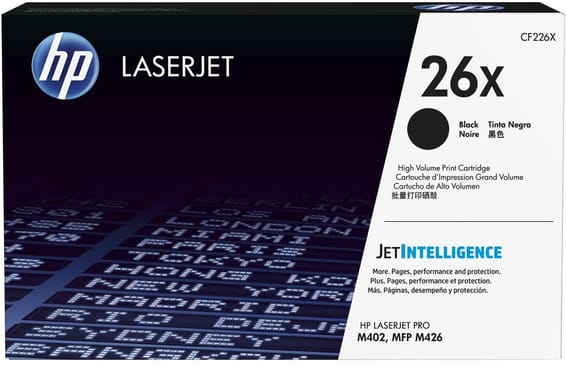
    HP 26X Noir (CF226X) - Toner grande capacité HP LaserJet d'origine

    HP

    HP 26X Noir (CF226X) - Toner grande capacité HP LaserJet d'origine

    Compatible avec les imprimantes HP LaserJet Pro M402 et les multifonctions M426, pour 9 000 pages.

    In stock

    3 499 DHincl. VAT

    Delivery everywhereDelivered all over Morocco

2 references available · we confirm availability before dispatch and tell you straight away if we cannot fulfil it.

What economy mode actually does

Contrary to what the name suggests, this setting does not "make the toner last" by magic: it lays down less powder on every page. The result is lighter, a little greyer, and the number of pages per cartridge rises by roughly a quarter to a third depending on the documents.

So it is a trade-off between legibility and cost, not a free optimisation. It is set from the machine's touchscreen, or document by document from the print driver — that second use being by far the smarter one.

When to turn it on, when to leave it alone

  • Yes for drafts, working documents, proofs for checking, internal copies, anything that ends up in the bin within the week;
  • No for a contract, a customer quotation, a document meant to be scanned or photocopied in turn — text that is already pale becomes illegible on the second pass;
  • No for barcodes and machine-read documents: insufficient contrast makes readers fail.

One last point rarely made: economy mode does not harm the machine and voids no warranty. Nor does it wear the drum faster — it wears it slightly less.

The real lever remains the cartridge format

Saving a third of the powder on drafts is useful; moving from the 26A to the 26X changes the scale: 9,000 pages against 3,100, at a clearly lower cost per page and two interventions fewer out of three. On a shared office multifunction, that is the first decision to make, with economy mode coming afterwards.

The M402dn takes exactly the same toners, without a scanner or Wi-Fi; its page explains how to check the level remotely from a browser.

Frequently asked questions

Does economy mode harm the printer?
No. It simply lays down less powder per page. The drum and the fuser work just as much, if not slightly less. No warranty is affected — it is a setting provided by the manufacturer, present across the whole LaserJet range.
How many extra pages does economy mode give?
In the region of a quarter to a third more pages per cartridge, depending on document density. On a 9,000-page 26X, that can mean two to three thousand extra pages — provided the resulting quality remains acceptable for the use.
Can it be switched on for certain documents only?
Yes, and that is the right way to use it: leave the machine at normal quality and tick economy mode in the print dialogue for drafts only. The machine's global setting, by contrast, applies to everyone on the network.

Other HP LaserJet Pro

A fleet of printers to keep supplied?

We draw up the list of consumables for your whole fleet and a single grouped quote. Invoice in your company's name with its ICE number, delivery anywhere in Morocco.

Looking for another machine? Search by model or by cartridge reference. To understand page yields and cost per page, read our toner and cartridge guide.

Chat on WhatsApp

Scan with my phone

The simplest way: open your phone camera and point it at this code. The chat opens with your message ready.

Open WhatsApp Web

Works if your phone is already linked to this computer.

Prefer to call? (+212) 05 30 31 64 21