Seeing the toner level without getting up
Every HP printer connected to a network exposes an embedded web server: an administration page served by the machine itself. Type its IP address into a browser and you get the toner level, the page counter, current errors and the network configuration.
The IP address appears on the configuration report, printable from the control panel. Note it down once, bookmark it: on a shared machine, that is the difference between ordering in time and finding out on a Friday evening.
The same server allows an email alert to be set for when the low threshold is crossed. It is the only genuinely reliable way not to depend on someone remembering to look.
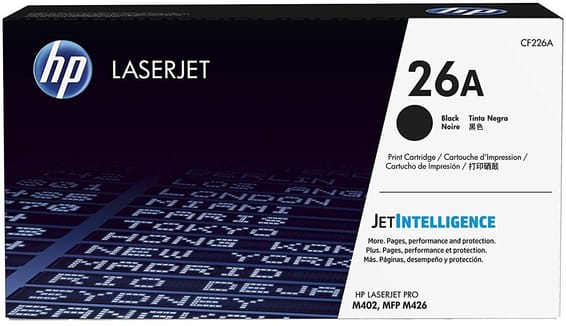
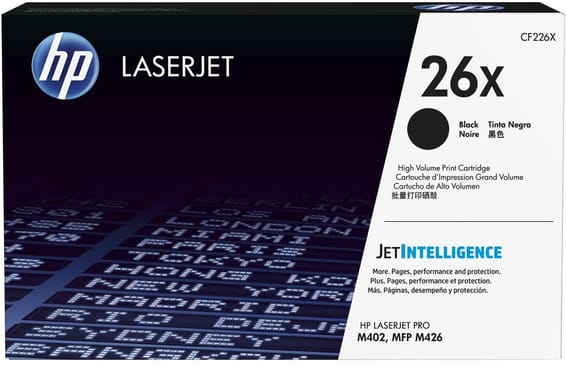
26A or 26X on a 38-page-per-minute machine
The gap is 2.9 to one: 3,100 pages against 9,000. The M402dn takes up to 80,000 pages a month at peak and has 350 sheets of tray capacity in total; it is no standby machine. At that pace, the 26A is changed several times a year where the 26X lasts the year, at a lower cost per page.
The rule of thumb is the same as across the range: beyond two replacements a year, high capacity already pays for itself.
No scanner, no Wi-Fi: what that simplifies
With no scanner, the M402dn has just one consumable — this toner. No separate drum, no forgotten colour cartridge, no maintenance kit to watch in the early years. It is a machine that is simple to budget for, and that is often what is asked of it.
The M426dw takes the same 26A and adds a scanner, copying and Wi-Fi. Do not confuse it, though, with the 17A of the M130 models, which are smaller and have a separate drum.
A fleet of printers to keep supplied?
We draw up the list of consumables for your whole fleet and a single grouped quote. Invoice in your company's name with its ICE number, delivery anywhere in Morocco.