
Welcome to the new iris.ma

We rebuilt everything for you

Same team, same standards

Pay nowView my order

Which cartridge fits the HP OfficeJet Pro 6960?

Inkjet · machine reference J7K33A

Four separate cartridges from the 903 family: the black (T6L99AE), about 300 pages, then cyan, magenta and yellow, about 315 pages each. Those yields look modest for a machine labelled "Pro" at 30 pages per minute. They stop looking so as soon as you read the volume HP recommends for it.

Compatible ink cartridges

See all
  • NoirCartouche d'encre
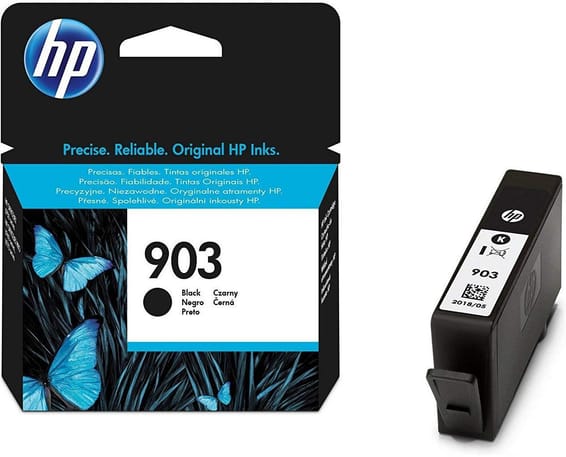
    HP 903 Noir - Cartouche d'encre HP d'origine (T6L99AE)
    -5%

    HP

    HP 903 Noir - Cartouche d'encre HP d'origine (T6L99AE)

    Textes nets et durables sur les OfficeJet 6950, Pro 6960 et Pro 6970 : 8 ml d'encre pigmentée pour environ 300 pages.

    In stock

    390 DHincl. VAT409 DH

    Delivery everywhereDelivered all over Morocco
  • CyanCartouche d'encre
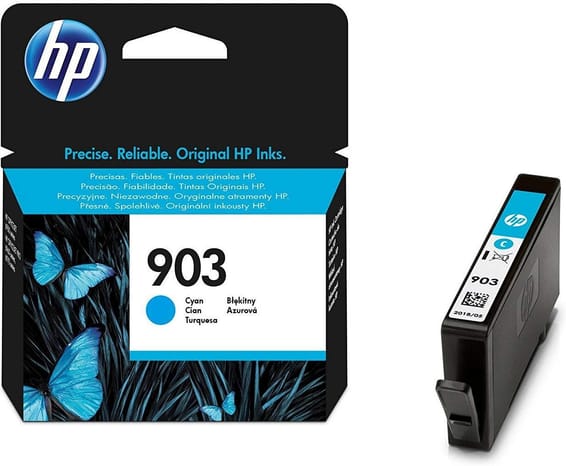
    HP 903 Cyan - Cartouche d'encre HP d'origine (T6L87AE)
    -4%

    HP

    HP 903 Cyan - Cartouche d'encre HP d'origine (T6L87AE)

    Environ 315 pages sur les OfficeJet 6950, 6951 et Pro 6960/6970, avec une encre pigmentée conçue pour les documents de bureau.

    In stock

    245 DHincl. VAT255 DH

    Delivery everywhereDelivered all over Morocco
  • MagentaCartouche d'encre
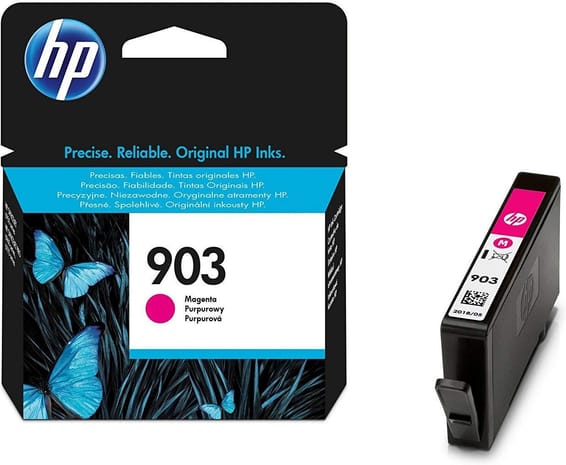
    HP 903 Magenta - Cartouche d'encre HP d'origine (T6L91AE)
    -4%

    HP

    HP 903 Magenta - Cartouche d'encre HP d'origine (T6L91AE)

    Format individuel : on ne remplace que la couleur épuisée, pour 4 ml d'encre pigmentée et environ 315 pages.

    In stock

    245 DHincl. VAT255 DH

    Delivery everywhereDelivered all over Morocco
  • JauneCartouche d'encre
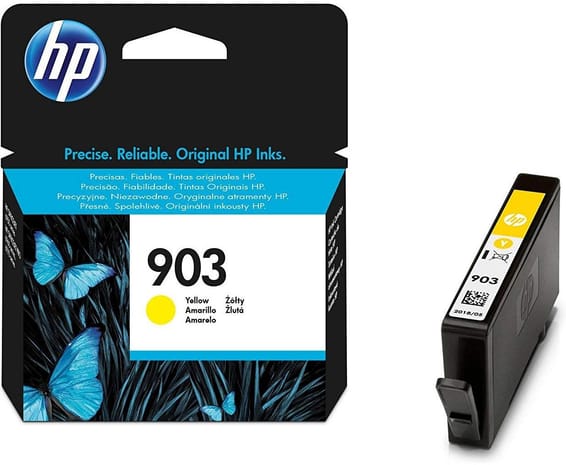
    HP 903 Jaune - Cartouche d'encre HP d'origine (T6L95AE)

    HP

    HP 903 Jaune - Cartouche d'encre HP d'origine (T6L95AE)

    Une recharge d'appoint de 4 ml, à changer séparément des autres couleurs, pour environ 315 pages au bureau.

    In stock

    255 DHincl. VAT

    Delivery everywhereDelivered all over Morocco

4 references available · we confirm availability before dispatch and tell you straight away if we cannot fulfil it.

200 to 800 pages a month: the range HP recommends

It is the lowest you meet on an office multifunction: 200 to 800 pages a month. The quoted cycle does go up to 20,000 pages, but that figure does not describe a use — it says what the mechanism takes occasionally, not what it sustains month after month.

The word "Pro" here refers to the connectivity and the functions — Ethernet, Wi-Fi, fax, 35-sheet feeder, automatic duplex — not to absorption capacity. It is a complete machine for a small office or an isolated workstation, not for a department printing all day.

A 300-page cartridge, and why that is consistent

Set against that range, the yields come out right. At the 200-page monthly floor, a black cartridge lasts a month and a half; at the 800-page ceiling, it is replaced between two and three times a month. The second situation is the signal to look at larger formats — or to change machine.

With the four cartridges independent, each colour is replaced on its own, when it is empty. No full set to buy again because a single shade has run out.

Frequently asked questions

Is there a larger version of the 903 cartridges?
Yes: HP offers this family as the 903XL, at about 825 pages, and even a larger format in black only. Those part numbers are not attached to this page — ask us for a quotation stating your monthly volume. The principle of a scale with a different number of steps in black and in colour is set out on the OfficeJet Pro 7740 page.
Do 903 cartridges fit an OfficeJet 6950 or a Pro 6970?
Yes, HP lists this family for the OfficeJet 6950 and 6951 as well as for the OfficeJet Pro 6960 and 6970. An office with two of those models therefore has just one set of part numbers to order, and a cartridge borrowed from one machine serves on the other.

Nearby models

A fleet of printers to keep supplied?

We draw up the list of consumables for your whole fleet and a single grouped quote. Invoice in your company's name with its ICE number, delivery anywhere in Morocco.

Looking for another machine? Search by model or by cartridge reference. To understand page yields and cost per page, read our toner and cartridge guide.

Chat on WhatsApp

Scan with my phone

The simplest way: open your phone camera and point it at this code. The chat opens with your message ready.

Open WhatsApp Web

Works if your phone is already linked to this computer.

Prefer to call? (+212) 05 30 31 64 21