Welcome to the new iris.ma

We rebuilt everything for you

Same team, same standards

Pay nowView my order
Visit the Ubiquiti store

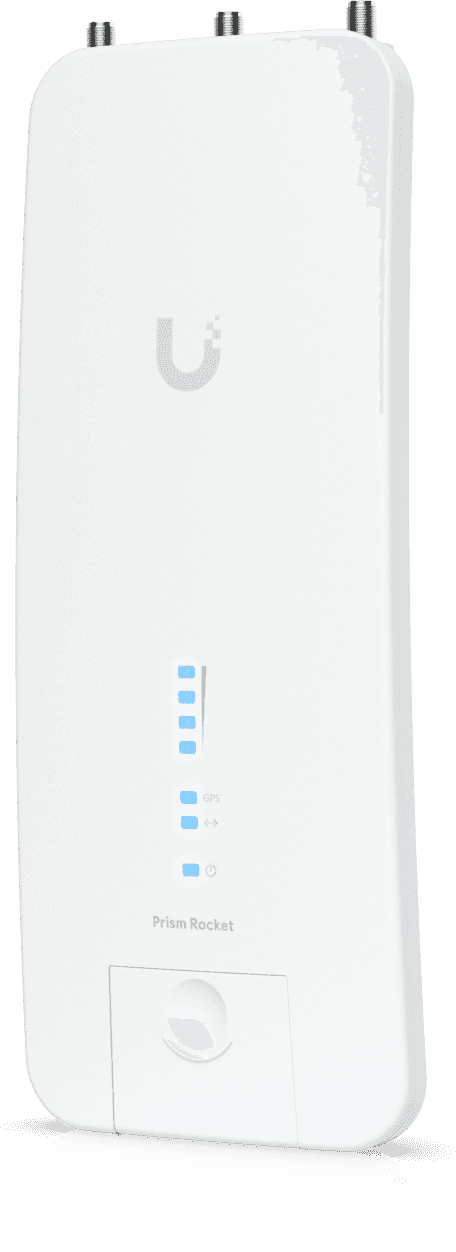
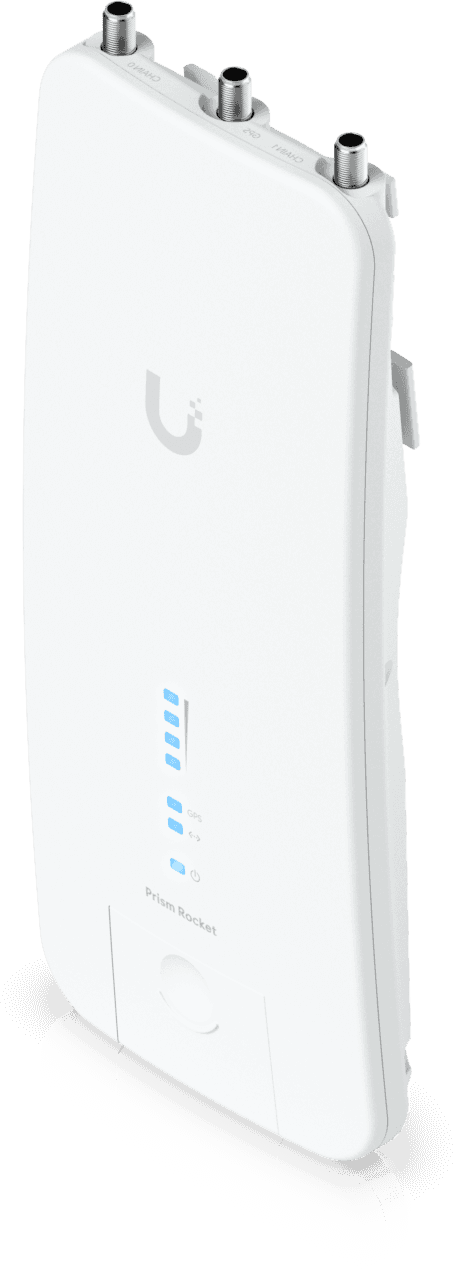
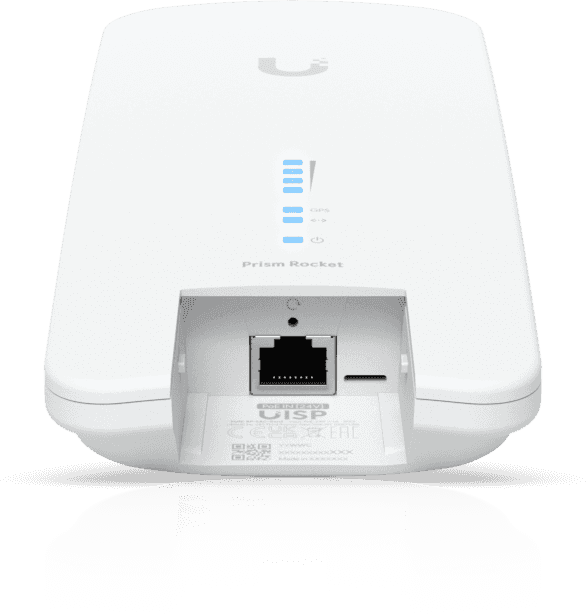
Ubiquiti RocketPRISM 5AC Gen2 WiFi 5 Base Station (RP-5AC-GEN2)

More than 500 Mbps of real throughput on a long-range link, with active RF filtering that pushes interferers aside where the spectrum is saturated. Mounts directly onto a RocketDish or sector antenna; injector and GPS antenna included.
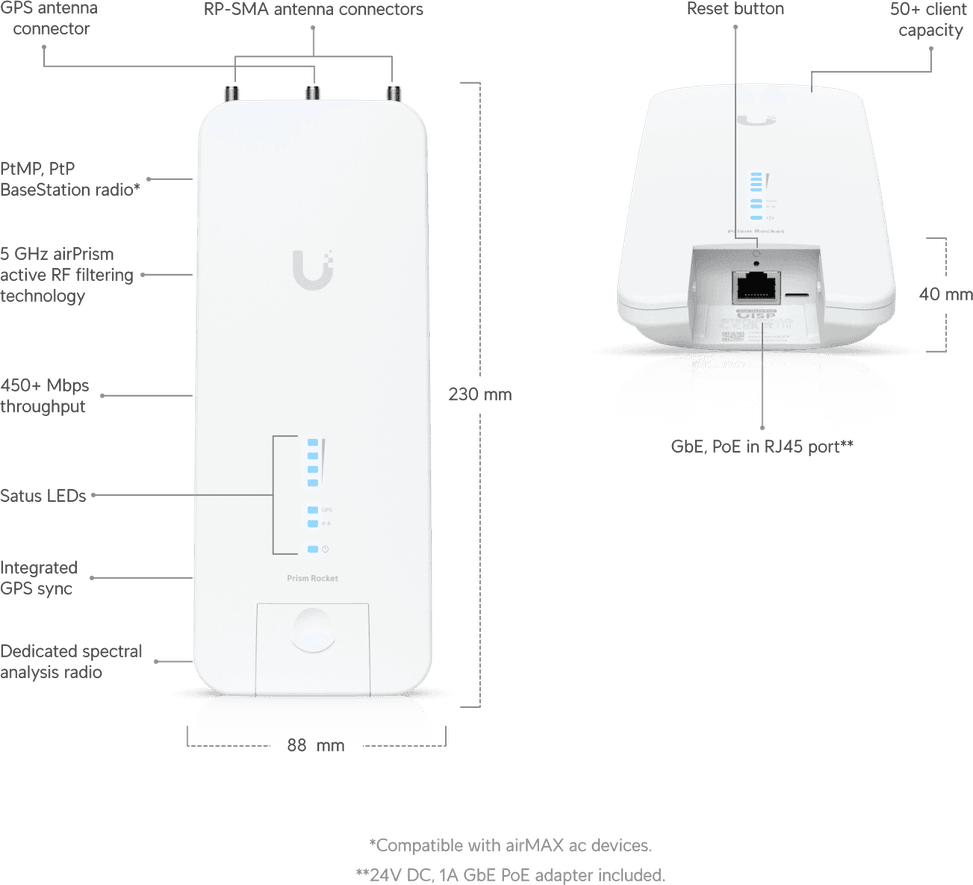
  • Real throughput above 500 Mbps
  • 5 GHz radio, 5,150 to 5,875 MHz
  • airPrism active RF filtering for high-density areas
  • Up to 100 airMAX ac stations connected
  • 1 Gigabit Ethernet port
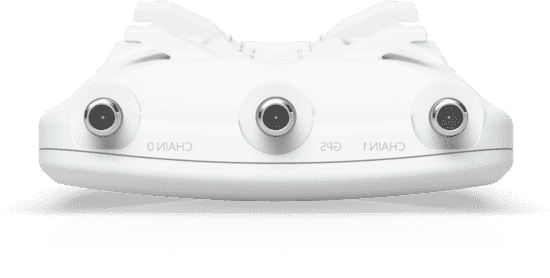
  • 2 weatherproof RP-SMA connectors and a GPS synchronisation antenna
  • 24 V passive PoE, Gigabit injector included, outside the 802.3af/at standard
  • Cast aluminium housing, -40 to 80 °C
  • Withstands winds of 200 km/h
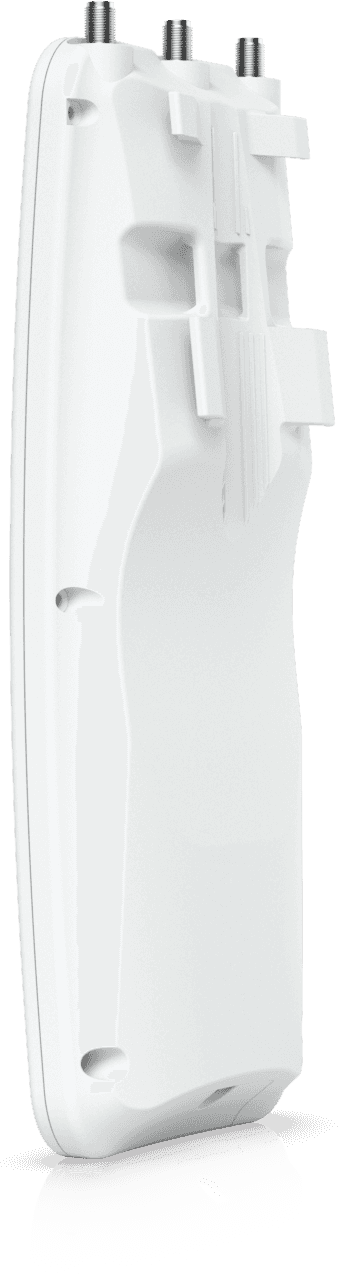
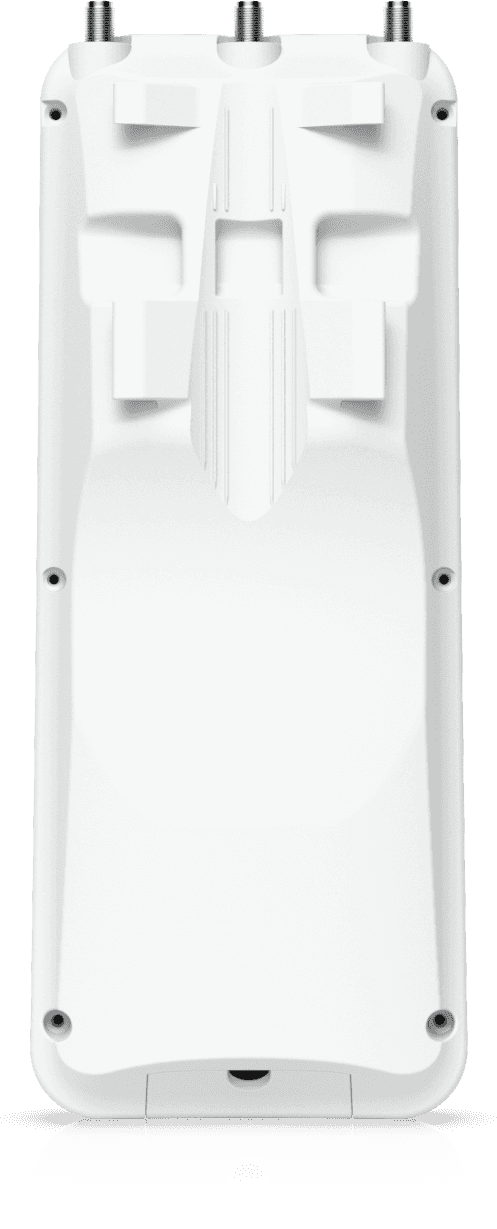
  • Pole mounting kit included
  • Set up through airOS 8 or the UNMS app, built-in airView spectrum analyser
  • 9.5 W maximum
Ref.: RP-5AC-GEN2
3 959,00 DHincl. VAT

Limited quantity

Earn 40 DH in loyalty credit with this purchaseHow does it work?Loyalty credit capped at 300 DH per order.

Receive it between Wed 23 Sept and Fri 25 Septfree delivery all over Morocco

Delivery to your address

Receive it between Wed 23 Sept and Fri 25 Septfree delivery all over Morocco

The estimate is refined using actual delivery rounds to your city.

  • Free delivery from 3 000 DH of purchases, all over Morocco.
  • Below that, the same rate in every city for parcels up to 30 kg (delivery to your home or workplace) — the exact amount is shown above, then in the basket.
  • Above 30 kg, the rate follows the parcel's weight. In Casablanca, the flat rate holds up to 120 kg.
  • You are notified by SMS, then called by the courier before your parcel is handed over (delivered by Sapress).
  • Observed delivery time: 1 to 5 working days depending on the city.
Free in-store collection: Casablanca (within 24 h) · Témara (within 48 h)

In-store collection — free

Casablanca store
We bring it to the store within 24 h
We call you as soon as it arrives in store.

Résidence Manoir des Roses, Lot. 18, Boulevard El Hachmi El Filali, Rond-point Bachkou, Casablanca

Opening hours

  • Mon–Fri: 10am – 7pm
  • Sat: 10am – 2pm
  • Closed on Sundays and public holidays

Payment on site: cash, bank card via terminal, certified cheque.

View the map on Google Maps

Temara pickup point
We bring it to the store within 48 h
We call you as soon as it arrives in store.

Boulevard Hassan II, Résidence Les Perles de Témara, Immeuble 5, appartement 2, Témara

Opening hours

  • Mon–Fri: 8.30am – 1pm / 2pm – 6pm
  • Sat: 8.30am – 12.30pm
  • Closed on Sundays and public holidays

Payment on site: cash, bank card via terminal, certified cheque.

View the map on Google Maps

1 year warranty — free repair in Morocco if it breaks down during the warranty period

1 year manufacturer's warranty

This product is covered for 1 year by a manufacturer's warranty (the brand's official warranty). Your iris.ma invoice serves as the warranty document: keep it safe.

A problem with your product? Don't worry: contact us by phone, WhatsApp or e-mail. Depending on the brand, we direct you either straight to the repairer appointed by the brand to fix your product, or to us — and we take care of the rest.

  • If a repair is possible, it is carried out free of charge.
  • If the product cannot be repaired, the brand offers an exchange for another product.
  • If no product is available, a refund is issued as soon as the brand confirms it.

Faulty straight out of the box? Some brands offer an immediate exchange, others a repair. Contact us to find out what applies to your product.

The warranty covers breakdowns occurring under normal use, as defined by the brand's terms. Product breakage (drop, impact, liquid…) is not covered, nor are certain consumable parts.

New, never opened — our commitment

All our products are new, delivered in their sealed original packaging.

We commit to never sending you a product that has been opened, unboxed or returned by another customer — even one “just opened for checking”.

Any doubt on delivery (damaged box, seal already opened)? Point it out to the courier or contact us immediately: we take the product back and send you another one.

Sales invoice

Every order comes with its sales invoice, included with the parcel (handed over in person for a store collection).

Ordering for a company? Using the details you give at checkout (company name and ICE), the invoice is issued in your company's name, with its ICE.

Need a quote? Request a free quote — reply within 24 working hours.

100% secure payment: Bank transfer · Bank card · Cash on delivery (deposit of 590 DH by card or bank transfer) · Certified cheque

Accepted payment methods

Bank transfer

Simply transfer the amount shown to account 007 826 0002684000000426 89 — SGM2I, Attijariwafa bank. The rest (the reference to quote, sending us the proof, tracking) is explained right after confirmation and by email. An instant transfer is recommended: it saves you 24 hours on the delivery time.

Bank card

Your everyday Moroccan bank card is enough — Visa, Mastercard or CMI, no special card required. Foreign cards are accepted too. Secure payment by Attijari Payment.

Cash on delivery (deposit of 590 DH by card or bank transfer)

Pay 590 MAD up front by card, then 3 369 MAD in cash on delivery. The deposit is not refunded if you cancel your order.

Certified cheque

Certified cheque payable to “sgm2i”. Have your bank certify the cheque, then send us a copy on WhatsApp (+212 6 64 10 46 24) or to service.client@iris.ma — we dispatch as soon as we receive it.

Cash at a bank branch

Pay the cash in at any of the 3,400 Attijariwafa Bank branches in Morocco, to the SGM2I account no. 0268 D 000 000 426. You do not need an account there: your ID and the cash are enough.

The methods offered depend on the order total and the carrier — checkout shows the final list.

Google reviews4.7(553 reviews)
Manufacturer's datasheetView the PDF · 5,6 Mo — downloadable

Product overview

Wi-Fi 5 airMAX ac base station Ubiquiti RocketPRISM 5AC Gen2: long-range outdoor PtP and PtMP links.
Wi-Fi & throughput: 5 GHz airMAX ac radio, single-band — real throughput > 500 Mbps; active RF airPrism® technology for a high signal-to-noise ratio in congested areas.
Capacity: dedicated TDMA processor — low latency, up to 100 stations connected.
Installation: IPX5 outdoor use, aluminium, withstands 200 km/h winds, −40 °C to 80 °C; pole/mast mounting (kit included).
Ports & power: 1 Gigabit port, 2 RP-SMA RF connectors, GPS; 24 V passive PoE (injector included) — not compatible with standard 802.3af/at.
Management: airOS® 8 interface, UNMS app, airView® (spectrum), built-in speed test and antenna alignment.
Uses: backhaul between buildings, links to remote sites, distribution networks, campuses, long-range video surveillance.
The airMAX station for reliable, high-performance outdoor wireless links.

See all the specifications ↓
Request a quote

Be notified of a price drop

Share:

Technical specifications

Technical specifications
Package contentsRocket Prism 5AC, GPS antenna, 24 V 1 A Gigabit PoE injector, power cord and getting started guide with mounting bracket
Electrostatic discharge protection±24 kV contact and air on the Ethernet port
Product typeOutdoor 5 GHz airMAX ac base station radio with airPrism active RF filtering, antenna sold separately
Internal memory128 MB DDR2 SDRAM
Interfaces1 Ethernet port (10/100/1000 Mbps), 2 weatherproof RP-SMA connectors, 1 weatherproof GPS connector
Proprietary link protocolairMAX ac technology with airPrism active RF filtering
Management modesairOS configuration interface, accessible via the UNMS app or the web portal
Installation and alignment toolsSignal strength LED thresholds adjustable in airOS
Power consumption9.5 W maximum
Weight400 g
Dimensions (W x D x H)88 x 40 x 230 mm
ProcessorMIPS 74Kc
Dedicated management radioDedicated management radio, 2,412 to 2,472 MHz worldwide
Technical specifications (continued)
Operating frequency range5,150 to 5,875 MHz worldwide
AntennasNo built-in antenna — 2 weatherproof RP-SMA connectors for an external antenna sold separately
Power supplyPassive PoE, pairs 4 and 5 positive, 7 and 8 return; 24 V 1 A Gigabit PoE adapter included
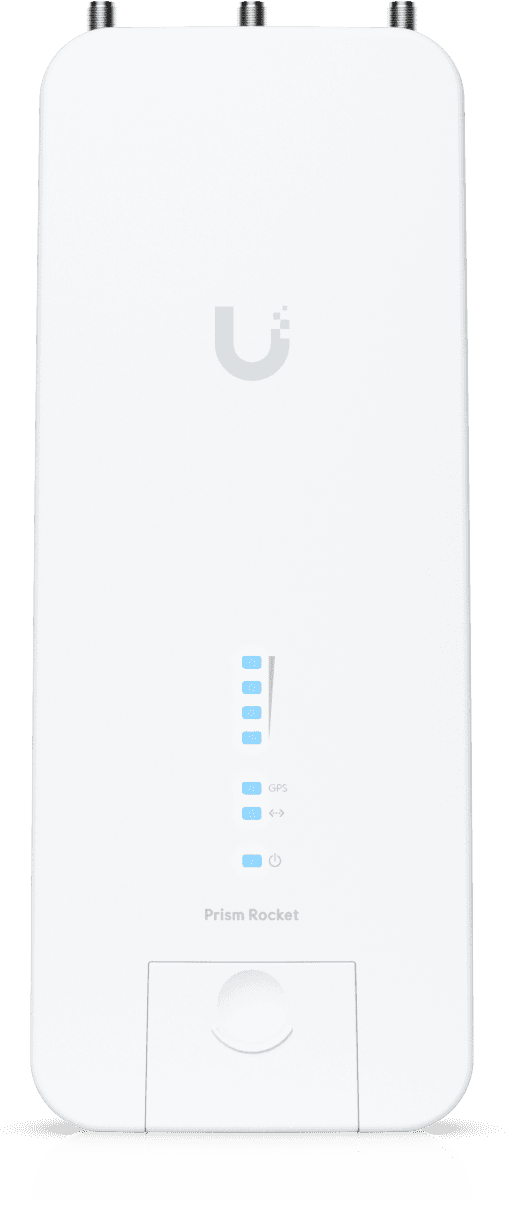
Status indicators4 signal strength LEDs, GPS, power and LAN
CertificationsCE, FCC and IC
Operating temperature-40 to 80 °C
Operating humidity5 to 95% non-condensing
Wi-Fi standardWi-Fi 5
LocationOutdoor
Mounting typePole/Mast
BandsSingle-band
PoE powerPassive PoE
Warranty1 year

Customer reviews

No reviews yet

Be the first to review this product and help other customers.

Write a review
Your rating
5/5

Shown publicly with your review.

Never published — a confirmation email will be sent to you.

Tell us about the product — in a few lines:

  • what you liked in everyday use;
  • the quality and performance you found;
  • who you would recommend it to, and why.

A question about an order, a delivery or a payment? Write to us and we will reply to you directly.

Under Law 09-08, you have the right to access, rectify and object to the processing of your personal data. This processing has been authorised by the CNDP under no. D-CE-389/2015. Learn more

Frequently asked questions about this product

Is the antenna included with the RocketPRISM 5AC Gen2 station?
No, the RocketPRISM is the radio only. It mounts directly on a RocketDish for a point-to-point link, or on an airMAX sector antenna for point-to-multipoint. The box contains the radio, the GPS antenna, the 24 V - 1 A Gigabit PoE injector with its bracket and cord, and the quick start guide.
Does the RocketPRISM's setup Wi-Fi stay active permanently?
No, only for fifteen minutes after power-up. After that, the service network disappears and you must cut then restore power to reactivate it. This is the classic trap of first commissioning: it is best to have the phone and the UNMS app ready before plugging in the injector.
How do you access the RocketPRISM's airOS interface for the first time?
The unit broadcasts a network named RP-5AC-Gen2 followed by its MAC address. You connect to it with a phone, then open the UNMS app or the address setup.ubnt.com in a browser; the factory credentials are ubnt and ubnt. You are asked to choose the country, which determines the permitted channels.
Can the RocketPRISM 5AC Gen2 be powered from an off-the-shelf PoE switch?
Only if it delivers 24 V passive PoE on pairs 4-5 positive and 7-8 return. The RocketPRISM follows neither the 802.3af nor the 802.3at standard: a standard PoE port will not start it. The matching 24 V - 1 A Gigabit injector is included, for power consumption that peaks at 9.5 W.
Is a particular Ethernet cable needed to connect the RocketPRISM?
Yes, a shielded one. Using a Category 5 or higher cable, shielded and fitted with a drain wire, and grounding the installation through the injector's ground are set as conditions of the manufacturer's warranty — not as mere installation tips. An unshielded cable outdoors voids it.
What should be planned against surges on an outdoor RocketPRISM installation?
Two ETH-SP Ethernet surge protectors are recommended: one near the radio, at the top of the mast, the other at the point of entry into the building. They absorb the surge and discharge it to ground. They are not included in the box and are ordered separately, as is the shielded outdoor cable.
What is the GPS antenna of the RocketPRISM 5AC Gen2 for?
For synchronising the station. It needs a perfectly clear view of the sky: its LED only turns solid blue once three satellites are received. It is fitted on the hardware provided for this purpose on the dish or sector antenna, and plugs into a dedicated weatherproof connector, separate from the two RF ports.
How do you align the dish fitted with a RocketPRISM without climbing up with a computer?
The panel's four signal strength LEDs are enough. Their factory thresholds are set at -65, -73, -80 and -94 dBm, and they can be changed in airOS to match the level expected on your link: you narrow the steps, then turn the dish until the last LED lights up.
How do you reset the RocketPRISM without dismantling the installation?
Using the button under the PoE injector, which stays on the ground in the equipment room. The radio does have its own button, to be held for more than ten seconds with the device powered on, but it means climbing back up the mast. On a rooftop installation, the injector's button avoids working at height.
What does the airPrism filtering of the RocketPRISM 5AC Gen2 actually provide?
Active RF filtering applied before the receive stage, which rejects neighbouring emissions instead of letting them degrade the signal-to-noise ratio. At a high site where several operators work in the same band, this is what makes it possible to sustain more than 500 Mbps of real-world throughput rather than suffer the ambient noise.
What diagnostic tools does the RocketPRISM have built in?
The airView spectrum analyser, a throughput test and an antenna alignment tool are built into the airOS 8 interface, which is also accessible from the UNMS app. You read the ambient noise and channel occupancy directly on the radio in place, without carrying measuring equipment up to the high site.
How many clients can a RocketPRISM station serve?
Up to 100 airMAX ac stations, for a real-world throughput of more than 500 Mbps shared between them. A dedicated TDMA processor gives each client its own transmit window: stations that cannot hear each other no longer collide, which is the main weakness of conventional Wi-Fi outdoors.
Will the RocketPRISM housing hold up at a highly exposed high site?
It is made of die-cast aluminium, shielded against electromagnetic interference and finished in white powder coat. It operates from -40 to 80 °C, at 5 to 95% humidity, non-condensing, withstands winds of 200 km/h and protects its Ethernet stage against ±24 kV discharges. It measures 88 × 40 × 230 mm and weighs 400 g.
Is the RocketPRISM 5AC Gen2 new and under warranty?
Yes, new equipment, with the invoice serving as the warranty document. The manufacturer does, however, require installation by a professional, responsible for complying with local regulations on channels, transmit power and dynamic frequency selection — settings that are entered in airOS. Full guide as a PDF.

Trending

View the Ubiquiti archive

Chat on WhatsApp

Scan with my phone

The simplest way: open your phone camera and point it at this code. The chat opens with your message ready.

Open WhatsApp Web

Works if your phone is already linked to this computer.

Prefer to call? (+212) 05 30 31 64 21