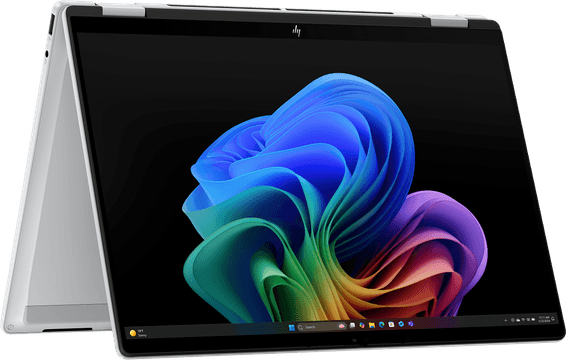
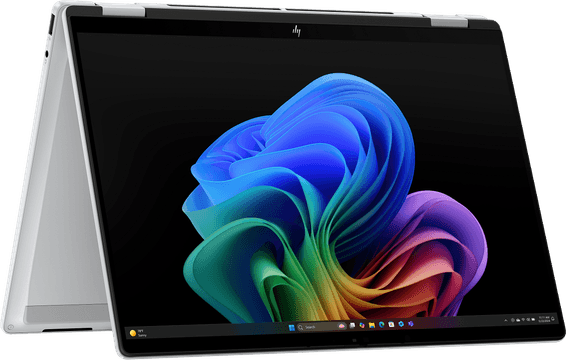
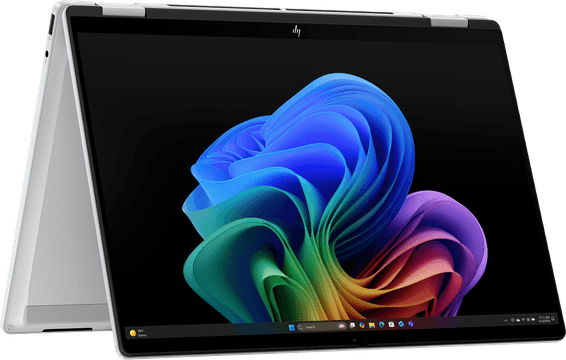
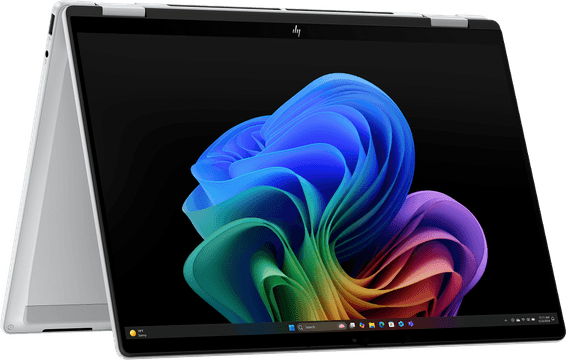
The Surface range at a glance
The Microsoft Surface range brings together a series of versatile computing devices designed to suit a wide variety of user profiles. Whether you are a student, a mobile professional, a creative or an everyday user, Microsoft now offers a Surface answer suited to every need. In this buying guide we review the different models in the range and give you the keys to choose the one that best matches how you work.
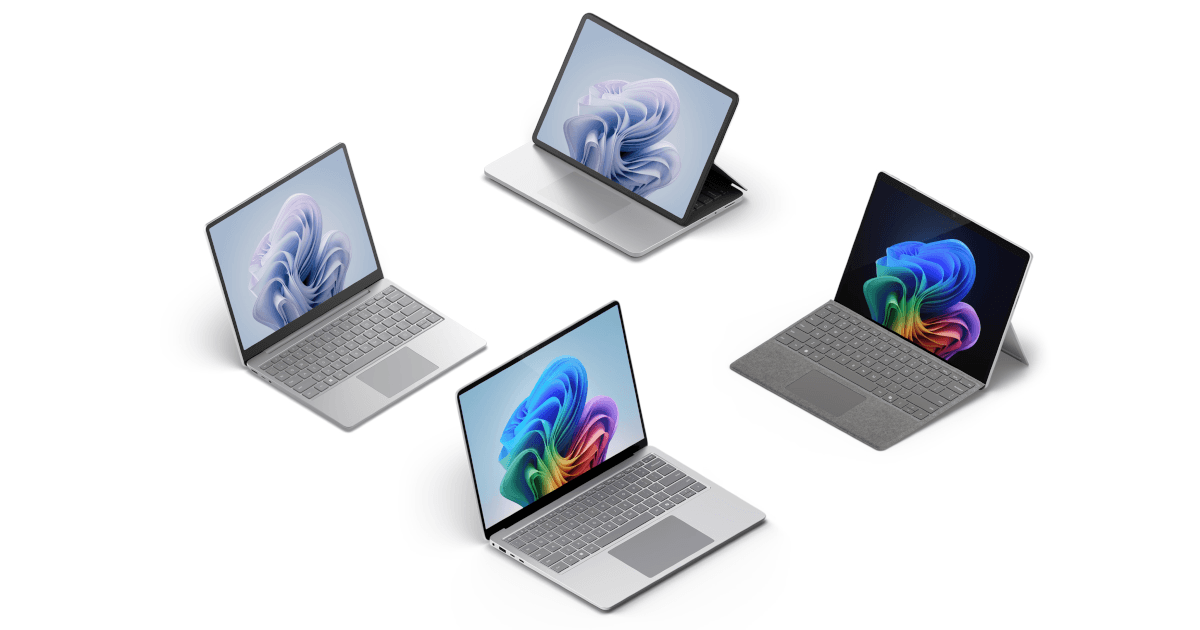
Microsoft Surface stands out for its innovative take on the PC, combining the power of Windows 11 with formats that are sometimes entirely new (hybrid tablets, convertible laptops, all-in-one touchscreen machines, and so on). This guide will help you understand what each model offers and make the right choice against your own criteria. iris.ma also makes that easier by bringing together detailed, up-to-date information on every device, so you can compare with confidence.
Why choose a Microsoft Surface?
Build quality and Microsoft support: Surface devices are known for their excellent build quality. From the first moment you are struck by the careful design, the flawless finish and the sturdiness of the materials (magnesium or aluminium alloys). This premium quality comes with an optimised Windows ecosystem: because they are designed by Microsoft, Surface devices benefit from seamless software integration and a clean version of Windows (no superfluous software installed as standard). You also get Microsoft technical support, with regular updates and a solid after-sales service should you need it. Together these strengths make for a smooth user experience over the long term.
Versatile formats: The Surface range is a byword for versatility. Microsoft pioneered the concept of 2-in-1 hybrid devices combining a tablet and a laptop. Most Surface models include a high-quality touchscreen display and work with the Surface Pen stylus for note-taking or drawing. Some models, such as the Surface Pro or the Surface Go, have Type Cover detachable keyboards that clip on magnetically, turning the tablet into a real laptop in an instant. Others, such as the Surface Laptop Studio, have a special hinge that lets you move from classic laptop use to a stage mode or a tablet mode. This diversity of formats (tablet, ultraportable, desktop all-in-one and more) means everyone can find a device suited to how they work, without giving up features.
Innovation and performance: Microsoft is not shy about innovating with its Surface devices, and regularly introduces new technologies. The PixelSense displays on Surface machines are known for their high resolution and for their 3:2 ratio, which gives more vertical space than a standard display — ideal for productivity. Some recent models even offer a refresh rate of up to 120 Hz for extra smoothness, which will please creatives when drawing and anyone sensitive to smooth scrolling. On performance, the range runs from light devices meant for office work to machines carrying powerful processors and graphics cards able to handle intensive tasks. Finally, Microsoft often builds in novel features, such as Windows Hello facial recognition to unlock the device, the Surface Dial (a rotary accessory for creators on Surface Studio) or clever hinges (a 165° kickstand on the Surface Pro, the “fulcrum” hinge on the Surface Book, and so on). Choosing Surface therefore means choosing devices at the cutting edge of technology.
Overview of the main Microsoft Surface ranges
Let us review the main models in the Surface range, each with its own specifics and its own natural audience.
Surface Pro: the hybrid tablet for professionals and students
The Surface Pro is the emblematic Microsoft Surface device. It is an extremely versatile 2-in-1 tablet, often seen as the benchmark for premium Windows tablets. At first sight the Surface Pro is an elegant 12- to 13-inch touchscreen tablet, light and easy to carry. It stands out for its adjustable built-in kickstand, which lets you set it at different angles down to almost flat — handy for taking notes or drawing. Add the slim Type Cover keyboard (a removable, foldable accessory that protects the display once closed) and the Surface Pen, and the tablet becomes a genuine laptop. That ability to switch instantly from tablet mode to laptop mode makes it the ideal companion for professionals on the move and for students.
Despite its compact format, the Surface Pro carries capable components (Intel Core processors or the Microsoft SQ chip depending on the generation) able to run Windows 11 and the Office suite without flinching. It therefore suits advanced office work and video calls as well as heavier jobs such as occasional photo editing. Over the generations Microsoft has refined this model: a bright high-definition display, good cameras for video calls, and improved battery life to last a full day of classes or work. The Surface Pro is often praised by reviewers as one of the best productive tablets on the market. In short, if you are after absolute versatility in an ultraportable tablet format, the Surface Pro is an excellent choice.
Surface Laptop: the elegant ultrabook for work and leisure
The Surface Laptop embodies the more classic Microsoft approach to laptops. It is a clamshell ultrabook (the display does not detach) built around elegance and simplicity of use, while keeping the premium quality the brand is known for. Aimed at those who prefer a traditional laptop, the Surface Laptop combines a careful design — aluminium or magnesium chassis, slim curves, sometimes an Alcantara palm rest on older generations — and capable components. Available in several sizes (usually 13.5 inches and 15 inches), it offers a splendid 3:2 high-definition touchscreen display, along with a comfortable keyboard and a large, precise trackpad.
The Surface Laptop is designed for versatile work and leisure use. Light and slim enough, it slips easily into a bag to follow you to class or to a meeting. It has the power for everyday tasks: web browsing, the Office suite, light video editing, media streaming. The most recent versions use modern processors (Intel Core, or even Qualcomm chips on some recent editions) that deliver very good performance while keeping excellent battery life. In reviews, this model has often been praised for its impeccable build, its high-quality display and its endurance on battery. All in all, the Surface Laptop is for those looking for a PC equivalent of the MacBook: a reliable, good-looking, efficient laptop, ready to use for everyday professional or personal work.
Surface Book: power and modularity for demanding creatives
The Surface Book is one of the boldest devices Microsoft has offered in the Surface range. At first glance it looks like a classic laptop, but its display detaches completely from the keyboard base, so it can turn into a large-format tablet. That unique design — with its locking mechanism and its distinctive hinge — defies the usual device categories and made a strong impression when it launched. In laptop mode the Surface Book offers a comfortable keyboard and solid connectivity, with a dedicated graphics card housed in the keyboard section on its most accomplished versions. This means that, once assembled, the Surface Book has the graphics power for demanding tasks (3D rendering, video editing, even gaming after work).
Aimed above all at creative professionals (designers, photographers, engineers) and advanced users, the Surface Book was built to deliver high performance. The latest generation, the Surface Book 3, offered an optional Nvidia GTX/RTX GPU alongside an Intel Core i7 processor, making it fit for heavy work while keeping the flexibility of the detachable format. In tablet mode (display separated from the keyboard) you get a large 13- or 15-inch touchscreen slate to draw on or to present your ideas, and you can then reconnect the display to its base to get a complete laptop back. Although this series has been paused in favour of the more recent Surface Laptop Studio, the Surface Book remains a flagship answer for anyone who wants modularity and power in a single device.
Surface Go: the affordable Surface for maximum mobility
The Surface Go is the small format of the Surface family, designed to be more accessible and ultra-mobile. It takes up the Surface Pro concept (a tablet with a kickstand and a detachable keyboard) but in reduced dimensions — a display of around 10 inches — and with more modest components, which brings it to a more affordable price. Do not be fooled by its compact size: the Surface Go offers most of the features of its bigger sister, the Surface Pro, in a smaller and lighter format. You still get a quality touchscreen display, compatibility with the Surface Pen for sketching or taking notes, and a matching Type Cover keyboard (usually sold as an option) to turn it into a mini laptop.
Naturally, a reduced format means reduced power: the Surface Go is not built to replace a main PC if your needs are demanding. It carries entry-level processors (Intel Pentium, Core m3 or equivalent depending on the version) that are enough for light office work, web browsing, watching videos and running basic educational or business applications. Its small size and feather weight make it an ideal travel companion, or a secondary device for taking notes in class, checking email on the move or keeping children busy with educational content. Microsoft has clearly targeted those who put portability and cost ahead of raw performance. If your needs are limited to ordinary uses and you want the Surface experience on a contained budget, the Surface Go is an excellent option. For intensive use, or to replace a laptop completely, it is better to turn to the higher models in the range.
Surface Studio: the desktop all-in-one for graphic design
The Surface Studio is an oddity in the PC world: a desktop all-in-one computer with an immense 28-inch touchscreen display, designed for creatives and for users after advanced productivity on a big screen. It is the only desktop computer in the Surface range, and Microsoft launched it in 2017 targeting artists, designers and professionals willing to invest in a no-compromise tool. The Surface Studio looks like an elegant, ultra-slim monitor, with the whole PC in fact housed in its base. Two articulated metal arms hold the display and are joined by an innovative pivoting hinge (called the “zero-gravity hinge”), which lets you tilt the display from vertical down to an almost horizontal angle. Tilted down, the Studio turns into a vast graphics tablet or digital drawing table, ideal for drawing, retouching or computer-aided design, especially together with the Surface Pen.
On performance, the Surface Studio carries premium laptop components (Intel Core i7 CPU, mobile Nvidia GeForce GPUs on the Studio 2/2+ versions), enough for most graphic design, 2D/3D animation or video editing work. It does not necessarily reach the heights of specialised workstations, but it offers an interesting compromise between power and clean design. Above all, its user experience is one of a kind thanks to the giant touchscreen display and to dedicated accessories such as the Surface Dial (a rotary control you place on the display to reach contextual functions, much liked by designers). The Surface Studio is a prestige device, its price is high and it addresses a niche of professionals or keen amateurs of visual creation. For a graphic designer, an architect or an illustrator, working on such a display can mean a real gain in comfort and productivity, taking digital work to the next level.
Surface Laptop Studio: performance and versatility for creative professionals
The newest of the Surface concepts, the Surface Laptop Studio combines the power of a premium laptop with a versatility inspired by the desktop Studio. At first sight it looks like a sturdy 14-inch laptop, but its display sits on a double-articulated hinge that lets you pull it forward and fold it over the keyboard. In a few seconds you can move from classic laptop mode to stage mode (the display brought forward, partly covering the keyboard, ideal for watching a video or drawing with support) or even to tablet mode (the display completely flat over the keyboard, to draw or write with the stylus). This clever design takes the 2-in-1 experience to another level. The Surface Laptop Studio clearly aims at professionals and creatives who need a powerful machine to work on (developers, graphic designers, video editors, engineers) while appreciating the flexibility of a convertible touchscreen display.
Under the bonnet, Microsoft has given this model muscular components worthy of a performance laptop: latest-generation Intel Core processors, dedicated NVIDIA GeForce RTX GPUs on the advanced configurations, and a 14.4-inch high-definition PixelSense Flow display supporting a 120 Hz refresh rate. That means the device can take on complex projects (3D rendering, 4K editing, occasional gaming) without flinching, while offering very fluid interaction on screen (smoother scrolling and more responsive stylus writing thanks to the 120 Hz). Despite its performance focus, the Surface Laptop Studio stays relatively compact and has been praised for its innovative design. It is certainly not the lightest in the range, but it replaces the Surface Book concept to good effect by avoiding the physical separation of the display: here nothing detaches, so there is no compromise on a separate battery or on connectivity — everything is built in. In short, the Surface Laptop Studio is the ultimate laptop for anyone who wants a mobile workstation without sacrificing touch-based creativity. It will suit in particular those hesitating between a powerful Surface Laptop and a desktop Surface Studio, by offering a little of both worlds in a single device.
Selection criteria for a Microsoft Surface
When you are thinking of buying a device from the Surface range, it is important to set your selection criteria according to your situation. Here are the main points to consider in order to find the right model:
-
Intended use: Think first about the main use of your future Surface. Is it a tool for professional work (office software, video calls, development), a companion for your studies (note-taking, research, presentations), a multimedia creation station (drawing, photo and video editing, modelling), or an everyday computer for the home (web browsing, streaming, light office work)? Each model is more or less suited to these scenarios. For a student or a professional often on the move, for example, the light weight of a Surface Pro or a Surface Go will be an asset. For a graphic designer, the Surface Studio or the Laptop Studio will provide the working space and the power needed. Pinning down your needs will already point you towards a category of product (tablet vs laptop vs all-in-one).
-
Power and performance: Not every Surface carries the same level of performance. Assess which software and tasks you are going to run. If you need power (Adobe software, intensive coding, virtual machines, games), favour models with an Intel Core i5/i7 processor (or equivalent) and possibly a dedicated graphics card. The Surface Laptop Studio, the Surface Book (where it is still available) or the advanced Surface Laptop configurations are the ones to look at. For ordinary office work, on the other hand, a Surface Go or an entry-level Surface Pro (Core i3/Core i5) may be enough. Also think about RAM (8 GB minimum to be comfortable today, 16 GB for intensive use or heavy multitasking) and about storage (a fast SSD, 256 GB or more depending on how much data you keep locally).
-
Battery life: If you plan to use your device mainly on the move, battery life is a key criterion. Most Surface devices offer a stated battery life of between 8 and 15 hours depending on the model and the use. In practice, ultraportables such as the Surface Laptop or the Surface Pro (with a low-consumption processor) last a good working day in office use. More compact models such as the Surface Go will have slightly less battery life because of their small battery, but remain adequate for occasional use on the move. A Surface Studio (a desktop PC), by contrast, has no such worry since it is permanently plugged in. Check reviews and feedback on the real battery life of the model you are considering, and ask yourself whether you will often have a chance to recharge during the day. For intensive mobile use, favour the Surface devices known for their endurance, and consider lowering the brightness or the refresh rate of the display to save the battery.
-
Display quality: The display is a central part of the experience, especially on touchscreen devices. The resolution varies from one Surface to another, but most offer at least high definition (HD+) and sometimes Quad HD. A sharp, well-calibrated display matters if you edit photos or read long documents (more sharpness, less eye strain). Display size counts too: 10 inches (Surface Go) is very mobile but a little tight for intensive multitasking, 13 to 15 inches (Pro, Laptop, Book) is a versatile standard, and 28 inches (Studio) offers unmatched comfort for creative work or sedentary multitasking. Consider the refresh rate as well: 60 Hz is the norm and enough for most uses, but some recent Surface devices go up to 120 Hz (for example the Surface Laptop Studio, the Surface Pro 8/9), bringing a welcome visual smoothness (softer scrolling, a more responsive stylus, and so on). Finally, every Surface uses a very well-made touchscreen display, often supporting standards such as Dolby Vision or with excellent colour rendering, which can be a plus if you are demanding about image quality.
-
Compatibility and accessories: One great advantage of the Surface ecosystem is the range of official accessories that goes with it. Depending on how you work, some accessories may be indispensable or strongly recommended. The Surface Pen (stylus), for example, is all but unavoidable for people who draw, for students who like to annotate by hand or for professionals who want to sign documents digitally. Check whether the model you are interested in is compatible (almost all of them are) and whether the stylus is included or has to be bought separately. Likewise, Type Cover keyboards are made specifically for the Surface Pro and Surface Go: make sure you allow for one in your budget if you are going for these hybrid tablets, as they are not always included. Other accessories such as the Surface Arc Mouse (a foldable travel mouse), the Surface Dial (for creative interaction on the Studio and the Laptop Studio), or the Surface dock (a docking station that adds ports) can enrich the way you use your Surface. Think about the connectivity you need day to day: Surface devices tend to have a limited number of ports (to keep the design slim). If you absolutely need an HDMI port or several USB ports, for example, an adapter or a docking station may be necessary. Check whether the model has USB-C/Thunderbolt, a microSD card reader (present on some Surface Pro and Surface Go models), a headphone socket, and so on, so you can anticipate the adapters you will find useful. In short, take stock of the whole ecosystem (device plus accessories) so that your Surface answers your uses perfectly straight out of the box.
Comparison with other brands
The Surface range sits in the premium PC segment and often competes with other well-established brands. Here is a quick comparison of the strengths of Microsoft Surface against its main rivals:
-
Microsoft Surface vs Apple MacBook: Microsoft Surface and Apple MacBook target a similar customer looking for premium machines, but with different philosophies. MacBooks (Air or Pro) are excellent laptops in terms of build quality and battery life; they do, however, run macOS and offer no touchscreen. Surface devices, by contrast, offer the flexibility of touch and of the stylus with Windows 11, which makes them unique for note-taking or drawing — an area where a MacBook needs an iPad alongside it. If you are deeply invested in the Apple ecosystem (exclusive apps, iCloud and so on), a MacBook will be tempting, but a Surface lets you use the Windows software library (huge, in particular for games and specific professional software) while enjoying hardware designed by Microsoft to get the best out of Windows. On design and finish, Surface has little to envy Apple: metal chassis, quality keyboards, precise trackpad (Apple does keep an edge on the size and the haptic feedback of its touchpad). On performance, the picture has shifted somewhat with the very fast and frugal Apple M1/M2 chips, which give MacBooks record battery life and formidable power. Microsoft has responded by introducing ARM chips on some Surface models (and continues to use Intel/AMD on others) to combine performance and battery life. In short, the choice often comes down to the OS you want and to your use: Surface if you want a versatile Windows touchscreen 2-in-1, MacBook if you prefer macOS and have no need for a touchscreen. Both ecosystems are excellent; it is mostly your software comfort and your own needs that will make the difference.
-
Microsoft Surface vs Dell XPS and other Windows ultrabooks: Against the other premium ultraportable PCs on the market (Dell XPS, HP Spectre, Lenovo Yoga and so on), Microsoft Surface devices stand out for being designed in-house by the maker of Windows. That generally means an optimised software experience (well-integrated drivers, a clean system with no bloatware), and particular attention to details such as the 3:2 touchscreen display or advanced compatibility with Surface accessories. A Dell XPS or an HP Spectre will often offer excellent value for money and sometimes beefier specifications for the same budget (some include 4K OLED displays, more ports, or GPUs in ultraportables). Surface devices, however, play on other strengths: iconic design, innovations (detachables, special hinges and so on) and the assurance of a machine validated end to end by Microsoft. Compare a Surface Laptop with a Dell XPS 13, for example, and you have two very good Windows ultrabooks. The Dell may have a slightly more compact chassis and a wider choice of configurations, while the Surface Laptop offers the 3:2 touchscreen display and seamless integration with Windows (including firmware updates handled through Windows Update). Likewise, few competing ultrabooks offer an equivalent to the Surface Pro — you have to turn to other brands for 2-in-1s, but Microsoft often remains the benchmark in that segment. All in all, choosing Surface over its Windows rivals often means opting for the pure Microsoft experience (with the design and the ecosystem that come with it) rather than chasing the best specifications for the price. Other brands may beat Surface on certain specific points, but the coherence of the whole and the engineering choices made by Microsoft (hybrid format, touchscreen display and so on) give Surface devices a personality of their own on the market.
Tips for choosing the right Surface
Before you settle on your choice and buy, here are a few practical tips to keep in mind so you are sure to pick the Surface that will fully satisfy you:
-
Assess your real needs: It can be tempting to aim for the most expensive or the most recent model, but the best choice is the one that genuinely matches how you work. List the applications you use every day and the ones you are considering. Work out whether you mainly need mobility, computing power, a large display, or specific features (touch, stylus). If you only do office work and web browsing, for example, a Core i7 configuration with 32 GB of RAM is probably unnecessary; a mid-range model will do the job just as well and will save you money. Conversely, if you plan to do 4K video editing, do not go for an underpowered entry-level model. By defining your needs (and your budget) clearly, you will avoid paying for features you will not use, or being frustrated by a device that is not fast enough.
-
Compare the specifications and think about connectivity: Take the time to compare the spec sheets of the models you are interested in. Sometimes a detail makes all the difference in use. Check the number and the type of available ports, for example. Surface devices often favour the versatile USB-C port; if you have many traditional USB-A accessories or need an SD card reader, see which model offers them or plan for an adapter or a docking station. Likewise, not every Surface has a Thunderbolt port (the most recent generations are starting to adopt it). If you plan to connect an eGPU or several 4K monitors, that detail counts. Look at the display as well (resolution, panel type), at whether there is a fan or not (some Surface Pro models are fanless on Core i5 configurations, for example, and therefore silent), at the weight of the device, and so on. Storage size is a point not to overlook: Windows 11 and applications can fill space quickly, so 128 GB risks being tight in the long run — 256 GB or 512 GB is more comfortable. If the SSD is removable (as it is on a few recent models such as the Surface Laptop 5 and the Laptop Studio 2), that is a bonus for upgradability. In short, do not stop at the model name: look at the details of the configuration.
-
Take the warranty and the support into account: Investing in a Surface means investing in a premium device — so make sure it lasts. Microsoft Surface products come with a standard one-year warranty (statutory) and the manufacturer often offers warranty extensions or protection plans (such as Microsoft Complete, which covers accidental damage over two years, for example). Look into these options, especially if you are buying an expensive device or plan to use it heavily on the move (risk of drops, and so on). Buying from an authorised reseller (such as iris.ma) also guarantees you official assistance. If you have a hardware problem or a technical question, you can contact Microsoft support, which knows these products well. Do not hesitate to consult the online communities (Microsoft forums and so on) if you need to: the Surface range has an active user base that shares tips and solutions. Finally, keep in mind that these devices regularly receive software and firmware updates intended to improve the experience or to fix any bugs, so remember to keep your Surface up to date to get the best out of it over time.
By following this advice, you will give yourself every chance of choosing the most suitable model and of getting full value from your investment in a Microsoft Surface.
Conclusion
In conclusion, the Microsoft Surface range stands out for its blend of versatility, premium quality and deep integration with the Windows ecosystem. Whether you are after an ultra-mobile tablet, a balanced ultrabook, a graphic design station or an innovative hybrid device, there is a Surface made for you. Each model has its strengths: the modularity of the Surface Pro, the comfort of the Surface Laptop, the power of the Surface Laptop Studio, the affordable mobility of the Surface Go, or the sumptuous display of the Surface Studio.
Before making your choice, take the time to compare the models and to think about your priority uses over the long term. A Surface is an investment; the aim is for it to serve you well for several years. Do not hesitate to use the resources on iris.ma and other guides to refine your decision, and why not go and try the devices in a shop if you can, to get a feel for the format, the keyboard and the stylus in your hand. By weighing your needs carefully against what each Surface offers, you will find the ideal device to boost your productivity and your creativity day to day.
By choosing Microsoft Surface, you are betting on the innovation and the durability of a product designed to grow with you. Take account of everything covered in this guide and you will make an informed choice that will serve you well over the long term. Happy hunting for the perfect Surface — and above all, enjoy it once it is in your hands!
Frequently asked questions
Do you sell Microsoft Surface devices in Morocco?
Yes. The models we list, their prices and their stock are on our Microsoft Surface available in Morocco page: Surface Pro, Surface Laptop and Surface Go, in consumer versions as well as for Business versions. Our customer service can check a specific configuration before you order.
Surface Pro or Surface Laptop?
The Surface Pro is a tablet to which you add a keyboard: unbeatable for mobility and for taking notes with the stylus. The Surface Laptop is a classic laptop: more comfortable to type on, more stable on your lap, and generally longer-lasting on battery.
Does a 2-in-1 replace a real laptop?
For office work, browsing and video calls, yes. For intensive use — development, editing, computation — a classic laptop offers more power and better heat dissipation for the same budget.
Is the keyboard included?
On hybrid tablet models, the keyboard is most often sold separately, just like the stylus. It is an item of spending not to forget when comparing prices.
Which configuration should I aim for?
For comfortable office use, favour RAM ahead of the processor, and enough SSD storage that you never have to juggle. The full reasoning is set out in our laptop buying guide.