Pay nowView my order
Visit the TP-Link store

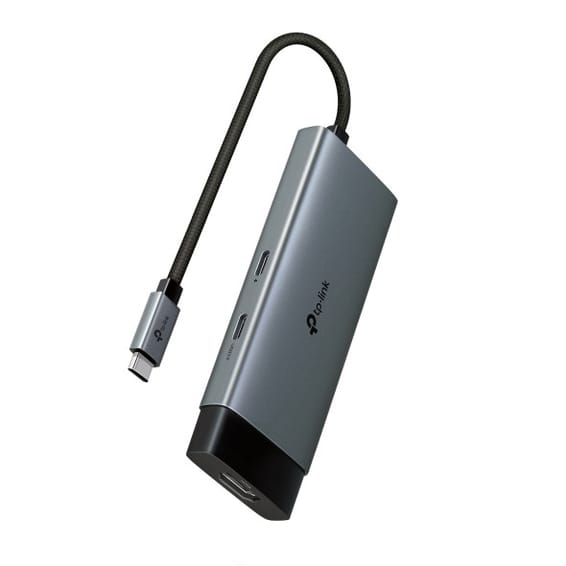
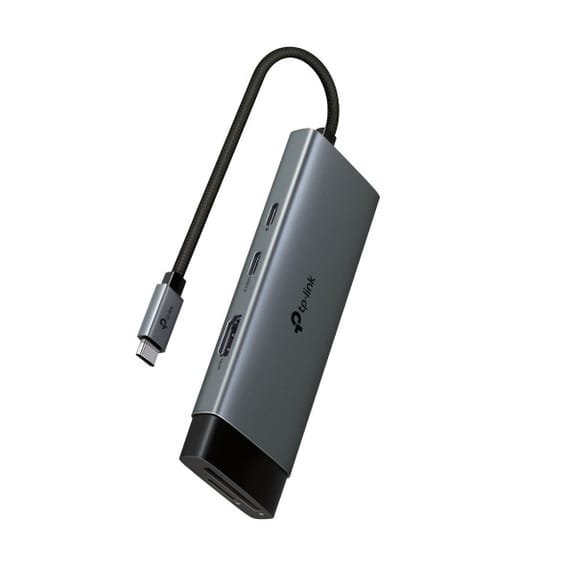
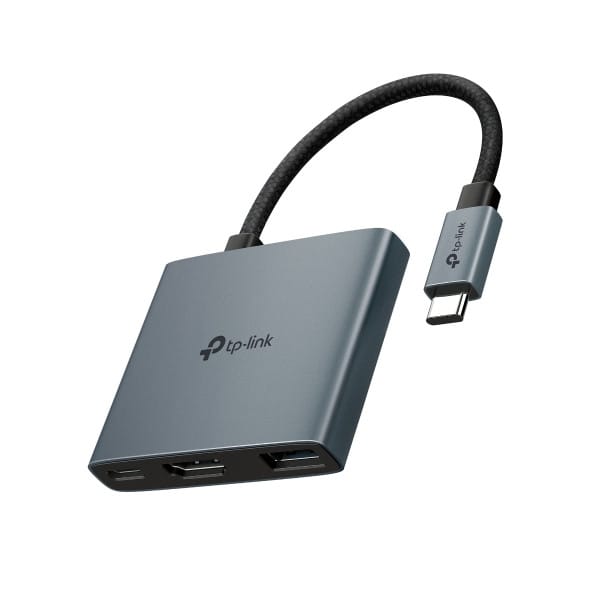
TP-Link UH3020C USB-C 3-in-1 100 W Hub (UH3020C)

Compact and light, plug-and-play with no driver required, compatible with Windows and macOS, to multiply connections on the move.

  • Compatible with Windows and macOS
  • Plug-and-play, no driver to install
Ref.: UH3020C
195,00 DHincl. VAT

Out of stock

Under Law 09-08, you have the right to access, rectify and object to the processing of your personal data. This processing has been authorised by the CNDP under no. D-CE-389/2015. Learn more

Can’t wait?

Ask for an alternative on WhatsApp

Quick reply

Manufacturer's datasheetView the PDF · 521 Ko — downloadable

Product overview

TP-Link UH3020C USB Type-C 3-in-1 hub: more connections for your laptop.
Functions: from a single USB-C port, it adds the essential connections ultraportables lack.
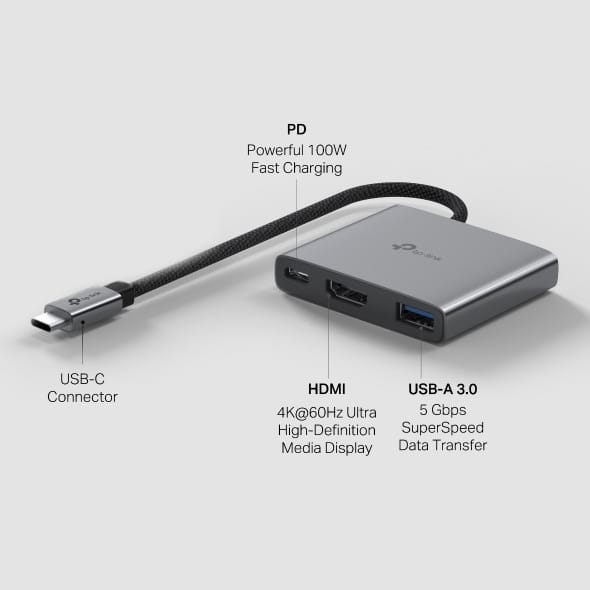
Charging: Power Delivery up to 100 W — one cable powers your laptop and connects your peripherals.
Design: compact and light, plug-and-play, no driver needed.
Compatibility: Windows and macOS.
Use cases: remote working, travel, mobile office.
A compact USB-C hub that turns a single port into a connection centre.

See all the specifications ↓
Request a quoteShare:

Technical specifications

Technical specifications
Memory card readerNone
Ethernet network cardNone
Dimensions (W x D x H)52.7 x 60.5 x 12.2 mm
Compatible operating systemsWindows, macOS, iPadOS, iOS, ChromeOS, Linux and Android
Computer interfaceUSB Type-C — 180 mm braided captive cable
Maximum supported resolution4K at 60 Hz on one display
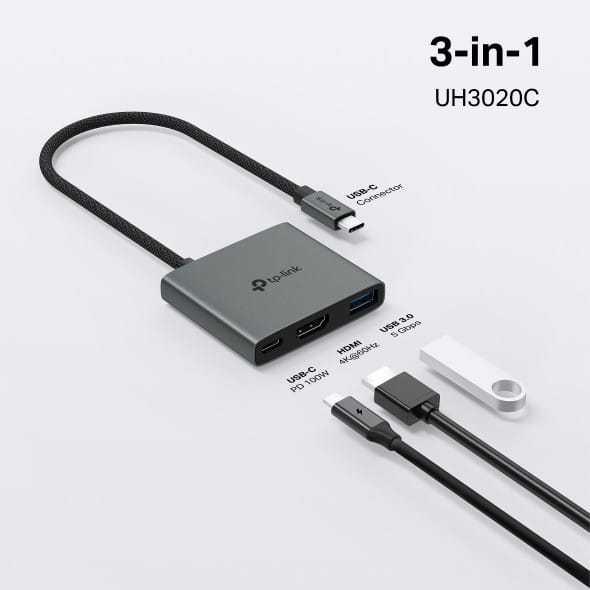
HDMI output1 x HDMI, 4K at 60 Hz
Video portsHDMI
DisplayPort outputNone
ConnectivityUSB-A, USB-C
Audio jackNone
Technical specifications (continued)
USB-C ports1 x USB-C 100 W (Power Delivery 3.0, charging)
USB-A ports1 x USB-A 5 Gbps (USB 3.0)
Total number of ports3 ports (3-in-1)
Data rate5 Gbps (USB 3.0)
Computer connectionUSB-C
Docking station or hubUSB hub
Supported external displays1 display
Laptop charging100 W (Power Delivery)
Power supply includedPowered by the computer's USB-C port; pass-through charging via the PD port, charger not included
Warranty1 year

Customer reviews

No reviews yet

Be the first to review this product and help other customers.

Write a review
Your rating
5/5

Shown publicly with your review.

Never published — a confirmation email will be sent to you.

Tell us about the product — in a few lines:

  • what you liked in everyday use;
  • the quality and performance you found;
  • who you would recommend it to, and why.

A question about an order, a delivery or a payment? Write to us and we will reply to you directly.

Under Law 09-08, you have the right to access, rectify and object to the processing of your personal data. This processing has been authorised by the CNDP under no. D-CE-389/2015. Learn more

Frequently asked questions about this product

What does this TP-Link 3-in-1 hub include?
Three ports: an HDMI output at 4K 60 Hz, a 100 W Power Delivery port and a 5 Gbps USB-A 3.0. The essentials for an ultraportable with only one USB-C port.
Does this UH3020C hub charge my computer?
Yes: its Power Delivery 3.0 port accepts up to 20 V / 5 A, i.e. 100 W, and powers the computer through the same cable as the peripherals. The charger is still the one from your laptop.
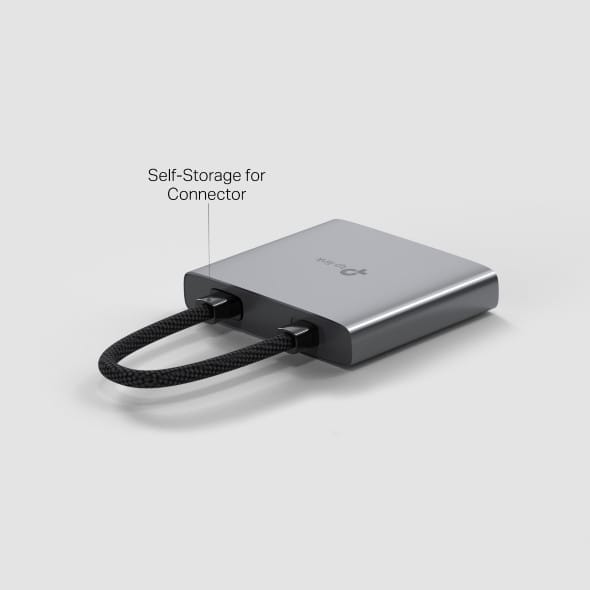
Where does this hub's connector go when you put it away?
It stows inside the housing itself: the USB-C connector folds into the body of the hub, with no cable dangling. The whole unit measures 52.7 × 60.5 × 12.2 mm.
Is this TP-Link hub scratch-resistant?
It is stated to be scratch-resistant, with an aluminium alloy shell. That is what sets a hub made to live in a laptop bag apart from a desktop hub.
Does this UH3020C hub need a driver?
No: it is plug-and-play, with no driver to install, and stated to be compatible with Windows and macOS. Plug it in and it works.
Is this TP-Link UH3020C hub new and under warranty?
Yes, it is a new TP-Link product, part number UH3020C, a compact 3-in-1 USB-C hub. The invoice serves as the warranty document for 1 year. Datasheet: TP-Link UH3020C.

Trending

View the TP-Link archive

Chat on WhatsApp

Scan with my phone

The simplest way: open your phone camera and point it at this code. The chat opens with your message ready.

Open WhatsApp Web

Works if your phone is already linked to this computer.