
Welcome to the new iris.ma

We rebuilt everything for you

Same team, same standards

Pay nowView my order

Which toner fits the HP LaserJet Pro M203dn?

Monochrome laser · machine reference G3Q46A

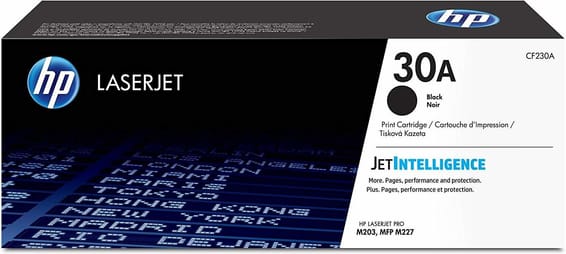
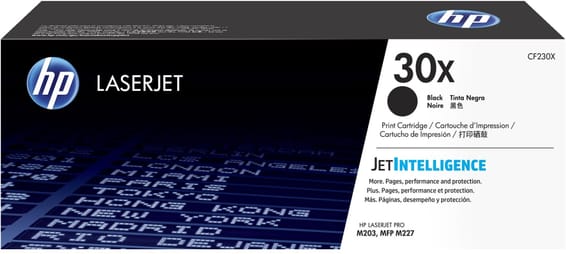
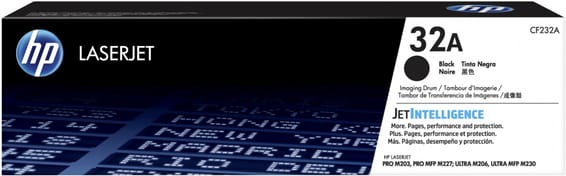
Three part numbers for this machine, one more than you would expect on a black and white printer: the 30A toner (CF230A, 1,600 pages) or its 30X version (CF230X, 3,500 pages), plus a 32A drum (CF232A) sold separately.

Compatible toners

See all
  • NoirToner
    HP 30A Noir (CF230A) - Toner HP LaserJet d'origine

    HP

    HP 30A Noir (CF230A) - Toner HP LaserJet d'origine

    Compatible avec les imprimantes HP LaserJet Pro M203 et les multifonctions M227, pour environ 1 600 pages.

    In stock

    1 399 DHincl. VAT

    Delivery everywhereDelivered all over Morocco
  • NoirToner
    HP 30X Noir (CF230X) - Toner grande capacité HP LaserJet d'origine
    Best seller

    HP

    HP 30X Noir (CF230X) - Toner grande capacité HP LaserJet d'origine

    Compatible avec les imprimantes HP LaserJet Pro M203 et multifonction Pro M227, pour environ 3 500 pages.

    In stock

    2 295 DHincl. VAT

    Delivery everywhereDelivered all over Morocco
  • NoirTambour ou kit de maintenance
    HP 32A Noir (CF232A) - Tambour d'imagerie HP LaserJet d'origine
    -5%

    HP

    HP 32A Noir (CF232A) - Tambour d'imagerie HP LaserJet d'origine

    Compatible avec les imprimantes HP LaserJet Pro M203dn/M203dw et multifonction Pro M227fdn/M227fdw/M227sdn, pour environ 23 000 pages.

    In stock

    1 569 DHincl. VAT1 649 DH

    Delivery everywhereDelivered all over Morocco

3 references available · we confirm availability before dispatch and tell you straight away if we cannot fulfil it.

A separate drum on a monochrome machine: why

On most compact black and white lasers, the drum is built into the cartridge: everything is changed at once. The M203dn belongs to the other school, that of machines built to last — the drum wears out across several sets of toners and is replaced on its own.

That is cheaper in use, since you are not buying a still-good part with every change of powder. And it is an unpleasant surprise for anyone who does not know: after a few thousand pages, the printer calls for a part whose existence its owner had no idea of. The message is explicit and there is nothing to anticipate — but it is better to know it will come.

The HP Laser MFP 137fnw, by contrast, has its drum built into the toner: one part fewer to track, a slightly higher cost per page. Both approaches stand up; they simply are not compared at the same point.

30A or 30X: the arithmetic

The 30X holds 3,500 pages against 1,600 for the 30A, a little more than double for a smaller extra cost. If you change toner more than once a year, it already pays for itself. Both sit in the same place and nothing stops you alternating according to availability.

Do these part numbers fit other models?

HP lists them for the LaserJet Pro M203 and the M227 multifunction models. If your fleet mixes those two families, a single stock of toners and drums covers the lot.

Frequently asked questions

How do I know whether to change the toner or the drum?
The printer says so in two distinct messages, and the symptoms differ: a toner nearing its end gives pale or uneven pages, a worn drum leaves repeating marks at regular intervals down the page — spots or bands that always come back in the same place.
Should the drum be bought in advance?
No. It lasts several sets of toners and the printer warns you well before it becomes critical. Buying it as a precaution ties up money for a need that may not arise for two years.

Other HP LaserJet Pro

A fleet of printers to keep supplied?

We draw up the list of consumables for your whole fleet and a single grouped quote. Invoice in your company's name with its ICE number, delivery anywhere in Morocco.

Looking for another machine? Search by model or by cartridge reference. To understand page yields and cost per page, read our toner and cartridge guide.

Chat on WhatsApp

Scan with my phone

The simplest way: open your phone camera and point it at this code. The chat opens with your message ready.

Open WhatsApp Web

Works if your phone is already linked to this computer.

Prefer to call? (+212) 05 30 31 64 21