Welcome to the new iris.ma

We rebuilt everything for you

Same team, same standards

Pay nowView my order
Visit the Lenovo store

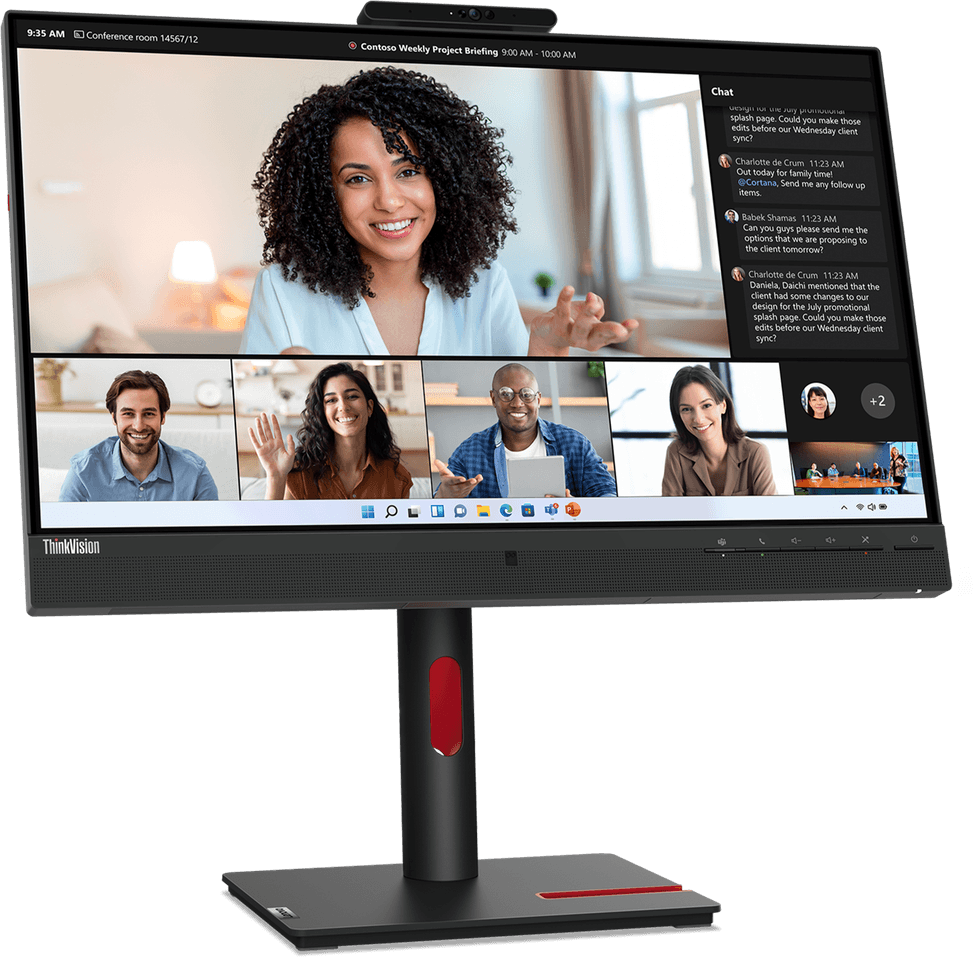
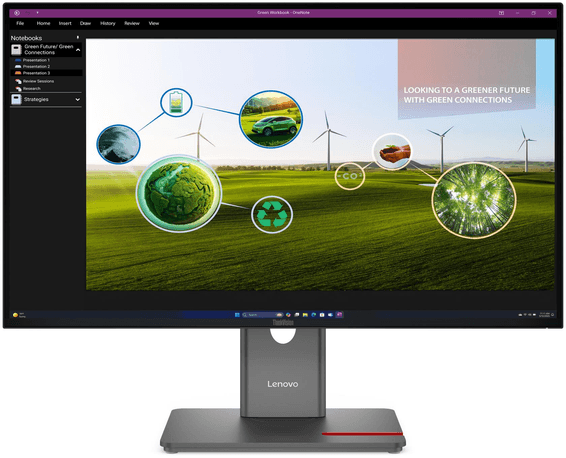
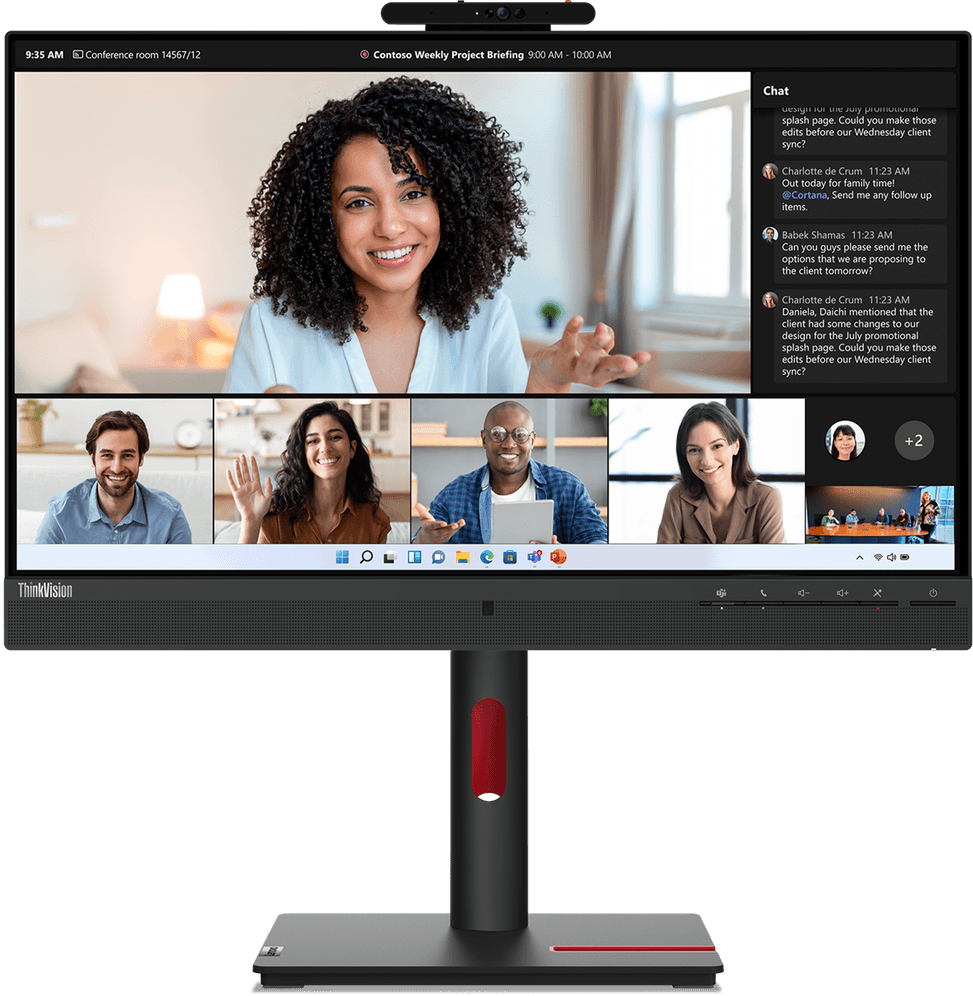
Lenovo ThinkVision T24mv-30 23.8" Full HD Monitor with Webcam (63D7UAT3EU)

5 MP infrared webcam (Windows Hello), built-in microphones and speakers for all-in-one video conferencing. USB-C that carries the picture, a dock with Ethernet and a fully adjustable stand.

  • 5 MP infrared webcam, Windows Hello facial recognition
  • USB-C that carries the picture (DisplayPort mode) and powers the hub
  • Built-in microphones and 2× 5 W speakers
  • IPS panel
  • Hub with 4 USB-A, Gigabit RJ45 Ethernet
  • HDMI 2.1, DisplayPort (input and daisy-chain output)
  • Eyesafe 2.0 and TÜV Rheinland certified (low blue light, eye comfort, flicker-free)
  • Full stand: 155 mm height, ±45° swivel, 90° portrait rotation
  • Presence and ambient light sensor
Ref.: 63D7UAT3EU
4 699,00 DHincl. VAT

Out of stock

Under Law 09-08, you have the right to access, rectify and object to the processing of your personal data. This processing has been authorised by the CNDP under no. D-CE-389/2015. Learn more

Can’t wait?

Ask for an alternative on WhatsApp

Quick reply

Manufacturer's datasheetView the PDF · 1,2 Mo — downloadable

Product overview

A 24-inch Full HD professional monitor with a webcam and USB-C dock, for remote work and video conferencing: 5 MP webcam, all-in-one USB-C and fully adjustable stand.
Panel & image: 23.8" 16:9 flat, IPS panel with wide viewing angles, Full HD 1920×1080 · 99% sRGB
Motion: 75 Hz · 4 ms (extreme mode) / 6 ms response time
Video calls: built-in 5 MP webcam, microphone and 2× 5 W speakers
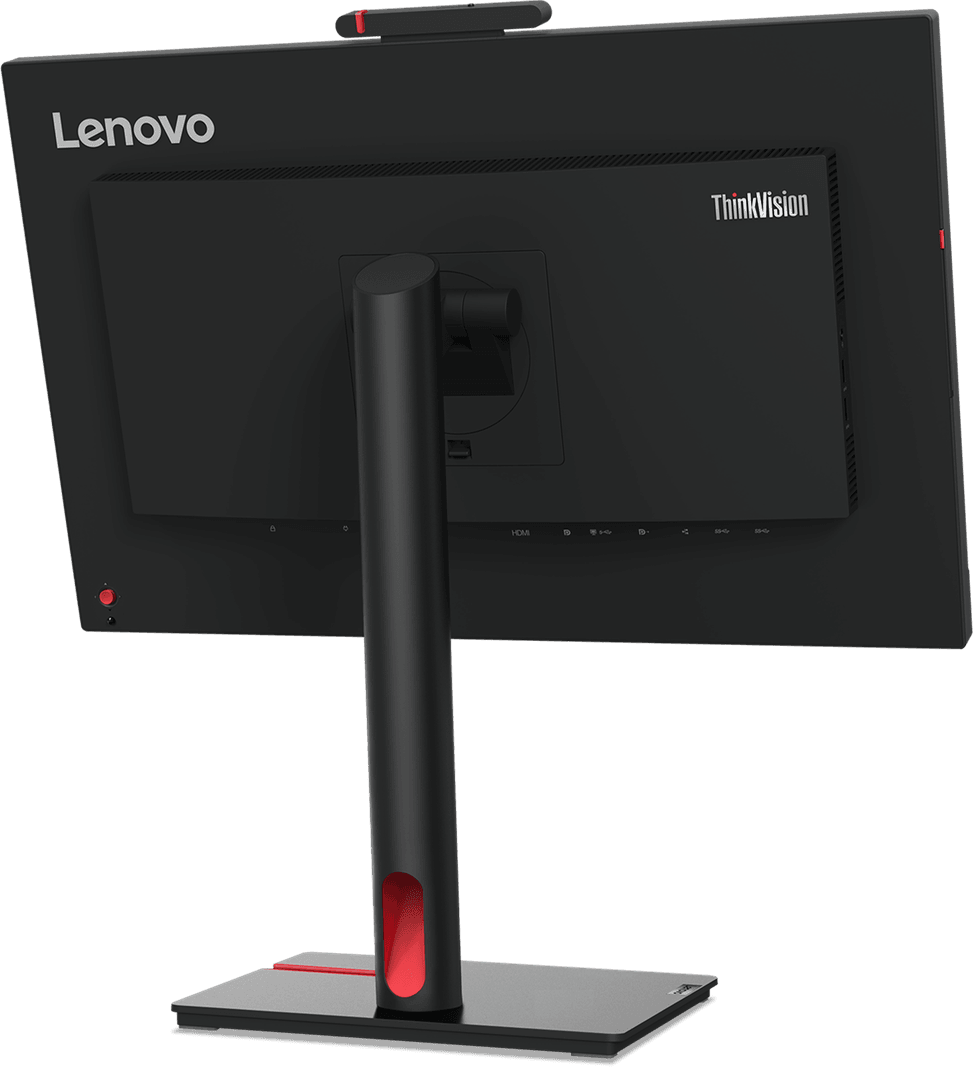
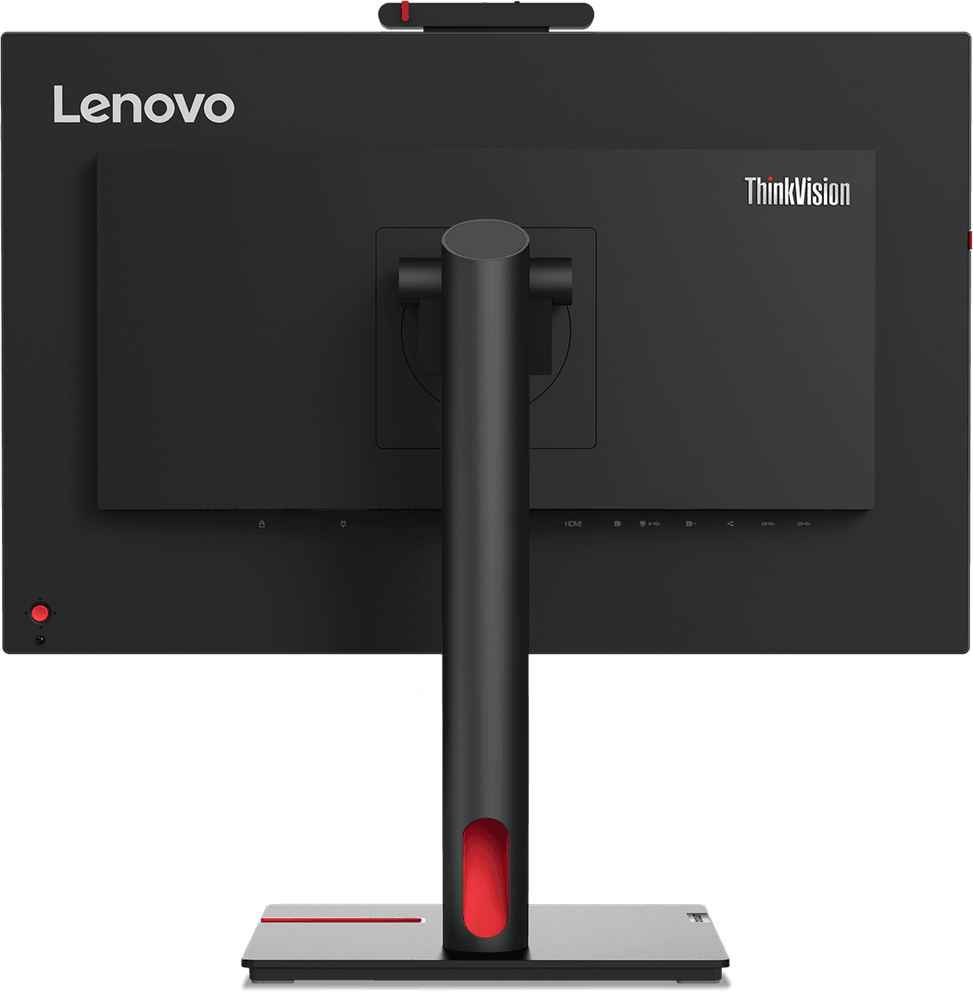
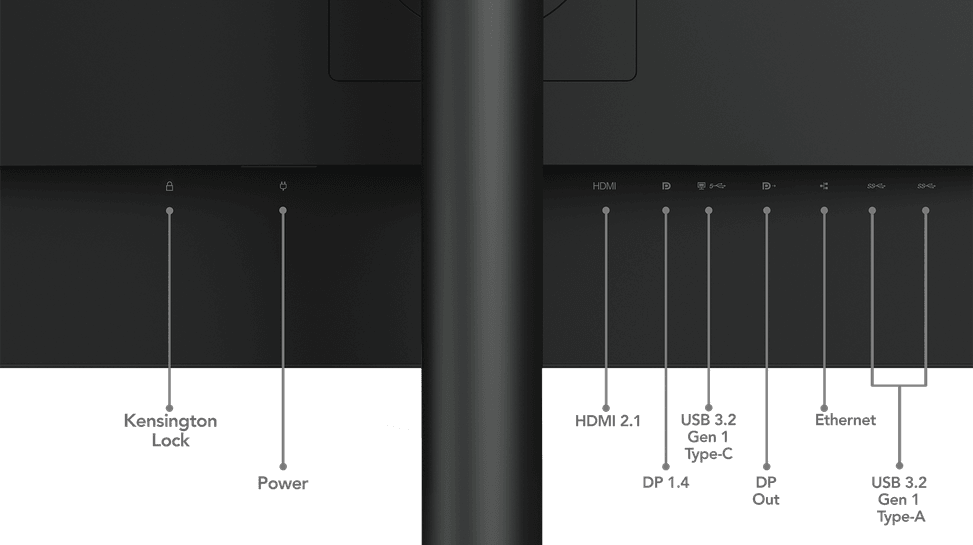
Video ports: 1× HDMI 2.1, 1× DisplayPort 1.4, 1× DisplayPort out (daisy-chaining) and 1× USB-C that carries the picture (DisplayPort mode)
Hub & dock: 4 USB-A ports, USB-C upstream and Gigabit Ethernet RJ45 · combo audio jack
Eye comfort: Eyesafe 2.0, low blue light and Eye Comfort, TÜV Rheinland certified
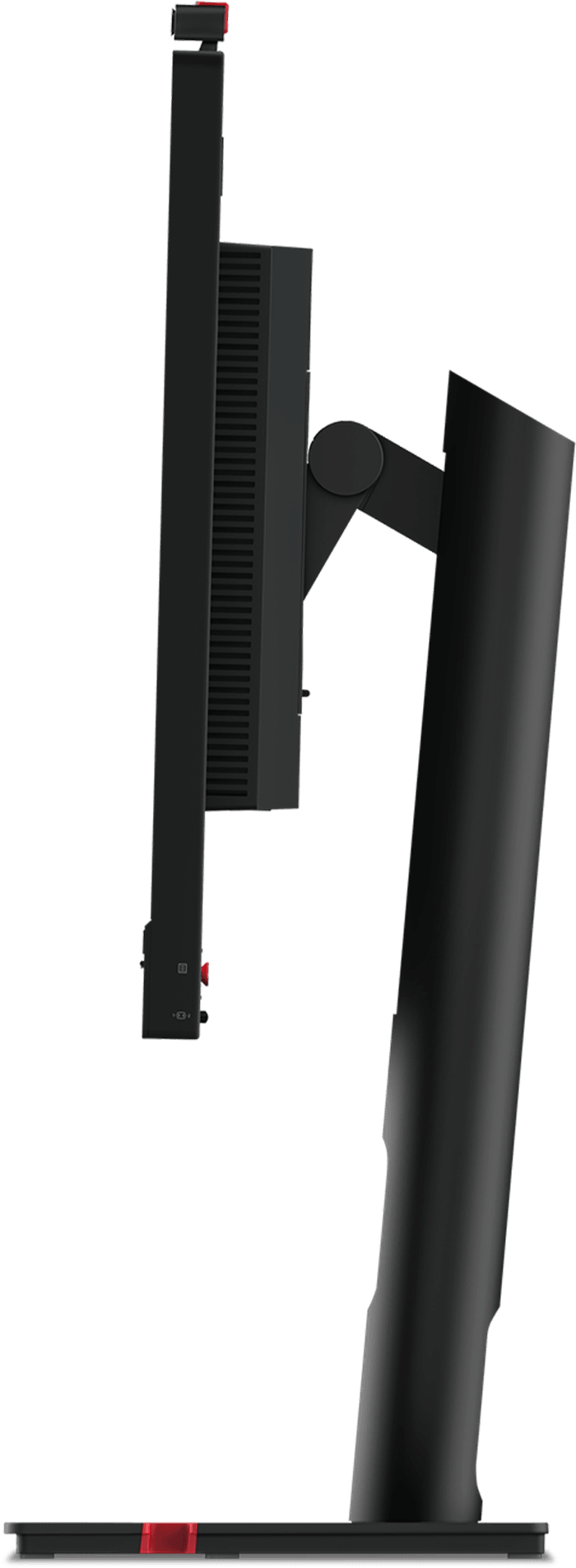
Ergonomics: fully adjustable stand — 155 mm height, ±45° swivel, 90° portrait rotation and tilt
An all-in-one monitor for video calls and remote work: webcam, USB-C dock and networking combined, so your laptop connects with a single cable.

See all the specifications ↓
Request a quoteShare:

Technical specifications

Technical specifications
Input connectors1 DisplayPort 1.4, 1 DisplayPort output, 1 HDMI 2.1, 1 USB-C 3.2 Gen 1 (DP 1.4 Alt Mode)
Built-in speakers2 x 5 W
Screen position adjustmentsAdjustable tilt, height, pivot and swivel
Dimensions (W x D x H) (mm)539.8 x 199.7 x 542.8 mm (with stand)
Net weight (kg)6.5 kg (with stand)
Typical power consumption24.5 W (typical) / 160 W (maximum)
Brightness250 cd/m²
Contrast ratio1000:1
Panel typeIPS
Wall mountVESA 100 x 100 mm
Package contentsMonitor with stand, power cable, USB-C to USB-C cable
Screen size (diagonal)23.8 inches
Aspect ratio16:9
Response time4 ms (Extreme mode) / 6 ms (Normal mode)
Adaptive syncNone
Size23" - 24"
Technical specifications (continued)
Power supplyInternal
Optimal resolutionFull HD (1920 x 1080)
Active area527x296.5 mm
ConnectivityUSB 3.2 Gen 1 hub (4 ports), upstream USB-C 3.2 Gen 1, Gigabit RJ45
Backlight technologyWLED
ResolutionFull HD
Screen curvatureFlat
Curved screenNo
Refresh rate75 Hz
Video portsHDMI, DisplayPort, USB-C (video)
USB hubYes
Ultra-wide screenNo
Height-adjustable standYes
Portrait rotationYes
Type of useOffice, Professional and business
Warranty3 years

Customer reviews

No reviews yet

Be the first to review this product and help other customers.

Write a review
Your rating
5/5

Shown publicly with your review.

Never published — a confirmation email will be sent to you.

Tell us about the product — in a few lines:

  • what you liked in everyday use;
  • the quality and performance you found;
  • who you would recommend it to, and why.

A question about an order, a delivery or a payment? Write to us and we will reply to you directly.

Under Law 09-08, you have the right to access, rectify and object to the processing of your personal data. This processing has been authorised by the CNDP under no. D-CE-389/2015. Learn more

Frequently asked questions about this product

Does the ThinkVision T24mv-30 webcam support Windows Hello?
Yes: the 5-megapixel infrared camera supports Windows Hello facial recognition, so you can sign in without a password. Microphones and two 5 W speakers round out the video conferencing equipment.
Is a single USB-C cable enough between my laptop and the T24mv-30?
Yes, if your laptop's USB-C port supports video in DisplayPort mode: this single cable carries the picture, powers the USB hub and provides access to the Ethernet network. The USB-C to USB-C cable is included.
Can you daisy-chain a second monitor to the T24mv-30?
Yes: a DisplayPort output is provided, in addition to the DisplayPort 1.4 input, HDMI 2.1 and USB-C. A second monitor can therefore be connected to the first, without using another video output on the computer.
Which peripherals can you connect to the T24mv-30 hub?
Four USB 3.2 Gen 1 ports and a Gigabit RJ45 Ethernet port, all active as soon as the computer is connected via USB-C. A laptop without a network port thus regains a wired connection.
Does the T24mv-30 stand allow portrait mode?
Yes: 155 mm of height adjustment, ±45° swivel and 90° rotation to turn the panel vertical. The monitor weighs 6.5 kg with its base and has built-in presence and ambient light sensors.
Does this Lenovo monitor protect your eyes during long video calls?
It is Eyesafe 2.0 and TÜV Rheinland certified for low blue light, eye comfort and flicker-free operation. The IPS panel covers 99% of the sRGB colour space with 178° viewing angles.
How much power does the ThinkVision T24mv-30 use?
24.5 W in typical use and up to 160 W maximum, a ceiling that includes powering a laptop and peripherals over USB-C. On the desk, it takes up 542.8 mm in width and 199.7 mm in depth.
What is the warranty on the ThinkVision T24mv-30 monitor?
Three years. The product is new, in its original packaging, and your invoice serves as the warranty document. The box contains the power cord and the USB Type-C to Type-C cable.
Trending

View the Lenovo archive

Chat on WhatsApp

Scan with my phone

The simplest way: open your phone camera and point it at this code. The chat opens with your message ready.

Open WhatsApp Web

Works if your phone is already linked to this computer.

Prefer to call? (+212) 05 30 31 64 21