Welcome to the new iris.ma

We rebuilt everything for you

Same team, same standards

Pay nowView my order
Visit the HP store

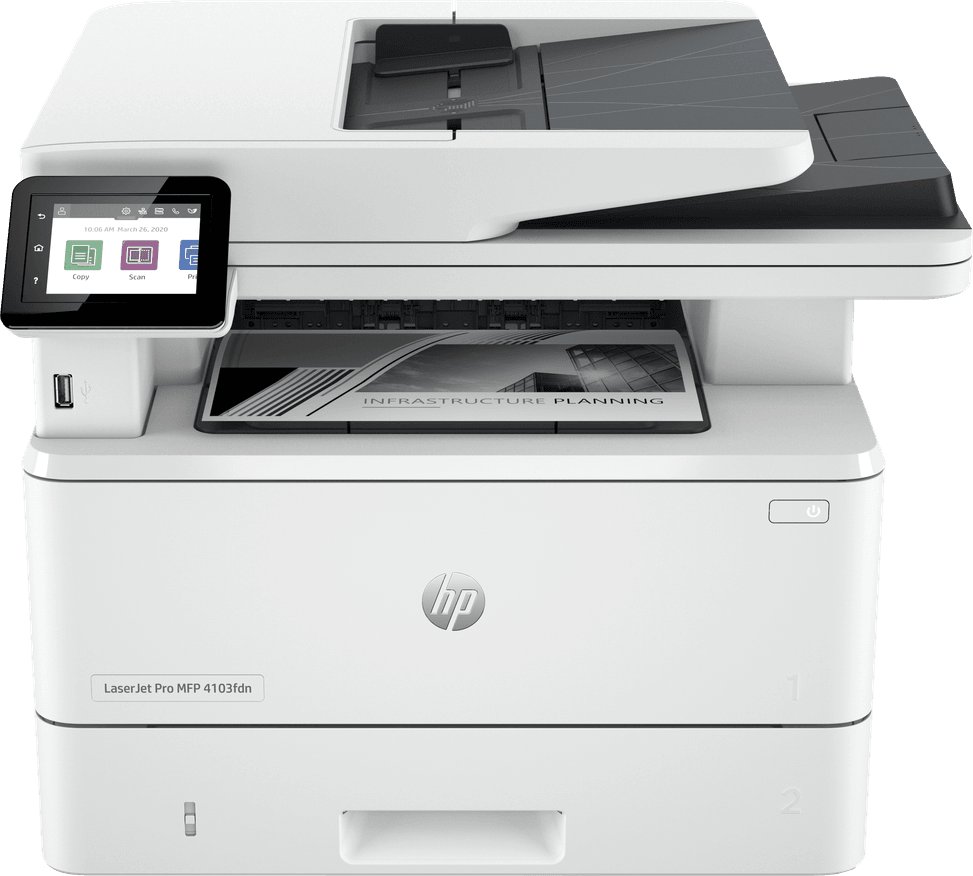
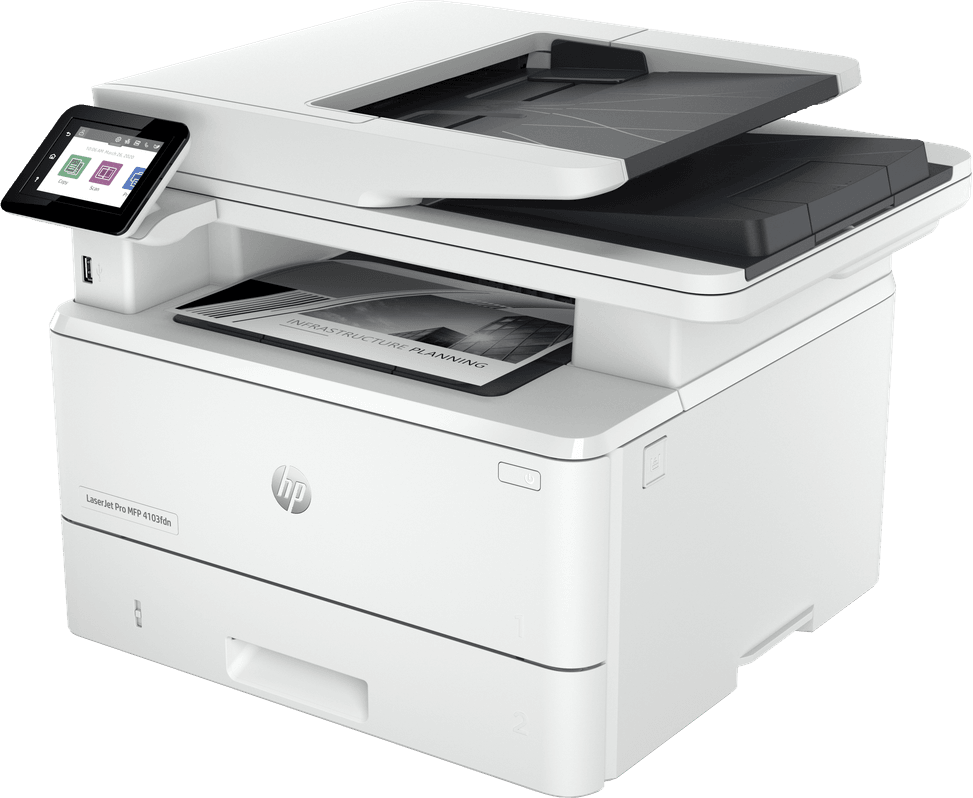
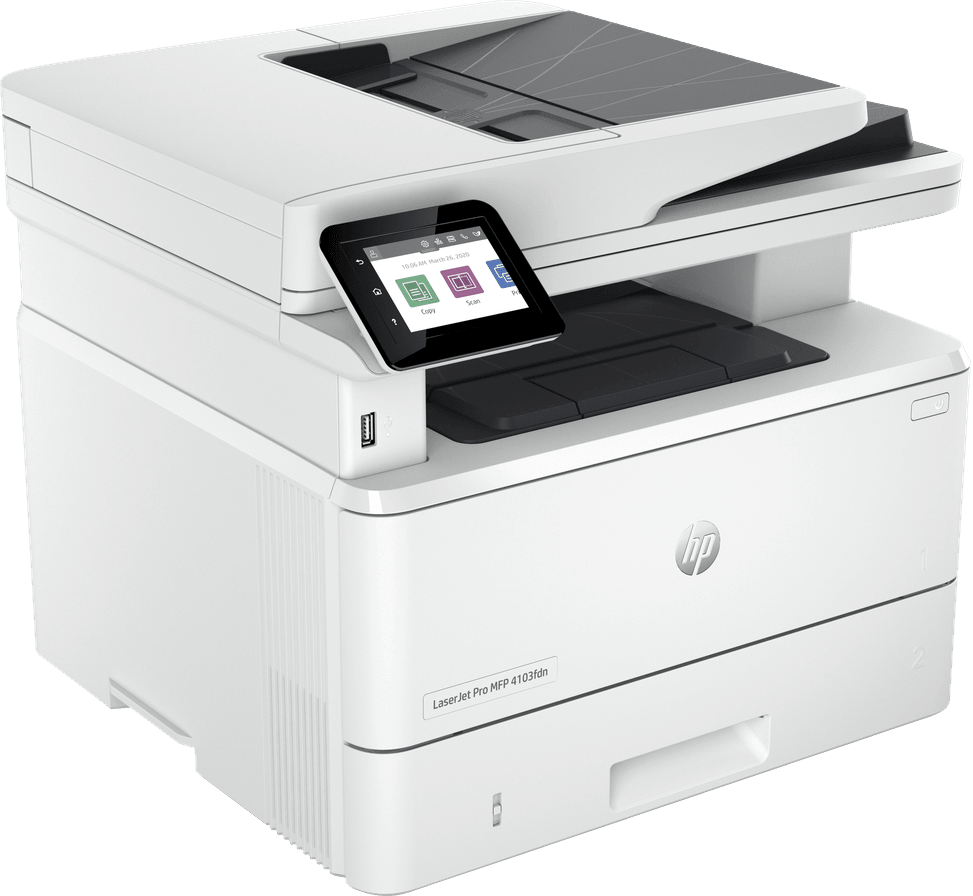
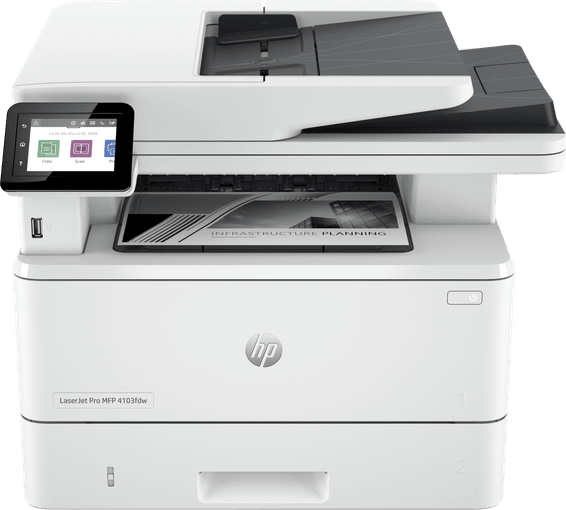
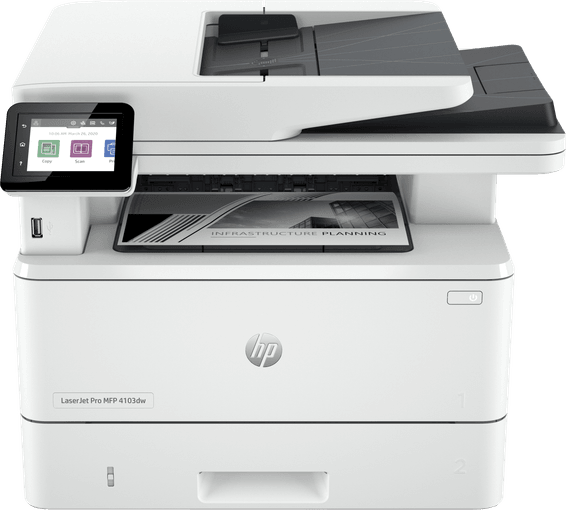
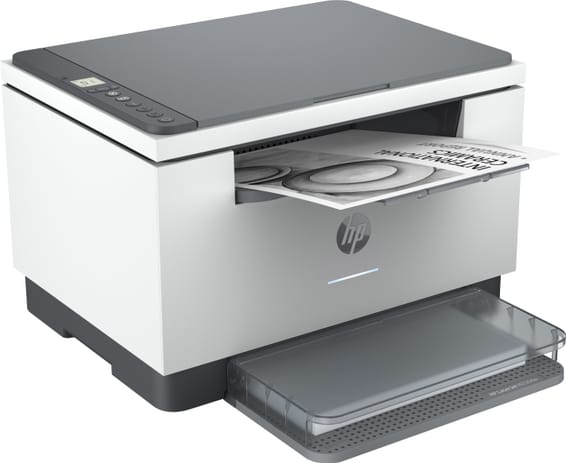
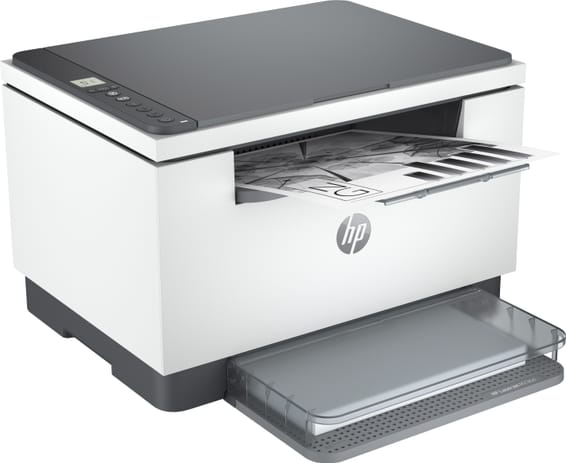
HP LaserJet Pro 4103fdn Monochrome Multifunction Printer (2Z628A)

4 functions in one with automatic double-sided scanning in a single pass, a rarity, and a colour touchscreen. Fast at 40 ppm, with Gigabit Ethernet.

  • Speed 40 ppm — fast
  • Print, copy, scan and fax (4-in-1)
  • Automatic double-sided scanning in a single pass
  • Automatic duplex printing, by default
  • 2.7" colour touchscreen
  • Automatic document feeder (50 sheets)
  • 350-sheet paper tray
  • Gigabit Ethernet (no Wi-Fi)
  • Recommended volume 750 to 4,000 pages/month
Ref.: 2Z628A
5 299,00 DHincl. VAT

Configuration · HP LaserJet Pro MFP 4103

In stock

Earn 53 DH in loyalty credit with this purchaseHow does it work?Loyalty credit capped at 300 DH per order.

Receive it between Wed 23 Sept and Fri 25 Septfree delivery all over Morocco

Delivery to your address

Receive it between Wed 23 Sept and Fri 25 Septfree delivery all over Morocco

The estimate is refined using actual delivery rounds to your city.

  • Free delivery from 3 000 DH of purchases, all over Morocco.
  • Below that, the same rate in every city for parcels up to 30 kg (delivery to your home or workplace) — the exact amount is shown above, then in the basket.
  • Above 30 kg, the rate follows the parcel's weight. In Casablanca, the flat rate holds up to 120 kg.
  • You are notified by SMS, then called by the courier before your parcel is handed over (delivered by Sapress).
  • Observed delivery time: 1 to 5 working days depending on the city.
Free in-store collection: Casablanca (within 24 h) · Témara (within 48 h)

In-store collection — free

Casablanca store
We bring it to the store within 24 h
We call you as soon as it arrives in store.

Résidence Manoir des Roses, Lot. 18, Boulevard El Hachmi El Filali, Rond-point Bachkou, Casablanca

Opening hours

  • Mon–Fri: 10am – 7pm
  • Sat: 10am – 2pm
  • Closed on Sundays and public holidays

Payment on site: cash, bank card via terminal, certified cheque.

View the map on Google Maps

Temara pickup point
We bring it to the store within 48 h
We call you as soon as it arrives in store.

Boulevard Hassan II, Résidence Les Perles de Témara, Immeuble 5, appartement 2, Témara

Opening hours

  • Mon–Fri: 8.30am – 1pm / 2pm – 6pm
  • Sat: 8.30am – 12.30pm
  • Closed on Sundays and public holidays

Payment on site: cash, bank card via terminal, certified cheque.

View the map on Google Maps

1 year warranty — free repair in Morocco if it breaks down during the warranty period

1 year manufacturer's warranty

This product is covered for 1 year by a manufacturer's warranty (the brand's official warranty). Your iris.ma invoice serves as the warranty document: keep it safe.

A problem with your product? Don't worry: contact us by phone, WhatsApp or e-mail. Depending on the brand, we direct you either straight to the repairer appointed by the brand to fix your product, or to us — and we take care of the rest.

  • If a repair is possible, it is carried out free of charge.
  • If the product cannot be repaired, the brand offers an exchange for another product.
  • If no product is available, a refund is issued as soon as the brand confirms it.

Faulty straight out of the box? Some brands offer an immediate exchange, others a repair. Contact us to find out what applies to your product.

The warranty covers breakdowns occurring under normal use, as defined by the brand's terms. Product breakage (drop, impact, liquid…) is not covered, nor are certain consumable parts.

New, never opened — our commitment

All our products are new, delivered in their sealed original packaging.

We commit to never sending you a product that has been opened, unboxed or returned by another customer — even one “just opened for checking”.

Any doubt on delivery (damaged box, seal already opened)? Point it out to the courier or contact us immediately: we take the product back and send you another one.

Sales invoice

Every order comes with its sales invoice, included with the parcel (handed over in person for a store collection).

Ordering for a company? Using the details you give at checkout (company name and ICE), the invoice is issued in your company's name, with its ICE.

Need a quote? Request a free quote — reply within 24 working hours.

100% secure payment: Bank transfer · Bank card · Cash on delivery · Certified cheque

Accepted payment methods

Bank transfer

Simply transfer the amount shown to account 007 826 0002684000000426 89 — SGM2I, Attijariwafa bank. The rest (the reference to quote, sending us the proof, tracking) is explained right after confirmation and by email. An instant transfer is recommended: it saves you 24 hours on the delivery time.

Bank card

Your everyday Moroccan bank card is enough — Visa, Mastercard or CMI, no special card required. Foreign cards are accepted too. Secure payment by Attijari Payment.

Cash on delivery

Pay the courier in cash on delivery — no fee.

Certified cheque

Certified cheque payable to “sgm2i”. Have your bank certify the cheque, then send us a copy on WhatsApp (+212 6 64 10 46 24) or to service.client@iris.ma — we dispatch as soon as we receive it.

Cash at a bank branch

Pay the cash in at any of the 3,400 Attijariwafa Bank branches in Morocco, to the SGM2I account no. 0268 D 000 000 426. You do not need an account there: your ID and the cash are enough.

The methods offered depend on the order total and the carrier — checkout shows the final list.

Google reviews4.7(553 reviews)
Manufacturer's datasheetView the PDF · 2,1 Mo — downloadable

Product overview

A4 monochrome laser multifunction printer for the busy office: fast, duplex scanning and automatic duplex printing.
Functions: print, copy, scan and fax, in black and white
Speed: 40 ppm in black — a fast pace · Resolution 1200 × 1200 dpi
Duplex printing: automatic · Scanning: single-pass duplex document feeder
Paper tray: 350 sheets · Recommended volume: 750 to 4,000 pages/month
Display: touchscreen · Connectivity: Gigabit Ethernet and USB · A4 format
A fast, fully featured multifunction printer with highly efficient duplex scanning.

See all the specifications ↓
Request a quote

Be notified of a price drop

Share:

Technical specifications

Technical specifications
Print cartridges1 toner (black)
Black print speedUp to 40 ppm (A4, ISO) · Double-sided: up to 34 ipm
First page out time6.3 s (black, A4, ready)
Colour print speedNone (monochrome device)
Black print qualityUp to 1,200 x 1,200 dpi fine lines (HP FastRes 1200, HP ProRes 1200, Economode)
Colour print qualityNone (monochrome device)
Duty cycleUp to 80,000 pages per month
Connectivity1 Hi-Speed USB 2.0 port, 1 rear USB host port, 1 front USB port, Gigabit Ethernet 10/100/1000BASE-T network, 802.3az (EEE)
Mobile printingHP Smart app, Apple AirPrint, Mopria
Display6.86 cm (2.7-inch) CGD colour touchscreen
Duplex printingAutomatic
Paper tray capacityInput: 250 sheets (tray 2) + 100 sheets (tray 1, including 10 envelopes), up to 900 sheets with the optional 550-sheet tray 3 · Output: 150 sheets or 10 envelopes · Automatic document feeder: 50 sheets
Supported media sizesTray 1: A4, A5, A6, B5 (JIS), Oficio (216 x 340 mm), 16K (195 x 270 mm), 16K (184 x 260 mm), 16K (197 x 273 mm), Japanese postcard, rotated double Japanese postcard, No. 10 envelopes, Monarch, B5, C5, DL, 4 x 6 in, 5 x 8 in, Statement · Trays 2 and 3: A4, A5, A5-R, A6, B5 (JIS), B6 (JIS), Oficio (216 x 340 mm), 16K, 4 x 6 in · Custom: tray 1 from 76.2 x 127 to 215.9 x 355.6 mm, trays 2 and 3 from 104.9 x 148.59 to 215.9 x 355.6 mm · Feeder: Letter, Legal, A4, from 102 x 152 to 216 x 356 mm
Supported media typesPaper (plain, EcoEFFICIENT, light, heavy, bond, colour, letterhead, preprinted, pre-punched, recycled, rough), envelopes, labels
Dimensions (W x D x H)420 x 390 x 323 mm closed, 430 x 634 x 325 mm extended
Net weight12.6 kg
Installed memory512 MB
Compatible operating systemsWindows 11, 10, 8, 7 and Windows Server · macOS 10.15 Catalina, v11 Big Sur, v12 Monterey · Linux, Citrix, Novell, Chrome OS · iOS, Android
Box contentsHP LaserJet Pro 4103fdn multifunction printer (MFP), preinstalled black toner (3,050 pages), getting started guide, support brochure, warranty guide, regulatory leaflet, power cord
Cable includedNone (USB cable to be purchased separately)
FeaturesPrint, copy, scan, fax
FaxYes — 33.6 kbps, 400-page memory, 200 speed dials, delayed sending, automatic redial, cover page, fax blocking, resolution 203 x 98 dpi (standard), 203 x 196 dpi (fine), up to 300 x 300 dpi (superfine)
Copier600 x 600 dpi · Up to 40 cpm · Zoom 25 to 400% · Up to 9,999 copies · ID card copy, 2 pages per sheet, collation, duplex, binding margin, tray selection, draft / normal / best quality
ScannerColour flatbed + automatic document feeder, CIS sensor, 24-bit, 256 grey levels · Scan to cloud (Google Drive, Dropbox), e-mail with LDAP address book, network folder, USB drive, SharePoint or computer · Recommended scan volume: 750 to 4,000 pages per month
Printing technologyToner (laser)
Technical specifications (continued)
Automatic document feeder capacity50 sheets, Letter / Legal / A4, from 102 x 152 mm to 216 x 356 mm
ADF scan speedUp to 29 ppm / 46 ipm (black), 20 ppm / 34 ipm (colour) · Double-sided: up to 46 ipm (black), 34 ipm (colour)
Maximum flatbed scan sizeA4: 216 x 297 mm
Media weight (ADF)60 to 120 g/m²
Scan file formatsPDF, JPG (JPEG), TIFF
Included softwareNo software in the box, everything is downloaded from hp.com and 123.hp.com
Recommended media weightTray 1: 60 to 200 g/m² · Trays 2 and 3 (550 sheets, optional): 60 to 120 g/m²
Printer languagesHP PCL 6, HP PCL 5e, HP PostScript level 3 emulation, PDF, URF, Native Office, PWG Raster
Wi-FiNo
EthernetYes
FormatUp to A4
Power consumptionPrinting: 510 W · Ready: 7.5 W · Sleep: 0.9 W · Off: 0.06 W
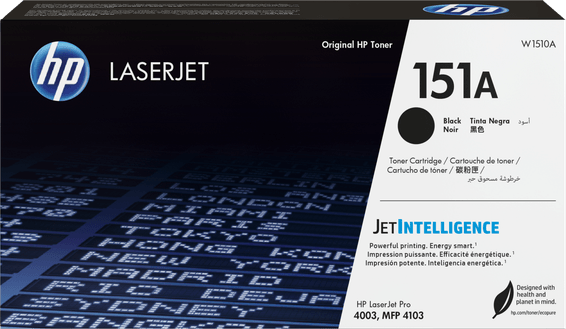
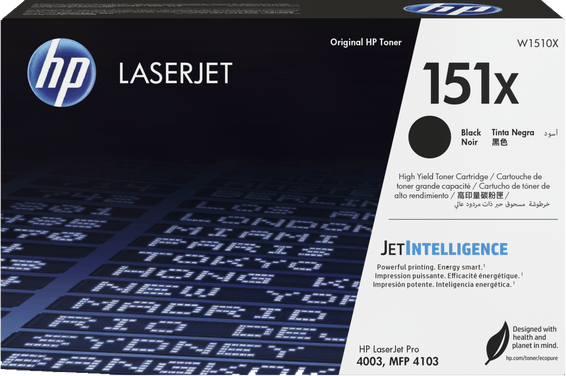
Compatible cartridgesHP 151A (W1510A, approx. 3,050 pages) and HP 151X (W1510X, approx. 9,700 pages), yields per ISO/IEC 19752
Power supply220 to 240 V AC (± 10%), 50/60 Hz (± 2 Hz)
Noise level54 dB(A) sound pressure (sound power 6.7 B(A))
Recommended monthly page volume750 to 4,000 pages per month
Number of cartridges1 cartridge
Print colourBlack and white only
Duplex scanningAutomatic single-pass duplex
Consumables included with the printerPreinstalled black toner (approx. 3,050 pages)
Optical scan resolutionUp to 1,200 x 1,200 dpi (optical)
Automatic document feederYes
Recommended monthly volume500 to 2,000 pages per month, More than 2,000 pages per month
Warranty1 year

Specific references

EAN195161936425

Customer reviews

No reviews yet

Be the first to review this product and help other customers.

Write a review
Your rating
5/5

Shown publicly with your review.

Never published — a confirmation email will be sent to you.

Tell us about the product — in a few lines:

  • what you liked in everyday use;
  • the quality and performance you found;
  • who you would recommend it to, and why.

A question about an order, a delivery or a payment? Write to us and we will reply to you directly.

Under Law 09-08, you have the right to access, rectify and object to the processing of your personal data. This processing has been authorised by the CNDP under no. D-CE-389/2015. Learn more

Frequently asked questions about this product

Is a USB cable supplied with the HP LaserJet Pro 4103fdn?
No. The box contains the printer, its preinstalled toner, the power cable and the documentation, but no data cable. Connecting to the network requires an RJ45 Ethernet cable, and connecting directly to a computer a USB cable: either one must be purchased separately.
Can a non-HP compatible toner be used in this 4103fdn?
It is designed to work with cartridges that have a new or reused HP chip, and a dynamic security feature blocks non-HP chips. Firmware updates maintain this blocking and can disable a cartridge that had been working until then. Remanufactured cartridges with an HP chip remain usable.
Which toner is preinstalled, and how far can the yield go?
The preinstalled 151A black toner yields approximately 3,050 pages according to the ISO/IEC 19752 standard. To space out replacements, the 151X high-yield cartridge (W1510X) goes up to approximately 9,700 pages, more than three times as much for a single change. Both are genuine HP toners.
Does the document feeder scan both sides in a single pass?
Yes. The 50-sheet feeder reads the front and back in a single pass: a stack of contracts printed on both sides goes through without any manual turning. It accepts originals from 60 to 120 g/m², in sizes from 102 × 152 mm up to 216 × 356 mm, which goes beyond A4 for long documents.
Does the HP LaserJet Pro 4103fdn have Wi-Fi?
No, it connects via Gigabit Ethernet 10/100/1000BASE-T or Hi-Speed USB 2.0. Mobile printing remains possible once the machine is on the network: AirPrint, Mopria and the HP Smart app then go through the wired connection, not through an antenna built into the printer.
Can you print or scan without going through a computer?
Yes. A front USB port accepts a USB flash drive: you print a document from the 6.86 cm touchscreen with no PC or driver, and you scan to the same drive, as PDF, JPG or TIFF. The control panel also offers direct sending to an e-mail address with LDAP address lookup, to a network folder, SharePoint, Google Drive or Dropbox.
An 80,000-page duty cycle and a recommended volume of 4,000: what should you take away?
The two figures do not measure the same thing. The duty cycle of 80,000 pages per month is a theoretical maximum of robustness; the range of 750 to 4,000 pages is the monthly volume on which the machine's service life and consumable replacement intervals are based. It is this second value that should guide your choice.
How many sheets can be loaded, and can a tray be added?
350 sheets as standard: a 100-sheet Tray 1 and a 250-sheet Tray 2 cassette. An optional third 550-sheet tray (D9P29A) raises the input to 900 sheets, roughly a week's supply at a volume of 4,000 pages per month. The output, however, remains capped at 150 sheets: that is the point to watch on a long print run.
Can you print on envelopes or heavy paper?
Yes, through Tray 1, which accepts 60 to 200 g/m² and up to 10 envelopes (No. 10, Monarch, B5, C5, DL). The Tray 2 cassette and the optional tray remain limited to 60-120 g/m² and to paper. Tray 1 also takes labels, rough, punched or letterhead paper, and custom sizes from 76.2 × 127 to 215.9 × 355.6 mm.
How much power does the 4103fdn use, and is it noisy?
510 W when printing, 7.5 W when ready and 0.9 W in sleep mode. Instant-on fusing eliminates warm-up: the first page comes out in 6.3 seconds from ready, and in 8.8 seconds from sleep. The measured sound pressure is 54 dB(A), with an operating range of 10 to 32.5 °C and 30 to 70% humidity.
What can you do with the fax on this 4103fdn?
It is built in, at 33.6 kbps, with a memory of 400 pages and up to 200 speed dials. Received documents can be archived automatically to a network folder or an e-mail address instead of being printed, and the function can be disabled from the control panel if you have no use for it.
Is PIN-secured printing active out of the box?
It is offered as an option: PIN release of print jobs is not enabled as standard. The machine does, however, come with preconfigured security settings, verification of the boot code signature at power-on and 802.1X network authentication. Job storage also requires a USB flash drive of at least 16 GB, not included in the box.
Which systems does this multifunction printer support besides Windows?
macOS from Catalina to Sequoia, Chrome OS, Android and iOS, as well as Linux, Citrix and Novell on the network side. Be careful at first start-up, however: no software comes with the machine in its box; drivers and utilities are downloaded from HP. Internet access is therefore required for installation.
Is the printer new, and what warranty covers the 4103fdn?
It is new, with its genuine toner preinstalled, and covered by a 1-year warranty; the invoice serves as the warranty document. The box contains the printer, this toner, the power cable, the setup guide, the support brochure and the regulatory notice. Full details are in the manufacturer's datasheet.

Trending

View the HP archive

Chat on WhatsApp

Scan with my phone

The simplest way: open your phone camera and point it at this code. The chat opens with your message ready.

Open WhatsApp Web

Works if your phone is already linked to this computer.

Prefer to call? (+212) 05 30 31 64 21