Pay nowView my order
Visit the Barco store

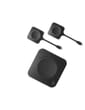
Barco ClickShare CX-30 GEN2 Wireless Video Conferencing System (R9861613EUB2)

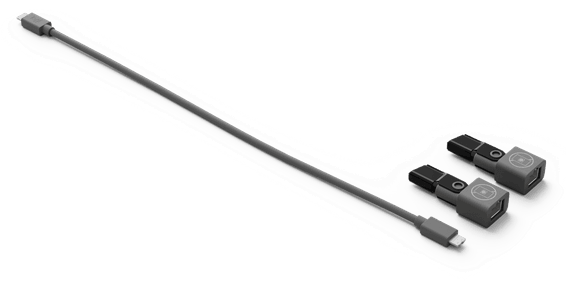
4K video output, plug-and-play USB-C connection compatible with BYOD and every softphone, supplied with 2 ClickShare Gen4.1 buttons.

  • 4K video output
  • Plug-and-play USB-C connection, full BYOD
  • Compatible with every softphone on the market
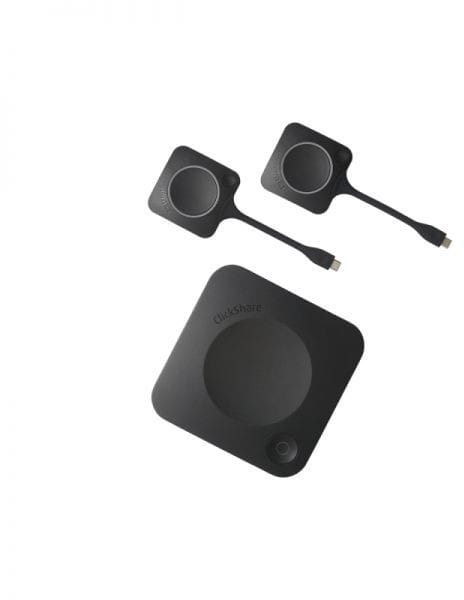
  • Supplied with 2 ClickShare Gen4.1 buttons
Ref.: R9861613EUB2
26 999,00 DHincl. VAT

Out of stock

Under Law 09-08, you have the right to access, rectify and object to the processing of your personal data. This processing has been authorised by the CNDP under no. D-CE-389/2015. Learn more

Can’t wait?

Ask for an alternative on WhatsApp

Quick reply

Manufacturer's datasheetView the PDF · 283 Ko — downloadable

Product overview

Transform your meetings with the Barco ClickShare CX-30 GEN2, the wireless BYOD video conferencing system ideal for small and medium-sized rooms. With its USB-C connection for PC/Mac and full BYOD support, it delivers 4K video output and lets mobile devices connect over Wi-Fi with a dedicated app. Simplify your conferences with the multi-device feature at the press of a button, compatible with every softphone on the market. Supplied with 1 Barco ClickShare CX-30 and 2 ClickShare Gen4.1 USB-C buttons for effortless collaboration.

See all the specifications ↓
Request a quoteShare:

Technical specifications

Technical specifications
Compatible operating systemsWindows 10 or macOS 11 Big Sur minimum, Android 11, iOS 14
Video resolution4K UHD (3840 x 2160) at 30 Hz over HDMI 1.4b and USB-C DisplayPort 1.2
Field of viewNone (device has no camera)
Camera rangeNone (device has no camera)
Optical zoomNone (device has no camera)
Microphone frequency responseNone (device has no microphone)
Audio powerNone (device has no speaker)
Digital zoomNone (device has no camera)
Camera sensorNone (device has no camera)
Auto framingNone (device has no camera)
Camera motorisationNone (device has no camera)
Wireless technologyWi-Fi 2.4 and 5 GHz (WPA2-PSK or IEEE 802.1X)
Microphone typeNone (device has no microphone)
Microphone pickup rangeNone (device has no microphone)
Technical specifications (continued)
Talk timeNone (device is permanently powered)
Standby timeNone (device is permanently powered)
Built-in displayNone
Box contentsClickShare CX-30 GEN2 base unit and 2 ClickShare Gen4.1 buttons
Product typeWireless presentation and video conferencing system
Wireless rangeUp to 30 m between the button and the base unit
Driver sizeNone (device has no speaker)
ControlsClickShare Button, app, AirPlay, Google Cast, Miracast; TouchBack touch feedback and annotation
Operating modeWireless room base unit, sharing via ClickShare Button, app, AirPlay, Google Cast or Miracast
Calling protocolsNone (app-based calling only)
Management softwareXMS Cloud
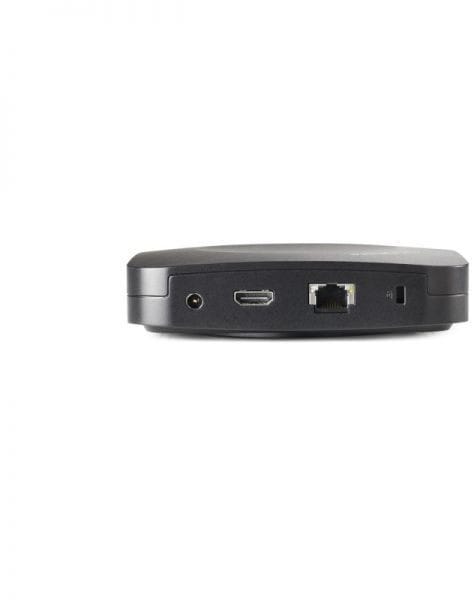
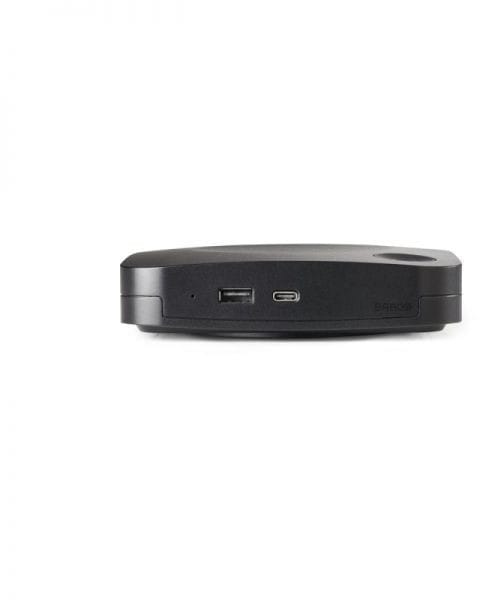
Connectivity1 HDMI 1.4b output, 1 USB-C 3.0 (DisplayPort 1.2), 1 USB-A 3.0, 1 Gigabit RJ-45
Warranty1 year

Customer reviews

No reviews yet

Be the first to review this product and help other customers.

Write a review
Your rating
5/5

Shown publicly with your review.

Never published — a confirmation email will be sent to you.

Tell us about the product — in a few lines:

  • what you liked in everyday use;
  • the quality and performance you found;
  • who you would recommend it to, and why.

A question about an order, a delivery or a payment? Write to us and we will reply to you directly.

Under Law 09-08, you have the right to access, rectify and object to the processing of your personal data. This processing has been authorised by the CNDP under no. D-CE-389/2015. Learn more

Frequently asked questions about this product

How many ClickShare Buttons are supplied with the CX-30 GEN2?
Two, generation 4.1. Two people can therefore prepare their sharing in parallel; the others use the ClickShare app, on a computer or mobile device.
What does the CX-30 add over the model below it?
Interactivity: touch control from the room display (TouchBack), annotation, blackboarding, and showing two sources on screen at the same time.
Do you need to install an app to share your screen?
Not necessarily: in addition to the ClickShare Button and app, the base unit supports the native AirPlay, Google Cast and Miracast protocols. A visitor can present from their own device without installing anything.
What is the range of the CX-30's ClickShare Button?
Up to 30 metres between the Button and the base unit, on the 2.4 and 5 GHz bands. No ordinary meeting room exceeds this range.
What resolution does the ClickShare CX-30 GEN2 send to the display?
4K UHD (3840 × 2160) at 30 Hz, over HDMI 1.4b — and, on this generation 2 only, over USB-C DisplayPort 1.2. Audio is output via HDMI or USB.
What additional ports does generation 2 bring?
The front ports move up to USB 3.0 — one USB-C and one USB-A — compared with USB 2.0 on the previous generation. The base unit keeps its 1 Gbps Ethernet port.
What specification does the computer need?
Barco gives a minimum of a dual-core Core i3 or Ryzen 7, with 8 GB of RAM, and recommends a quad-core Core i5 or Ryzen 9 running an up-to-date Windows 11, for a smooth experience with Teams or Zoom.
Does the CX-30 force you to change your video conferencing tool?
No. Barco presents the system as platform-agnostic: you start the meeting from your laptop with the tool of your choice, and the base unit connects you to the room's cameras, microphones, speakers and displays.
How is the CX-30's wireless connection secured?
With WPA2-PSK in standalone mode, and with WPA2-PSK or IEEE 802.1X with the Button when the base unit is integrated into the corporate network. A Kensington lock protects the hardware itself.
How do you manage a fleet of ClickShare base units?
Through the XMS Cloud platform: unit management, updates and usage statistics from a single console. The management and reporting feature is available on this model.
Is this Barco ClickShare CX-30 GEN2 new and under warranty?
Yes, it is a new Barco product, reference R9861613EUB2. The invoice serves as the warranty document, for 1 year. Datasheet: Barco ClickShare CX-30 GEN2.

Trending

Chat on WhatsApp

Scan with my phone

The simplest way: open your phone camera and point it at this code. The chat opens with your message ready.

Open WhatsApp Web

Works if your phone is already linked to this computer.