Welcome to the new iris.ma

We rebuilt everything for you

Same team, same standards

Pay nowView my order
Visit the TP-Link store

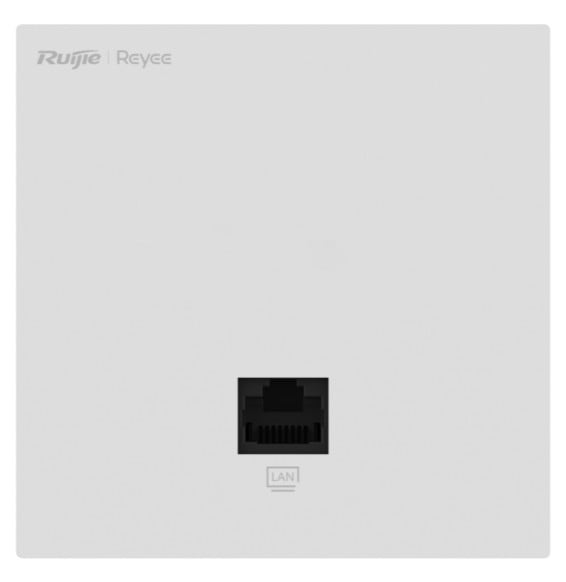
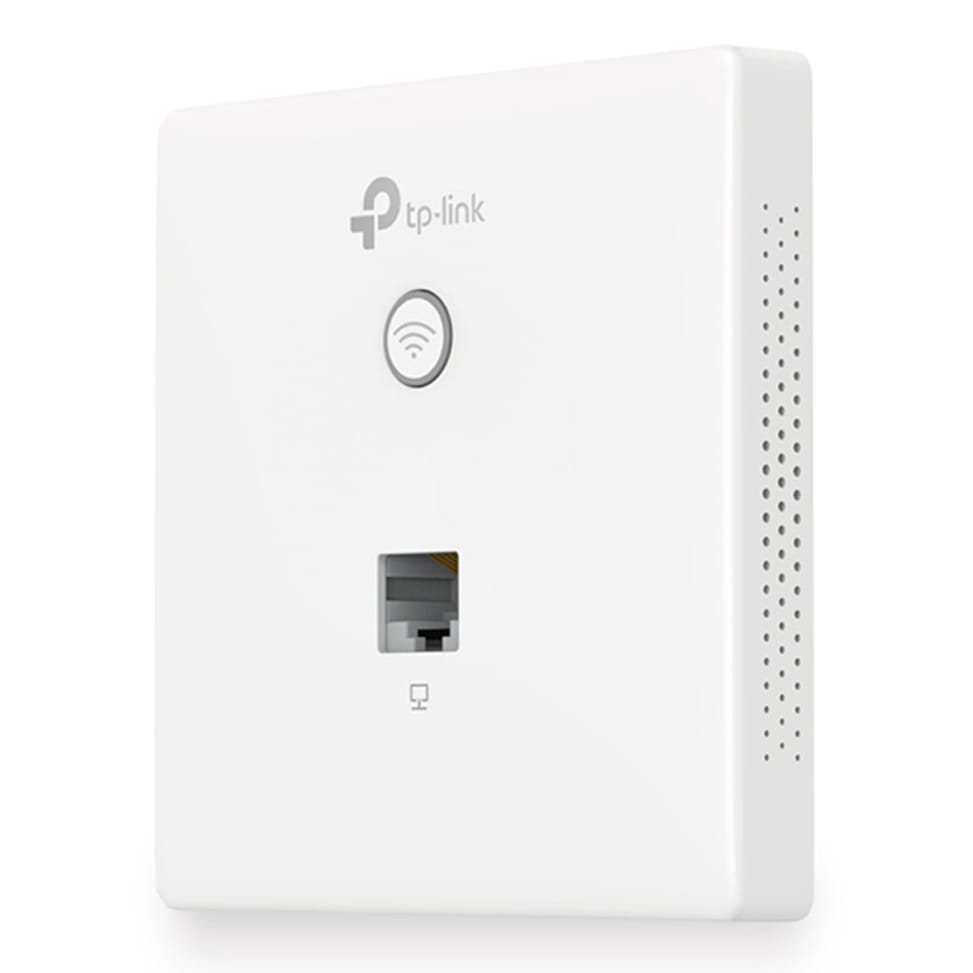
TP-Link EAP115-Wall WiFi 4 N 300 Mbps PoE Wall-Mount Access Point (EAP115-Wall)

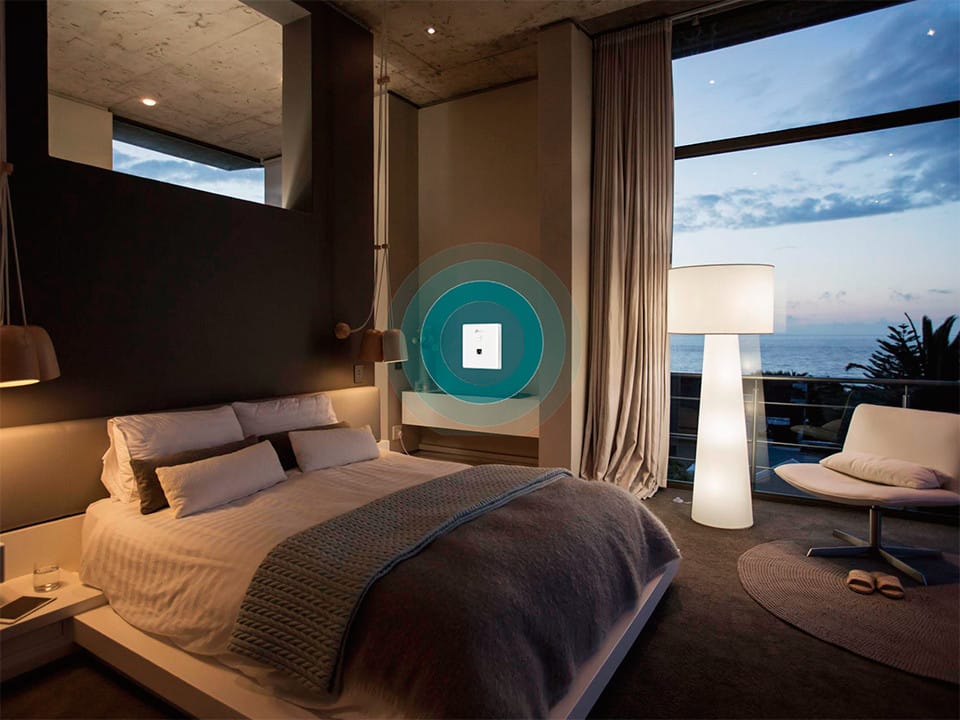
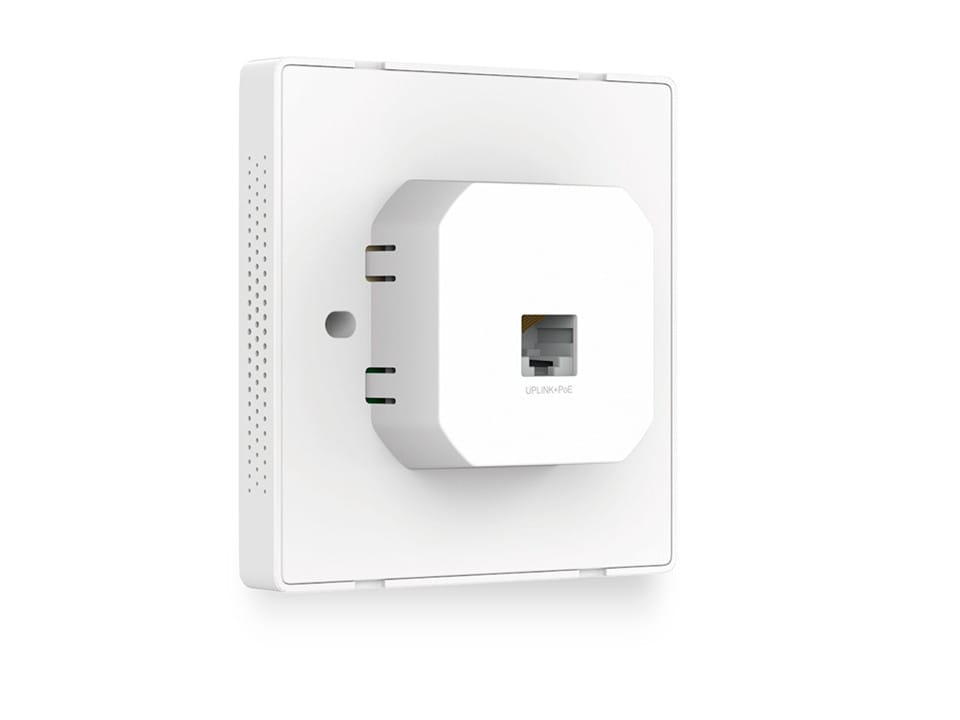
Just 11 mm thick: it mounts on a standard junction box and goes unnoticed in a bedroom or an office. It takes more than 100 devices and is managed remotely with Omada.
  • More than 100 devices connected at the same time
  • Casing just 11 mm thick
  • Mounts on a standard European wall junction box
  • 2 Ethernet 10/100 Mbps ports
  • Powered by 802.3af PoE from a PoE switch (not included)
  • Centralised Omada management: mobile app, cloud or controller
  • Captive portal for guest access
  • Up to 8 Wi-Fi networks (SSIDs)
  • VLAN segmentation and load balancing
  • Coverage of around 25 m²
  • Mounting screws and installation guide included
Ref.: EAP115-WALL
475,00 DHincl. VAT

Limited quantity

Earn 5 DH in loyalty credit with this purchaseHow does it work?Loyalty credit capped at 300 DH per order.

Receive it between Wed 23 Sept and Fri 25 Sept — delivery 40 DH incl. VAT all over Morocco

Delivery to your address

Receive it between Wed 23 Sept and Fri 25 Sept — delivery 40 DH incl. VAT all over Morocco

The estimate is refined using actual delivery rounds to your city.

  • Free delivery from 3 000 DH of purchases, all over Morocco.
  • Below that, the same rate in every city for parcels up to 30 kg (delivery to your home or workplace) — the exact amount is shown above, then in the basket.
  • Above 30 kg, the rate follows the parcel's weight. In Casablanca, the flat rate holds up to 120 kg.
  • You are notified by SMS, then called by the courier before your parcel is handed over (delivered by Sapress).
  • Observed delivery time: 1 to 5 working days depending on the city.
Free in-store collection: Casablanca (within 24 h) · Témara (within 48 h)

In-store collection — free

Casablanca store
We bring it to the store within 24 h
We call you as soon as it arrives in store.

Résidence Manoir des Roses, Lot. 18, Boulevard El Hachmi El Filali, Rond-point Bachkou, Casablanca

Opening hours

  • Mon–Fri: 10am – 7pm
  • Sat: 10am – 2pm
  • Closed on Sundays and public holidays

Payment on site: cash, bank card via terminal, certified cheque.

View the map on Google Maps

Temara pickup point
We bring it to the store within 48 h
We call you as soon as it arrives in store.

Boulevard Hassan II, Résidence Les Perles de Témara, Immeuble 5, appartement 2, Témara

Opening hours

  • Mon–Fri: 8.30am – 1pm / 2pm – 6pm
  • Sat: 8.30am – 12.30pm
  • Closed on Sundays and public holidays

Payment on site: cash, bank card via terminal, certified cheque.

View the map on Google Maps

1 year warranty — free repair in Morocco if it breaks down during the warranty period

1 year manufacturer's warranty

This product is covered for 1 year by a manufacturer's warranty (the brand's official warranty). Your iris.ma invoice serves as the warranty document: keep it safe.

A problem with your product? Don't worry: contact us by phone, WhatsApp or e-mail. Depending on the brand, we direct you either straight to the repairer appointed by the brand to fix your product, or to us — and we take care of the rest.

  • If a repair is possible, it is carried out free of charge.
  • If the product cannot be repaired, the brand offers an exchange for another product.
  • If no product is available, a refund is issued as soon as the brand confirms it.

Faulty straight out of the box? Some brands offer an immediate exchange, others a repair. Contact us to find out what applies to your product.

The warranty covers breakdowns occurring under normal use, as defined by the brand's terms. Product breakage (drop, impact, liquid…) is not covered, nor are certain consumable parts.

New, never opened — our commitment

All our products are new, delivered in their sealed original packaging.

We commit to never sending you a product that has been opened, unboxed or returned by another customer — even one “just opened for checking”.

Any doubt on delivery (damaged box, seal already opened)? Point it out to the courier or contact us immediately: we take the product back and send you another one.

Sales invoice

Every order comes with its sales invoice, included with the parcel (handed over in person for a store collection).

Ordering for a company? Using the details you give at checkout (company name and ICE), the invoice is issued in your company's name, with its ICE.

Need a quote? Request a free quote — reply within 24 working hours.

100% secure payment: Bank transfer · Bank card · Certified cheque

Accepted payment methods

Bank transfer

Simply transfer the amount shown to account 007 826 0002684000000426 89 — SGM2I, Attijariwafa bank. The rest (the reference to quote, sending us the proof, tracking) is explained right after confirmation and by email. An instant transfer is recommended: it saves you 24 hours on the delivery time.

Bank card

Your everyday Moroccan bank card is enough — Visa, Mastercard or CMI, no special card required. Foreign cards are accepted too. Secure payment by Attijari Payment.

Certified cheque

Certified cheque payable to “sgm2i”. Have your bank certify the cheque, then send us a copy on WhatsApp (+212 6 64 10 46 24) or to service.client@iris.ma — we dispatch as soon as we receive it.

Cash at a bank branch

Pay the cash in at any of the 3,400 Attijariwafa Bank branches in Morocco, to the SGM2I account no. 0268 D 000 000 426. You do not need an account there: your ID and the cash are enough.

The methods offered depend on the order total and the carrier — checkout shows the final list.

Google reviews4.7(553 reviews)

Product overview

TP-Link EAP115-Wall wall-mounted Wi-Fi 4 access point: an ultra-compact unit (11 mm thick) that fits onto a standard junction box.
Wi-Fi & speed: Wi-Fi 4 (802.11n), single-band 2.4 GHz, up to 300 Mbps.
Capacity: 100+ concurrent clients, 8 SSIDs, coverage ≈ 25 m².
Installation: indoor unit, wall mounting on a standard European junction box, slim, discreet design.
Ports & power: 2 Ethernet ports at 10/100 Mbps; PoE (802.3af) — a single cable, with no power outlet needed nearby.
Management: Omada platform (mobile app + cloud controller), guest captive portal, VLAN, QoS.
Use cases: hotel, guest house, residence, office, café, shop or meeting room.
Invisible wall-mounted Wi-Fi, ideal for equipping every room with no visible cabling.

See all the specifications ↓
Request a quote

Be notified of a price drop

Share:

Technical specifications

Technical specifications
Package contentsEAP115-Wall access point, setup guide, mounting screws; PoE switch NOT included
Number of SSIDsUp to 8 SSIDs
Interfaces2 x 10/100 Mbps RJ45 Ethernet ports, 1 LED/Wi-Fi button, 1 reset button
Network standardsIEEE 802.11a/b/g/n, 802.3af
Spatial streams and MU-MIMO2 antennas at 2.4 GHz, 300 Mbps throughput in 802.11n
Maximum Wi-Fi throughput per band300 Mbps at 2.4 GHz (802.11n)
Management modesWeb interface, Omada app, OC200 or OC300 hardware controller, Omada software controller
Cloud management platformOmada SDN
Layer 2 featuresSSID-to-VLAN mapping, VLAN per local LAN port, client isolation, MAC filtering
Power consumption2.8 W
Dimensions (W x D x H)86.8 x 86.8 x 30.2 mm
Antennas2 internal 1.8 dBi omnidirectional antennas
Advertised coverage area25 m²
Technical specifications (continued)
Maximum transmit powerCE: ≤ 20 dBm on 2.4 GHz
Security features64/128/152-bit WEP, WPA/WPA2-PSK and Enterprise, 802.1X, captive portal, rogue AP detection
Power supplyPoE 802.3af only; PoE switch not included
Operating temperature0 to 40 °C
Operating humidity10 to 90% non-condensing
Wi-Fi standardWi-Fi 4
LocationIndoor
Mounting typeWall mount
BandsSingle-band
PoE powerPoE (802.3af)
Simultaneously connected devices100+ clients
Warranty1 year

Specific references

EAN6935364093457

Customer reviews

No reviews yet

Be the first to review this product and help other customers.

Write a review
Your rating
5/5

Shown publicly with your review.

Never published — a confirmation email will be sent to you.

Tell us about the product — in a few lines:

  • what you liked in everyday use;
  • the quality and performance you found;
  • who you would recommend it to, and why.

A question about an order, a delivery or a payment? Write to us and we will reply to you directly.

Under Law 09-08, you have the right to access, rectify and object to the processing of your personal data. This processing has been authorised by the CNDP under no. D-CE-389/2015. Learn more

Frequently asked questions about this product

Do you need a power outlet near the access point to power it?
No. The EAP115-Wall is powered via PoE 802.3af, through the Ethernet cable itself: a single cable reaches the wall, with no power outlet or AC adapter. You do, however, need a PoE source upstream — PoE switch not included.
What exactly is in the EAP115-Wall box?
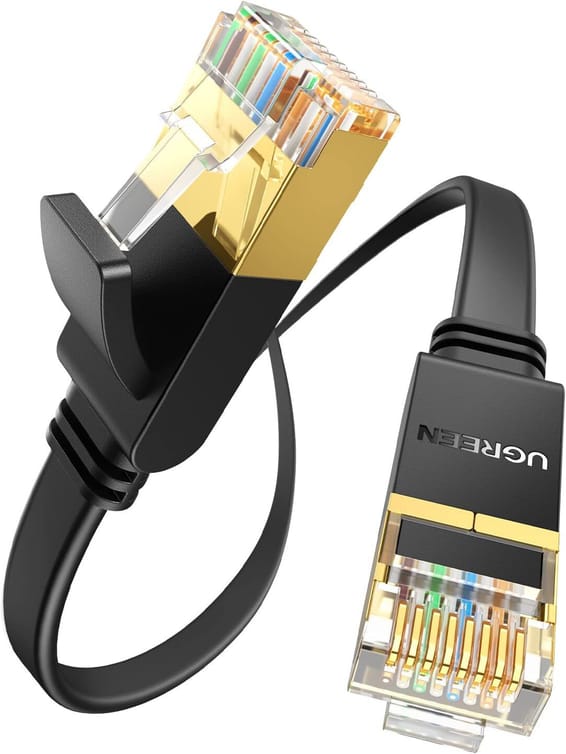
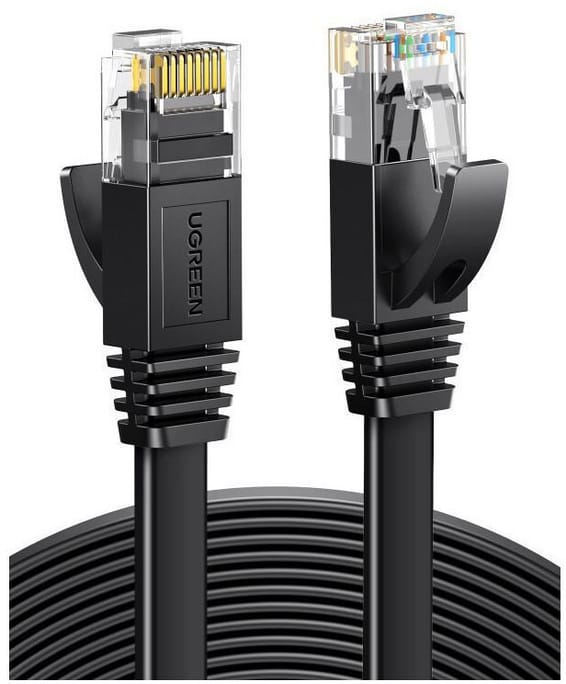
The access point, an installation guide and the mounting screws — that is all. No Ethernet cable, no PoE switch: the RJ-45 cabling and the PoE source are for you to provide, otherwise the access point will stay off on installation day.
What type of wall box does the EAP115-Wall mount on?
On a standard European wall junction box, 86 mm type. The job takes five steps: unscrew the existing faceplate, remove the EAP's faceplate, connect the cable to the Uplink + PoE port, fix the access point to the wall, and put the faceplate back.
What area does a single EAP115-Wall access point really cover?
About 25 m², with two 1.8 dBi internal omnidirectional antennas. It is an access point designed to be deployed in numbers — one per room, per office or per meeting room — rather than to cover a whole floor from a corridor: its 11 mm-thick housing blends into the wall.
How many devices can it serve at the same time, and can networks be separated?
It handles more than 100 concurrent clients and broadcasts up to 8 separate SSIDs, each of which can be mapped to a VLAN. Enough to separate the staff network, the guest network and the equipment network on a single access point.
Are the access point's two Ethernet ports Gigabit?
No: both RJ-45 ports are 10/100 Mbps. Wired throughput is therefore capped at 100 Mbps per port, consistent with the access point's Wi-Fi 4 but insufficient for a faster wired link from this point. The second port accepts its own VLAN.
Does this access point also broadcast on 5 GHz?
No, it is single-band 2.4 GHz, in Wi-Fi 4 (802.11n) up to 300 Mbps. This figure is a theoretical physical data rate derived from the IEEE 802.11 standard: actual throughput depends on building materials, obstacles and traffic volume.
Can several access points be managed from a single interface, and is cloud access included?
Centralised Omada management is available, but cloud access requires an OC200 or OC300 controller or the Omada software controller, to be installed or purchased separately. Without a controller, the access point is managed directly through its HTTP/HTTPS web interface.
Can guests be identified before they are given Wi-Fi access?
Yes, thanks to the captive portal: guests land on a customisable authentication page, which you can brand in your establishment's colours. On top of that come MAC address filtering, client isolation, rogue access point detection and 802.1X / WPA2-Enterprise.
How much power does an access point consume once installed?
2.8 W, a negligible consumption even multiplied by a dozen access points. A dedicated button also lets you turn off the LED, so it does not disturb anyone in a bedroom.
Can it be installed in an unheated room or under an outdoor canopy?
No, it is an indoor model. It operates between 0 and 40 °C and up to 90% humidity, non-condensing: neither frost nor a location exposed to the weather is suitable. Storage, however, is permitted from -40 to 70 °C.
Is the access point new, and how long is its warranty?
It is new and sealed in its original packaging, supplied with its invoice, which serves as the warranty document for 1 year. The equipment carries CE and RoHS certifications, and a Reset button lets you restore the factory configuration if the access point moves to another site.

Trending

View the TP-Link archive

Chat on WhatsApp

Scan with my phone

The simplest way: open your phone camera and point it at this code. The chat opens with your message ready.

Open WhatsApp Web

Works if your phone is already linked to this computer.

Prefer to call? (+212) 05 30 31 64 21