Welcome to the new iris.ma

We rebuilt everything for you

Same team, same standards

Pay nowView my order
Visit the Epson store

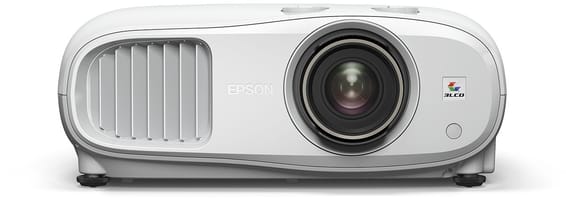
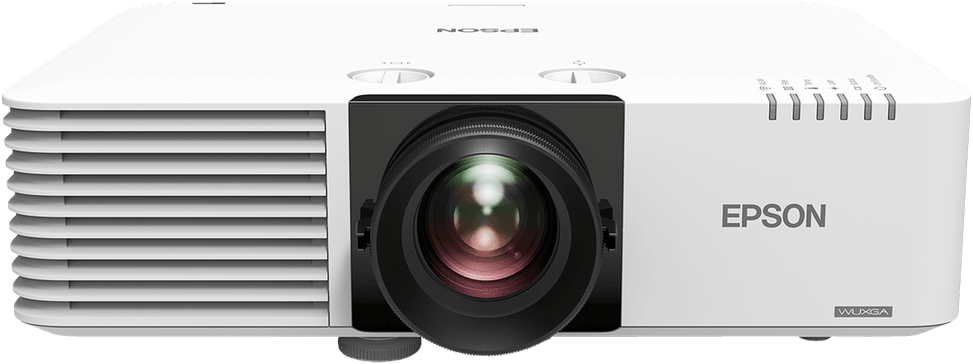
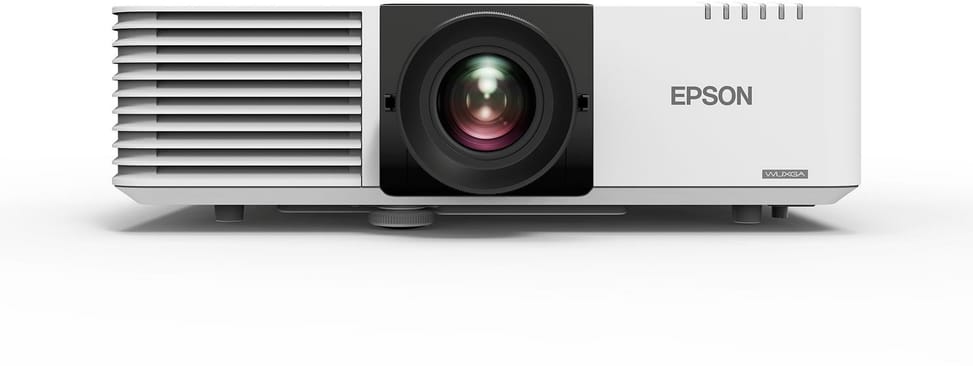
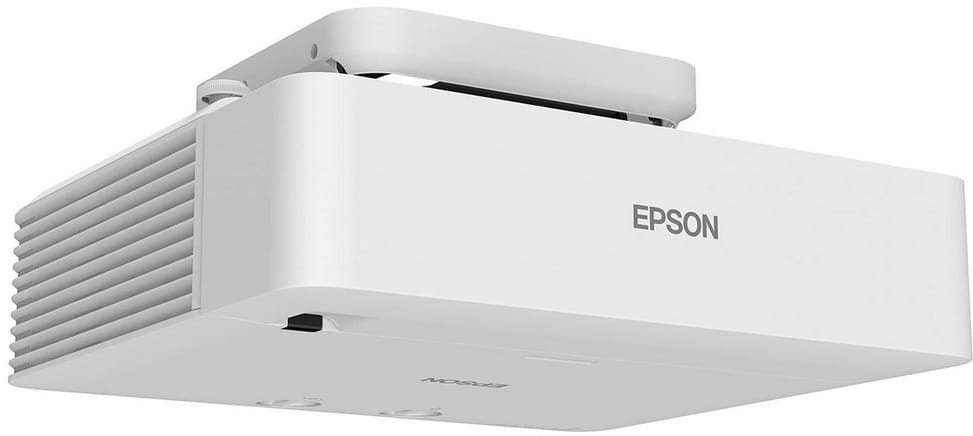
Epson EB-L530U WUXGA Laser Projector (V11HA27040)

Ultra-wide 16:6 image, edge blending and 360-degree installation: enough to dress a shop window or a lobby as much as a lecture hall. 5,200 lumens from a laser source, 20,000 hours with no lamp change, and 31 dB(A) in operation.

  • 5,200 lumens (white and colour), 3,640 lumens in eco mode
  • Laser source, 20,000 h (30,000 h in eco mode)
  • 3LCD technology
  • Native resolution 1920 x 1200
  • Image from 50 to 500 inches
  • 1.6x optical zoom
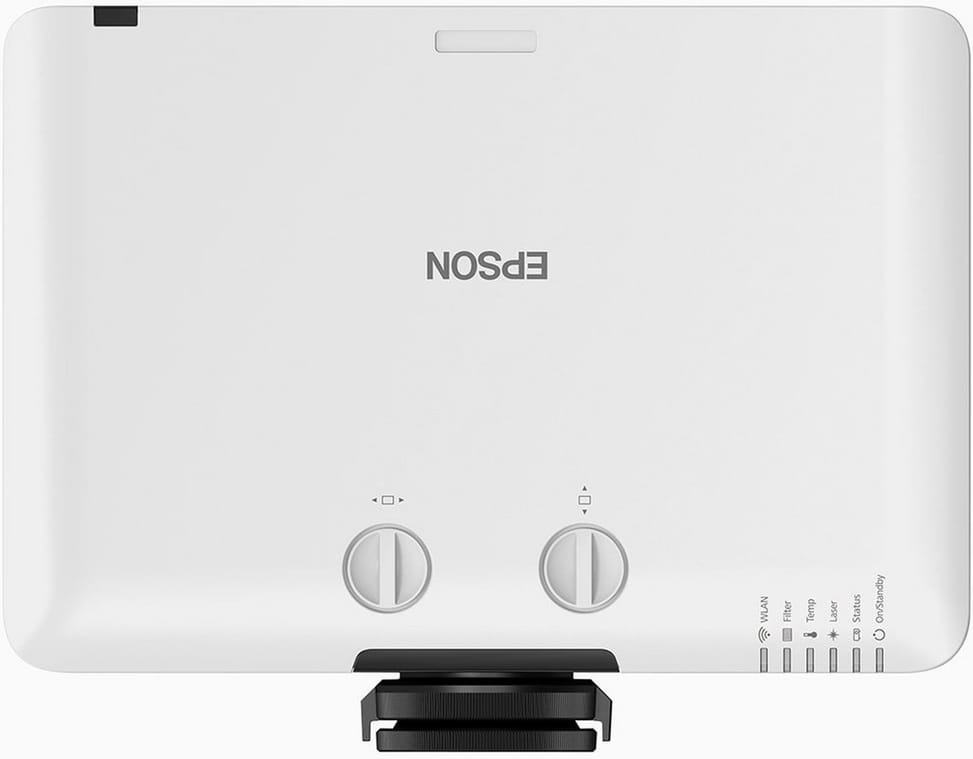
  • Manual lens shift: vertical plus or minus 50%, horizontal plus or minus 20%
  • HDBaseT and HDMI output
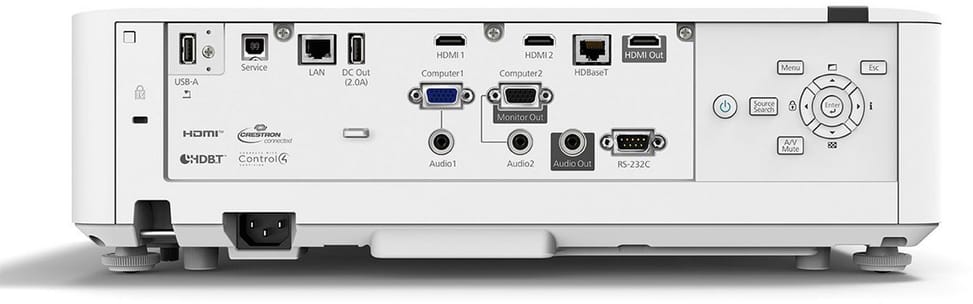
  • 2 HDMI inputs, VGA, USB and Ethernet
  • Built-in 5 GHz Wi-Fi and Miracast
  • Edge blending for multi-projection
  • 10 W speaker
  • 31 dB(A) in normal operation
  • Weight 8.2 kg
Ref.: V11HA27040
27 099,00 DHincl. VAT

Out of stock

Under Law 09-08, you have the right to access, rectify and object to the processing of your personal data. This processing has been authorised by the CNDP under no. D-CE-389/2015. Learn more

Can’t wait?

Ask for an alternative on WhatsApp

Quick reply

Manufacturer's datasheetView the PDF · 689 Ko — downloadable

Product overview

Professional projector for large spaces: laser, WUXGA, 5,200 lumens.
Picture: WUXGA resolution (1920 × 1200), 3LCD technology for vivid colours.
Brightness: 5,200 lumens (white and colour), 3,640 lumens in eco mode.
Contrast: ratio above 5,000,000:1 for detailed images.
Light source: maintenance-free laser, up to 20,000 h (30,000 h in eco mode).
Projection: standard throw, image from 50 to 500 inches, 1.6x optical zoom, manual lens shift.
Ports: 2 HDMI, HDBaseT, USB, VGA, Ethernet, 5 GHz Wi-Fi, Miracast, screen mirroring.
Sound: built-in 10 W speaker.
Ideal for meeting rooms, lecture theatres, digital signage and education.
Key strengths: wireless projection, screen sharing, 360° installation, edge blending, super resolution, ultra-wide screen (16:6), scheduling and built-in USB player.
A powerful, flexible laser projector for compelling presentations, even in bright environments.

See all the specifications ↓
Request a quoteShare:

Technical specifications

Technical specifications
Ethernet network card100 Mbps (100 Base-TX/10 Base-T)
BluetoothNone
Standby power consumption0.3 W
Brightness5,200 lumens (colour IDMS15.4 / white ISO 21118:2020)
Brightness in eco mode3,640 lumens (IDMS15.4)
Contrast ratioOver 5,000,000:1
Keystone correctionManual vertical ± 30°, manual horizontal ± 30°
ResolutionWUXGA (1920 x 1200)
Focal length20 to 31.8 mm
Projection lensOptical, f/1.5 – 1.7
Projection distanceWide 1.4 to 14.8 m, tele 2.4 to 23.8 m
ZoomOptical, 1.6x
Digital zoomYes
Displayable colours1.07 billion colours
Light sourceLaser
Replacement lampNone (laser light source, no lamp to replace)
Light source life (eco mode)30,000 h
Light source life (normal mode)20,000 h
Audio input2 mini-jack inputs (3.5 mm)
Audio output1 mini-jack output (3.5 mm)
Connector(s)RS-232C, HDBaseT, Miracast
Power consumption293 W
Eco mode power consumption223 W
Technical specifications (continued)
Dimensions (W x D x H)440 x 339 x 136 mm
Weight8.2 kg
Box contentsCable cover, HDMI cable, projector, power cable, remote control with batteries, manual, warranty
Aspect ratio16:10
Wi-FiBuilt-in Wi-Fi 5 (802.11a/b/g/n/ac), 5 GHz
FocusManual
Throw ratio1.35 - 2.20:1
Projection size50 inches - 500 inches
OffsetManual lens shift: vertical ± 50%, horizontal ± 20%
Speaker10 W
USB1 USB 2.0 Type-A port (playback), 1 USB 2.0 port
Display technology3LCD, RGB liquid crystal shutter
SecurityKensington lock, panel lock, cable hole, LAN unit lock, password
Noise level31 dB(A)
Noise level in eco mode23 dB(A)
EthernetYes
UseMeeting room, Classroom & training, Large hall & auditorium
HDMI2 HDMI inputs (HDCP 2.3) and 1 HDMI output
VGA2 inputs, 1 output
Projection technology3LCD
Throw typeStandard throw
Interactive projectorNo
Warranty1 year

Customer reviews

No reviews yet

Be the first to review this product and help other customers.

Write a review
Your rating
5/5

Shown publicly with your review.

Never published — a confirmation email will be sent to you.

Tell us about the product — in a few lines:

  • what you liked in everyday use;
  • the quality and performance you found;
  • who you would recommend it to, and why.

A question about an order, a delivery or a payment? Write to us and we will reply to you directly.

Under Law 09-08, you have the right to access, rectify and object to the processing of your personal data. This processing has been authorised by the CNDP under no. D-CE-389/2015. Learn more

Frequently asked questions about this product

Does the Epson EB-L530U accept a 4K source?
Yes, its HDMI and HDBaseT inputs accept a 4K signal, which it then displays at its native WUXGA resolution of 1,920 × 1,200. A detail enhancement technology accompanies this scaling. You can therefore connect a modern player or computer to it without changing your source.
What does the EB-L530U's lens shift offer compared with keystone correction?
It moves the image optically — ± 50% vertically and ± 20% horizontally — without distorting the pixels, whereas keystone correction works through digital processing. You can therefore mount the unit wherever the ceiling allows, and bring the image back onto the screen with no loss of sharpness.
How much throw distance does the EB-L530U need in a large room?
From 1.4 m to 14.8 m at the widest setting, up to 23.8 m at the telephoto setting. The throw ratio ranges from 1.35 to 2.20:1 and the 1.6× optical zoom adjusts the size without moving the unit, for images from 50 to 500 inches.
Can several EB-L530U units be placed side by side on the same wall?
Yes, thanks to edge blending, which merges the join between two images so that they form a single one, and to geometric correction, which compensates for an uneven surface. This is what lets you dress a lobby, a shop window or an exhibition wall with several units.
Can the EB-L530U be installed tilted or vertically?
Yes, 360-degree installation is possible without degrading the projection: ceiling, table, floor or tilted position. It also supports an ultra-wide 16:6 format, useful for filling the full width of a wall or a shop window.
Do you need a connected computer to play content on the EB-L530U?
No. The built-in media player plays content directly from a USB flash drive, and 5 GHz Wi-Fi with Miracast lets you stream from a laptop or mobile device. A scheduling function also programmes power-on and power-off at the times you choose.
What does the EB-L530U's HDBaseT port let you do?
Place the source several dozen metres away over a simple network cable, carrying both the image and control — the option of choice when the control desk is far from the projector. An HDMI output also lets you send the signal on to a second device.
Is the EB-L530U quiet in a lecture theatre?
31 dB(A) in normal mode and 23 dB(A) in Eco mode, with power consumption of 234 W in normal use, 164 W in Eco mode and 0.3 W in standby. That is a very low level for 5,200 lumens, owing to the absence of a lamp to cool.
Does the EB-L530U need a replacement lamp?
No, its light source is a laser, rated for 20,000 hours in normal mode and 30,000 hours in Eco mode. On a fixed installation high up, this removes the main maintenance constraint: there is no lamp to go and replace on the ceiling.
What is in the EB-L530U box?
The unit, an HDMI cable, the power cable, the remote control and its batteries, a cable cover, the user guide and the warranty documents. The MB22 ceiling mount and the HDBaseT transmitter are available separately.
Is the EB-L530U laser projector new and under warranty?
Yes, new equipment, the invoice serving as the warranty document. Make sure you have a mount suited to its 8.2 kg, and quote the part number V11HA27040 for any accessory: the EB-L series includes several models with similar names but very different brightness levels.

Trending

View the Epson archive

Chat on WhatsApp

Scan with my phone

The simplest way: open your phone camera and point it at this code. The chat opens with your message ready.

Open WhatsApp Web

Works if your phone is already linked to this computer.

Prefer to call? (+212) 05 30 31 64 21