

Ugreen
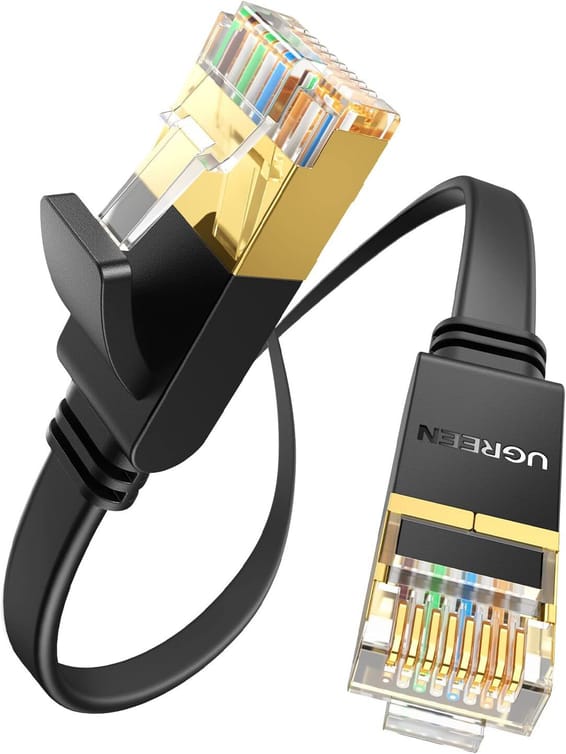
Ugreen Flat CAT7 U FTP RJ45 Ethernet Cable - 3 metres (11262)
In stock
85 DHincl. VAT85,00 DHincl. VAT
Delivery everywhereDelivered all over Morocco
Layer 2 managed switch with 24 Gigabit ports and 2 SFP slots for uplinks, without PoE.


On order — delivery within 3 à 6 semaines
Earn 23 DH in loyalty credit with this purchaseHow does it work?Loyalty credit capped at 300 DH per order.
Delivery anywhere in Morocco
40 DH incl. VAT
1 year warranty — free repair in Morocco if it breaks down during the warranty period
100% secure payment: Bank transfer · Bank card
| MAC table size | 8,000 entries |
|---|---|
| Number of VLANs | Static and dynamic 802.1Q VLANs: 1 K / 4 K, guest VLAN and voice VLAN |
| Interfaces | 24 RJ45 100/1000 Mbps ports, 2 SFP 100/1000 Mbps slots |
| PoE ports | None |
| Total PoE budget | None |
| Network standards | IEEE 802.3, 802.3u, 802.3ab, 802.3x, 802.3az, 802.1p, 802.1D, 802.1w, 802.1s, 802.3ad |
| Switching capacity | 52 Gbps |
| Forwarding rate | 39 Mpps |
| Packet buffer | 525 KB |
| Management modes | Web interface, SNMP v1/v2c/v3, RMON (1, 2, 3, 9), syslog, LLDP and LLDP-MED, ZON utility |
| Cloud management platform | None |
| Layer 2 features | 802.1Q VLAN, IGMP snooping v1/v2/v3, STP/RSTP/MSTP, LACP 802.3ad link aggregation, port mirroring, storm control, 9 KB jumbo frames, auto MDI/MDI-X |
| IP routing | None |
| Stacking and expansion | Not stackable |
| Quality of service (QoS) | 802.1p queues per port (SPQ/WRR), ingress priority mapping, ingress and egress per-port rate limiting, per-port CoS, IP TOS precedence |
| Power consumption | 17.1 W maximum |
|---|---|
| Weight | 2.09 kg |
| Dimensions (W x D x H) | 440 x 131 x 44 mm |
| Package contents | Power cord, rack-mount kit |
| Number of ports | 19 to 28 ports |
| Managed | Yes |
| Security features | 802.1X, port security, Layer 2 MAC filtering, static MAC, RADIUS, TACACS+, SSL, management VLAN, CPU defence engine, DoS attack prevention |
| Power supply | Internal 100-240 V AC power supply, 50/60 Hz |
| Cooling system | Fanless |
| PoE power | No |
| Port speed | 1 Gbps (Gigabit) |
| Management level | Layer 2 |
| Fibre slots (SFP) | No |
| Mounting | 19-inch rack-mountable |
| Warranty | 1 year |
No reviews yet
Be the first to review this product and help other customers.
Ugreen
In stock
Delivery everywhereDelivered all over Morocco
Ugreen
In stock

Eaton
In stock
Delivery everywhereDelivered all over Morocco

Aruba
Compact rack-mountable format, completely silent and fanless, suited to open-plan offices and conference rooms — simplified control from the Aruba Instant On app, with no subscription.
In stock
Delivery everywhereDelivered all over Morocco
TP-Link
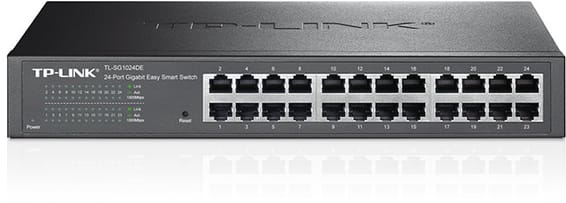
Rack-mountable Easy Smart switch for an SME that wants to segment and secure its network with VLANs and QoS, without the complexity of a fully managed switch — configurable from a simple web interface.
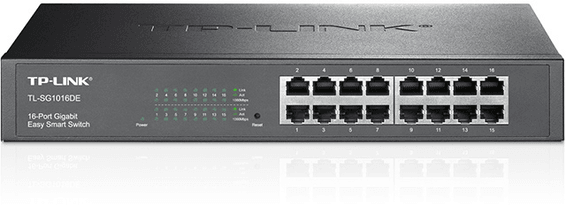
TP-Link
Rack-mountable Easy Smart switch, the middle ground for an SME that wants VLANs and QoS without the complexity of a fully managed switch, through a simple web interface.

Aruba
Builds a business or SME access network discreetly: completely silent fanless operation, driven from the Aruba Instant On app, with no subscription.

Huawei
For SMEs, hotels or schools: two uplink speeds to choose from, 2.5G or 10G fibre, to interconnect your access switches. Completely silent 1U casing, fanless.

Aruba
Smart managed layer 2 switch for a dense fleet of workstations and servers, with configuration and monitoring via the Instant On mobile app, the cloud portal or a local web interface.

Aruba
24 Gigabit ports, half of them PoE+ (ports 1 to 12) for medium-sized offices — simplified control from the Aruba Instant On app, with no subscription.
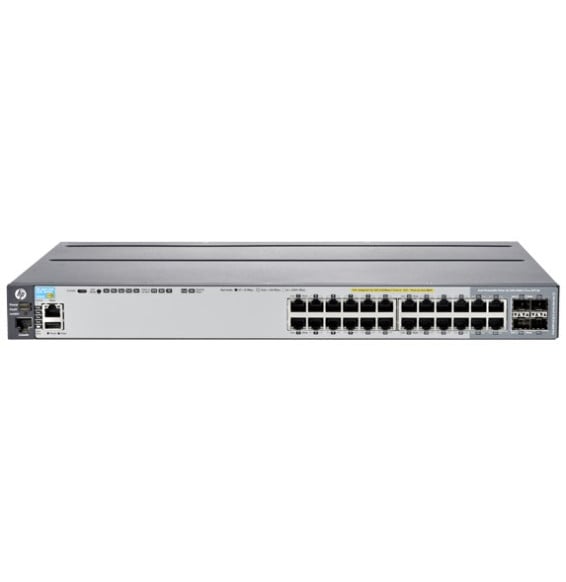
HP
Layer 3 managed enterprise switch (static routing and RIP) that powers all its ports over the network cable, for cameras and Wi-Fi access points. Switching capacity 128 Gbps, upgradable to 10 Gbps fibre.

Aruba
The first Aruba access switch to carry the AOS-CX architecture: REST API, Python scripts and modern network monitoring for branch offices and SMEs.
In stock
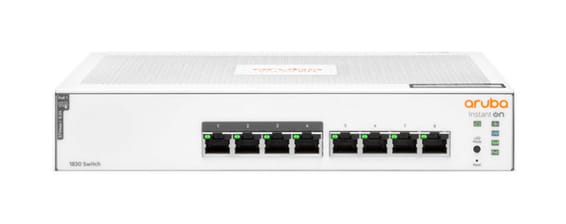
Aruba
Layer 2 managed switch for a small office powering a few Wi-Fi or IP devices over Power over Ethernet, with monitoring and scheduling via the Instant On mobile app.
In stock
Delivery everywhereDelivered all over Morocco
In stock
Delivery everywhereDelivered all over Morocco
In stock
Delivery everywhereDelivered all over Morocco
In stock
Delivery everywhereDelivered all over Morocco
In stock
Delivery everywhereDelivered all over Morocco
In stock
Delivery everywhereDelivered all over Morocco
In stock
Delivery everywhereDelivered all over Morocco
Delivery everywhereDelivered all over Morocco
In stock
Delivery everywhereDelivered all over Morocco