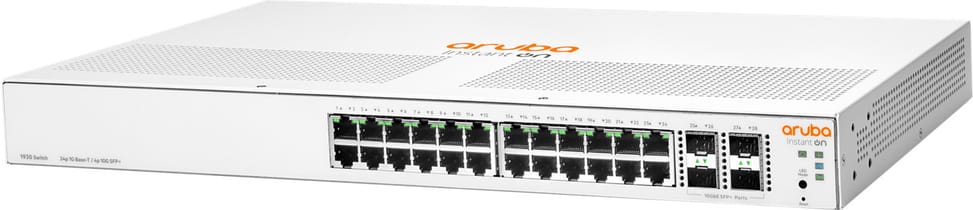
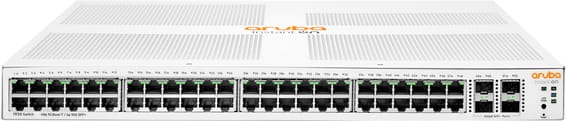
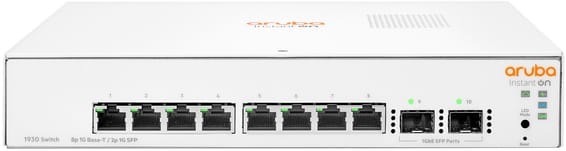
Does the 1930 24G JL682A power cameras and access points over PoE?
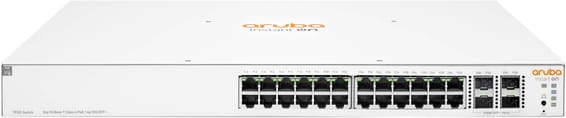
No: the JL682A is the non-PoE model in the 1930 series, and its 24 RJ45 ports carry data only. PoE devices therefore need an injector, or one of the Class 4 PoE models in the same series (JL683A at 195 W, JL684A at 370 W). In return, this model does without a fan altogether.
What speed do the 4 SFP+ slots on the JL682A reach?
They are 1G/10G SFP+ slots: they accept either a Gigabit fibre module or a 10 Gigabit module, so you can start at 1G and move up to 10G without changing switches. Latency drops below 1.3 µs on a 10G link, compared with 2.4 µs on a Gigabit copper port.
How many VLANs can you create, and within what ID range?
256 simultaneous VLANs, with IDs chosen between 2 and 4093: the range is wide, but the number of active networks is capped at 256. Tagging follows IEEE 802.1Q, a dedicated management VLAN restricts access to technicians, and the auto voice VLAN recognises IP phones to prioritise their traffic.
Can the 1930 route traffic between two VLANs?
Yes, with static IPv4 routing. Each VLAN is given its own address, assigned manually or by DHCP, and the switch forwards traffic from one to the other, up to a limit of 32 static entries. This is what sets a Layer 2+ model apart from a basic switch: segmenting the network no longer means sending all traffic up to the router.
How many ports can you aggregate towards the server or the core switch?
Up to eight ports per aggregate, and eight aggregates on this 24-port model, using LACP or manual configuration. Uplink bandwidth is multiplied accordingly, and the link survives the loss of a cable. 802.3x flow control also prevents packet loss on a congested node.
Which IP address should you use for the first connection to the web interface?
The switch starts up as a DHCP client and takes the address handed out by your router. If there is no DHCP server on the link, it falls back to the fixed address 192.168.1.1: in that case, put your laptop on the same subnet. The local web interface accepts up to five simultaneous HTTP or HTTPS sessions.
Do you need a licence or subscription for Instant On management?
No: all features are included in the price of the hardware, with no licence or subscription fees. You can manage it from the Instant On mobile app, the hosted web portal or the switch's local web interface — the latter requiring no Internet access.
Does this switch make any noise in an office or a closed cabinet?
None: the 24-port non-PoE model is fanless, rated at 0 dB. It draws 22.6 W at most and 9.3 W at idle, operates from 0 to 40 °C and works at altitudes of up to 3,000 m. The 802.3az standard further reduces power consumption during periods of low activity.
Are jumbo frames supported for a NAS or backups?
Yes, up to 9,216 bytes. Jumbo frames reduce the number of packets to process on large transfers — backups, video editing, NAS replication — provided that servers and network cards are set to the same size. The MAC address table holds 16,000 entries, well beyond the needs of an access network.
How can you analyse an incident without disconnecting users?
Port mirroring copies the traffic of a port or a VLAN to a network analyser. On top of this come event logging and alerts, RMON and SNMP v1, v2c and v3, link flap prevention, which disables a flapping port, and a locator LED you can make blink to identify the right chassis in the rack.
What filtering rules can you write on this switch?
Up to 50 ingress access control lists (IPv4 and MAC), totalling 480 rules, which can be applied to one or more ports or to a VLAN from the local web interface. They work alongside 802.1X — with RADIUS-assigned VLANs —, the per-port allow list, DHCP snooping and dynamic ARP protection.
How much rack space does the JL682A take up?
44.25 × 22.15 × 4.39 cm, i.e. one 19-inch rack unit, for 2.41 kg. At 22 cm deep, it fits in a wall-mount cabinet. Also allow for SFP or SFP+ modules and fibre patch cords: the four slots are empty out of the box, and the module is chosen according to the distance and the type of fibre.
Is the switch new, and where can you find its documentation?
Yes, new equipment, with the invoice serving as the warranty document. The manufacturer's document for the Instant On 1930 series, detailing the switching, quality of service, security and routing features, is available here:
datasheet (PDF).