How many ports does the HP 2530-24G have in total?
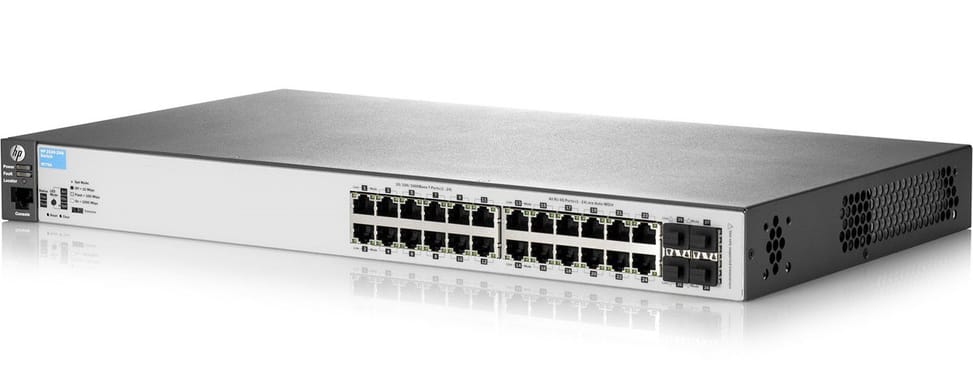
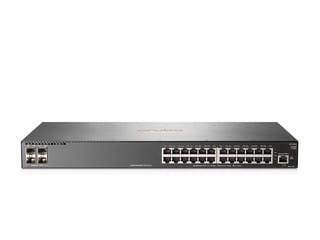
28 ports: 24 auto-sensing 10/100/1000 RJ-45 ports and 4 fixed Gigabit SFP slots. The four SFP slots are dedicated to fibre and come on top of the 24 copper ports: you therefore keep your 24 user outlets even after setting up two optical uplinks.
Does this switch power cameras and Wi-Fi access points over PoE?
No, this model does not supply power on its ports. The 2530 series includes PoE+ versions, but the J9776A is not one of them. Plan for injectors or an upstream PoE switch for your IP cameras, access points and phones.
Which endpoint authentication methods are supported?
802.1X, local MAC address authentication and web authentication, with ClearPass Policy Manager to apply the same policy to wired and Wi-Fi access. A wall outlet therefore only grants network access once the computer's identity has been validated.
Which protections against network attacks are built in?
DHCP protection, dynamic ARP protection, dynamic IP lockdown and DHCPv6 protection, complemented by access control lists. A rogue DHCP server plugged into an outlet or ARP address spoofing is blocked without any additional equipment.
How does quality of service classify voice and video traffic?
With 802.1p and eight priority levels spread over two or four queues, using weighted deficit round robin (WDRR) or strict priority. Voice and video therefore go ahead of file transfers, even when the link is saturated.
Can you stack several HP 2530-24G switches?
Yes, with virtual stacking of up to 16 units: the switches remain separate chassis but are managed as a single group. Deployment uses Zero Touch Provisioning, with no on-site intervention needed for the initial configuration.
How do you access the switch if the network is down?
Through the out-of-band management port, over RS-232C serial or micro USB. In normal operation, the command-line interface, the web browser, the configuration menu and SNMP are all available.
Can this switch be managed from the cloud?
Yes, from Aruba Central, or on premises with Aruba AirWave. The same hardware works with both platforms: moving from hosted to on-premises monitoring does not require changing equipment.
What monitoring tools are available on the HP 2530-24G?
sFlow and RMON report statistics, history, alarms and events, alongside the Ethernet 802.3, repeater and interface MIBs. The switch also supports IPv6 as a host.
How much power consumption should you plan for in the rack?
48 W maximum, i.e. 164 BTU/h of heat to dissipate, on a 100-127 or 200-240 V power supply. The Energy Efficient Ethernet 802.3az standard, switching off the LEDs and the ports' low-power mode reduce this figure further.
What performance and latency does this switch offer?
56 Gbps of switching capacity and up to 41.6 Mpps, with latency below 7.4 µs at 100 Mbps and 2.3 µs at Gigabit. The 800 MHz ARM9E processor is backed by 128 MB of flash memory, 256 MB of DDR3 and a 1.5 MB dynamically allocated buffer.
Do you necessarily need a rack to install this switch?
No: it mounts in a 19-inch rack, on a table or on a wall. It weighs 2.77 kg and measures 44.3 × 25.4 × 4.45 cm, i.e. 1U thick — a shallow wall-mount cabinet is enough.
Is the switch new and covered by a warranty?
Yes, new equipment, with the invoice serving as the warranty document. The full manufacturer documentation is available in the
Aruba 2530 24G (J9776A) datasheet.