Welcome to the new iris.ma

We rebuilt everything for you

Same team, same standards

Pay nowView my order
Visit the TP-Link store

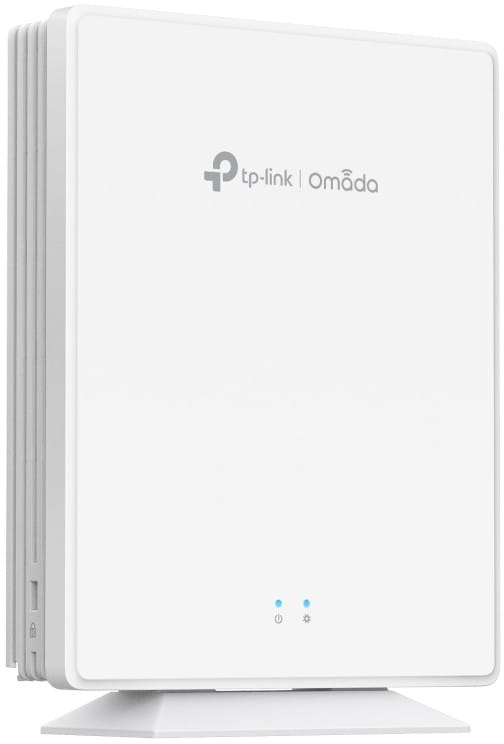
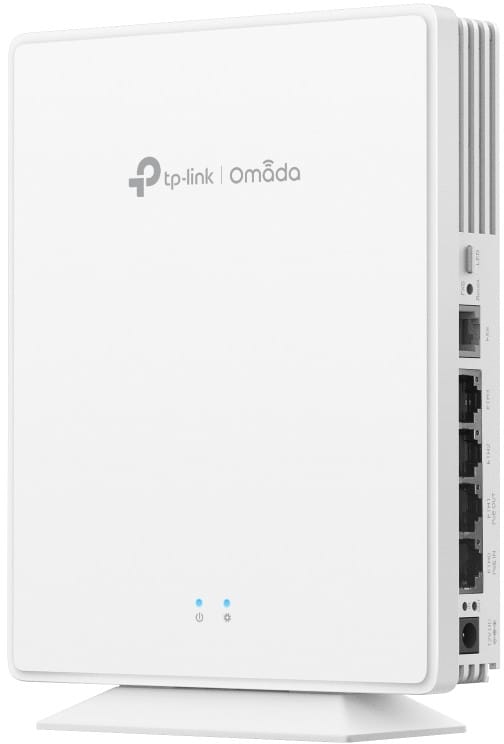
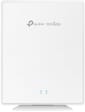
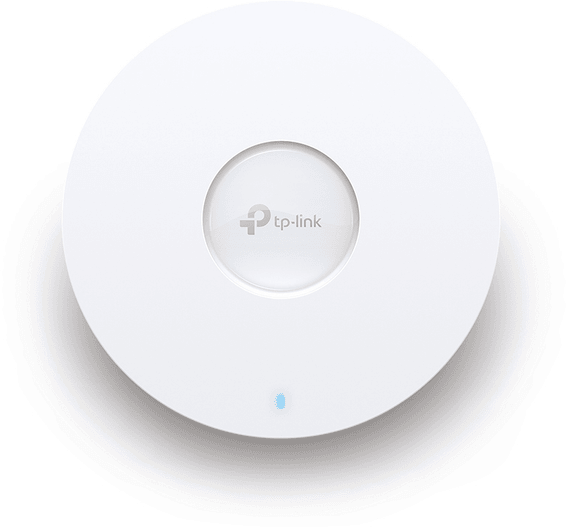
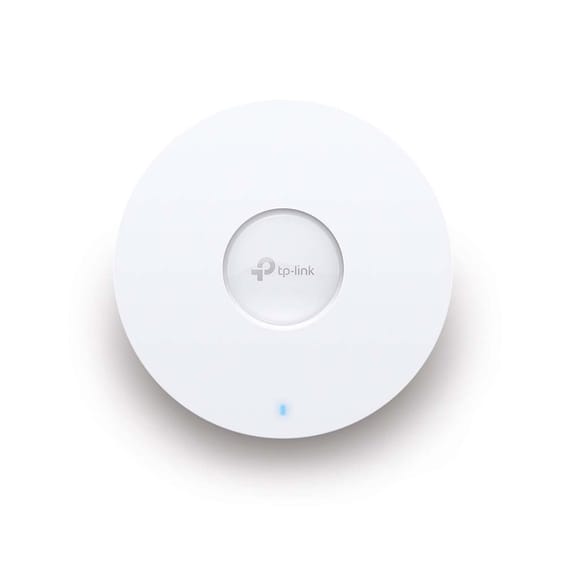
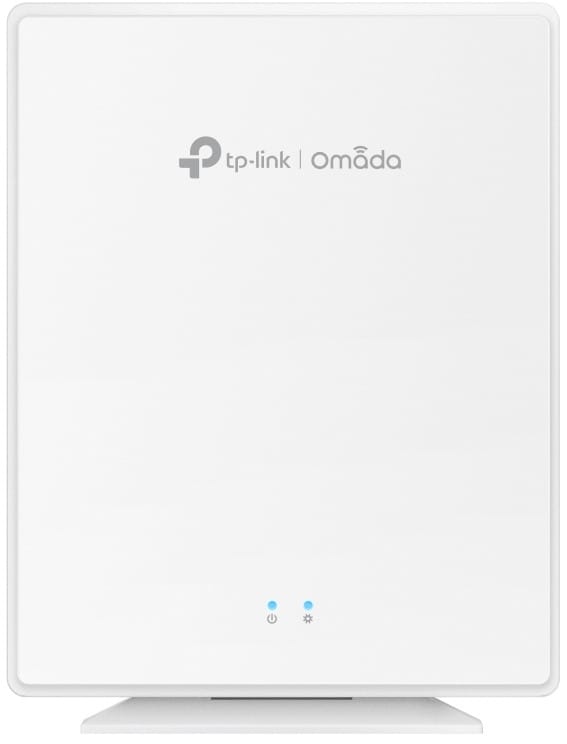
TP-Link EAP650 Omada AX3000 Gigabit WiFi 6 Desktop Access Point (EAP650-DESKTOP)

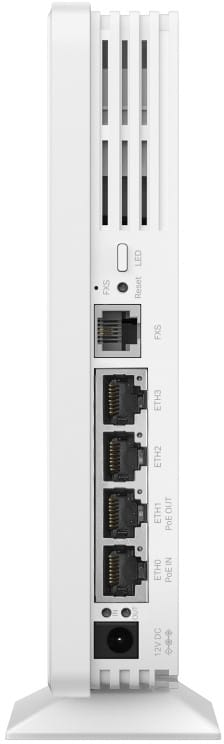
Sitting on a shelf or fixed to the wall, it avoids any cabling at height. Four Gigabit ports and an RJ11 telephone socket at the back, over 250 devices served, and the mains adapter is included.

  • 4 Gigabit Ethernet ports and 1 FXS telephone port (RJ11)
  • Up to 2,402 Mbps on 5 GHz and 574 Mbps on 2.4 GHz
  • Over 250 devices served simultaneously
  • 2×2 MU-MIMO and OFDMA on both bands
  • Powered by PoE (802.3af/at/bt) or by the mains adapter included
  • One Ethernet port passes PoE on, with an 802.3at or bt input
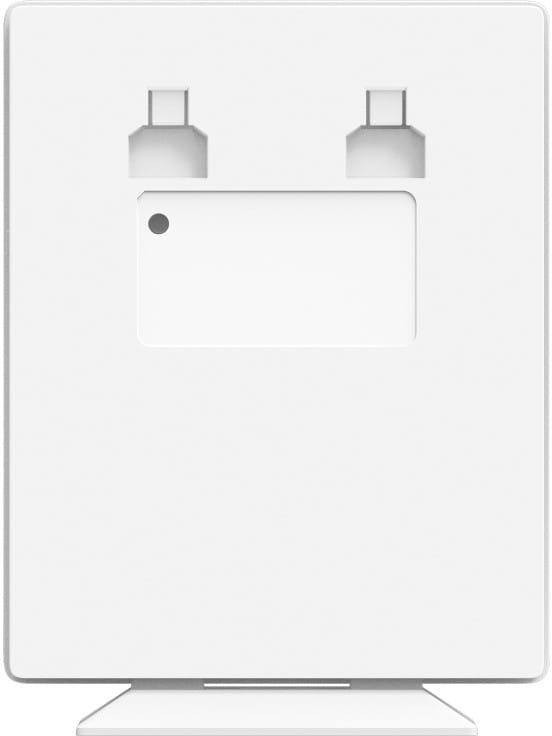
  • Desk or wall mounting, kits included
  • Centralised Omada management, locally or from the cloud
  • Omada Mesh and seamless roaming between access points
  • WPA3 encryption, personal or enterprise
  • Captive portal, guest network and up to 16 Wi-Fi networks (SSID)
  • Rogue access point detection and client isolation
  • Stated coverage of 140 m²
  • Housing 175 × 140 × 33 mm, 452 g
Ref.: EAP650-DESKTOP
2 099,00 DHincl. VAT

Out of stock

Under Law 09-08, you have the right to access, rectify and object to the processing of your personal data. This processing has been authorised by the CNDP under no. D-CE-389/2015. Learn more

Can’t wait?

Ask for an alternative on WhatsApp

Quick reply

Manufacturer's datasheetView the PDF · 1,3 Mo — downloadable

Product overview

TP-Link EAP650 Omada desktop Wi-Fi 6 access point: stand it on a desk or fix it to the wall — no overhead cabling required.
Wi-Fi & speed: Wi-Fi 6 (802.11ax) AX3000 dual-band — up to 574 Mbps (2.4 GHz) and 2,402 Mbps (5 GHz).
Capacity & performance: 2×2 MU-MIMO, OFDMA — up to 250+ concurrent devices.
Installation: indoor; desktop or wall mounting (kits included); dimensions 175 × 140 × 33 mm.
Ports & power: 4 Gigabit ports + 1 FXS port (including 1 PoE OUT port); 12 V power adapter included; optional PoE++ (802.3bt) support.
Management: Omada SDN platform — centralised cloud, mesh, seamless roaming; WPA3, captive portal, 16 SSIDs.
Ideal for small offices, shops, practices, meeting rooms, homes and cafés.
The flexibility of a Wi-Fi 6 access point with no placement constraints and no ceiling cabling.

See all the specifications ↓
Request a quoteShare:

Technical specifications

Technical specifications
Package contentsPower adapter included; desk or wall mounting, kits included
Number of SSIDs16 SSIDs in total, 8 per band
Interfaces4 x 1 Gbps Ethernet ports including one with PoE output (802.3at or 802.3af on 802.3bt input, 802.3af class 2 on 802.3at input), 1 FXS phone port, 1 reset button
Network standardsIEEE 802.11a/b/g/n/ac/ax
Advanced Wi-Fi technologiesUplink and downlink OFDMA, MU-MIMO, beamforming, band steering, airtime fairness
Maximum channel width160 MHz on 5 GHz, 40 MHz on 2.4 GHz
Spatial streams and MU-MIMO2×2 at 2.4 GHz, 2×2 at 5 GHz, uplink and downlink MU-MIMO
Maximum Wi-Fi throughput per band574 Mbps at 2.4 GHz, 2,402 Mbps at 5 GHz, 2,976 Mbps combined
Management modesWeb interface, SSH, SNMP v1/v2c/v3, Omada app, Omada hardware, software or cloud controller
Cloud management platformOmada SDN
Layer 2 featuresVLAN, client isolation, MAC filtering (4,000 entries), access control, rate limiting per SSID or per client, guest network, WMM quality of service
Roaming and meshOmada Mesh and seamless roaming
Power consumption18.7 W on 802.3bt and 15.8 W on power adapter, PoE output disabled (EU values)
Weight452 g without mounting base
Technical specifications (continued)
Dimensions (W x D x H)175 x 140 x 33 mm
Antennas2 × 5 dBi antennas at 2.4 GHz and 3 × 4.7 dBi antennas at 5 GHz
Maximum transmit powerCE: < 20 dBm on 2.4 GHz, < 23 dBm on 5 GHz (bands 1 and 2), < 29 dBm (band 3), EIRP
Security featuresWPA/WPA2/WPA3 Personal and Enterprise, 802.1X, captive portal, rogue AP detection
Power supplyPoE 802.3af, PoE+ 802.3at or PoE++ 802.3bt, or 12 V 1.5 A power adapter included; PoE output requires an 802.3at or 802.3bt input
Operating temperature0 to 40 °C
Operating humidity10 to 90% non-condensing
Wi-Fi standardWi-Fi 6
LocationIndoor
Mounting typeDesktop
BandsDual-band
PoE powerPoE (802.3af)
Simultaneously connected devices250+ clients
Warranty1 year

Customer reviews

No reviews yet

Be the first to review this product and help other customers.

Write a review
Your rating
5/5

Shown publicly with your review.

Never published — a confirmation email will be sent to you.

Tell us about the product — in a few lines:

  • what you liked in everyday use;
  • the quality and performance you found;
  • who you would recommend it to, and why.

A question about an order, a delivery or a payment? Write to us and we will reply to you directly.

Under Law 09-08, you have the right to access, rectify and object to the processing of your personal data. This processing has been authorised by the CNDP under no. D-CE-389/2015. Learn more

Frequently asked questions about this product

Can the EAP650-Desktop power another device over PoE?
Yes, one of its Ethernet ports passes PoE through, but the power available depends on the input: when powered by 802.3bt, the access point outputs 802.3at or af; when powered by 802.3at, it outputs only 802.3af Class 2.
What is the RJ11 port on the EAP650-Desktop for?
It is an FXS phone port: it lets you connect an ordinary analogue telephone to the access point, in addition to the four Ethernet ports. Useful in a room or small office where a wired phone is still in use.
How many network ports does the EAP650-Desktop provide?
Four Gigabit ports, one of which passes PoE through and one of which receives power. Placed on a desk, the access point can therefore replace a small switch: a desktop computer, a printer and a phone connect straight to it.
What power supply does the EAP650-Desktop need?
PoE at 802.3af, at or bt, or a 12 V / 1.5 A DC supply. Its consumption reaches 17.3 W with PoE pass-through disabled, so an 802.3at port is what you should aim for; 802.3bt is only needed for PoE pass-through at full power.
Do I need to drill into a ceiling to install the EAP650-Desktop?
No, that is the whole point of this model: it sits on a desk or mounts on a wall with the mounting kit supplied. No overhead cabling is needed, which suits rented premises or a temporary installation.
How many devices can the EAP650-Desktop serve at the same time?
More than 250, over a stated coverage of 140 m², measured in the lab. Real-world capacity depends on the radio environment and the traffic, and in practice remains below the maximum number of connections.
Does the EAP650-Desktop's captive portal work without a controller?
No: seamless roaming and the captive portal require an Omada SDN controller — software, hardware or cloud. The access point broadcasts Wi-Fi perfectly well without one, but these two features only become available once the access point has been adopted.
Does the EAP650-Desktop support WPA3?
Yes, in both Personal and Enterprise versions, with a guest network, client isolation and rogue access point detection. Up to 16 Wi-Fi networks can coexist, each with its own rules.
What throughput does the EAP650-Desktop deliver?
2,402 Mbps on the 5 GHz band and 574 Mbps on 2.4 GHz, i.e. the AX3000 class of Wi-Fi 6. MU-MIMO only takes full effect, however, if the client device supports it too.
How much space does the EAP650-Desktop take up on a work surface?
175 × 140 × 33 mm and 452 g excluding the mounting base: the footprint of a small network box. Its antennas are internal and omnidirectional — 2 × 5 dBi on 2.4 GHz and 3 × 4.7 dBi on 5 GHz.
Can I add an access point where no network cable reaches?
Yes, the EAP650-Desktop supports Omada mesh: the new access point connects to the network wirelessly rather than by cable. It must still be powered on site, via PoE or from the mains.
In what conditions does the EAP650-Desktop operate?
Indoors, between 0 and 40 °C, with 10 to 90 % non-condensing humidity. A dedicated button switches off the LEDs, which matters for an access point sitting in plain view on a desk.
Is the equipment new and under warranty?
Yes, new equipment, with the invoice serving as the warranty document for 1 year. The access point fits into the Omada ecosystem alongside the range's switches and gateways, all managed from the same interface.

Trending

View the TP-Link archive

Chat on WhatsApp

Scan with my phone

The simplest way: open your phone camera and point it at this code. The chat opens with your message ready.

Open WhatsApp Web

Works if your phone is already linked to this computer.

Prefer to call? (+212) 05 30 31 64 21