
Welcome to the new iris.ma

We rebuilt everything for you

Same team, same standards

Pay nowView my order
Visit the TP-Link store

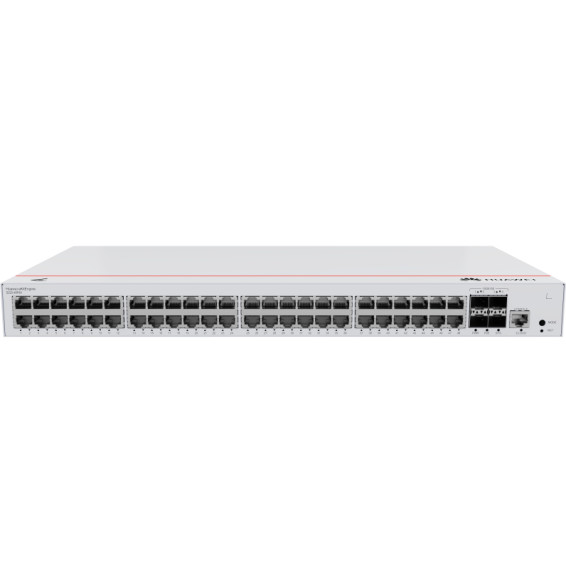
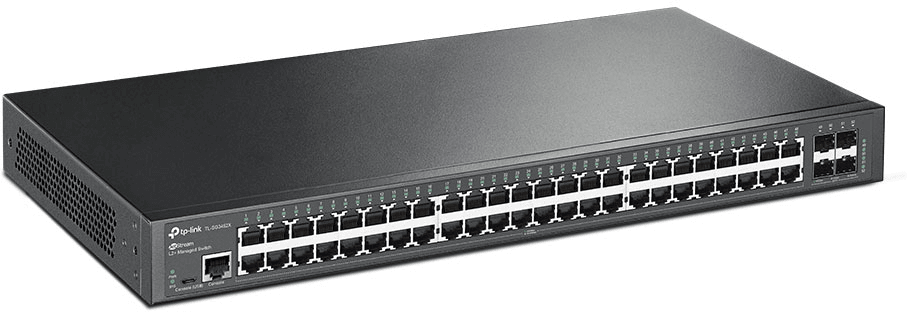
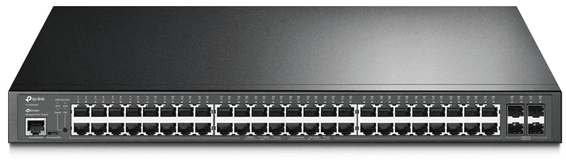
TP-Link TL-SG3452X JetStream 48-Port Gigabit L2+ Managed Switch with 4 10GE SFP+ Slots

Non-blocking switching capacity of 176 Gbps for a network core with no bottleneck. Full integration with the Omada SDN platform: centralised cloud management and zero-touch provisioning (ZTP).

  • Non-blocking switching capacity 176 Gbps, throughput 130.9 Mpps
  • Centralised cloud management through Omada SDN, Zero-Touch Provisioning
  • Static routing, 802.1Q VLAN, L2/L3/L4 QoS, IGMP snooping
  • Advanced security: ACL, 802.1X, IP-MAC-Port binding
  • LACP link aggregation, STP/RSTP/MSTP
  • 16,000-entry MAC address table, 12 Mbit buffer
  • Rackmount 19 inch 1U format, fanless
  • Management through web interface, CLI, SNMP, dual image
Ref.: TL-SG3452X
7 995,00 DHincl. VAT

Configuration · TP-Link JetStream SG3428 / SG3452

Out of stock

Under Law 09-08, you have the right to access, rectify and object to the processing of your personal data. This processing has been authorised by the CNDP under no. D-CE-389/2015. Learn more

Can’t wait?

Ask for an alternative on WhatsApp

Quick reply

Product overview

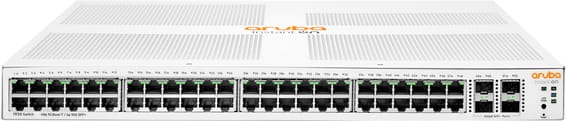
TP-Link TL-SG3452X JetStream switch: L2+ managed switch with 48 Gigabit RJ45 ports and 4 × 10 Gbit/s SFP+ slots for ultra-fast uplinks to servers and other switches.
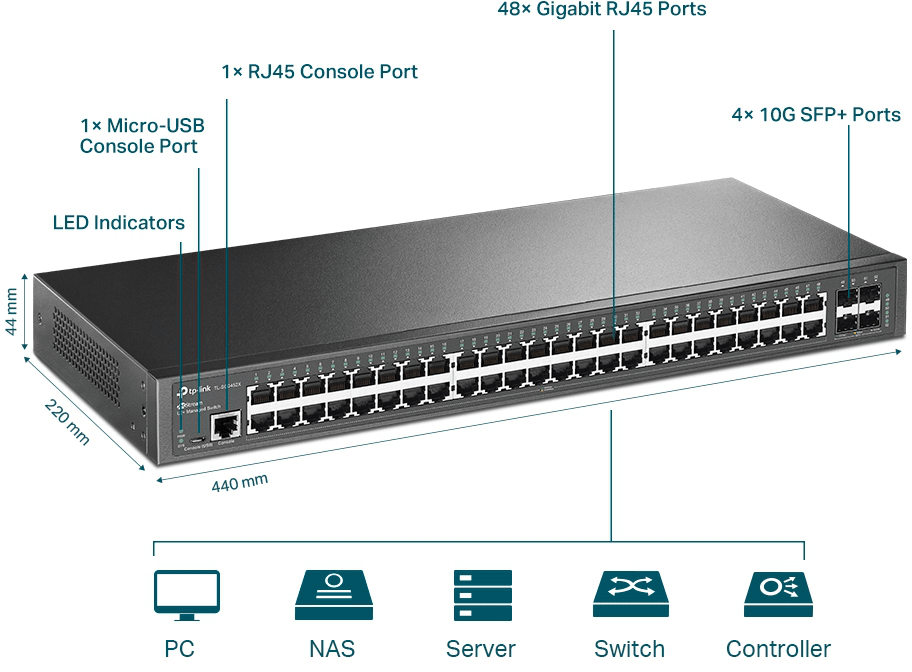
Ports: 48 × 10/100/1000 Mbps Gigabit copper ports for all your devices; 4 × 10 Gbit/s SFP+ ports for very high-speed inter-switch links — 176 Gbit/s switching capacity, non-blocking.
Management: integrated into the Omada SDN platform — centralised cloud management, Omada app, Zero-Touch Provisioning, intelligent multi-site monitoring. L2+ feature set: 802.1Q VLAN, static routing, L2/L3/L4 QoS, IGMP snooping, ACL, 802.1X security.
Form factor: 19-inch 1U rack-mountable, fanless case.
Also: 130.9 Mpps throughput, 16K MAC table, 12 Mbit buffer, LACP, STP/RSTP/MSTP, SSH/SNMP/RMON, dual image, IPv6.

See all the specifications ↓
Request a quoteShare:

Technical specifications

Technical specifications
MAC table size16,000 entries
Number of VLANs4,096 VLAN groups (802.1Q), MAC VLAN, protocol VLAN, voice VLAN, QinQ
Internal memory512 MB DRAM, 32 MB flash memory
Interfaces48 RJ45 10/100/1000 Mbps ports, 4 SFP+ 10 Gbps slots, 1 RJ45 console port, 1 micro-USB console port
PoE portsNone
Total PoE budgetNone
Network standardsIEEE 802.3i, 802.3u, 802.3ab, 802.3z, 802.3ae
Switching capacity176 Gbps
Forwarding rate130.94 Mpps
Packet buffer12 Mbit
Management modesWeb interface, CLI, SNMP v1/v2c/v3, RMON, dual image
Cloud management platformOmada SDN (OC200/OC300 controllers, software or cloud)
Layer 2 featuresLACP 802.3ad aggregation (8 groups), STP/RSTP/MSTP, loop detection, 802.3x flow control, port mirroring
IP routingStatic routing, 48 IPv4 and IPv6 routes, 16 IP interfaces
Quality of service (QoS)802.1p and DSCP, 8 queues, SP, WRR or SP+WRR scheduling, rate limiting
Power consumption32.72 W maximum, 13.38 W standby
Technical specifications (continued)
Dimensions (W x D x H)440 x 220 x 44 mm
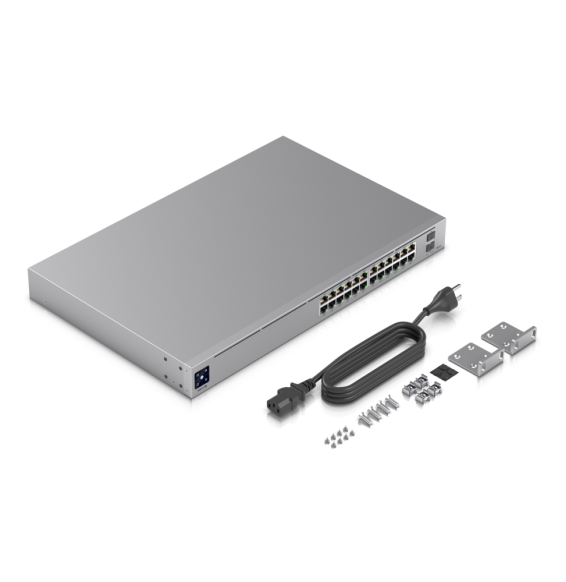
Package contentsSwitch, power cord, quick installation guide, rack-mount kit, rubber feet
Number of ports29 ports or more
ManagedYes
Security featuresIP-MAC-Port binding, Layer 2 to 4 ACL, 802.1X, DHCP Snooping, port security, storm control
Power supplyInternal 100-240 V AC power supply, 50/60 Hz
Cooling systemFanless
Operating temperature0 to 45 °C
Operating humidity10 to 90% RH, non-condensing
PoE powerNo
Port speed1 Gbps (Gigabit)
Management levelLayer 2+
Fibre slots (SFP)Yes
Mounting19-inch rack-mountable
Warranty1 year

Customer reviews

No reviews yet

Be the first to review this product and help other customers.

Write a review
Your rating
5/5

Shown publicly with your review.

Never published — a confirmation email will be sent to you.

Tell us about the product — in a few lines:

  • what you liked in everyday use;
  • the quality and performance you found;
  • who you would recommend it to, and why.

A question about an order, a delivery or a payment? Write to us and we will reply to you directly.

Under Law 09-08, you have the right to access, rectify and object to the processing of your personal data. This processing has been authorised by the CNDP under no. D-CE-389/2015. Learn more

Frequently asked questions about this product

Can a 48-port switch do without a fan?
Yes, this one can: the TL-SG3452X has a fanless design, which makes it completely silent. This is possible because it does not power any device over PoE — that is the whole difference from a PoE model of the same density.
What do this model's 4 SFP+ slots bring?
10 Gbps links to a server or another switch, with non-blocking switching and very low latency. Capacity reaches 176 Gbps at 130.9 Mpps.
How does this switch protect itself against internal attacks?
Through IP-MAC-Port-VID binding, port security, storm control and DHCP snooping, with a built-in list of common denial-of-service attacks to tick. Layer 2 to 4 access control lists restrict access to sensitive resources.
What Layer 2+ features does this switch offer?
802.1Q VLANs, port mirroring, STP, RSTP and MSTP, LACP link aggregation, 802.3x flow control and advanced IGMP snooping, which sends multicast only to the subscribers concerned. Static routing rounds out the package.
How do you deploy this switch at a remote site?
Through the zero-touch provisioning of the Omada SDN platform: the configuration is prepared remotely and the switch fetches it when powered on. Centralised cloud management then keeps track of the whole fleet.
How much buffer memory does this switch devote to traffic peaks?
12 Mbit, with a 16,000-address MAC table. Management is via the web interface, command line and SNMP, and the dual image lets you roll back to the previous firmware version after a failed update.
Is the switch new and covered by a warranty?
Yes, new equipment, with the invoice serving as the warranty document. This is the TP-Link TL-SG3452X, a Layer 2+ managed JetStream switch with 48 Gigabit ports and four 10 Gigabit uplinks, without PoE and without a fan.

Trending

View the TP-Link archive

Chat on WhatsApp

Scan with my phone

The simplest way: open your phone camera and point it at this code. The chat opens with your message ready.

Open WhatsApp Web

Works if your phone is already linked to this computer.

Prefer to call? (+212) 05 30 31 64 21